7 Best Password Apps for Safe Logins in 2026

- 1Password is the best overall pick, with a polished vault, family and business plans, and strong access management.
- Bitwarden suits users who want open-source, end-to-end encrypted password management at a low cost.
- Proton Pass is the best free option, with unlimited logins, unlimited devices, and email aliases on its free plan.
- Enpass suits users who want their data stored in their own cloud, with a free plan for up to 25 items.
- Dashlane suits businesses that want credential risk monitoring, while LastPass suits teams that need app and AI tool visibility.
- NordPass suits personal and business users who want breach alerts, email masking, and a built-in authenticator.
- No password app replaces good habits: use a strong master password, turn on two-factor authentication, and keep a recovery plan.
Quick comparison
| Product | Ideal for | Price from | Free version | |
|---|---|---|---|---|
 1Password | Overall polish and access management | See website | See website | Visit |
 Bitwarden | Open-source value and end-to-end encryption | See website | See website | Visit |
 Dashlane | Business credential security and risk monitoring | See website | See website | Visit |
 LastPass | Teams that need app and AI tool visibility | See website | See website | Visit |
 NordPass | Breach alerts, email masking, and a built-in authenticator | See website | See website | Visit |
 Proton Pass | Best free plan with email aliases | Free to use | Yes | Visit |
 Enpass | Data sovereignty and storing data in your own cloud | $1.99 per month | Yes | Visit |
The best password apps
1Password
Ideal for: Overall polish and access management

1Password is a password manager and access management platform for individuals, families, and businesses, covering vaults for identities, credentials, and secrets, with unified access tools for humans and machines. It was named a Leader in the 2026 Gartner Magic Quadrant for SaaS Management Platforms.
1Password is our top pick because it balances ease of use with depth: families get simple sharing, businesses get access governance, and everyone gets a vault that works across devices. Check current pricing on its site, since the homepage focuses on enterprise features rather than list prices.
- Polished vault across devices, family and business plans, secrets and access management, passkeys, strong reputation
- No free plan shown on the homepage, business pricing varies, advanced access features target larger teams
Bitwarden
Ideal for: Open-source value and end-to-end encryption
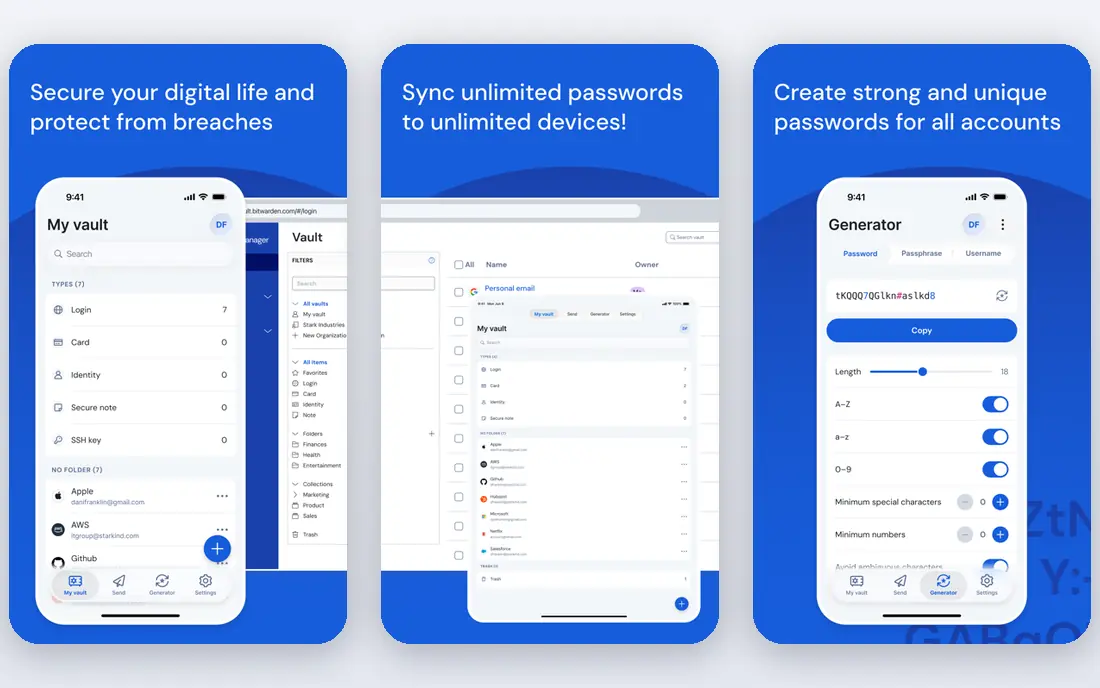
Bitwarden is an open-source, end-to-end encrypted password manager for individuals and businesses, covering credentials, passkeys, and sensitive information in one vault, with flexible deployment options and developer tools. It reports a top customer satisfaction score in the Fall 2026 G2 Password Manager Grid Report.
Bitwarden suits users who value transparency: the code is public, third-party audits are published, and the platform runs across Windows, Mac, Linux, Chrome OS, Android, iPhone, and iPad. It is a strong choice for both individuals and IT teams that want to verify what they trust.
- Open-source codebase, end-to-end encryption, business and personal plans, passkeys, wide platform support
- Interface is plainer than rivals, some advanced features need paid plans, pricing not shown on the homepage
Dashlane
Ideal for: Business credential security and risk monitoring
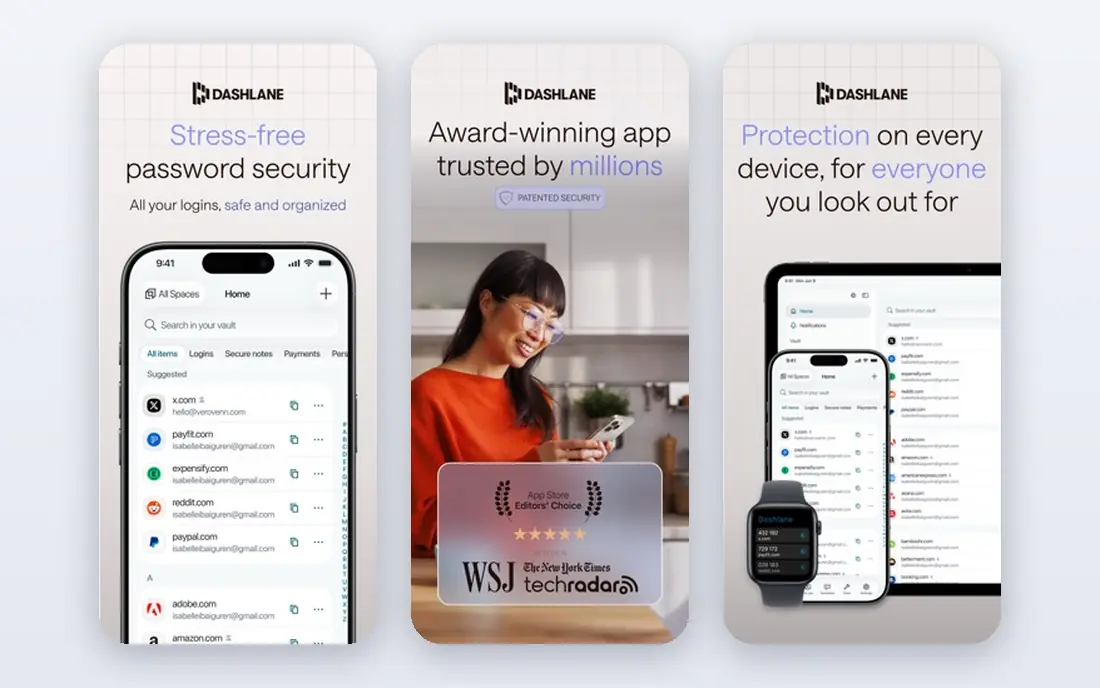
Dashlane is a password management and credential security platform, now centered on Dashlane Omnix, which finds and fixes weak or compromised credentials before a breach, detects in-browser phishing risks, and gives organizations visibility across logins that single sign-on misses.
Dashlane suits businesses worried about credential risk: it goes beyond storing passwords to flagging risky behavior at the point of use. Individuals may find its business focus heavier than they need, but teams with security concerns will value the monitoring.
- Credential risk detection, phishing detection in the browser, proactive remediation, compliance certifications, business focus
- Homepage focuses on business plans, personal pricing not shown, advanced tools need higher tiers
LastPass
Ideal for: Teams that need app and AI tool visibility
LastPass is a password manager for individuals and businesses, with secure storage, generation, and autofill of credentials, shared folders, role-based access, and admin controls. Its Business Max plan adds visibility into AI tools and SaaS apps employees use, plus web access controls, all delivered through the browser.
LastPass suits teams that want password management plus visibility into shadow apps: the admin console, shared folders, and policy controls cover the basics, while the discovery tools help IT see what employees actually use. Check current pricing on its site, since plan prices are not shown on the homepage.
- Shared vaults and folders, autofill, admin console, AI and SaaS app discovery, 14-day business trials
- Pricing not shown on the homepage, business focus, past security incidents mean some users prefer rivals
NordPass
Ideal for: Breach alerts, email masking, and a built-in authenticator
NordPass, from the team behind NordVPN, is a password manager for personal and business use, with encrypted vaults, autofill, passkeys, a data breach scanner, password policies, activity logs, a sharing hub, built-in email masking, and a built-in authenticator. It reports use by more than 10,000 businesses and uses the XChaCha20 encryption algorithm with a zero-knowledge architecture.
NordPass suits users who want extra privacy tools in one app: masked email aliases reduce phishing risk during sign-ups, and the built-in authenticator removes the need for a separate two-factor app. It is a solid all-round choice for both personal and team use.
- End-to-end encryption, zero-knowledge architecture, breach scanner, email masking, built-in authenticator, business and personal plans
- Pricing not shown on the homepage, business features need higher tiers, newer than some rivals
Proton Pass
Ideal for: Best free plan with email aliases
Proton Pass is an end-to-end encrypted password manager from Proton, with a free plan covering unlimited logins, notes, and credit cards, unlimited devices, browser, mobile, and desktop apps, a password generator, 10 hide-my-email aliases, weak and reused password alerts, and passkey support, with no credit card required.
Proton Pass is our pick for free users: the free plan is genuinely usable, not a trial, and the email aliases alone are worth the signup. Paid Pass Plus adds unlimited aliases, a built-in authenticator, vault sharing, dark web monitoring, and emergency access, while Proton Unlimited bundles Pass with Mail, Calendar, VPN, and Drive.
- Free plan with unlimited logins and devices, 10 email aliases free, passkeys, end-to-end encryption, no credit card for free plan
- Paid features like unlimited aliases and dark web monitoring need Pass Plus, Proton ecosystem focus, business pricing varies
Enpass
Ideal for: Data sovereignty and storing data in your own cloud
Enpass is a password and passkey manager built for data sovereignty: instead of storing your vault on its own servers, it lets you store data in your own Microsoft 365 or Google Workspace account, removing vendor breach risk for the vault itself. Its free plan covers up to 25 items in one vault, its premium plan costs $1.99 per month, and its business plan costs $1.99 per user per month billed yearly.
Enpass suits users in regulated industries or anyone uneasy about vendor-held vaults: your data lives where you choose, with ISO 27001 certification and GDPR compliance behind the platform. If you want a simple hosted vault, a rival may be easier, but for control, Enpass is unmatched.
- Data stored in your own cloud, no vendor-held vault, free plan for up to 25 items, premium from $1.99 per month, business controls
- Free plan limited to 25 items in one vault, setup needs your own cloud account, smaller ecosystem than rivals
How we picked these
We compared official homepages, feature pages, and pricing pages for password apps live in October 2026. We favored apps with end-to-end encryption, autofill, passkey support, and cross-device sync, and we covered the main use cases: overall polish, open-source value, business security, free plans, and data sovereignty. We kept only apps whose official homepages we could load and confirm, and we wrote "See website" for prices and free plans not shown on those homepages rather than guessing. Keeper was dropped because its domain could not be loaded. We did not claim hands-on testing, and we treated vendor claims about user counts and awards as claims, not verified results.
Staying safe with a password app
A password app helps only if you use it well. Pick a strong, unique master password that you can remember but no one can guess, and never reuse it anywhere else. Turn on two-factor authentication for the password app itself and for your most important accounts, using an authenticator app or a security key rather than SMS where possible.
Set up recovery before you need it: most apps offer emergency access, a recovery kit, or a trusted contact, and losing your master password can mean losing the vault. Review breach alerts when they arrive, change any password flagged as weak or reused, and avoid storing highly sensitive details, like full bank account numbers, in notes unless you understand the risk.
Finally, remember that a password app protects logins, not judgment. It will not stop you from entering credentials on a phishing site, though browser-based phishing detection in tools like Dashlane can help. Check the address bar, be wary of urgent login requests, and keep your devices updated.
Frequently asked questions
What is the best password app?
1Password is our top pick for most users, thanks to its polish, sharing, and access management. Bitwarden is best for open-source value, Proton Pass is best free, and Enpass is best if you want your data in your own cloud.
Is there a free password app?
Yes. Proton Pass offers a free plan with unlimited logins and devices, and Enpass offers a free plan for up to 25 items. Other apps on this list focus on paid plans, so check their pricing pages for current free or trial options.
Are password apps safe?
Reputable password apps use end-to-end encryption and zero-knowledge architecture, meaning the vendor cannot read your vault. No system is risk-free, so use a strong master password, turn on two-factor authentication, and keep a recovery plan.
What is the difference between passwords and passkeys?
Passwords are secrets you type, while passkeys are phishing-resistant credentials stored on your device and verified with a fingerprint, face, or PIN. All apps on this list support passkeys, and they are a safer login method where sites offer them.
Can I share passwords with family or a team?
Yes. 1Password, Bitwarden, LastPass, NordPass, Proton Pass, and Enpass all support shared vaults or folders, with controls over who sees what. Family plans cover households, while business plans add admin controls and audit logs.
What happens if I forget my master password?
It depends on the app: some offer emergency access, recovery kits, or account recovery through a trusted contact, while zero-knowledge designs may mean a lost master password cannot be reset. Set up recovery options when you first create your vault, before you need them.