Best Payroll Software for Global Teams in 2026: 8 Tools Compared

- Deel and Remote lead for global payroll plus contractor and employee coverage.
- Papaya Global and Oyster suit firms that want payroll plus workforce management.
- Rippling and Gusto Global fit firms already using those systems for HR or payroll.
- Multiplier and Workday suit teams that need broad coverage or enterprise depth.
- Confirm tax, benefits, and reporting duties for each country before choosing.
Quick comparison
| Product | Ideal for | Price from | Free version | |
|---|---|---|---|---|
 Deel | Global payroll plus contractors | See website | No | Visit |
 Remote | Employees plus contractors | See website | No | Visit |
 Papaya Global | Global payroll and reporting | See website | No | Visit |
 Oyster | Distributed team payroll | See website | No | Visit |
 Rippling | HR plus global payroll | See website | No | Visit |
 Gusto Global | US firms expanding abroad | See website | No | Visit |
 Multiplier | Multi-country payroll | See website | No | Visit |
 Workday | Enterprise global payroll | See website | No | Visit |
The best payroll software for global teams
We compared official feature pages, pricing pages, and public reviews for eight global payroll tools. Global payroll covers multi-country pay, currencies, benefits, and compliance, and errors can create tax and labor risk, so country coverage and local expertise matter most.
Disclaimer: This is not tax advice. Payroll tax, benefits, and employment rules vary by country and worker type, so consult qualified tax and legal professionals for your specific countries before running global payroll.
Deel
Ideal for: Global payroll plus contractors
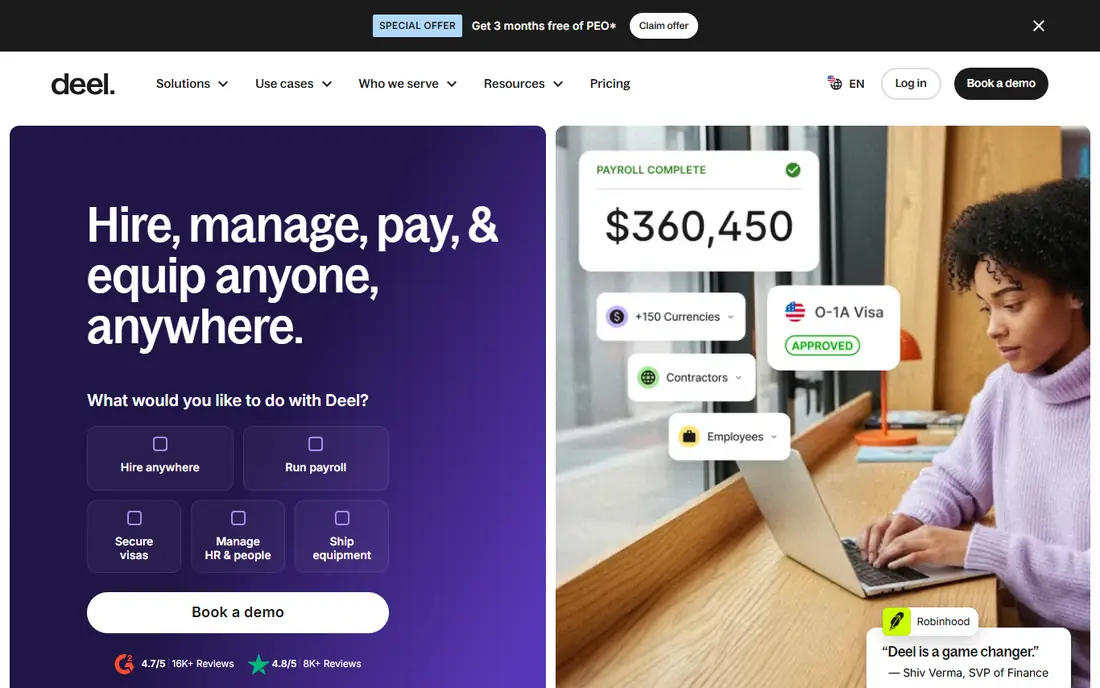
Deel handles global payroll for employees plus contractor payments in many countries, with compliance workflows for contracts, taxes, and benefits. Finance teams get consolidated reporting across countries, while workers get local pay and documents. The breadth suits firms hiring in many markets at once.
Pricing is per worker and quoted, so costs add up with large teams. Support quality varies by region. For a firm expanding globally with mixed employees and contractors, Deel offers a strong single platform. Confirm coverage and payroll timing for each country.
- Broad country coverage
- Payroll plus contractors
- Compliance workflows
- Pricing is quoted per worker
- Support varies by region
Remote
Ideal for: Employees plus contractors
Remote runs global payroll for employees and contractors, with owned local entities in many countries and benefits administration. Country guides explain local payroll rules, which helps finance teams plan. Workers get local contracts, pay, and benefits through one platform.
Onboarding speed varies by country, since local rules and banking differ. Pricing is quoted per worker. For a firm that wants a single vendor for global employees and contractors, Remote is a strong choice. Verify payroll calendars for your countries.
- Owned entities in many countries
- Payroll and benefits
- Clear country guides
- Pricing is quoted
- Onboarding speed varies by country
Papaya Global
Ideal for: Global payroll and reporting

Papaya Global combines global payroll with workforce management and finance reporting, giving firms one view of pay costs by country, department, and worker type. Compliance workflows cover contracts, benefits, and payroll data, while integrations link to HR and finance systems. The platform suits mid-size and larger firms with complex payroll.
Setup takes effort, since payroll data must be mapped correctly. Smaller firms may find Papaya broad. For a finance-led global payroll rollout, Papaya offers reporting depth that lighter tools lack.
- Global payroll plus workforce data
- Strong finance reporting
- Compliance checks
- Setup can be involved
- Pricing is quoted
Oyster
Ideal for: Distributed team payroll
Oyster handles global hiring and payroll for distributed teams, with benefits guidance and local compliance support. Employers manage employees and contractors across countries in one dashboard, while workers get clear pay and benefits information. The experience suits remote-first firms.
Coverage and benefits vary by country, so verify each hiring location. For a remote-first firm that values a clean worker experience, Oyster is a solid choice. Check payroll timing and reporting for finance needs.
- Global hiring and payroll
- Benefits guidance
- Clean team experience
- Pricing is quoted
- Coverage varies by country
Rippling
Ideal for: HR plus global payroll
Rippling ties global payroll to HR and IT, so employee data, pay, benefits, and device access flow from one system. Automation reduces manual entry for onboarding, pay changes, and offboarding. Firms already using Rippling for United States HR value the single system as they expand abroad.
Modular pricing means total cost depends on products added, and global depth varies by country. For a Rippling-centered firm expanding globally, Rippling offers convenient continuity. Confirm country coverage for your expansion plan.
- HR, payroll, and IT in one system
- Global payroll options
- Automation
- Pricing is modular and quoted
- Global depth varies by country
Gusto Global
Ideal for: US firms expanding abroad
Gusto, known for United States payroll, offers global payroll options for firms expanding abroad, with contractor payments and employee payroll in supported countries. United States firms value the familiar interface and benefits handling for domestic staff alongside global workers. The system suits small firms taking first steps abroad.
Global depth is newer than Deel or Remote, and coverage varies by country. For a United States firm with a small global team, Gusto Global offers a gentle expansion path. Verify country coverage before relying on it for key hires.
- Simple US payroll plus global options
- Benefits for US staff
- Clean interface
- Global depth is newer than Deel
- Coverage varies by country
Multiplier
Ideal for: Multi-country payroll
Multiplier offers multi-country payroll for employees and contractors, with compliant onboarding and multi-currency payments. Firms can hire in many countries without local entities, while finance teams track pay costs centrally. The platform emphasizes speed and local compliance.
Brand history is shorter than Deel or Remote, so buyers should check references for their countries. For a firm that needs fast multi-country payroll, Multiplier is a practical option. Confirm payroll calendars and benefits for each country.
- Multi-country payroll and onboarding
- Compliance support
- Multi-currency pay
- Smaller brand than Deel
- Coverage varies by country
Workday
Ideal for: Enterprise global payroll
Workday serves large enterprises with HR, finance, and global payroll, offering strong reporting and controls across countries. Firms with complex payroll, benefits, and workforce planning value the single enterprise system. Payroll partners extend coverage where Workday does not run payroll directly.
Pricing is quoted, and implementation is a project. Smaller firms will find Workday heavy. For a large enterprise that already runs Workday HR or finance, global payroll through Workday offers coherence and control.
- Enterprise HR and payroll
- Global reporting
- Strong controls
- Pricing is quoted
- Implementation is a project
How we picked these
We compared official feature pages, pricing pages, and public reviews for global payroll tools in October 2026. We favored tools with multi-country coverage, local compliance workflows, currency support, and consolidated reporting, and we mixed global specialists with HR-led and enterprise options. We did not claim hands-on testing, and we list prices as shown on vendor sites, using See website where pricing is quoted.
What to check before you buy
Start with country list. Confirm payroll, benefits, tax, and reporting coverage for every country you hire in, plus payroll calendars and cutoffs. A tool that covers most countries but misses one key hire location creates manual work. Next, check worker types: employees, contractors, and conversions need different workflows.
Then test reporting for finance, including pay costs by country, currency handling, and month-end close. Confirm integrations with HR, accounting, and time systems, and clarify who handles tax filings versus data entry. Finally, run a pilot in one or two countries, measure payroll accuracy and timing, and confirm support hours before a global rollout.
A final check before you commit
Price comparisons work best when you model a full year of use, including seats, add-ons, storage, and support, rather than comparing headline monthly rates. A plan that looks cheap for three users can grow quickly when contractors, managers, or part-time staff are added, and a plan that looks costly may include features you would otherwise buy separately. Ask for a written quote for your expected user count at six and twelve months, and check renewal terms, since first-year discounts often hide the long-term rate you will actually pay.
Total cost includes time as well as money, so count setup hours, training hours, and the admin time needed each month for each finalist. A tool that saves ten minutes per user per day can justify a higher fee, while a cheap tool that needs constant manual fixes can cost more in staff time than it saves in subscription fees. Ask current users in similar firms about weekly admin load, and treat those answers as part of the price. The cheapest subscription is rarely the cheapest system once staff time is counted honestly.
Rollout works best in stages, so plan a pilot group, a feedback round, and a wider launch, rather than switching the whole team at once. The pilot group should include sceptical users as well as enthusiasts, since sceptics find real flaws that fans overlook, and their approval later helps wider adoption. Collect feedback on speed, clarity, and missing features after two weeks, fix what can be fixed through settings or training, and only then expand. A staged rollout takes a little longer, but it avoids the all-at-once disruption that turns teams against a tool before it has a fair chance.
Frequently asked questions
What is global payroll software?
It runs payroll across countries, handling currencies, taxes, benefits, and compliance for employees and sometimes contractors. It replaces separate local payroll vendors with one system and reporting view.
How is global payroll different from employer of record?
Global payroll software pays workers you already employ through local entities or partners, while an employer of record employs workers on your behalf. Some vendors, such as Deel and Remote, offer both models.
Can global payroll handle contractors too?
Yes, many tools on this list handle contractors alongside employees, including Deel, Remote, and Oyster. Confirm contractor payment methods and tax forms for each country.
What taxes does global payroll cover?
Coverage varies by country and vendor, including income tax withholding, social contributions, and filings. Vendors usually handle local filings, but firms remain responsible for compliance, so confirm duties in writing.
How much does global payroll cost?
Pricing is usually per worker per month and quoted, varying by country and services. Ask for a full quote including payroll, benefits admin, and contractor fees for your headcount.