Best Payroll Software With Time Tracking in 2026: 8 Tools Compared

- Gusto is our pick for most small businesses because it pairs easy payroll with time tracking, benefits, and hiring tools.
- Rippling suits growing companies that want payroll, HR, and IT management in one platform.
- ADP suits larger firms that need scale, compliance depth, and broad service options.
-
Tax filing, direct deposit timing, and time-to-payroll sync matter more than feature lists alone.
-
Parallel payroll runs before switching providers catch tax and wage errors while they are still cheap to fix.
Quick comparison
| Product | Ideal for | Price from | Free version | |
|---|---|---|---|---|
 Gusto | Small business payroll and time | See website | Free trial | Visit |
 Rippling | Growing companies and HR | See website | Free trial | Visit |
 ADP | Large firms and compliance | See website | Free trial | Visit |
 Paychex | Full-service payroll | See website | Free trial | Visit |
 Deel | Global payroll and contractors | See website | Free trial | Visit |
 Square Payroll | Small teams and Square users | See website | Free trial | Visit |
 Patriot Software | Affordable payroll | See website | Free trial | Visit |
 OnPay | Simple payroll and benefits | See website | Free trial | Visit |
The best payroll software with time tracking
Payroll software with time tracking should turn hours worked into accurate pay without retyping data. The best tools combine time clocks, approvals, payroll runs, tax filings, and benefits in one flow. We compared official feature pages, pricing pages, and public reviews for the options below.
Gusto
Ideal for: Small business payroll and time
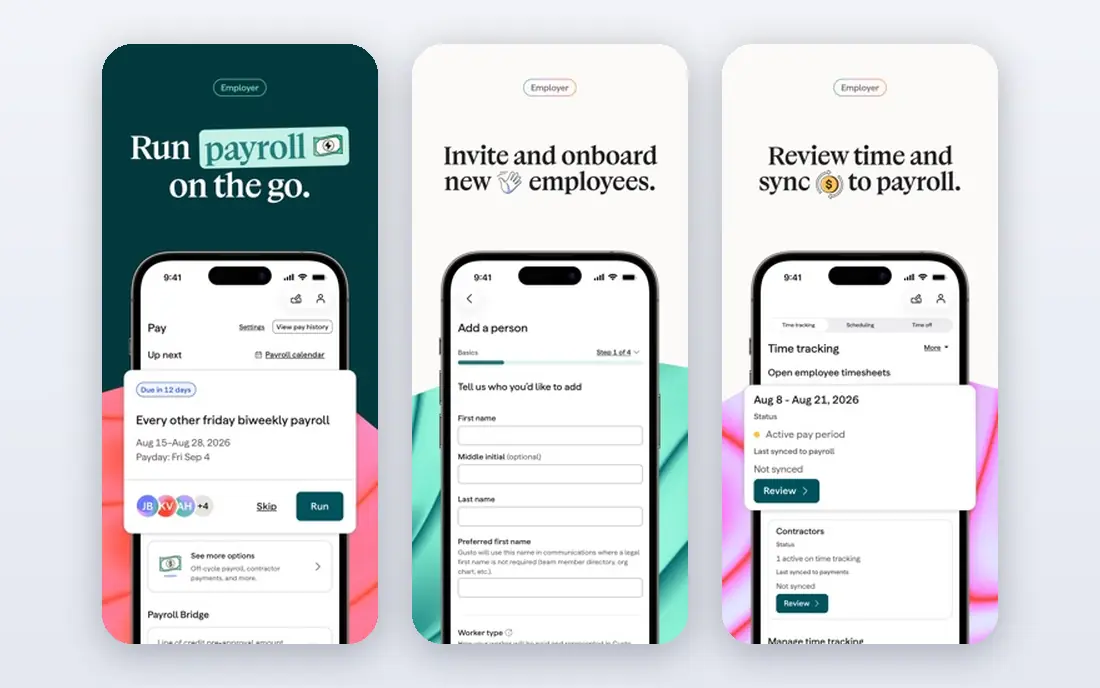
Gusto is a favorite for small businesses because payroll runs are simple: hours flow from time tracking into pay, taxes file automatically, and direct deposit runs on schedule. Benefits, hiring, and onboarding tools round out the platform, so a small team can manage people in one place.
Pricing rises per user and with added features, and advanced HR tools need higher plans. For a small business that wants payroll plus time tracking done well, Gusto is our top pick.
- Easy payroll runs
- Time tracking and time clocks
- Benefits and hiring tools
- Pricing rises with users and features
- Advanced HR needs higher plans
Rippling
Ideal for: Growing companies and HR
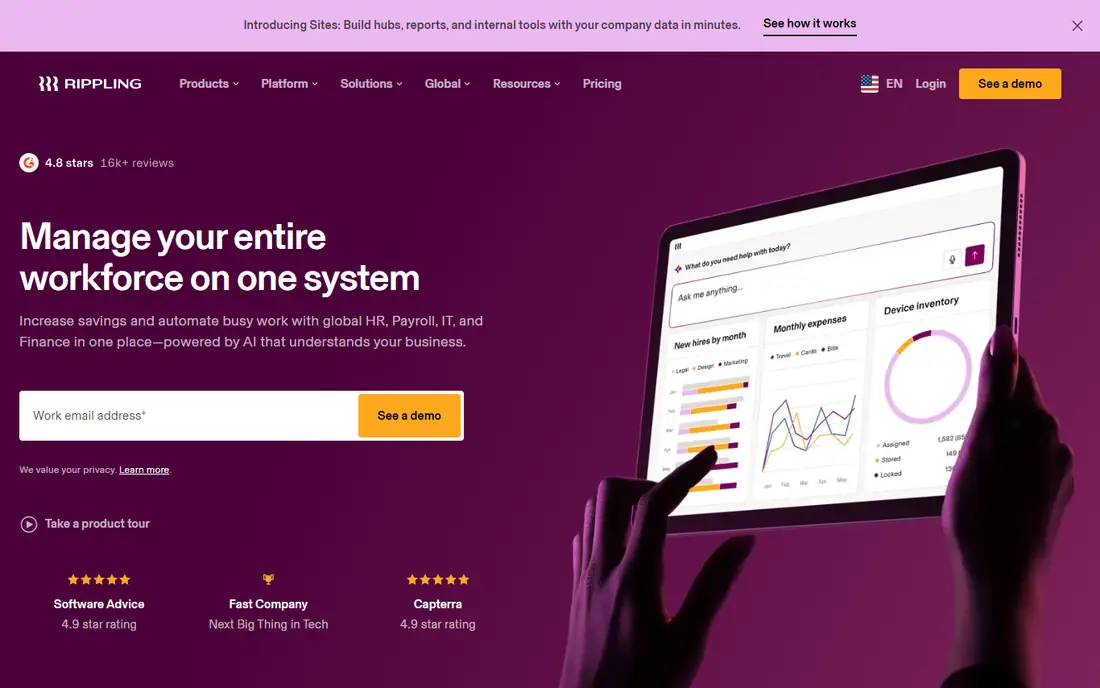
Rippling unifies payroll, HR, benefits, and IT management, with time tracking feeding payroll automatically. Growing companies benefit from automation: onboarding triggers accounts, devices, and payroll setup together. That unity saves admin time as headcount grows.
Pricing is quote-based, and setup takes planning across HR and IT. For a growing company that wants one people platform, Rippling is a powerful choice.
- Payroll, HR, and IT in one system
- Time tracking
- Strong automation
- Pricing is quote-based
- Setup takes planning
ADP
Ideal for: Large firms and compliance
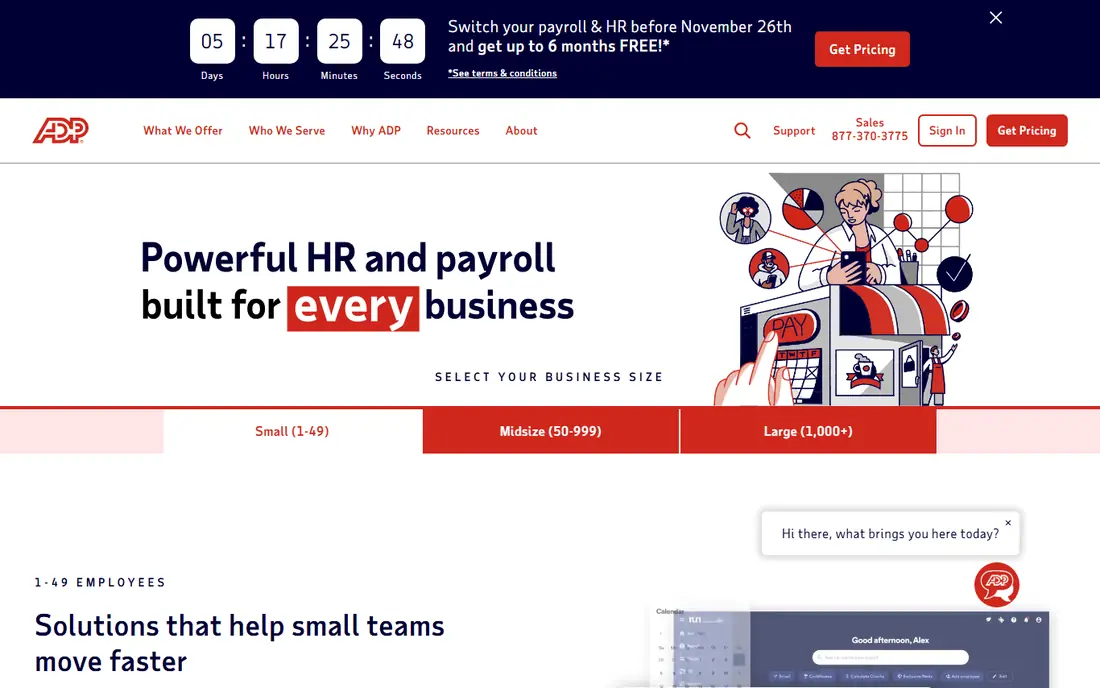
ADP is the largest payroll provider, with scale, compliance depth, and broad services for firms from small to enterprise. Time tracking, payroll, benefits, and HR tools cover complex needs, and global payroll options suit multinational firms. Compliance support is a major strength.
Pricing and complexity can overwhelm small firms, and service quality varies by product line. For a larger firm that needs scale and compliance depth, ADP is a leading choice.
- Scale and compliance depth
- Broad payroll and HR services
- Global options
- Pricing and complexity for small firms
- Service varies by product
Paychex
Ideal for: Full-service payroll
Paychex offers full-service payroll with tax filing, time tracking, benefits, and HR support. Dedicated service representatives help many clients, which suits owners who want a person to call. Time clocks and mobile apps feed hours into payroll cleanly.
Pricing is quote-based, and the interface feels dated in places. For a business that wants full-service payroll with human support, Paychex is a solid choice.
- Full-service payroll and tax filing
- Time tracking
- HR support
- Pricing is quote-based
- Interface feels dated in places
Deel
Ideal for: Global payroll and contractors
Deel handles global payroll, contractor payments, and compliance across many countries, with time tracking for hourly workers. Companies hiring abroad benefit from local contracts, tax handling, and benefits support without setting up foreign entities. That global depth is its edge.
US-only firms gain less from the global focus, and pricing varies by worker type. For a company with international workers or contractors, Deel is a leading choice.
- Global payroll and contractor payments
- Compliance in many countries
- Time tracking
- Global focus means US-only firms gain less
- Pricing varies by worker type
Square Payroll
Ideal for: Small teams and Square users
Square Payroll offers simple payroll for small teams, with time tracking through Square's time clocks and point-of-sale tools. Hours flow into payroll, taxes file, and direct deposit runs on schedule. Square sellers gain one system for sales, time, and pay.
State availability varies, and benefits options are limited compared with Gusto. For a small Square-using team, Square Payroll is a simple, well-integrated pick.
- Simple payroll for small teams
- Time tracking via Square
- Easy Square integration
- State availability varies
- Benefits options are limited
Patriot Software
Ideal for: Affordable payroll
Patriot Software offers low-cost payroll with a time tracking add-on and US-based support. Small businesses on tight budgets get full-service tax filing and direct deposit without premium pricing. The interface is simple and functional.
HR features trail Gusto and Rippling, and the design is plain. For an affordable, no-frills payroll plus time tracking combo, Patriot is a practical pick.
- Low-cost payroll
- Time tracking add-on
- US-based support
- Fewer HR features than Gusto
- Interface is simple rather than polished
OnPay
Ideal for: Simple payroll and benefits
OnPay offers payroll with simple flat pricing, time tracking, and benefits integrations. Small businesses like the clear monthly price without per-feature surprises, and the platform covers payroll taxes, direct deposit, and reporting cleanly. Setup is straightforward.
The vendor is smaller than ADP or Gusto, and advanced HR features are fewer. For a small business that wants simple, fairly priced payroll with time tracking, OnPay is a good choice.
- Simple flat pricing
- Time tracking
- Benefits integrations
- Smaller vendor
- Advanced HR features are fewer
How we picked these
We compared official feature pages, pricing pages, and public reviews, and we kept only payroll tools operating in the US in October 2026 with real time tracking and tax filing. We favored tools with accurate payroll runs, clear pricing, and clean time-to-pay sync. We left out time-only tools with no payroll and payroll tools with no time tracking.
We also compared employee self-service quality, since pay stubs, tax forms, and time-off balances generate constant questions when hard to find. A clear employee portal with mobile access cuts HR interruptions sharply, while a confusing portal sends every question back to you. Test the employee view, not just the admin view, during evaluation.
What to check before you choose payroll software
Start with your worker mix. Hourly, salaried, contractor, and multi-state workers each need different handling, and a tool that fits one mix may struggle with another. Confirm tax filing coverage for every state where you have workers.
Next, test time-to-pay flow with real hours. Clock-ins, overtime rules, approvals, and payroll preview should work without manual fixes. Finally, compare total cost: base fees, per-user fees, tax filing charges, and benefits administration all add up. Run a parallel payroll cycle before switching fully to catch errors early.
Overtime and break rules vary by state and industry, so configure them carefully before the first live run. Confirm daily and weekly overtime thresholds, meal break handling, and rounding rules match your policies and local law. Test edge cases such as split shifts and overnight work during setup, since payroll errors in those cases frustrate staff most.
Year-end readiness should be confirmed early, not in December. Confirm W-2 and 1099 handling, correction processes, and support availability during tax season, since year-end mistakes carry penalties and employee frustration. Vendors with clear year-end guides and responsive January support earn their fees then.
Questions to ask before you commit
Ask vendors how they handle multi-state tax registration, since hiring in a new state triggers registration, withholding, and unemployment filings. Confirm whether the vendor manages registration or only files after you register, since the distinction affects how fast you can hire across states.
Ask about garnishments, deductions, and benefits administration, since these payroll details cause the most errors. Confirm that the system handles common deduction types, child support orders, and benefits changes cleanly, and test with a real employee scenario during your trial. Payroll accuracy on edge cases matters more than a slick dashboard.
Ask how the vendor supports you during an audit or tax notice, including response times and whether tax experts are available. Payroll mistakes surface months later as agency notices, and a vendor that helps resolve them saves far more than its monthly fee. Confirm audit support scope before you need it.
Frequently asked questions
What is the best payroll software with time tracking?
Gusto is our pick for most small businesses because it pairs easy payroll with time tracking, benefits, and hiring tools. Rippling suits growing companies, while ADP suits larger firms that need scale and compliance depth.
Does payroll software file taxes for me?
Yes, most tools here file federal and state payroll taxes and year-end forms, though coverage varies by state and plan. Confirm filing scope for your states, and check whether local taxes and new-hire reporting are included.
Can hourly employees clock in through payroll software?
Yes. Gusto, Rippling, Square Payroll, and others here offer time clocks, mobile apps, or integrations that feed hours into payroll. Confirm overtime rules, break tracking, and approval workflows match your policies.
How much does payroll software cost?
Pricing varies by base fee plus per-user or per-payroll charges, with benefits and time tracking sometimes adding cost. Compare total monthly cost at your headcount, not just the advertised base price.
Should I switch payroll providers mid-year?
You can, but plan carefully. Mid-year switches need year-to-date wage and tax data migrated accurately. Run a parallel cycle, confirm filings, and keep old records accessible for year-end forms.
What payroll taxes do employers handle?
Employers generally withhold income tax and employee Social Security and Medicare, pay employer shares of Social Security and Medicare, and pay federal and state unemployment taxes, plus any local taxes. Payroll software files most of these, but coverage varies by state and plan, so confirm filing scope for every state where you employ workers.