Shortlist: 6 Best PDF Merge Software Options for 2026

- 1
 iLovePDFBeginner-friendly merging plus desktop and mobile appsVisit
- 2
 PDFelementOne-time purchase fans who want editing plus mergingVisit
- 3
 Adobe AcrobatTeams that require merging inside a full professional PDF suiteVisit
- 4
 SejdaOccasional merges with no account and clean privacy handlingVisit
- 5
 SmallpdfFast online merges with no software to installVisit
- Top of the list is iLovePDF, which targets beginner-friendly merging plus desktop and mobile apps.
- PDF24 Tools is the one to check for unlimited free merging, online or offline on Windows.
- iLovePDF, Sejda, Smallpdf, PDF24 Tools: these are the 4 tools out of 6 that offer a free plan.
- Before buying Sejda, weigh this: free level limited to 3 tasks daily.
- Starting prices begin at $4/month with iLovePDF.
Direct answer
If you need beginner-friendly merging plus desktop and mobile apps, iLovePDF is the first tool to look at here. PDFelement fits one-time purchase fans who want editing plus merging; Adobe Acrobat fits teams that require merging inside a full professional PDF suite. The other 3 tools in the list cover narrower or pricier cases.
Quick comparison
| Product | Ideal for | Price from | Free version | |
|---|---|---|---|---|
| iLovePDF | Beginner-friendly merging plus desktop and mobile apps | From $4/month (Premium, billed annually) | Yes | Visit |
| PDFelement | One-time purchase fans who want editing plus merging | From $79.99/year (perpetual license $129.99 one-time) | Free trial (7 days) | Visit |
| Adobe Acrobat | Teams that require merging inside a full professional PDF suite | From $19.99/month (Acrobat Pro, annual plan billed per month) | Free trial (7 days) | Visit |
| Sejda | Occasional merges with no account and clean privacy handling | From $7.50/month ($63/year; $5 week pass available) | Yes | Visit |
| Smallpdf | Fast online merges with no software to install | $10/month (Pro, billed annually; $15 month-to-month) | Yes | Visit |
 PDF24 Tools | Unlimited free merging, online or offline on Windows | Free | Yes | Visit |
Our 6 picks for PDF merge software
Short on time? The summary and table above give the quick view of 6 tools for PDF merge software, and the profiles that follow give the detail behind each entry.
iLovePDF
Ideal for: Beginner-friendly merging plus desktop and mobile apps
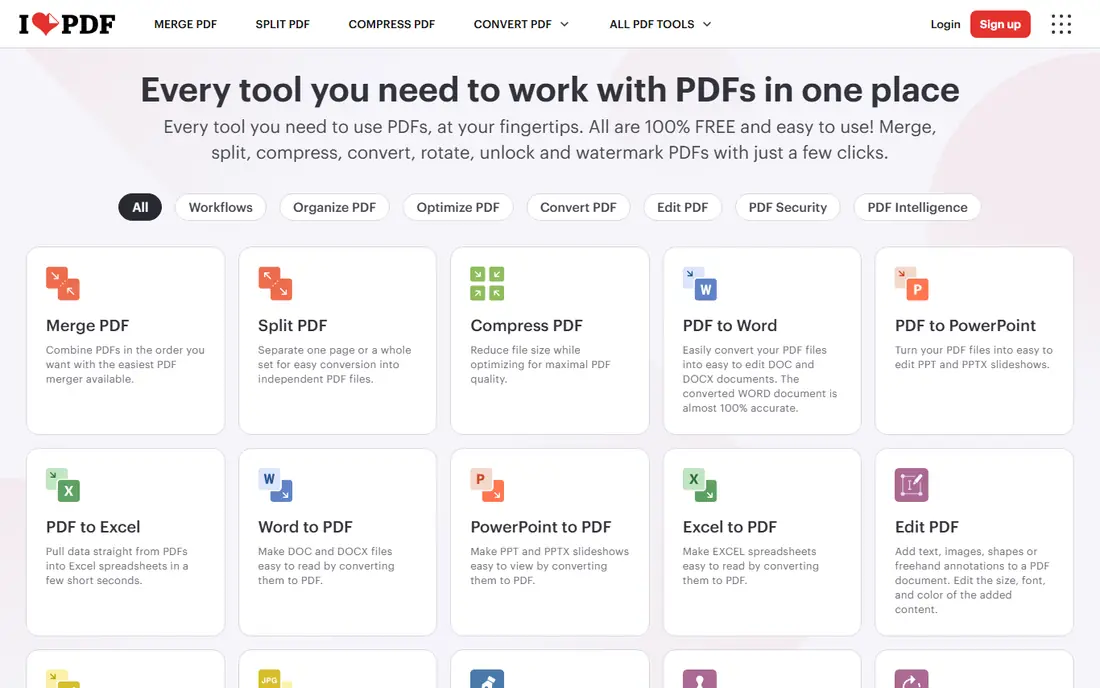
iLovePDF was built for beginner-friendly merging plus desktop and mobile apps. iLovePDF takes the same browser-based approach as Smallpdf but feels a little friendlier to first-time users. Where it pulls ahead is the ecosystem: the desktop app for Windows and Mac processes files locally with no internet and no limits.
Limits to weigh: Recent pricing changes make old reviews unreliable.
The mobile apps mean the same workflow follows you to your phone. The homepage lays out every tool as a big button, merging takes seconds, and there is no account needed to start. On top of that, the free level takes care of merging, splitting, and compressing with some limits on processing volume. The starting price for iLovePDF: From $4/month. Free access exists with iLovePDF.
- Desktop app works offline with no limits
- Very approachable interface
- Advanced features like OCR and e-sign need Premium
PDFelement
Ideal for: One-time purchase fans who want editing plus merging
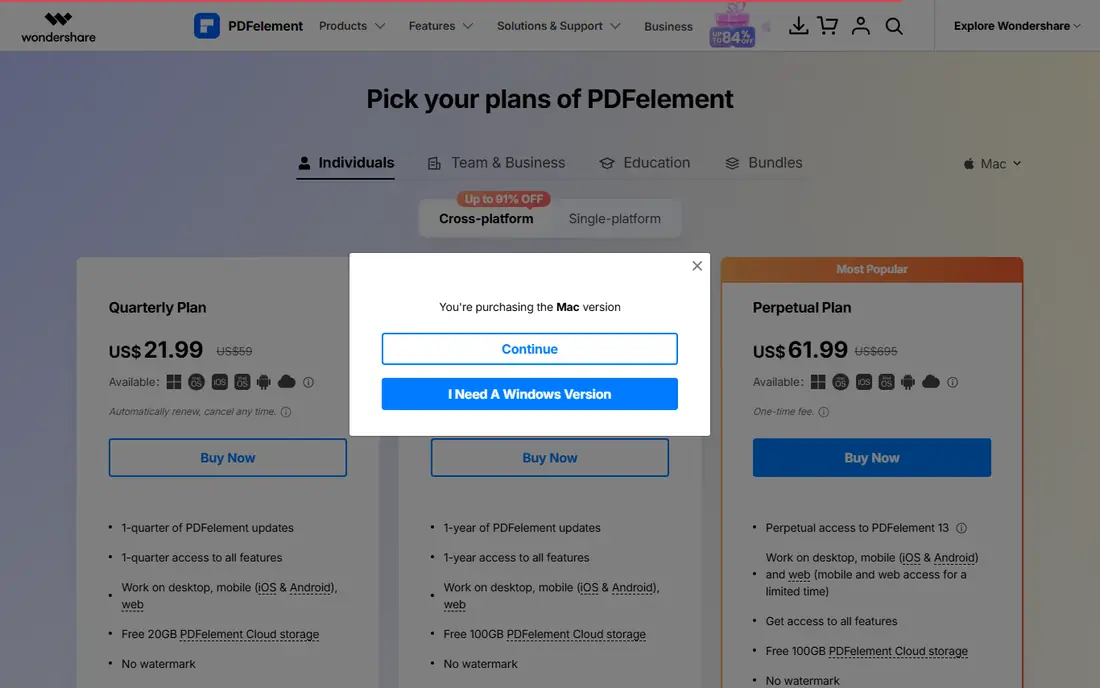
PDFelement works best for one-time purchase fans who want editing plus merging. PDFelement from Wondershare is the favorite of buyers who want to pay once and be done. The perpetual license at $129.99 one-time buys the current version outright, whereas the yearly plan at $79.99 keeps updates flowing.
Either way you get a full editor: direct text editing, conversion, OCR, form creation, batch processing, redaction, and AI tools that summarize, translate, and chat with your documents. It runs on Windows, Mac, iOS, and Android. The trial is usable for evaluation but watermarks saved files and limits combining to three files under 20 MB, so test accordingly. Entry price for PDFelement: From $79.99/year. As for free access: Free trial (7 days).
Where it is weaker: Pricing varies by product and changes with promotions.
- Capable OCR and batch tools
- Perpetual license available
- Trial watermarks saved files
Adobe Acrobat
Ideal for: Teams that require merging inside a full professional PDF suite
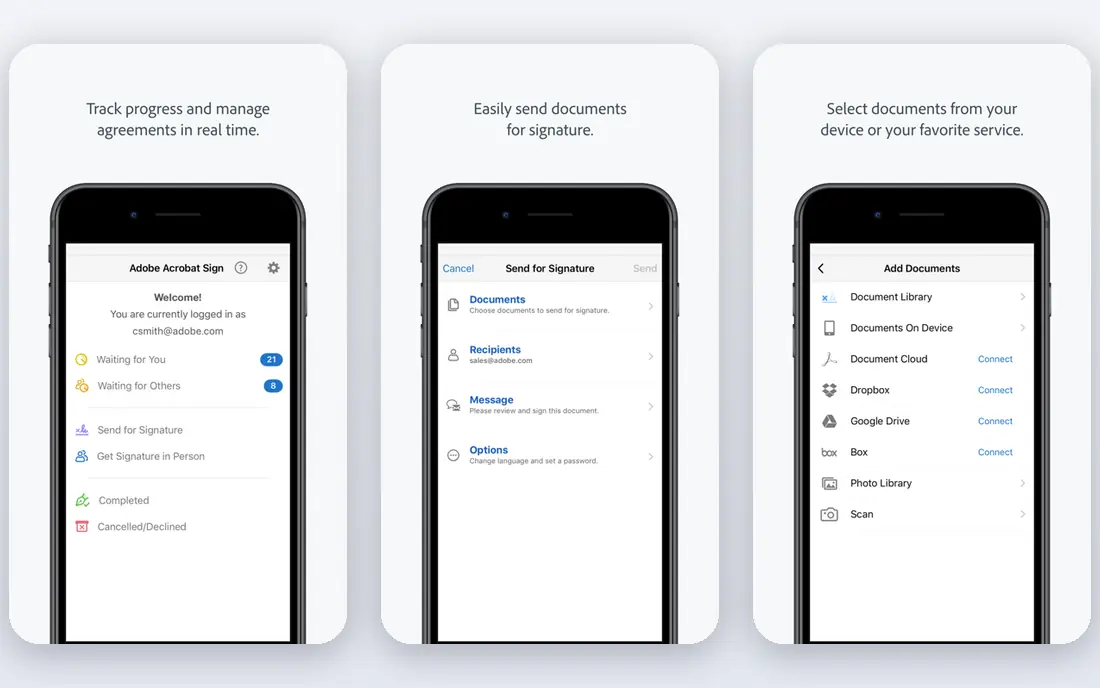
For teams that need merging inside a full professional PDF suite, Adobe Acrobat is a natural candidate. Adobe invented the PDF, and Acrobat Pro remains the reference implementation. There is a 7-day free trial but no free plan, and Adobe no longer sells perpetual licenses to new customers.
For everyday use, the price reflects that position: Pro runs $19.99 a month on the annual plan billed monthly ($29.99 month-to-month), with Standard at $14.99 and a newer Studio level above Pro. If your team lives in PDFs all day, the depth is unmatched and the output quality is the benchmark others are measured against. Adobe Acrobat cost at the entry level: From $19.99/month. On free options: Free trial (7 days).
Points against: More tool than a merge-only user needs.
- Very good conversion and OCR
- E-signature workflows built in
- The most costly choice here
Sejda
Ideal for: Occasional merges with no account and clean privacy handling
Sejda makes the most sense for occasional merges with no account and clean privacy handling. Sejda is the quiet achiever of online PDF tools. More specifically, heavy users can buy a $5 week pass, pay $7.50 monthly, or take the $63 annual plan.
Limits to weigh: Text editing is weaker than the dedicated editors.
Worth adding: the merge tool lets you combine PDFs and images, reorder by drag or alphabetically, create bookmarks and a table of contents from the merged files, and even add file names as footers, which is more control than most free mergers offer. Nothing needs an account, the interface has no ads, and uploaded files are deleted after two hours. Sejda starts at: From $7.50/month. Sejda includes a free tier.
- Files auto-deleted after 2 hours
- Desktop version keeps files completely local
- Premium plans renew automatically
Smallpdf
Ideal for: Fast online merges with no software to install
Smallpdf serves fast online merges with no software to install. You drag files in, rearrange pages as thumbnails, hit merge, and download. It accepts Word, Excel, and image files alongside PDFs, converting them on the fly.
Where Smallpdf stands out: Files auto-deleted after one hour.
Where it falls short: Free level has daily task limits.
It can save straight to Google Drive or Dropbox. For routine documents that is fine. In practice, the other honest note is privacy: files are TLS-encrypted and deleted within an hour, but they do travel to Smallpdf's servers. The free level handles casual use but rations it with daily limits, and anything beyond entry-level merging (text editing, OCR, batch work, capable compression) needs Pro at $10 a month billed yearly or $15 month-to-month, with a 7-day free trial. Starting cost for Smallpdf: $10/month. A free plan is available with Smallpdf.
- Very simple merge workflow with page previews
- Images too
- Pro features like OCR and batch processing sit behind the subscription
PDF24 Tools
Ideal for: Unlimited free merging, online or offline on Windows
PDF24 Tools is built with unlimited free merging, online or offline on Windows in mind. PDF24 is the answer to "is there a merger that is just free, with no catch?" The online tools manage merging, splitting, compressing, converting, signing, and OCR without accounts, watermarks, or usage caps, funded by on-page advertising. Worth adding: the trade-offs are cosmetic and platform-related: the design looks like it has not changed in a decade, and Mac and Linux users are restricted to the browser tools.
Beyond that, the standout is the Assemble tool, which presents every page of every document side by side so you can drag pages between files, merge, split, rotate, and delete in one visual workspace. That combination, unlimited free online plus a free offline app, is unmatched at this price point (zero). Starting cost for PDF24 Tools: Free. PDF24 Tools offers a free plan.
Limits to weigh: Online tools are ad-supported.
- Fully free with no artificial limits
- Offline Windows app included
- Interface looks dated
How we chose
Ainotely used vendor pricing pages and product documentation as the base, then compared plans, free access and documented limits for 6 tools. Seat minimums, billing terms and add-ons can move the real cost, so the starting prices here are a guide and not a quote. The ranking is editorial: typical fit first, then clear pricing, then free access. If your needs are unusual, read the profiles rather than relying on position.
What to check before you buy
- Prices are a starting point; iLovePDF shows $4/month to start, so verify what your seat count would cost.
- Look at free plan limits closely: iLovePDF, Sejda, Smallpdf and PDF24 Tools have one, and the caps decide whether it is usable for real work.
- Take the trial from PDFelement and Adobe Acrobat and push a live task through it before you pay.
- Before choosing iLovePDF, weigh its main limit: advanced features like OCR and e-sign need Premium.
- List the apps you already depend on and check that Adobe Acrobat supports each one on the plan you would buy.
- Price PDFelement for your actual team size; headline prices rarely include add-ons or overage.
Frequently asked questions
Is iLovePDF the right pick for everyone comparing PDF merge software?
No single tool suits every team. iLovePDF comes first because it fits beginner-friendly merging plus desktop and mobile apps, while PDFelement suits one-time purchase fans who want editing plus merging and Adobe Acrobat suits teams that need merging inside a full professional PDF suite. Match the tool to your own size, budget and workflow before deciding.
How are the tools for PDF merge software ordered?
The order follows typical fit for PDF merge software, with iLovePDF first and PDF24 Tools last, then price clarity and free access. It is editorial judgement, not a score, so another team could rank the tools differently.
Which options for PDF merge software have a free plan?
iLovePDF, Sejda, Smallpdf and PDF24 Tools offer a free plan in this list. Free plans usually cap users, projects or features, so check the limits on the vendor page. Several others offer a trial instead.
What is the cheapest option for PDF merge software in this list?
On published monthly entry prices, iLovePDF is the lowest here at $4/month. Entry price is only part of the cost, because seats, add-ons and billing terms can change the total.
Can I merge password-protected PDFs?
Most mergers cannot combine locked files straight. Remove the password first with a PDF password-removal tool (Sejda, Smallpdf, and iLovePDF all offer one), then merge the unprotected files.
Can I merge PDFs on my phone?
Smallpdf, iLovePDF, and Sejda all work in mobile browsers with no app install, and iLovePDF and PDFelement offer dedicated mobile apps. In daily use, the browser tools deal with fast merges well; for bigger jobs or sensitive files, do it on a desktop instead.