Comparing 7 PDF to Word Converter Software Options in 2026

- 1
 SejdaCheap no-frills conversions, online or offlineVisit
- 2
 iLovePDFEveryday free conversions in the browserVisit
- 3
 Adobe AcrobatMaximum conversion accuracy on complicated documentsVisit
- 4
 PDFelementBudget desktop editor with a capable converterVisit
- 5
 Able2Extract ProfessionalPrecision table and data extraction from hard PDFsVisit
- Sejda takes the first slot, best suited to cheap no-frills conversions, online or offline.
- Foxit PDF Editor fits low-cost Acrobat alternative with perpetual licensing.
- Free plans exist at 3 of 7 tools (Sejda, iLovePDF, Smallpdf).
- Sejda comes with a trade-off: 50MB and 200-page limits on free tasks.
- The lowest published monthly entry price here is $7.50 per month, from Sejda.
Direct answer
This list puts Sejda first for cheap no-frills conversions, online or offline. iLovePDF is better for everyday free conversions in the browser, and Adobe Acrobat is better for maximum conversion accuracy on complicated documents. All 7 tools are compared below on price, free plan and limits.
Quick comparison
| Product | Ideal for | Price from | Free version | |
|---|---|---|---|---|
| Sejda | Cheap no-frills conversions, online or offline | $7.50 a month | Yes | Visit |
| iLovePDF | Everyday free conversions in the browser | See website | Yes | Visit |
| Adobe Acrobat | Maximum conversion accuracy on complicated documents | $14.99 per month (Standard, billed annually) | Free trial (7 days) | Visit |
| PDFelement | Budget desktop editor with a capable converter | $129.99 one-time (Personal perpetual) | Free trial | Visit |
| Able2Extract Professional | Precision table and data extraction from hard PDFs | $199.95 one-time (lifetime license) | Free trial (7 days) | Visit |
 Smallpdf | Quick browser conversions without installing anything | $9 a month (Pro, billed yearly) | Yes | Visit |
 Foxit PDF Editor | Low-cost Acrobat alternative with perpetual licensing | $10.99 a month | Free trial (14 days) | Visit |
Every option for PDF to word converter software explained
This Ainotely guide covers 7 options for PDF to word converter software. Each profile lists a starting price, free plan details, strengths and drawbacks, so you can drop poor fits quickly.
Sejda
Ideal for: Cheap no-frills conversions, online or offline
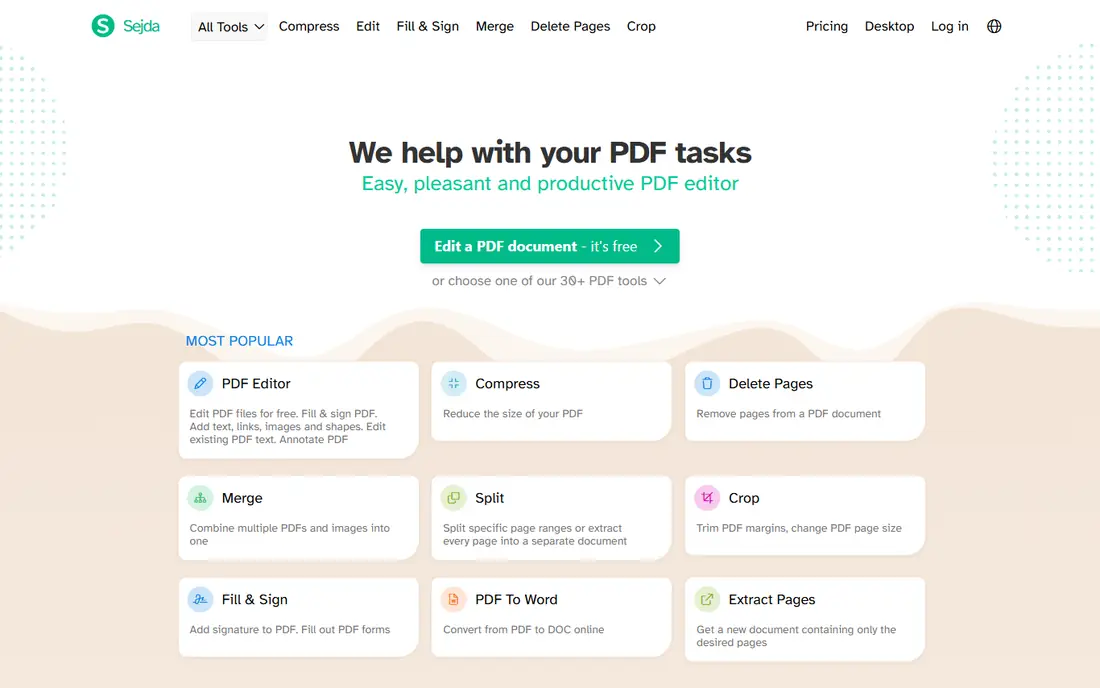
Sejda is a good fit for cheap no-frills conversions, online or offline. Pick one, upload, convert, download. Sejda Desktop gives you the same features offline on Windows, macOS and Linux, so sensitive files never touch a server.
Trade-offs to know: 50MB and 200-page limits on free tasks.
For everyday use, the homepage is a plain list of tasks: PDF to Word, PDF to Excel, merge, split, compress, OCR. Sejda makes no attempt to impress with its design. Starting cost for Sejda: $7.50 per month. You can start on Sejda without paying.
- One file at a time keeps the free level honest
- Very low premium price
- Text editing on scanned pages is entry-level
iLovePDF
Ideal for: Everyday free conversions in the browser
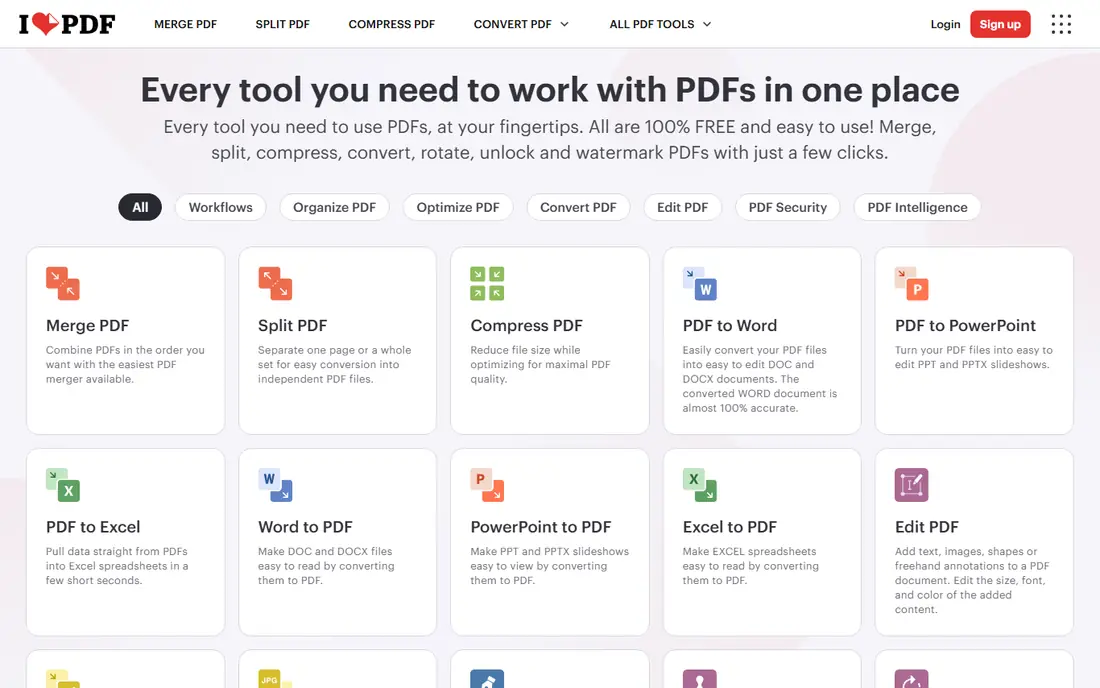
iLovePDF is aimed squarely at everyday free conversions in the browser. The limitation to know about is volume: the free level throttles how much you can convert per day, and heavy users will need Premium.
Points against: form editing and e-signatures need Premium.
On top of that, pricing is region dependent (in the UK it runs about 5 pounds a month annually or 9 pounds monthly), so I list the US price as "See website" instead of guess. iLovePDF is ISO 27001 certified and part of the PDF Association, which counts for something when you are uploading client paperwork. Check the vendor site for iLovePDF pricing; none is listed in this comparison. Free access exists with iLovePDF.
- Desktop app for offline batch work
- Clean task-per-page design
- Free level limits task volume
Adobe Acrobat
Ideal for: Maximum conversion accuracy on complicated documents
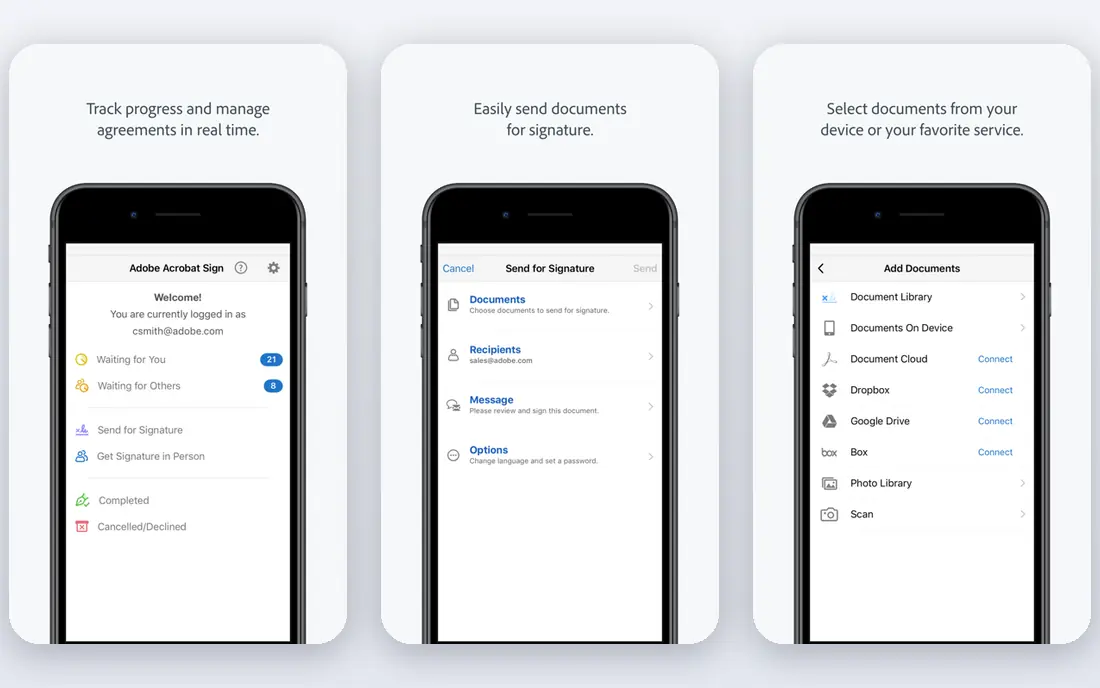
Choose Adobe Acrobat for maximum conversion accuracy on complicated documents. Multi-column layouts, nested tables, footnotes and mixed fonts come out of an Acrobat conversion looking the way they went in, which is exactly what you need when the Word file will be edited and shared with clients.
Points against: Subscription only.
Acrobat Standard opens at $14.99 a month billed yearly and spans conversion, editing and signing. Pro at $19.99 a month brings advanced comparison, redaction and more solid form tools. Adobe Acrobat pricing: $14.99 per month. Trial and free access: Free trial (7 days).
- OCR built in
- Plugs into Microsoft 365 and Document Cloud
- No lifetime license for new customers
PDFelement
Ideal for: Budget desktop editor with a capable converter
PDFelement is designed for budget desktop editor with a capable converter. Wondershare sells PDFelement on price, and the math is simple. An AI add-on for summarization and document chat costs additional.
PDFelement runs on Windows, Mac, iOS, Android and web with cloud sync, and holds ISO 27001 certification. As for the details, the interface has improved a lot in recent versions, but power users converting heavily formatted legal or financial documents should test their own files during the trial before committing. On cost, PDFelement starts like this: $129.99 one-time. On free options: Free trial.
Honest limits: AI add-on costs additional.
- Cross-platform apps
- Batch conversion and OCR in 26 languages
- Free trial watermarks exports and limits conversion to the first two pages
Able2Extract Professional
Ideal for: Precision table and data extraction from hard PDFs
Able2Extract Professional works best for precision table and data extraction from hard PDFs. Able2Extract is the conversion specialist's instrument. The trade-offs are real: the interface is dated, licenses are strictly single-user, and there are no cloud or collaboration tools.
There is a 7-day free trial, and an optional $49.95 a year support plan. If conversion accuracy on complicated tables is the job, though, this is the tool designed for it. Entry price for Able2Extract Professional: $199.95 one-time. Free options: Free trial (7 days).
Where it is weaker: No cloud collaboration features.
- Lifetime license with no subscription
- Completely offline desktop app
- Single-user licenses only
Smallpdf
Ideal for: Quick browser conversions without installing anything
Smallpdf is aimed squarely at quick browser conversions without installing anything. The interface is genuinely the simplest here, and the same account hands you compression, merging, signing, OCR and a desktop app for offline work. More specifically, Pro starts from $9 a month billed yearly (month-to-month costs more), with a 7-day free trial and 24/7 support.
From a buyer's view, Smallpdf is the browser-first choice people land on when they need a conversion right now and have no interest in installing software. In practice, you drag a PDF onto the page, pick PDF to Word, and download the result. Files are processed on Smallpdf servers with TLS encryption and deleted after a short period, and the company holds ISO 27001 certification. Beyond that, the main limit is the free level: it limits how numerous tasks you can run per day, so anyone converting documents daily will hit the ceiling within a week and need the subscription. On cost, Smallpdf starts like this: $9 per month. You can start on Smallpdf without paying.
Limits to weigh: Large or batch jobs push you toward the premium plan rapidly.
- Desktop and mobile apps included with Pro
- Clean interface that needs no learning
- Free level caps daily tasks
Foxit PDF Editor
Ideal for: Low-cost Acrobat alternative with perpetual licensing
For low-cost Acrobat alternative with perpetual licensing, Foxit PDF Editor is a natural candidate. Foxit keeps winning over teams that price Acrobat and wince. As for the details, the 14-day free trial needs no credit card.
The main drawbacks: AI Assistant credits are capped at 300 a month on the base plan.
For everyday use, the fine print: choosing monthly billing still signs you into a full year. The perpetual license excludes the AI Assistant, cloud DMS and Smart Redact features. Worth adding: subscriptions start at $10.99 a month, or $129.99 a year, and Foxit still sells a perpetual license of PDF Editor 14 for $209.99 one-time on Windows and Mac, which Adobe no longer supplies. Entry price for Foxit PDF Editor: $10.99 per month. Free options: Free trial (14 days).
- Capable OCR and batch tools
- 44% less expensive per license than Acrobat by Foxit's own comparison
- Monthly billing still commits you to a full year
Selection criteria
Each tool was reviewed on what its vendor publishes: price, plan limits, core features and stated drawbacks. We did not run hands-on tests. Where a vendor does not publish a price, the entry says quote. Where a price depends on seats or billing term, the entry says so. Order on the page follows fit for the typical buyer first, then price transparency and free access. Your own requirements should decide the final pick.
Questions to settle before buying
- Confirm the entry price on the vendor page. For iLovePDF that means a quote rather than a fixed price.
- Look at free plan limits closely: Sejda, iLovePDF and Smallpdf have one, and the caps decide whether it is usable for real work.
- Take the trial from Adobe Acrobat, PDFelement, Able2Extract Professional and Foxit PDF Editor and push a live task through it before you pay.
- Read the limits listed for Sejda first: 50MB and 200-page limits on free tasks.
- Find out what support PDFelement includes on your plan, and whether onboarding help costs extra.
- The entry price of iLovePDF is only the starting point; model the full cost with seats and extras.
Frequently asked questions
Which options for PDF to word converter software have a free plan?
On this list, Sejda, iLovePDF and Smallpdf include a free plan. Caps on seats, usage or features are common, so test the free plan against your real workload. Several others offer a trial instead.
Do these tools publish their prices?
Not all of them. iLovePDF publishes no starting price, so expect a quote request for it. The rest, Sejda included, show a starting price, though seats and billing terms still change the final cost.
Can I try these options before paying?
Often, yes. Sejda, iLovePDF and Smallpdf have a free plan and Adobe Acrobat, PDFelement, Able2Extract Professional and Foxit PDF Editor offer a free trial. Use your own data and a real task during the test, and check what the free tier or trial limits before you rely on it.
Will the converted Word file keep my original formatting?
For PDFs exported digitally from Word or InDesign, largely yes: headings, paragraphs and straightforward tables come through cleanly. Test your hardest document during the free trial.
What is the cheapest option for PDF to word converter software in this list?
On published monthly entry prices, Sejda is the lowest here at $7.50 per month. Entry price is only part of the cost, because seats, add-ons and billing terms can change the total.
Is it safe to upload sensitive documents to an online converter?
Reputable vendors use TLS encryption, delete files after processing, and hold certifications like ISO 27001. For contracts, HR records and financial data, use a desktop app that processes files locally, for example PDF24 Creator, Sejda Desktop or Able2Extract.