Best Personal Care Home Care Scheduling Software

- ShiftCare is the only tool here with a clear published starting price, at $8 per user per month when billed annually, with a 7 day free trial and a 5 user minimum.
- Rosemark publishes a $100 per month base rate in its vendor pricing guide, plus $11 per client per month on Standard and $14 per client per month on Enterprise.
- AlayaCare, WellSky Personal Care, AxisCare, CareTime, Axxess Home Care and eRSP do not publish a price on their vendor sites, so ask each vendor for a written quote based on your client count, caregiver count and states.
- EVV rules differ by state and by aggregator, so confirm Sandata, HHAeXchange, Tellus or CareBridge support for each state where you deliver care before you sign.
Quick comparison
| Product | Ideal for | Price from | Free version | |
|---|---|---|---|---|
 AlayaCare | Large and multi-service agencies | quote only | No | Visit |
 WellSky Personal Care | Private duty agencies and franchises | quote only | No | Visit |
 AxisCare | Non-medical agencies of all sizes | quote only | No | Visit |
 CareTime | Small agencies that need EVV and billing | quote only | Free trial | Visit |
 Rosemark | Non-medical agencies on per-client pricing | $100 per month | Free trial (30 days) | Visit |
 Axxess Home Care | Agencies that also run home health | quote only | No | Visit |
 ShiftCare | Small and growing agencies | $8 per user/month (billed annually) | Free trial (7 days) | Visit |
 eRSP | Agencies that need scheduling and billing in one place | quote only | Free trial | Visit |
The best personal care home care scheduling software
AlayaCare
Ideal for: Large and multi-service agencies
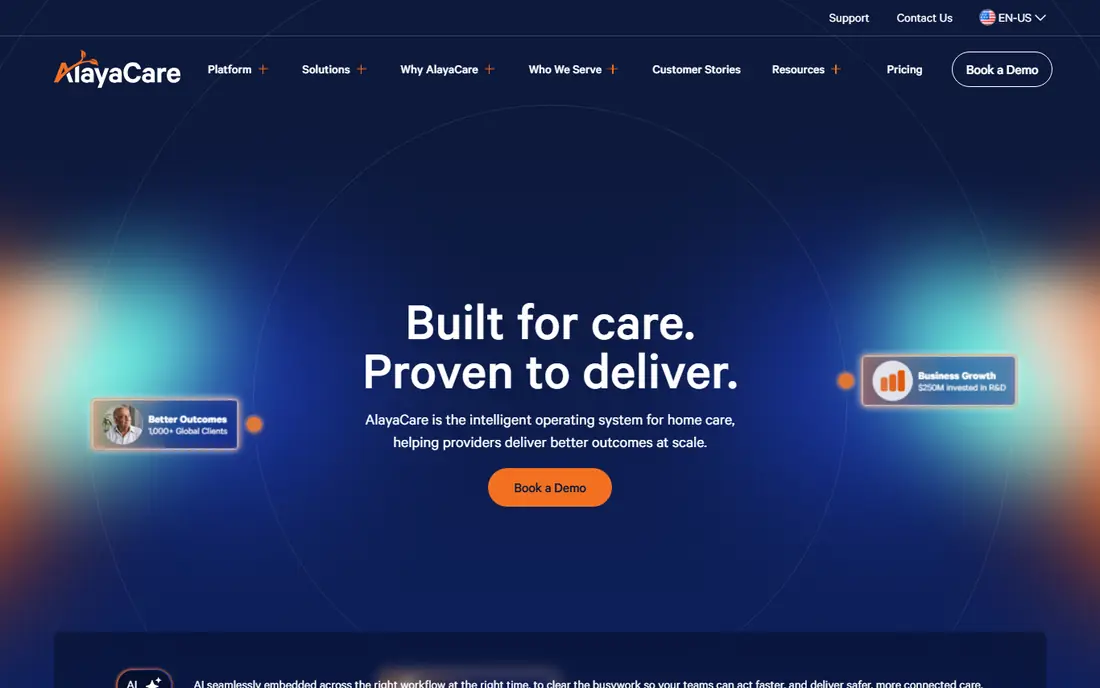
AlayaCare is an end to end platform for home care, home health and community care, and it suits agencies that run more than one line of service from the same office. Schedulers can build visits and assign caregivers by skill and availability. The mobile app gives caregivers access to care plans, visit notes and clock in tools.
EVV is a central part of the AlayaCare offer. The system captures visit data in real time, supports GPS and phone based verification, and connects to state aggregators where required. Billing follows from verified visits, which helps reduce errors between the care delivered and the claim sent. Clinical documentation, family portals and analytics sit beside scheduling, so managers can track visit completion and exceptions. The main drawback is cost clarity, because AlayaCare does not publish a price list and third party listings disagree, so request a written quote that names the modules, office users, client count and states covered.
- Broad scheduling, EVV, clinical documentation and billing in one platform
- Route optimization and telehealth options for larger teams
- No published price, so budgeting needs a sales quote
- Implementation can take weeks and needs staff time for setup and training
WellSky Personal Care
Ideal for: Private duty agencies and franchises
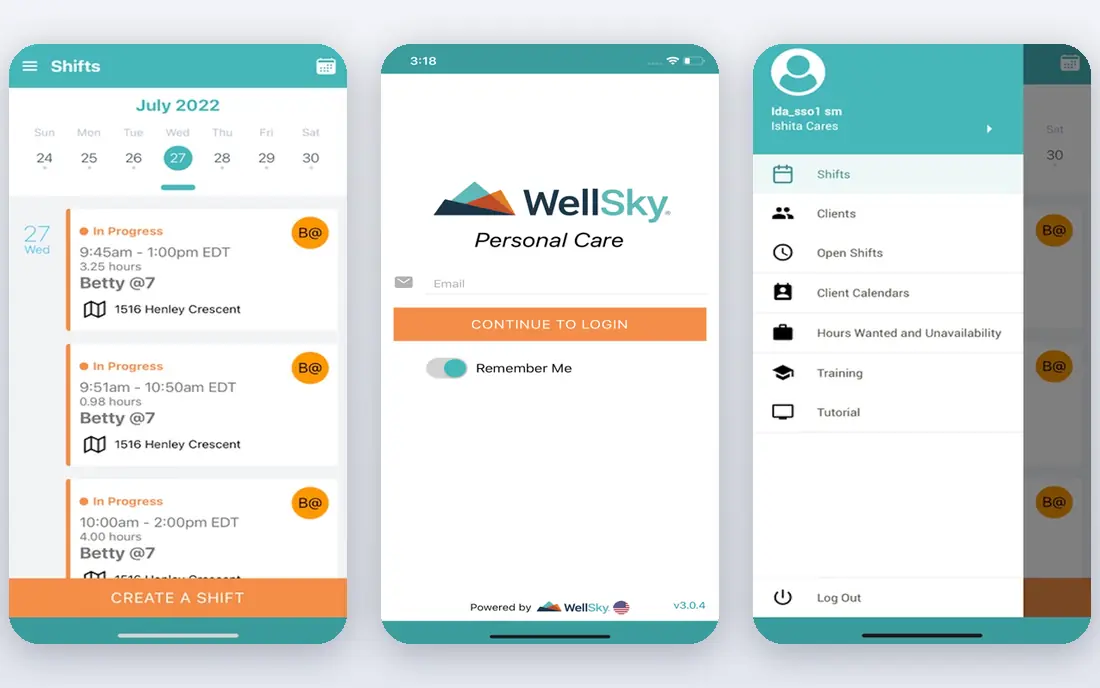
WellSky Personal Care, formerly ClearCare, is one of the longest running platforms for non-medical home care in the United States. It covers scheduling, caregiver management, client records, billing, payroll support and customer relationship tools in one system. Agencies can set recurring visits, match caregivers to clients and manage open shifts from a central calendar. The caregiver mobile app supports clock in, visit notes and schedule checks.
The family portal is a clear strength for private duty work. Relatives can see care plans and visit activity, which helps agencies show what care was delivered and when. Billing tools connect visit records to invoices, and the system supports private pay and long term care insurance. Pricing is quote based, and published third party figures conflict, so ask WellSky for a quote that states the per client or per license basis, the contract term, EVV fees by state and any charges for extra modules or support.
- Long established private duty platform with scheduling, billing and CRM
- Family portal and caregiver mobile app included in the core workflow
- No published price, so quotes vary by client count and contract
- Older interface elements can feel dated beside newer tools
AxisCare
Ideal for: Non-medical agencies of all sizes
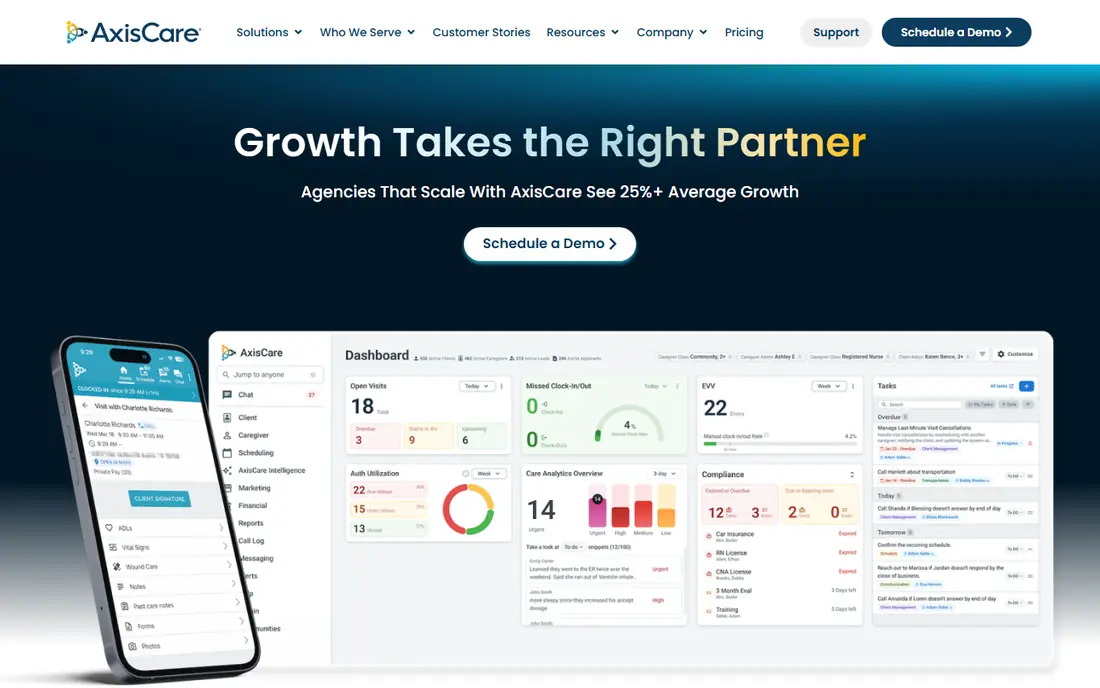
AxisCare is a web based platform built for non-medical home care, including personal care and Medicaid agencies. It covers intake, scheduling, care plans, EVV, billing, payroll exports and reporting, so an agency can run most daily work from one place. Schedulers can drag visits onto a calendar and spot gaps before the day starts. The caregiver app supports GPS clock in and visit notes from a phone.
Verified visits flow into billing, and payroll exports help office staff check hours against the schedule before pay runs. AxisCare also connects to common tools for accounting, recruiting and training. The vendor does not publish a price, and third party listings give different starting figures, so use the vendor quote as the only firm number and ask for the full monthly total, including EVV by state, texting, extra users and any implementation fee.
- Full agency workflow from intake to billing and payroll exports
- Caregiver app with GPS clock in and EVV support
- No published price on the vendor site, so quotes need careful comparison
- Add-ons such as texting can add to the monthly total
CareTime
Ideal for: Small agencies that need EVV and billing
CareTime is a cloud based platform for home care, home health and consumer directed care. It brings scheduling, client and caregiver management, EVV, documentation, billing and payroll into one connected system. Schedulers can build visits and assign caregivers, while caregivers can clock in and out and record visit notes on a mobile device.
EVV is a core feature, with support for Medicaid programs and state aggregators, and the platform is designed to link what happens in the field with what gets billed. That link helps agencies reduce missed visits and billing errors. CareTime also supports Medicare home health billing and offers optional revenue cycle services for agencies that want help with claims and collections. Pricing is not published on the vendor site, and third party figures vary widely, so ask CareTime to state the basis of the charge and what is included for EVV, billing and support.
- Cloud based scheduling, EVV, documentation and billing in one system
- Supports Medicaid, Medicare home health, private pay and consumer directed care
- No published price on the vendor site, so the total needs a written quote
- Some advanced features and revenue cycle help cost extra
Rosemark
Ideal for: Non-medical agencies on per-client pricing
Rosemark, from Shoshana Technologies, is a home care management system for non-medical agencies serving private pay, Medicaid, Veterans Affairs, long term care insurance and workers compensation clients. Scheduling tools cover caregiver assignments and visit tracking, while the caregiver app supports GPS clock in, visit notes and EVV. Billing and payroll tools follow from the schedule, and reports help managers track hours, visits and client activity across one or more locations.
The pricing guide published by the vendor gives buyers a rare clear starting point. The guide lists a $100 monthly base rate, with Standard at $11 per client per month and Enterprise at $14 per client per month. It also lists 60 EVV events and 100 SMS segments per client per month, with overage rates stated in the guide. A $250 one-time setup fee is listed for Standard and Enterprise accounts in some vendor material, so confirm the current fee in the quote. Run the numbers at your current client count and at your target count for next year, because a growing caseload raises the total directly.
- Vendor pricing guide publishes a $100 monthly base plus per-client rates
- GPS caregiver app, EVV, billing and payroll in one system
- Per-client cost rises as caseload grows, so model the total at 50 and 100 clients
- Setup and onboarding fees apply on Standard and Enterprise plans
Axxess Home Care
Ideal for: Agencies that also run home health
Axxess Home Care is part of the wider Axxess platform, which also covers home health, hospice and palliative care. For an agency that runs personal care beside skilled care, that shared platform can help, because scheduling, clinical records, billing and human resources tools sit under one vendor. Schedulers can manage visits and caregivers, while clinical staff can document care from the same visit data. That link reduces duplicate entry when a client moves between service types.
The platform supports scheduling, EVV, billing, payroll and compliance workflows, and it is built for agencies that need to meet payer and regulatory rules across states. Pricing for Axxess Home Care is not published, and figures cited for Axxess Home Health should not be used as a home care price. Ask Axxess for a home care quote that names the modules included, the user count, the client count and any implementation or training fees, and ask how long implementation takes for an agency of your size.
- One vendor for home care, home health, hospice and palliative care
- Scheduling, clinical, billing and HR tools in a shared system
- No published price for the home care product, so a quote is required
- Enterprise scope can be more than a personal care agency needs
ShiftCare
Ideal for: Small and growing agencies
ShiftCare is a home care platform for agencies in the United States, Canada, Australia and the United Kingdom, with a clear focus on scheduling, EVV, care documentation and billing in one system. The vendor pricing page checked on 11 November 2026 lists Basic at $8 per user per month billed annually, or $9 billed monthly, Professional at $13 billed annually, or $15 billed monthly, and Premium at $20 billed annually, or $25 billed monthly. Prices are in USD, with a minimum of 5 staff, and a 7 day free trial with no card required.
Scheduling is the core strength. Schedulers can assign caregivers by availability and client match, and the system checks overtime as shifts are built. Caregivers clock in and out with GPS and time stamps, add notes during the visit, and the app works offline and syncs when signal returns. EVV captures the six data points required for verification and sends visit data to state aggregators including Sandata, HHAeXchange, Tellus and CareBridge. Completed visits flow into invoices, which sync to QuickBooks Online. Basic covers scheduling, EVV and visit notes, while Professional adds invoicing, and Premium adds care plans and the family portal.
- Published pricing from $8 per user per month billed annually, with a 7 day free trial
- EVV, offline caregiver app, invoicing and QuickBooks Online sync
- Minimum 5 staff, so very small teams pay for 5 users
- Higher plans are needed for care plans, family portal and advanced features
eRSP
Ideal for: Agencies that need scheduling and billing in one place
eRSP is an all in one home care software platform for agencies of all sizes, from single location startups to multi-branch enterprises. It covers scheduling, timekeeping, client and caregiver management, documentation, EVV, billing, payroll, invoicing, payment processing and reporting in one cloud based system. Schedulers can build visits and track caregiver skills, credentials and availability. Caregivers can use the mobile app to see schedules and clock in and out.
EVV and billing are linked in the eRSP workflow. Visit data captured in the field supports EVV submissions for Medicaid and Veterans Affairs programs, and verified visits feed invoicing and accounts receivable. Because it is cloud based and hosted on Microsoft Azure, staff can access schedules and records from any location with an internet connection. Ask eRSP for a written quote that states the monthly fee, the basis of the charge, EVV costs by state, and any fees for add-on products, training or support.
- All in one scheduling, EVV, billing, payroll and client management
- Cloud based platform hosted on Microsoft Azure with mobile access
- No published price, so buyers must request a quote
- Some add-on products and services are priced on request
How we chose
We compared vendor pricing pages, product pages and documentation for each tool on 11 November 2026, with a focus on scheduling, EVV, caregiver apps, billing and compliance. We checked whether the vendor publishes a price, what the price covers, whether a free trial is offered, and which states and aggregators the EVV tools support. We did not claim hands-on testing, and we did not use third party prices as vendor prices. Where the vendor hides the price, we wrote quote only. Where the vendor publishes a price, we cited the vendor page in Sources and stated the billing basis, such as per user or per client,.
What to check before you buy
Check EVV first. Confirm your state model, the aggregator used, and whether the vendor supports it without an extra fee. Ask for the six EVV data points the system captures, how GPS and phone verification work, and how exceptions are fixed before billing. A missed EVV record can delay a claim, so test the flow with a real visit pattern, including a late start, a caregiver swap and a visit that runs long. Check the caregiver app in the field, with clock in, notes and offline work, then sync when signal returns. If the app is slow or hard to use, visit data will be late or incomplete.
Check billing and payroll as one flow. Ask whether verified visits create invoices without re-keying, and which accounting and payroll tools are supported. Ask for the full cost in writing: monthly fee, EVV fees by state, texting, training, implementation, data migration and support. Ask about contract length, cancellation terms and data export, so you can leave with your client and visit records if you change systems later.
| Agency size | Budget signal | Best starting point | | 1 to 10 caregivers | Under $100 per month | ShiftCare Basic at $8 per user per month billed annually, with a 5 user minimum, or Rosemark at a $100 monthly base | | 11 to 50 caregivers | $100 to $600 per month | ShiftCare Professional, Rosemark on per-client pricing, or AxisCare on a written quote | | 51 to 200 caregivers | $600 to $2,000 per month | AxisCare, WellSky Personal Care, CareTime or eRSP, each on a written quote | | Over 200 caregivers or multi-service | Quote based, enterprise scope | AlayaCare or Axxess Home Care, with modules, states and implementation scoped in writing |
Frequently asked questions
What is the best personal care home care scheduling software for a small agency?
ShiftCare is a strong starting point for a small agency, because it publishes a price of $8 per user per month billed annually, offers a 7 day free trial, and covers scheduling, EVV, visit notes and invoicing in one system. Rosemark is also worth a look, with a $100 monthly base in its vendor pricing guide.
Do I need EVV if I only serve private pay clients?
Private pay care is not subject to the Medicaid EVV mandate, so you do not need EVV for those visits alone. You still benefit from GPS and time stamped clock in, because those records support accurate invoices, payroll and family updates. If you add Medicaid clients later, check EVV support for your state before you need it.
Why do most home care vendors not publish prices?
Most vendors price by agency size, client count, caregiver count, modules and states, so a single list price would not fit every buyer. Enterprise tools also add implementation, training and EVV fees that vary by state. That is why six tools in this list are quote only, so ask each vendor for a written quote with the same scope.
How much does ShiftCare cost for a team of 10?
At the Basic plan, ShiftCare costs $8 per user per month billed annually, which is $80 per month for 10 users, or $960 per year. Billed monthly, the same plan is $9 per user per month, which is $90 per month for 10 users. Professional is $13 per user per month billed annually, and Premium is $20.
What should I ask for in a written quote?
Ask for the monthly fee, the pricing basis, the contract term, EVV fees by state, texting costs, implementation and data migration fees, training and support terms, and any charges for extra modules. Ask for the total at your current client and caregiver counts, and at your target counts for next year.