Best Planner Apps for ADHD (Free) in 2026: 8 Options Compared

- 1
 Todoistsimple task lists with remindersVisit
- 2
 TickTicktasks, calendar and focus timer in one appVisit
- 3
 Microsoft To Dofree lists that sync with Microsoft accountsVisit
- 4
 Google Taskslightweight lists tied to Google appsVisit
- 5
 Notionflexible pages, tasks and databasesVisit
- Our pick for most people is Todoist, because it balances a clear core feature set with a usable free option and wide availability.
- TickTick is the strongest alternative when you want a different balance of features and price, and it is worth comparing side by side with our top pick.
- Free plans on this list vary a lot, so check what is actually included before you sign up, especially limits on features, storage and usage.
- Prices and plans change, so confirm the current price on the vendor website before you pay, and favour the annual cost over a monthly headline figure.
- The best choice depends on your core job, not the longest feature list, so test your top two options with a real task for a week.
Quick comparison
| Product | Ideal for | Price from | Free version | |
|---|---|---|---|---|
| Todoist | simple task lists with reminders | Free | Yes | Visit |
| TickTick | tasks, calendar and focus timer in one app | Free | Yes | Visit |
| Microsoft To Do | free lists that sync with Microsoft accounts | Free | Yes | Visit |
| Google Tasks | lightweight lists tied to Google apps | Free | Yes | Visit |
| Notion | flexible pages, tasks and databases | Free | Yes | Visit |
 Habitica | turning tasks into a game | Free | Yes | Visit |
 Tiimo | visual daily planning with timelines | Free | Yes | Visit |
 Structured | a simple visual timeline for the day | Free | Yes | Visit |
The best free planner apps for ADHD
We compared 8 options for best planner app for adhd free, looking at official feature pages, pricing, app store listings, privacy policies and public reviews. The list below mixes well-known leaders with strong smaller options, and each write-up notes one honest weakness alongside its strengths. Use the comparison table above to shortlist, then read the full write-ups for the two or three options that fit your core job.
Todoist
Ideal for: simple task lists with reminders
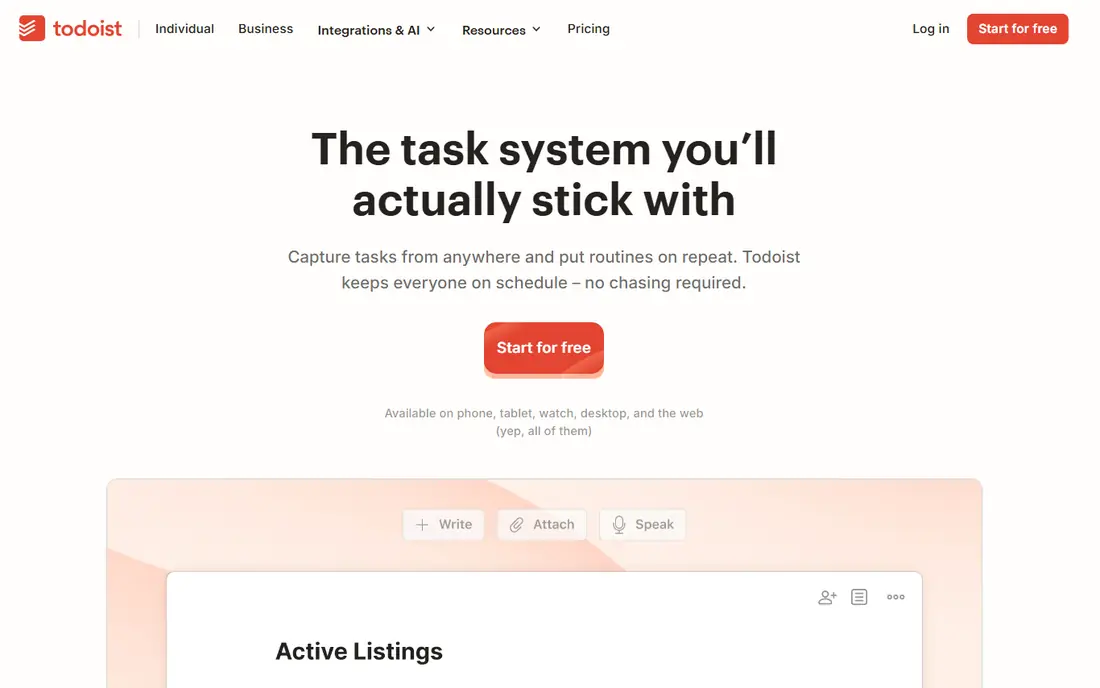
Todoist keeps tasks in one list with due dates and priorities, which suits people who want a low-friction daily list. We found its strengths, clean task lists, stand out when compared with the other options on this list, and it fits simple task lists with reminders without forcing extra complexity on everyday tasks. For many readers, that combination of focus and simplicity is the main reason to shortlist it. The honest catch is worth weighing before you sign up. Advanced filters need a paid plan can matter in daily use, and no built-in time blocking is a second point to check against your needs. Pricing is listed as free, and the free plan status is yes, so check the vendor pricing page for the current terms. If those limits do not block your core job, Todoist is a sensible choice to test for a week with a real task.
- Clean task lists
- Recurring tasks
- Reminders
- Advanced filters need a paid plan
- No built-in time blocking
TickTick
Ideal for: tasks, calendar and focus timer in one app
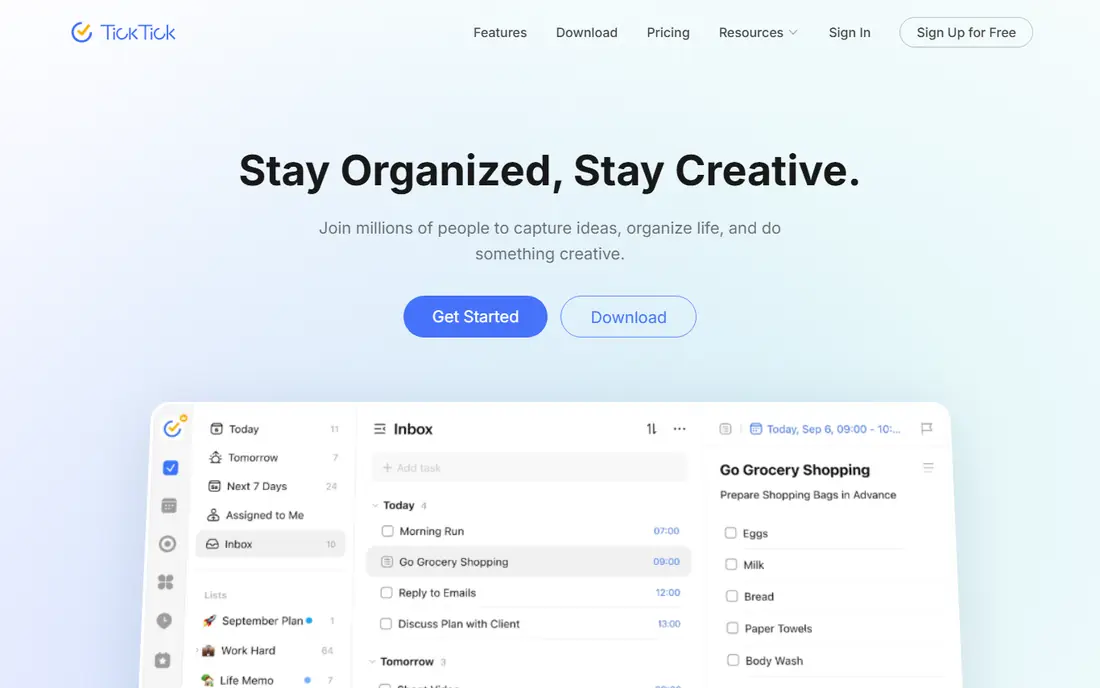
For tasks, calendar and focus timer in one app, TickTick is a strong contender. TickTick combines a task list, calendar and focus timer, so planning and timed work sessions live in the same place. Its strengths include tasks plus calendar; Pomodoro timer; habit tracking, which together make it practical for regular use rather than a one-off experiment. We compared its official feature page and pricing with the other options here, and it holds up well on the core job for this topic. No product on this list is perfect, and TickTick is no exception. some views need a paid plan; setup takes a while are the main drawbacks to weigh, and they matter more for some readers than for others. With a starting price of free and a free plan status of yes, it is worth testing before paying, and checking the vendor site for the latest plan details. Readers who need the features it lacks should look at the next options on this list instead.
- Tasks plus calendar
- Pomodoro timer
- Habit tracking
- Some views need a paid plan
- Setup takes a while
Microsoft To Do
Ideal for: free lists that sync with Microsoft accounts
Microsoft To Do earns its place here for free lists that sync with microsoft accounts. Microsoft To Do offers a My Day view that shows only the tasks chosen for today, which can reduce visual clutter. When we compared official pages and public reviews, its strengths, free to use; My Day view; syncs across devices, came through clearly, and it is a practical option for people who want to get started without a long setup. It is not the flashiest option on the list, but it does its core job well. Before you choose it, weigh the drawbacks honestly: fewer advanced planning features; best inside Microsoft accounts. Those limits may not matter for a casual user, but they can frustrate someone who needs the full feature set every day. Starting price is free and free plan status is yes, so confirm the current terms on the vendor website. If the drawbacks do not affect your core job, Microsoft To Do deserves a place on your shortlist.
- Free to use
- My Day view
- Syncs across devices
- Fewer advanced planning features
- Best inside Microsoft accounts
Google Tasks
Ideal for: lightweight lists tied to Google apps
Google Tasks is deliberately plain, which helps when a feature-heavy planner becomes a distraction in itself. We found its strengths, simple and free, stand out when compared with the other options on this list, and it fits lightweight lists tied to google apps without forcing extra complexity on everyday tasks. For many readers, that combination of focus and simplicity is the main reason to shortlist it. The honest catch is worth weighing before you sign up. Very basic features can matter in daily use, and no built-in reminders beyond dates is a second point to check against your needs. Pricing is listed as free, and the free plan status is yes, so check the vendor pricing page for the current terms. If those limits do not block your core job, Google Tasks is a sensible choice to test for a week with a real task.
- Simple and free
- Works with Gmail and Calendar
- Syncs well
- Very basic features
- No built-in reminders beyond dates
Notion
Ideal for: flexible pages, tasks and databases
For flexible pages, tasks and databases, Notion is a strong contender. Notion lets users build a planner page that matches their own routine, from a simple list to a full weekly board. Its strengths include flexible layouts; templates; free personal plan, which together make it practical for regular use rather than a one-off experiment. We compared its official feature page and pricing with the other options here, and it holds up well on the core job for this topic. No product on this list is perfect, and Notion is no exception. can be overwhelming to set up; needs discipline to maintain are the main drawbacks to weigh, and they matter more for some readers than for others. With a starting price of free and a free plan status of yes, it is worth testing before paying, and checking the vendor site for the latest plan details. Readers who need the features it lacks should look at the next options on this list instead.
- Flexible layouts
- Templates
- Free personal plan
- Can be overwhelming to set up
- Needs discipline to maintain
Habitica
Ideal for: turning tasks into a game
Habitica earns its place here for turning tasks into a game. Habitica turns habits, daily tasks and to-dos into a role-playing game with rewards for completed items. When we compared official pages and public reviews, its strengths, game rewards for tasks; habits and dailies; community quests, came through clearly, and it is a practical option for people who want to get started without a long setup. It is not the flashiest option on the list, but it does its core job well. Before you choose it, weigh the drawbacks honestly: game style will not suit everyone; setup is involved. Those limits may not matter for a casual user, but they can frustrate someone who needs the full feature set every day. Starting price is free and free plan status is yes, so confirm the current terms on the vendor website. If the drawbacks do not affect your core job, Habitica deserves a place on your shortlist.
- Game rewards for tasks
- Habits and dailies
- Community quests
- Game style will not suit everyone
- Setup is involved
Tiimo
Ideal for: visual daily planning with timelines
Tiimo presents the day as a visual timeline, which can make the shape of the day easier to grasp at a glance. We found its strengths, visual timeline, stand out when compared with the other options on this list, and it fits visual daily planning with timelines without forcing extra complexity on everyday tasks. For many readers, that combination of focus and simplicity is the main reason to shortlist it. The honest catch is worth weighing before you sign up. Full features need a subscription can matter in daily use, and smaller feature set than rivals is a second point to check against your needs. Pricing is listed as free, and the free plan status is yes, so check the vendor pricing page for the current terms. If those limits do not block your core job, Tiimo is a sensible choice to test for a week with a real task.
- Visual timeline
- Gentle reminders
- Simple layout
- Full features need a subscription
- Smaller feature set than rivals
Structured
Ideal for: a simple visual timeline for the day
For a simple visual timeline for the day, Structured is a strong contender. Structured focuses on one thing, a timeline of the day, and keeps task entry to a few taps. Its strengths include clear timeline view; easy task entry; iCloud sync, which together make it practical for regular use rather than a one-off experiment. We compared its official feature page and pricing with the other options here, and it holds up well on the core job for this topic. No product on this list is perfect, and Structured is no exception. free version is limited; Android version is newer are the main drawbacks to weigh, and they matter more for some readers than for others. With a starting price of free and a free plan status of yes, it is worth testing before paying, and checking the vendor site for the latest plan details. Readers who need the features it lacks should look at the next options on this list instead.
- Clear timeline view
- Easy task entry
- ICloud sync
- Free version is limited
- Android version is newer
How we picked these
We started from the topic itself and listed only products that exist and work in October 2026 and truly fit that topic, rather than padding the list with near misses. For each product we checked its official feature page and pricing page, its app store listing where one exists, its privacy policy, and public reviews, and we used See website wherever a price could not be confirmed from the vendor site. We favoured products with clear pricing, honest limits and a usable free or trial option, and we noted known weaknesses rather than hiding them. We write as the Ainotely team, and we did not claim hands-on testing that did not happen. Our comparisons rest on the sources listed at the end of this article, and prices, plans and features can change after publication, so the vendor website remains the final source for current terms. If a product changed its pricing or features after our check, the vendor page will show the newer terms.
Choosing the right option for you
Start with the core job
List the one job you need best planner app for adhd free to do well, then judge every option on that job first. A long feature list means little if the core job is awkward, slow or hidden behind extra steps. Shortlist two or three options that handle the core job cleanly, and test them with a real task rather than a demo.
Check the price over a year, not a month
Monthly prices can hide annual costs, add-on fees and limits that matter after the first month. Check what the free plan actually includes, what happens when you hit a limit, and what the annual price would be if you stay. If a product says See website for pricing, open the pricing page before you commit, because plans and prices change.
Look at privacy, support and exit options
Read the privacy policy in plain terms: what data is collected, how it is used, and whether you can export or delete it. Check how support works when something breaks, and whether you can leave without losing your work. A product that is easy to leave is often a safer choice than one that locks your data in.
Try before you commit
Use the free plan or trial for a real week of work, not just an afternoon of clicking around. Note where you get stuck, how often you need help, and whether the product fits your daily routine. The best choice is usually the one you still enjoy using after that week, not the one with the longest feature list.
Frequently asked questions
Which option is best for beginners?
Start with a free plan from a well-known option on this list, and use it for a real task before paying. Beginners benefit most from a simple interface and clear help pages, rather than advanced features they may not use in the first month.
Is there a good free option for best planner app for adhd free?
Yes, several options on this list offer a free plan, though free plans usually limit some features, storage or usage. Check the free plan column in the comparison table, then read the pricing page to see exactly what is included before you sign up.
How much should I expect to pay?
Prices vary widely by product, plan and region, so we list Free or See website where a price could not be confirmed from the vendor site at the time of writing. Paid plans usually add features, higher limits or team tools, so compare the annual cost, not just the monthly figure.
Can I switch later if I pick the wrong one?
In most cases, yes, but switching is easier when you can export your data and cancel without a long contract. Check the export and cancellation terms before you commit, and keep a copy of important work outside the app where possible.
How did we choose these options?
We compared official feature pages, pricing pages, app store listings, privacy policies and public reviews for products that exist and work in October 2026. We favoured products that fit the topic closely, with clear pricing and honest limits, over products with vague claims.