9 Digital Products, Compared by Cost and Features

- 1
 PayhipEbook and course sellers starting with no budgetVisit
- 2
 PodiaCreators wanting courses, email and community on one billVisit
- 3
 SellfyDesign-asset and video sellers who hate transaction feesVisit
- 4
 GumroadFirst-time creators selling a single downloadVisit
- 5
 Ko-fiArtists and writers supported straight by fansVisit
- Payhip is the opening pick, best for ebook and course sellers starting with no budget.
- Free plans exist at 5 of 9 tools (Payhip, Gumroad, Ko-fi, Beacons, Lemon Squeezy).
- E-junkie is the one to check for long-time sellers of small files wanting flat pricing.
- One limit worth knowing about Payhip: 5% free-plan fee compounds as you grow.
- Sellfy is the lowest-priced starter here at $22/month.
Direct answer
If you need ebook and course sellers starting with no budget, Payhip is the first tool to look at here. Podia is better for creators wanting courses, email and community on one bill, and Sellfy is better for design-asset and video sellers who hate transaction fees. All 9 tools are compared below on price, free plan and limits.
Quick comparison
| Product | Ideal for | Price from | Free version | |
|---|---|---|---|---|
| Payhip | Ebook and course sellers starting with no budget | Free (5% fee); Plus $29/month (2%) | Yes | Visit |
| Podia | Creators wanting courses, email and community on one bill | See website | Free trial (14 days) | Visit |
| Sellfy | Design-asset and video sellers who hate transaction fees | $22/month (billed annually) | Free trial (14 days) | Visit |
| Gumroad | First-time creators selling a single download | Free (10% fee per sale) | Yes | Visit |
| Ko-fi | Artists and writers supported straight by fans | Free (0% platform fees) | Yes | Visit |
 Beacons | Creators bundling a store with a link-in-bio page | See website | Yes | Visit |
 Lemon Squeezy | Software sellers who dread tax paperwork | Free (5% + $0.50 per transaction) | Yes | Visit |
 SendOwl | Bloggers adding buy buttons to an existing site | See website | Free trial (30 days) | Visit |
 E-junkie | Long-time sellers of small files wanting flat pricing | See website | No | Visit |
Platforms for Digital Products, one by one
This Ainotely guide covers 9 platforms for digital products. Each profile lists a starting price, free plan details, strengths and drawbacks, so you can drop poor fits quickly.
Payhip
Ideal for: Ebook and course sellers starting with no budget
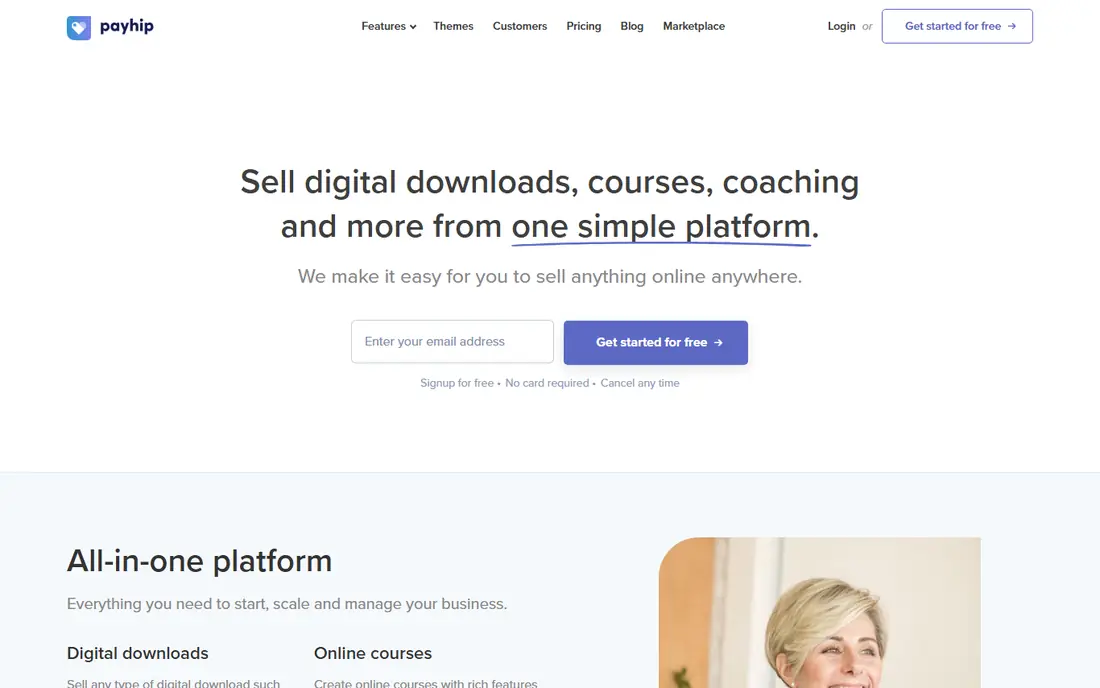
In short, Payhip is for ebook and course sellers starting with no budget. Payhip's free plan is not a demo; it is a working store with a 5% transaction fee, which makes it one of the few places you can start selling today with zero spend.
Trade-offs to know: Reporting is thin.
Where Payhip stands out: Genuinely usable free plan. The trade-offs are a plain checkout with Payhip branding on the free plan and light analytics. The starting price for Payhip: Free. Free access exists with Payhip.
- Courses, memberships
- Coaching and physical goods
- 5% free-plan fee compounds as you grow
Podia
Ideal for: Creators wanting courses, email and community on one bill

Podia makes the most sense for creators wanting courses, email and community on one bill. Buy it for consolidation and simplicity, not for depth in any single feature.
Trade-offs to know: Analytics stay entry-level.
Podia shows no starting price here, so confirm the cost on the vendor site. As for free access: Free trial (14 days).
Best features of Podia: Courses, community, coaching.
- 14-day trial with no credit card
- Email and site in one dashboard
- Download selling is more straightforward than Gumroad or Payhip
Sellfy
Ideal for: Design-asset and video sellers who hate transaction fees

Sellfy is a good fit for design-asset and video sellers who hate transaction fees. Sellfy flips the Gumroad model: rather than a cut of each sale, you pay a monthly subscription and keep everything. On top of that, the honest catch is the revenue ceiling on each plan: outgrow your level and you must upgrade, with a 2% fee on further sales if you refuse.
As for the details, the Starter plan is $22 per month on annual billing ($29 month to month) and comes with a 14-day trial. As for the details, for a seller doing steady four-figure months, the math beats a 10% fee rapidly. Sellfy pricing: $22/month. As for free access: Free trial (14 days).
Drawbacks to consider: Revenue caps trigger forced upgrades.
- 0% transaction fees on all plans
- Built-in email marketing and upsells
- No free plan
Gumroad
Ideal for: First-time creators selling a single download
Choose Gumroad for first-time creators selling a single download. Gumroad is the shortest path between a finished file and a checkout page.
Best features of Gumroad: No monthly fee.
Points against: 10% fee bites at scale; Entry-level storefront design.
In practice, if you want proof of demand before committing to a subscription, this is the cheapest place to get it. Upload a PDF, set a price, share the link: that is the entire setup, and there is no monthly bill. Starting cost for Gumroad: Free. Gumroad has a free plan.
- Weekly payouts straight to your bank
- Live in minutes
- Weak built-in marketing
Ko-fi
Ideal for: Artists and writers supported straight by fans
Pick Ko-fi if this describes you: artists and writers supported straight by fans. Ko-fi's headline feature is a number: zero. It takes no product fee on shop sales, donations, memberships or commissions, which makes it the cheapest way to sell if your audience already follows you.
Points against: Entry-level shop design.
Setup takes minutes, and supporters can tip or buy without creating accounts. The shop itself is basic: product pages are straightforward, marketing tools are thin, and almost no one browses Ko-fi to discover new creators. Ko-fi pricing: Free. Ko-fi offers a free plan.
- Memberships and commissions built in
- Straightforward setup
- Discovery is minimal
Beacons
Ideal for: Creators bundling a store with a link-in-bio page
Beacons was built for creators bundling a store with a link-in-bio page. The free plan comes with selling digital products alongside your links, with email marketing built in. So a new creator can run links, content and sales from one dashboard.
Downsides: Transaction fees on the free plan.
It is not as deep a selling product as Gumroad or Sellfy, and the free plan carries transaction fees. The premium level removes most of those limits. For everyday use, Beacons began as a link-in-bio tool and grew a store on top, which makes it a natural pick if your bio page is already your homepage. Pricing for Beacons is not stated here, so ask the vendor for current figures. Beacons offers a free plan.
- Free plan contains a real store
- Link-in-bio page and store in one
- Store features are lighter than dedicated systems
Lemon Squeezy
Ideal for: Software sellers who dread tax paperwork
Lemon Squeezy is built with software sellers who dread tax paperwork in mind. Lemon Squeezy acts as your merchant of record, a dry phrase for a real benefit: it deals with VAT, sales tax, fraud checks and failed-payment recovery in every country you sell to.
Drawbacks to consider: 5% plus 50 cents per sale is steep at volume.
For everyday use, there is no monthly fee; you pay 5% plus 50 cents per transaction. Lemon Squeezy starts at: Free. A free plan is available with Lemon Squeezy.
- Acts as merchant of record for global VAT and sales tax
- Built-in license key management
- Course features lag behind Teachable
SendOwl
Ideal for: Bloggers adding buy buttons to an existing site
SendOwl targets bloggers adding buy buttons to an existing site. SendOwl is not a storefront; it is a checkout engine you bolt onto a blog or website you already run.
The main drawbacks: You manage your own taxes.
Beyond that, what you do not get is a hosted store, and tax compliance stays your problem. Check the vendor site for SendOwl pricing; none is listed in this comparison. Free access: Free trial (30 days).
- Deals with large files
- Checkout links and buttons embed anywhere
- Dated dashboard
E-junkie
Ideal for: Long-time sellers of small files wanting flat pricing
E-junkie is designed for long-time sellers of small files wanting flat pricing. High-volume sellers of small files, stock assets or codes can end up paying far less here than on a percentage system.
Pricing for E-junkie is not stated here, so ask the vendor for current figures. E-junkie has no free tier.
Drawbacks to consider: Interface looks dated.
- Dependable download delivery
- Tiny ramp-up time
- No free level
What went into this list
Each tool was reviewed on what its vendor publishes: price, plan limits, core features and stated drawbacks. We did not run hands-on tests. Treat prices as a snapshot: vendors change plans often, so check the vendor site for the figure that applies today. We ordered the tools by general fit, then by how clearly pricing is shown, then by free access. A buyer with unusual needs may reorder them.
Before you commit
- Get a written quote from Podia, Beacons, SendOwl and E-junkie; the list shows no starting price for them.
- Check what the free option really includes: Payhip, Gumroad, Ko-fi and others offer a free plan, and usage caps differ.
- Run a trial of Podia, Sellfy and SendOwl with real work before paying for a year; your own workflow is the best test.
- Before choosing Payhip, weigh its main limit: 5% free-plan fee compounds as you grow.
- Test how quickly Payhip answers a pre-sales question; it hints at how support will feel later.
- Total up the real monthly cost of Beacons, including add-ons, extra users and usage-based fees.
Frequently asked questions
Which options for platforms for digital products have a free plan?
Payhip, Gumroad, Ko-fi, Beacons and Lemon Squeezy offer a free plan in this list. Free plans usually cap users, projects or features, so check the limits on the vendor page. Several others offer a trial instead.
Which system is a good match for selling online courses?
Start with Payhip if you need ebook and course sellers starting with no budget. Podia is the better match for creators wanting courses, email and community on one bill, and Sellfy for design-asset and video sellers who hate transaction fees. The best choice depends on budget, team size and workflow.
Do these tools publish their prices?
Not all of them. Podia, Beacons, SendOwl and E-junkie publish no starting price, so expect a quote request for those. The rest, Payhip included, show a starting price, though seats and billing terms still change the final cost.
What is the cheapest option for platforms for digital products in this list?
On published monthly entry prices, Sellfy is the lowest here at $22/month. Entry price is only part of the cost, because seats, add-ons and billing terms can change the total.
Is Payhip the right pick for everyone comparing platforms for digital products?
No single tool suits every team. Payhip comes first because it fits ebook and course sellers starting with no budget, while Podia suits creators wanting courses, email and community on one bill and Sellfy suits design-asset and video sellers who hate transaction fees. Match the tool to your own size, budget and workflow before deciding.
Should I pick a free plan or a premium subscription?
Stay on the free or percentage-fee plan until your revenue makes the subscription less expensive, roughly $500 to $2,000 per month depending on the fee.