DreamStudio leads the list, best for experimenting with generative image models. Listed starting prices: Ideogram from $20 a month. Recraft is the stronger choice for designers needing vectors and brand styles, while Shutterstock AI Image Generator suits stock buyers who also produce images. Prices, free plans and limits for all 6 tools follow.
Ainotely put together this guide to platforms for ethically trained AI images for readers who want a clear shortlist without reading every vendor page. It compares 6 tools on starting price, free plans, who each one suits and where each one falls short.
Key takeaways
Top of the list is DreamStudio, which targets experimenting with generative image models.
Recraft stands alone as the one tool in this list with a free plan.
For fast social and marketing graphics, Microsoft Designer is worth a look.
The lowest published monthly entry price here is $20 per month, from Ideogram.
Best for: Experimenting with generative image models
DreamStudio serves experimenting with generative image models. DreamStudio is presented as a creative production system for generative work. From a buyer's view, since it centers on generation, it supplies fewer surrounding design, template or asset management features than broader products.
The focus is on generation instead of on a full design or stock licensing ecosystem. In daily use, teams needing vector output, brand style controls or stock licensing should weigh Recraft, Adobe Firefly or a library-backed choice before committing. No starting price is listed for DreamStudio here; confirm pricing on the vendor site. Free access: Not stated.
Trade-offs to know: Needs comfort with prompt iteration.
Best for: Designers needing vectors and brand styles
Recraft makes the most sense for designers needing vectors and brand styles. Custom style controls help keep generated assets aligned with existing design language.
Points against: Style setup takes initial effort.
Worth adding: teams wanting stock licensing provenance should consider Getty Images or Shutterstock, whereas those wanting a wide model menu may prefer Ideogram. On top of that, Recraft is a text-to-image and design product geared toward designers, creatives, sellers and teams, with support for photorealism, vector generation, custom styles and mockups. No starting price is listed for Recraft here; confirm pricing on the vendor site. Recraft includes a free tier.
Shutterstock AI Image Generator targets stock buyers who also produce images. Shutterstock AI Image Generator layers on text-to-image creation to a large stock content marketplace.
Limits to weigh: Style range favors commercial imagery.
Beyond that, designers needing vector assets or tightly controlled brand styles should compare Recraft, whereas those wanting several models in one place can look at Ideogram. No starting price is listed for Shutterstock AI Image Generator here; confirm pricing on the vendor site. Free access: Not stated.
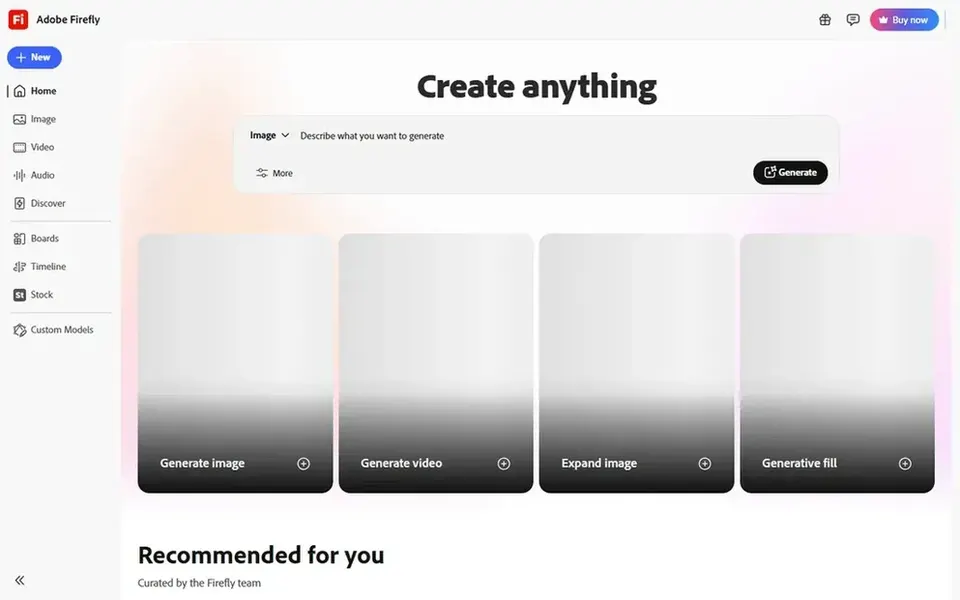
Adobe Firefly was built for creative teams inside Adobe workflows. It suits designers, marketers and creative teams already working inside Adobe applications who want generation and editing in one place.
For everyday use, Firefly is most handy when you already depend on Adobe tools, and less compelling as a standalone generator for occasional users. Adobe Firefly shows no starting price here, so confirm the cost on the vendor site. Free access: Not stated.
Drawbacks to consider: Output style can feel familiar.
For text-heavy images and model access, Ideogram is a natural candidate. In daily use, Ideogram is not a complete design environment, so layout, vector and brand system work may need another tool.
Drawbacks to consider: Best results need prompt tuning.
For everyday use, organizations that prioritize a single vendor with deep creative software ties may prefer Adobe Firefly, whereas designers centred on vectors should look at Recraft. On cost, Ideogram starts like this: $20 per month. Free options: Not stated.
Microsoft Designer is built with fast social and marketing graphics in mind. The tool prioritizes speed and simplicity, so it provides less precision for advanced retouching, vector work or brand governance.
From a buyer's view, teams with strict style guides or heavy production volumes may prefer Adobe Firefly or Recraft, which provide more control over assets and workflows. For everyday use, generation and layout sit together, which shortens the path from concept to finished graphic. This comparison lists no price for Microsoft Designer; ask the vendor. As for free access: Not stated.
Downsides: Less suited to complicated brand systems.
Get a written quote from DreamStudio, Recraft, Shutterstock AI Image Generator and others; the list shows no starting price for them.
Look at the free plan from Recraft closely: its caps decide whether it is usable for real work.
Before choosing DreamStudio, weigh its main limit: narrower design tooling than suites.
Read the plan comparison for Ideogram carefully; key features often start on a higher tier.
Let daily users try Shutterstock AI Image Generator on real work; their feedback beats any feature checklist.
How we picked
For each of the 6 tools we noted price, free plan or trial, fit for platforms for ethically trained AI images and the main limit, using vendor pages and documentation. Figures are shown as the vendors publish them. Billing terms, seat minimums and add-ons can change the real cost. Tools are placed by general fit for platforms for ethically trained AI images, with price clarity and free access as tie-breakers. A different team can reasonably rank them differently.
Every price and plan detail on this page comes from the vendors’ own websites. We did not run hands-on tests unless the text says so, and we do not publish star ratings or review scores. See how we score and our disclosure.
Keep your shortlist in one place
Paste prices, trial dates and notes from this guide into Ainotely, our AI note app. It files them into a topic and pulls out tasks like “cancel trial by Friday”. Free 7-day trial, no card needed.
Vendors describe this differently, so read the licensing and training documentation instead of relying on marketing language. Confirm terms straight before commercial use.
Can I try these tools before paying?
Often, yes. Recraft has a free plan. Use your own data and a real task during the test, and check what the free tier or trial limits before you rely on it. All 6 picks in this platforms for Ethically trained AI images comparison show their pricing, free plan details and main limits on the cards above.
Is DreamStudio the right pick for everyone comparing platforms for ethically trained AI images?
No single tool suits every team. DreamStudio comes first because it fits experimenting with generative image models, while Recraft suits designers needing vectors and brand styles and Shutterstock AI Image Generator suits stock buyers who also generate images. Match the tool to your own size, budget and workflow before deciding.
Do these tools publish their prices?
Not all of them. DreamStudio, Recraft, Shutterstock AI Image Generator and others publish no starting price, so expect a quote request for those. The rest, Ideogram included, show a starting price, though seats and billing terms still change the final cost.
Which product is a good match for commercial brand work?
The first pick on this list is DreamStudio, because it suits experimenting with generative image models. Recraft is better for designers needing vectors and brand styles, and Shutterstock AI Image Generator for stock buyers who also create images. Check price and limits against your own needs before choosing.
Which options for platforms for ethically trained AI images have a free plan?
Recraft is the only tool in this list with a free plan. Free plans usually cap users, projects or features, so check the limits on the vendor page. For the full picture, the cards above cover all 6 entries of this platforms for Ethically trained AI images list, including price, free plan and limits.