Best Platforms for Webinars in 2026: 8 Platforms Compared

- 1
 Zoom WebinarsLarge audiences and Zoom teamsVisit
- 2
 DemioMarketing teams and lead generationVisit
- 3
 GoTo WebinarTraining and recurring programsVisit
- 4
 LivestormAttendance-based pricingVisit
- 5
 WebinarJamLive sales webinarsVisit
- Zoom Webinars is the best pick for companies already standardized on Zoom, with scale and reliability for large audiences.
- Demio suits marketing teams that want a no-download, interactive webinar room with engagement data tied to leads.
- GoTo Webinar is a dependable choice for training teams running recurring, multi-session programs.
- Livestorm suits B2B teams that prefer pricing tied to real attendance, with a limited free plan to test it.
- Price by attendee count, not just the monthly fee: a cheap plan for 50 attendees can become expensive at 500.
Quick comparison
| Product | Ideal for | Price from | Free version | |
|---|---|---|---|---|
| Zoom Webinars | Large audiences and Zoom teams | See website | No | Visit |
| Demio | Marketing teams and lead generation | $499 per year | Free trial | Visit |
| GoTo Webinar | Training and recurring programs | $59 per month | Free trial | Visit |
| Livestorm | Attendance-based pricing | See website | Yes | Visit |
| WebinarJam | Live sales webinars | $39 per month | No | Visit |
 Webex Webinars | Enterprise security needs | See website | No | Visit |
 ON24 | Enterprise demand generation | See website | No | Visit |
 ClickMeeting | Trainers and paid webinars | $30 per month | Free trial | Visit |
The best platforms for webinars
These eight platforms cover live, automated and enterprise webinars. We compared official pricing pages, feature pages and public reviews, focusing on attendee limits, engagement tools and the true cost at realistic audience sizes.
Zoom Webinars
Ideal for: Large audiences and Zoom teams
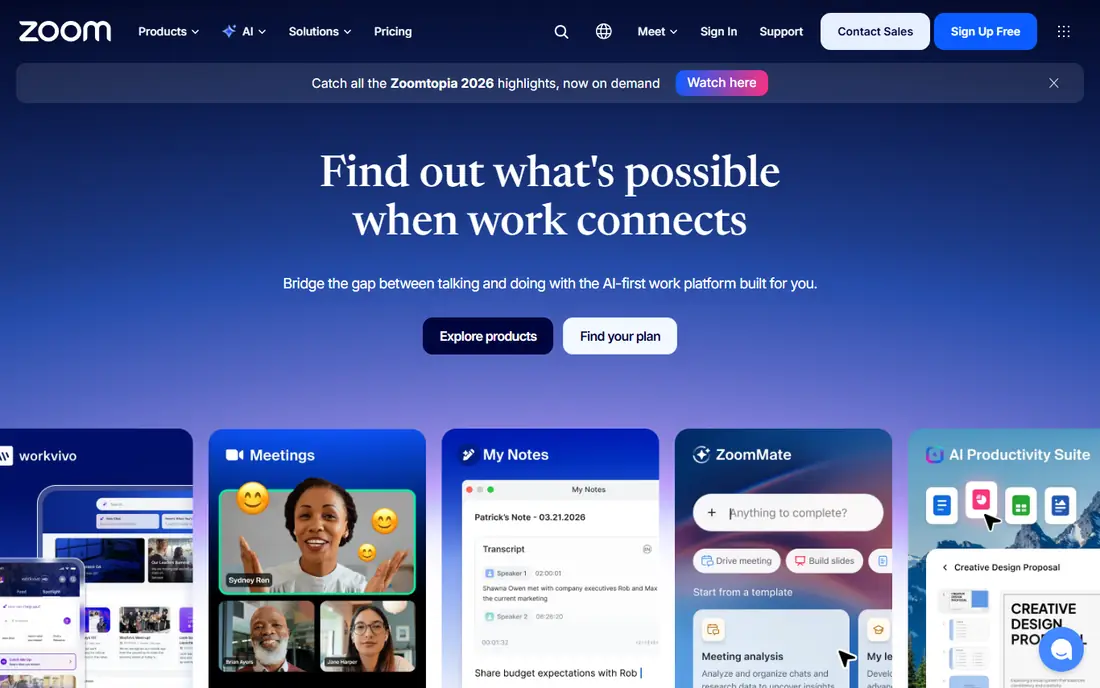
Zoom Webinars is the natural choice for companies already running on Zoom Workplace. Attendees know the interface, which cuts joining friction, and the platform scales from a few hundred to thousands of attendees with polls, Q&A, chat and reporting. Recent comparisons list entry pricing around $66.67 per month on annual billing for 500 attendees, plus a Workplace license.
There is no free plan, and pricing rises with attendee tiers, so confirm the tier for your largest expected audience. For a team already standardized on Zoom, the familiarity and reliability make it the easiest webinar choice.
- Familiar to most attendees
- Reliable at scale
- Polls, Q&A and breakout options
- No free plan
- Pricing is attendee-tiered and needs a Workplace license on some plans
Demio
Ideal for: Marketing teams and lead generation
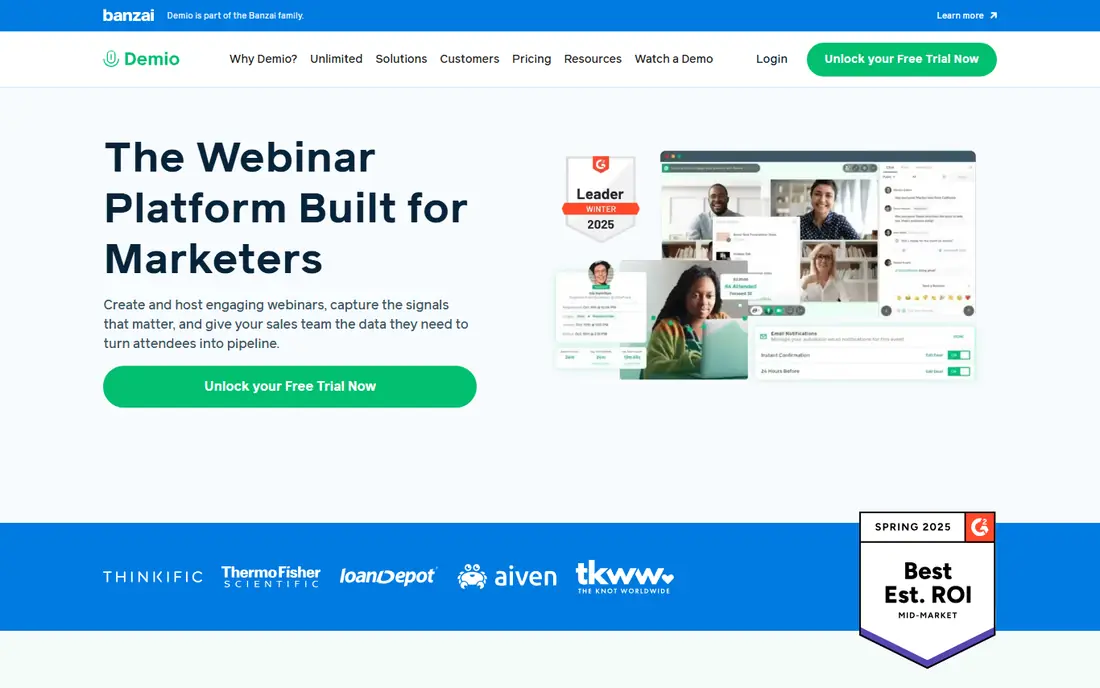
Demio is built for marketing webinars. Attendees join from the browser with no download, presenters get polls, handouts, timed offers and calls to action, and engagement data flows back to the CRM for lead scoring. Starter pricing is listed at $499 per year for 50 attendees, with a 14-day free trial.
The attendee limit is the catch: scaling to 500 or 1,000 attendees moves you to substantially higher tiers. For a marketing team running lead-generation webinars to modest audiences, Demio's ease and engagement tools are excellent. For very large audiences, Zoom or GoTo Webinar may cost less.
- No-download browser room
- Polls, handouts and calls to action
- Engagement tracking
- Starter covers 50 attendees
- Larger audiences move to much higher tiers
GoTo Webinar
Ideal for: Training and recurring programs

GoTo Webinar suits training teams and companies running multi-session programs. It is stable, well supported and built for recurring schedules, with polls, surveys, handouts and a channel page for recorded libraries through GoTo Stage. Reach plans start at $59 per month per organizer on annual billing for 500 participants, with a 7-day free trial.
The interface feels more corporate than Demio or Livestorm, and there is no permanent free plan. For a training program that runs week after week, GoTo Webinar's reliability and session management matter more than a modern look.
- Dependable for recurring sessions
- Polls, surveys and handouts
- GoTo Stage for libraries
- Interface feels corporate
- No free plan, only a trial
Livestorm
Ideal for: Attendance-based pricing
Livestorm is a browser-based platform popular with B2B teams, offering polls, Q&A with upvoting, breakout rooms and file sharing in a polished room. Its Pro pricing from $3.00 per attendee ties cost to real attendance rather than a flat tier, which suits teams whose audience varies month to month. A limited free plan covers small sessions for testing.
Per-attendee pricing can add up for large, frequent events, and multi-host setups increase cost. For a team that runs professional, client-facing sessions and wants pricing that follows actual attendance, Livestorm is a strong pick.
- Browser-based
- Polls, Q&A and breakouts
- Pricing tied to real attendance
- Pro pricing from $3.00 per attendee can add up
- Multi-host setups cost more
WebinarJam
Ideal for: Live sales webinars
WebinarJam is the sales webinar specialist. It packs calls to action, polls, whiteboard tools and scarcity timers into the live room, which suits coaches, consultants and course sellers running live offers. Starter pricing is $39 per month on annual billing for 100 attendees, with a $1 trial for 14 days.
The starter attendee cap is low, so growing audiences need higher tiers, and there is no permanent free plan. For a seller whose webinar ends in an offer, WebinarJam's selling tools justify the price. For education-only webinars, Demio or Livestorm may fit better.
- Built for selling during live events
- Calls to action and scarcity tools
- Low entry price
- Starter covers 100 attendees
- No free plan, only a $1 trial for 14 days
Webex Webinars
Ideal for: Enterprise security needs
Webex Webinars, from Cisco, suits large enterprises with strict security and compliance requirements. It offers enterprise-grade security, SSO, hardware integration for meeting rooms and reliable delivery at scale, which is why regulated and multinational companies choose it.
Pricing is custom and requires a sales conversation, with recent comparisons citing around $225 per month for standard tiers. Small teams will find it heavy and expensive. For an enterprise that needs compliance and Cisco integration, Webex is the right shortlist.
- Strong security and compliance
- Cisco hardware integration
- Reliable at enterprise scale
- Custom pricing
- Interface can feel heavy for small teams
ON24
Ideal for: Enterprise demand generation
ON24 is the enterprise marketing platform in this list, built to turn webinars into pipeline. It offers more than twenty engagement tools, including polls, surveys, breakouts and networking, with analytics that score attendee engagement for sales follow-up. That depth is why large B2B marketing teams use it as a demand engine.
Pricing is custom, on annual contracts, with recent comparisons citing around $10,000 per year as an entry point. Mid-market teams should not start here. For an enterprise marketing team running webinars as a pipeline channel, ON24's analytics justify the investment.
- Deep engagement analytics
- 20-plus engagement tools
- Built for pipeline generation
- Enterprise annual contracts
- Pricing is far above mid-market tools
ClickMeeting
Ideal for: Trainers and paid webinars
ClickMeeting is a budget-friendly choice for trainers, educators and consultants. It supports live, automated and paid webinars, with whiteboard, breakout, poll and survey tools, and a monetization option for paid events. Live plans start from $30 per month for 25 attendees, with a free trial.
The entry attendee cap is small, so growing programs need higher tiers. For a trainer starting out, or a consultant running paid sessions to a modest audience, ClickMeeting offers a low-cost, capable start.
- Low entry price
- Automated and paid webinars
- Whiteboard and breakout tools
- Live plan covers 25 attendees
- Larger audiences need higher tiers
How we picked these
We compared official pricing pages, feature pages and public reviews for webinar platforms available in October 2026. We favored platforms with a real webinar feature set, including registration, engagement tools and reporting, rather than plain meeting apps, and we weighed attendee limits and pricing transparency, since both decide the true cost.
What to check before you choose a webinar platform
Start with your largest realistic audience, not your average. Price the tier that covers your biggest event, since attendee overages and tier jumps are where webinar costs surprise buyers. If your audience varies widely, consider attendance-based pricing such as Livestorm's.
Then test the attendee experience. Join a test session from a phone and a laptop, with no app installed, and check how long it takes to enter, whether polls and Q&A work smoothly, and how the recording looks afterward. Attendees judge your event by that first minute, so a clunky entry costs you registrations.
Finally, check the follow-up workflow. Confirm that registration data, poll answers, attendance and engagement scores flow into your CRM or email tool without manual export, and test automated reminders and replay pages. A webinar platform that captures leads but strands them in a spreadsheet has only done half the job.
Frequently asked questions
What is the best webinar platform?
Zoom Webinars is best for large audiences and Zoom-standardized teams, Demio suits marketing teams, GoTo Webinar suits training programs, and Livestorm suits B2B teams that prefer attendance-based pricing. The best choice depends on audience size and purpose.
Is there a free webinar platform?
Livestorm offers a limited free plan for small sessions, and most other platforms offer free trials rather than permanent free tiers. For a truly free option, a meeting app with a free tier can host small sessions, but it lacks webinar registration and engagement tools.
How much does webinar software cost?
Entry prices in this list run from $30 per month for ClickMeeting to $59 for GoTo Webinar and $39 for WebinarJam, while enterprise platforms such as ON24 use custom annual contracts. Always price the attendee tier you actually need.
What is the difference between a webinar and a meeting?
A webinar is a presentation to an audience, with registration, host controls, polls and Q&A, while a meeting is a collaborative call where everyone can speak freely. Webinar platforms add registration pages, engagement analytics and replay handling that meetings lack.
Can I run automated or evergreen webinars?
Yes, Demio, Livestorm, ClickMeeting and WebinarJam all support automated or simulated-live replays, which let registrants watch on demand. Check whether automation is included in your tier, since some platforms charge extra for it.