Best Podcast Recording Software in 2026: 8 Tools Compared

- Riverside is our pick for remote studio quality recording, while Audacity is the best free editor.
- Descript suits creators who want to edit audio by editing text, and GarageBand is best for Mac beginners.
- Zencastr and SquadCast are strong for remote interviews with separate tracks per guest.
- Record each guest on a separate track, since that makes editing out crosstalk and noise far easier.
- Free plans cover starting out, but studio quality remote recording and advanced editing usually need a paid plan.
Quick comparison
| Product | Ideal for | Price from | Free version | |
|---|---|---|---|---|
 Riverside | Remote studio recording | See website | Yes | Visit |
 Audacity | Free audio editing | Free | Yes | Visit |
 Descript | Text based editing | $24 per month | Yes | Visit |
 GarageBand | Mac beginners | Free | Yes | Visit |
 Zencastr | Remote interviews | See website | Yes | Visit |
 SquadCast | Remote interviews | See website | Yes | Visit |
 Adobe Audition | Professional editing | See website | Free trial | Visit |
 Anchor (Spotify for Creators) | Free publishing | Free | Yes | Visit |
The best podcast recording software
Podcast recording software falls into two groups: remote recorders that capture guests over the internet, and editors that cut, clean and mix the audio. Many creators need one of each. We compared official feature pages, pricing, app listings and public reviews to find tools that still serve podcasters well in October 2026.
Riverside
Ideal for: Remote studio recording
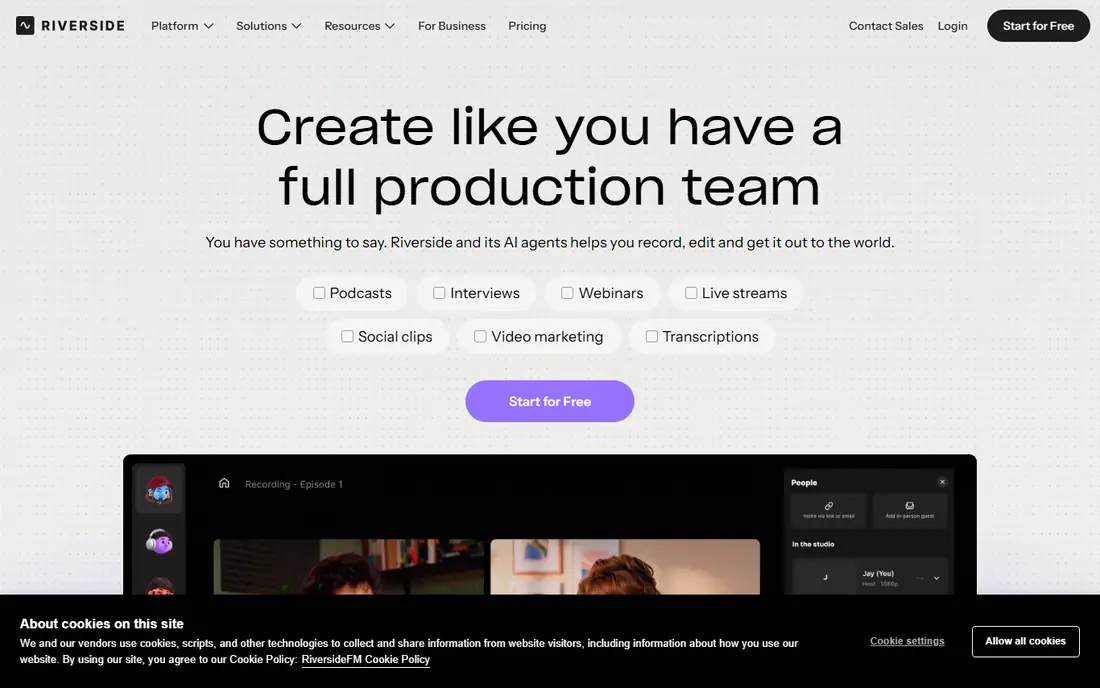
Riverside records each guest locally on their own device, then uploads the high quality files, so a poor internet connection during the call does not ruin the recording. That local recording is why Riverside is the standard for remote studio quality podcasts, with separate audio and video tracks for each person. It also offers transcription, clips and basic editing tools.
Free plans are limited in recording hours and quality, so serious podcasters need a paid plan. Guests still need a decent microphone and a quiet room, since local recording captures whatever the microphone hears, but Riverside removes the biggest remote recording risk, which is internet dropouts.
- Local recording for each guest
- Studio quality video and audio
- Separate tracks
- Paid plans for full quality and hours
- Needs good guest internet
- Learning curve for new users
Audacity
Ideal for: Free audio editing
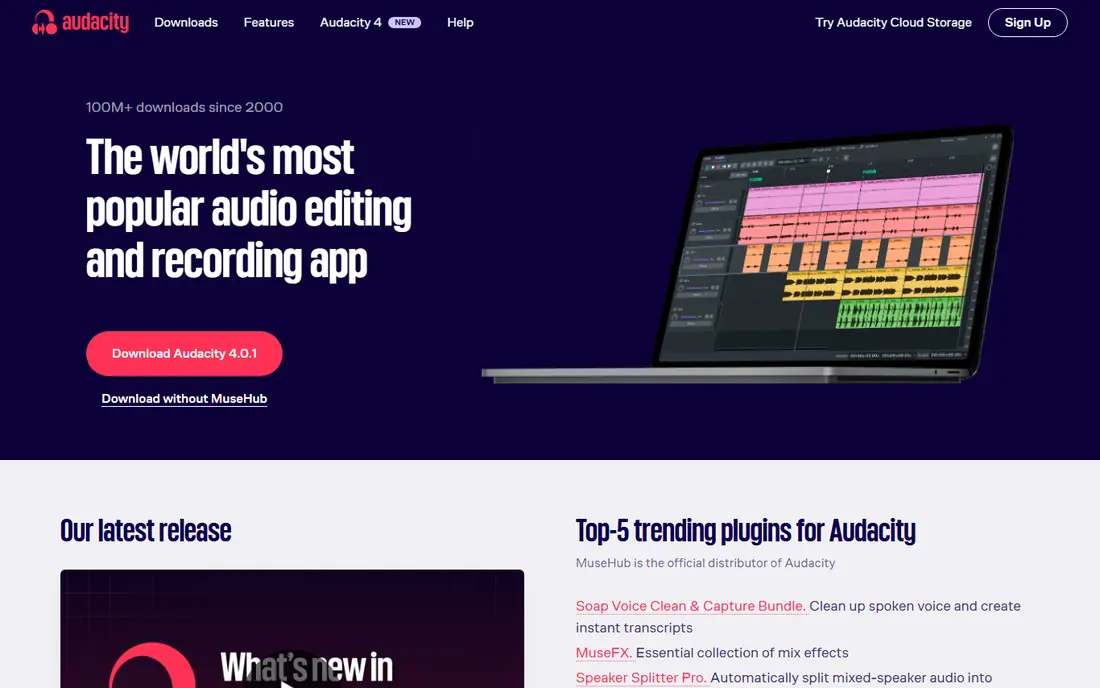
Audacity is the best free audio editor, and it has been a podcast staple for years. It offers multitrack editing, noise reduction, compression, equalisation and effects, all for free and open source. For solo podcasters and editors who record locally, Audacity covers almost everything needed to produce a clean episode.
The interface feels dated, and Audacity does not record remote guests, so pair it with Riverside, Zencastr or SquadCast for interviews. Editing is destructive if you are not careful with copies, so save backups before major edits, but for free editing power, nothing else on this list matches Audacity.
- Free and open source
- Powerful editing and effects
- Works on Windows, Mac and Linux
- Interface feels dated
- No multitrack remote recording
- Destructive editing needs care
Descript
Ideal for: Text based editing

Descript changes podcast editing by letting you cut audio the way you edit a document. Delete a word in the transcript and Descript deletes it from the audio, which makes editing a long interview dramatically faster. Filler word removal, studio sound enhancement and Overdub for small corrections add to the appeal, and the same tool edits video.
The Creator plan, listed at $24 per month, is needed for full transcription hours and features, while the free plan is limited. Transcription accuracy depends on audio quality, so clean recordings still matter, but for creators who edit weekly, Descript can save hours per episode.
- Edit audio by editing transcript
- Filler word removal
- Overdub for corrections
- Creator plan at $24 per month for full features
- Transcription accuracy varies with audio quality
GarageBand
Ideal for: Mac beginners
GarageBand is free on every Mac and is the easiest way for Mac users to start podcasting. It offers multitrack recording, simple editing, built in effects and easy export, with an interface that is friendly for beginners. For solo shows and local interviews recorded on a Mac, GarageBand is often all you need.
It is Mac only, and it lacks the advanced tools of Logic Pro or Adobe Audition, such as detailed restoration and batch processing. Remote recording also needs a separate tool, but for Mac beginners who want to record and edit in one free app, GarageBand is an excellent starting point.
- Free on Mac
- Easy multitrack recording
- Good built in effects and loops
- Mac only
- Less powerful than Logic Pro or Audition
- Limited for remote recording
Zencastr
Ideal for: Remote interviews
Zencastr is a browser based remote recorder that captures each guest on a separate track, which makes editing far easier than a single mixed recording. Guests join from a link without installing software, and Zencastr offers post production, editing and distribution tools for podcasters who want an all in one workflow. That simplicity suits interview shows with rotating guests.
Free plans are limited in hours and features, and video quality is less consistent than Riverside's. Guest audio still depends on their microphone and room, so send guests a short setup guide before recording, but for straightforward remote interviews, Zencastr is reliable and easy to use.
- Separate tracks per guest
- Browser based, no install
- Built in editing and distribution
- Free plan limited
- Video quality varies
- Guest audio depends on their setup
SquadCast
Ideal for: Remote interviews
SquadCast, now part of Descript, is another studio quality remote recorder, with separate tracks per guest and Dolby audio enhancement to clean up recordings. Its focus on audio quality made it popular with professional podcasters, and integration with Descript means recordings can flow directly into text based editing. That combination is powerful for interview shows.
Paid plans are needed for full recording hours and features, and guest setup still matters, since a poor microphone will limit any recorder. If you already use Descript, SquadCast is a natural remote recording choice, while Riverside remains the main alternative for video focused shows.
- Studio quality remote recording
- Separate tracks
- Dolby audio enhancement
- Paid plans for full features
- Now part of Descript
- Guest setup matters
Adobe Audition
Ideal for: Professional editing
Adobe Audition is the professional editor for podcasters who need detailed restoration, multitrack mixing and broadcast quality output. Its noise reduction, spectral editing and loudness tools go beyond Audacity, and integration with Premiere Pro helps video podcasters who edit audio and video together. For audio professionals, Audition is a standard tool.
The subscription cost and learning curve make it overkill for beginners, who should start with Audacity or GarageBand. If you edit podcasts professionally, or you already pay for Adobe Creative Cloud, Audition is worth learning for its restoration and mixing power.
- Professional editing and restoration
- Multitrack mixing
- Integrates with Adobe tools
- Subscription cost
- Learning curve
- Overkill for simple edits
Anchor (Spotify for Creators)
Ideal for: Free publishing
Anchor, now called Spotify for Creators, offers free podcast hosting, distribution to Spotify and other platforms, and basic recording tools on mobile and web. That makes it the easiest way to publish a first podcast without paying for hosting, and monetisation options are built in for eligible creators. For beginners, the simplicity is a major advantage.
Recording and editing tools are basic compared with Audacity or Descript, and you have less control over hosting than with a dedicated podcast host. Use Anchor for publishing and distribution, but record and edit with a dedicated tool if audio quality matters to your show.
- Free hosting and distribution
- Easy recording on mobile
- Monetisation options
- Recording tools are basic
- Less control than separate hosting
- Spotify branding
How we picked these
We compared official feature pages, pricing pages, app listings and public reviews, and we only included tools that still offer podcast recording or editing in October 2026. We favoured tools that record separate tracks for remote guests, offer clear free limits, and cover both recording and editing needs, since most podcasters need both.
How to record a podcast that sounds professional
Use a decent microphone, record in a quiet room with soft furnishings to reduce echo, and wear headphones to avoid feedback. Record each guest on a separate track, whether you use Riverside, Zencastr or SquadCast, since separate tracks let you fix one person's noise without affecting the others. Ask guests to record a backup on their phone as insurance, and send them a short guide on microphone placement and room choice.
In editing, cut long pauses and filler words sparingly, since over editing sounds unnatural, and use noise reduction and compression gently. Export at a consistent loudness, add intro and outro music at a low level, and listen to the final episode on headphones and a phone speaker before publishing, since listeners use both.
Frequently asked questions
What is the best podcast recording software for beginners?
GarageBand on Mac and Audacity on any system are the best free starting points for editing, while Riverside or Zencastr are best for remote interviews. Start simple and upgrade only when you need more features.
Is Audacity really free?
Yes, Audacity is free and open source for Windows, Mac and Linux. It offers powerful editing, effects and multitrack support without a subscription.
How do I record remote podcast guests in high quality?
Use Riverside, Zencastr or SquadCast, which record each guest locally and upload separate tracks. Ask guests to use a decent microphone, a quiet room and headphones.
Can I edit a podcast by editing text?
Yes, Descript lets you edit audio by editing the transcript, which is much faster than waveform editing for long interviews. Accuracy depends on recording quality, so clean audio still matters.
Where should I publish my podcast for free?
Spotify for Creators, formerly Anchor, offers free hosting and distribution to Spotify and other platforms. For more control, consider a dedicated podcast host, which usually charges a monthly fee.