Best POS and Inventory Management Software in 2026: 8 Tools Compared

- 1
 SquareSmall shops and cafesVisit
- 2
 Lightspeed RetailMulti-site retail stockVisit
- 3
 Shopify POSOnline plus in-store sellingVisit
- 4
 ToastRestaurants and barsVisit
- 5
 CloverSimple counter sellingVisit
- Square and Clover suit small shops that want payments and stock in one simple system with hardware included.
- Lightspeed Retail leads for shops with large catalogs, variants, and several locations that need tight stock control.
- Toast fits restaurants first, with menus, tables, and kitchen workflows alongside inventory.
- Shopify POS makes sense for shops that already sell online and want one stock count across web and store.
- Inventory accuracy depends on daily habits, so pick the system your staff will actually use at the till.
Quick comparison
| Product | Ideal for | Price from | Free version | |
|---|---|---|---|---|
| Square | Small shops and cafes | See website | Free trial | Visit |
| Lightspeed Retail | Multi-site retail stock | See website | Free trial | Visit |
| Shopify POS | Online plus in-store selling | See website | Free trial | Visit |
| Toast | Restaurants and bars | See website | Free trial | Visit |
| Clover | Simple counter selling | See website | Free trial | Visit |
 Epos Now | Small business POS | See website | Free trial | Visit |
 Revel Systems | Larger hospitality groups | See website | Free trial | Visit |
 Square for Retail | Retail focused Square plan | See website | Free trial | Visit |
The best pos and inventory management software
A combined POS and inventory system ties what you sell at the till to what sits on your shelves. When a sale rings up, stock drops, and when stock runs low, you get a warning before a customer is disappointed. The tools below all do that job, but they aim at different kinds of shops, so the right pick depends on what you sell and where you sell it.
Square
Ideal for: Small shops and cafes

Square is the easiest starting point for a small shop, cafe, or market stall. Its homepage shows a range of hardware, from a portable reader to a full register, and the software covers payments, inventory, staff, and marketing in one account. For a new business, that single account removes a lot of setup friction.
The catch is that the deeper inventory tools, such as purchase orders and multi-location stock, need a paid retail plan. If your stock is simple, the basic tools may be enough. If you carry hundreds of variants, check the retail plan pricing before you commit, and compare it with Lightspeed.
- Easy setup with Square hardware
- Payments, stock, and team tools in one account
- Free point of sale software tier for basic use
- Advanced inventory features sit in paid plans
- Payment processing fees apply on top of software costs
Lightspeed Retail
Ideal for: Multi-site retail stock
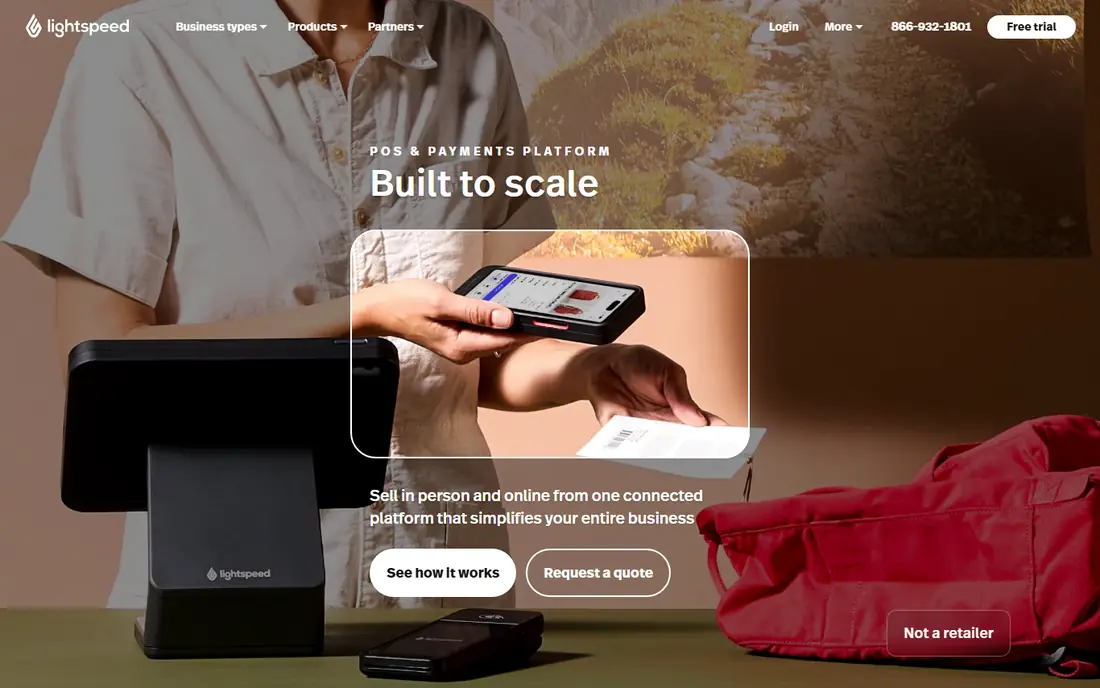
Lightspeed Retail is built for shops where inventory is the hard part: clothing with sizes and colors, bike shops with parts, garden centers with seasonal lines. Its homepage stresses customizable inventory, customer management, and reporting across channels, and its customer stories talk about managing stock across many stores. That depth is why it leads for larger retailers.
The trade-off is cost and setup time. Lightspeed is not a casual pick for a single stall, and importing a large catalog takes care. But if stock errors are already costing you sales, the control it gives is worth the effort, and the trial is the right place to test it on your real catalog.
- Strong inventory tools for variants, bundles, and purchase orders
- Multi-location stock visibility
- Wide integration range
- Pricing is quote based and higher than simple tools
- Setup takes longer for a large catalog
Shopify POS
Ideal for: Online plus in-store selling

Shopify POS suits shops that sell both online and in person and are tired of two stock counts that never agree. When a product sells in the store, the online quantity drops, and when it sells online, the store count drops too. That single view prevents overselling, which is a common headache for growing shops.
The catch is plan structure. Basic Shopify POS covers the essentials, but advanced features such as detailed staff permissions and smart inventory tools sit in higher tiers. If you already run a Shopify store, though, adding POS is usually simpler than running a second system.
- One stock count across online store and physical shop
- Huge app range
- Familiar checkout for online shoppers
- The best POS features need higher plans or the Pro add-on
- Hardware is an extra cost
Toast
Ideal for: Restaurants and bars
Toast is a restaurant system first, and its inventory tools are shaped around that world: menus, ingredients, suppliers, and busy service periods. Its site presents a platform for peak volume and tight margins, with data tools included. For a restaurant, cafe, or bar, that focus shows in details such as modifiers, coursing, and kitchen display options.
Retail shops will find Toast a poor fit, since its strength is hospitality workflows rather than general retail stock. Restaurants should compare Toast with Square for Restaurants and Lightspeed Restaurant, and judge them on a real menu during a trial, not on a feature list alone.
- Built for restaurant volume, menus, and tables
- Kitchen and order tools alongside stock
- Large restaurant customer base
- Restaurant focus means retail shops should look elsewhere
- Hardware and processing fees add to the total
Clover
Ideal for: Simple counter selling
Clover is the counter system many small shops meet through their payment provider. Its hardware is neat, its interface is simple, and its app market lets you add inventory, loyalty, or reporting tools as needed. For a shop with a modest catalog and a small team, that simplicity is a real benefit.
The limit is depth. Clover handles everyday stock well, but shops with complex variants, purchase orders across suppliers, or several locations may outgrow it. Get a full quote covering hardware, software, and processing before comparing it with Square, since the headline price rarely tells the whole story.
- Compact hardware range for counters and tables
- App market for adding features
- Simple setup for small teams
- Inventory depth is lighter than Lightspeed
- Processing and hardware costs need a full quote
Epos Now
Ideal for: Small business POS
Epos Now offers POS systems for both retail and hospitality, with stock control, sales reporting, and staff management in the package. Hardware bundles make it a tidy choice for a new shop that wants till, printer, and software from one supplier. Its range covers cafes, bars, and small retailers without forcing a restaurant-only or retail-only choice.
Buyers should check which features are included and which are add-ons, since POS vendors often split reporting and stock tools across tiers. A demo with your own product list will show whether the stock tools match how you actually buy and sell.
- Retail and hospitality versions from one vendor
- Stock, reporting, and staff tools included
- Hardware bundles available
- Some features need add-ons
- Support quality varies by region, so check reviews for your area
Revel Systems
Ideal for: Larger hospitality groups
Revel Systems targets restaurants, bars, and retail groups with several sites. Its platform covers point of sale, kitchen management, delivery, and reporting, with an open API for connecting other tools. For a group that needs consistent menus and stock rules across locations, that central control matters.
Small single-site shops will find Revel more system than they need, and the quote-based pricing reflects that enterprise focus. For a growing group, though, Revel deserves a demo alongside Toast and Lightspeed, especially if delivery and multi-site reporting are priorities.
- Built for multi-location hospitality
- Kitchen, delivery, and reporting tools
- Open API for integrations
- Aimed at larger operations, so small shops may find it heavy
- Pricing is quote based
Square for Retail
Ideal for: Retail focused Square plan
Square for Retail is Square's answer to shops that outgrow the basic POS. It adds purchase orders, vendor management, and stronger stock views while keeping the familiar Square interface and hardware. For a shop already on Square that is hitting stock limits, upgrading within Square is often simpler than switching vendors.
The limit is ceiling. A very large retailer with complex warehousing may still need Lightspeed or a dedicated inventory platform. But for most independent shops, Square for Retail closes the gap between a simple till and a full retail system, and it is worth pricing before a switch.
- Square simplicity with deeper retail stock tools
- Purchase orders and vendor management
- Multi-location stock views
- Still a Square product, so processing ties you to its ecosystem
- Advanced needs may still point to Lightspeed
How we picked these
We compared official feature pages, pricing pages, and public reviews for POS systems that include inventory management as a core feature, not an afterthought. We kept systems still sold in the United States in October 2026, and we left out payment-only tools, standalone inventory apps with no till, and systems with no clear vendor homepage. We favored systems with a trial or demo, since stock workflows can only be judged with your own products.
How to choose without regretting it
List your products first, including variants, bundles, and supplier details. A system that handles a simple list well may struggle with sizes, colors, and multi-pack bundles, and that struggle will show up daily at the till. Bring that list to every demo, and ask the vendor to import a sample rather than showing a polished demo catalog.
Next, count your locations and channels. A single shop with no online store has different needs from a shop with a website and a market stall. Single stock across channels is the feature that most often justifies a higher price, because it prevents overselling and manual counts. Finally, get the full cost: software, hardware, payment processing, and any add-ons. POS pricing is rarely a single number, and the cheapest software can become the dearest system once processing is included.
Frequently asked questions
What is the best POS and inventory software for a small shop?
Square is the easiest starting point for most small shops, with simple hardware and stock tools in one account. Lightspeed Retail fits better when the catalog is large or spread across sites. Test both with your own product list before deciding, since stock workflows differ more than sales screens suggest.
Does Shopify POS handle inventory well?
Yes, for shops that sell online and in person, because it keeps one stock count across both channels. Advanced inventory features need higher plans, so check the plan that matches your needs. If you do not sell online, a retail-first system such as Lightspeed may offer deeper stock tools for the price.
Is Toast only for restaurants?
Toast is built for restaurants, bars, and cafes, and its strengths are menus, tables, and kitchen workflows. Retail shops should choose a retail system instead, since Toast's inventory is shaped around ingredients and menus rather than general retail stock.
How much does POS software cost?
Most vendors charge a monthly software fee plus payment processing fees, and hardware is often extra. Some offer a free basic tier, while advanced plans are quote based. Always ask for a full quote covering software, hardware, and processing for your sales volume.
Can I switch POS systems later?
Yes, but switching takes work: exporting products, customers, and sales history, retraining staff, and possibly replacing hardware. Choose with growth in mind, and check export options before you sign. A system that locks your data in will make a future switch painful.