Best Power Dialer Software (2026): 7 Options Compared

- 1
 NooksParallel dialing with AI coaching in one productVisit
- 2
 Mojo DialerReal estate prospecting on a budgetVisit
- 3
 PhoneBurnerControlled calling and caller reputationVisit
- 4
 AlowareCRM-integrated teams prioritizing conversations over raw volumeVisit
- 5
 KixieCRM-native multi-line dialing for SMB teamsVisit
- This list starts with Nooks, which is built for parallel dialing with AI coaching in one system.
- CloudTalk has the lowest monthly starting price in this list: From ~$25/user/month.
- A fair warning about Aloware: not a parallel dialer, so peak dial volume is lower.
- Neither Nooks nor JustCall, nor any of the other 5 tools, has a permanent free plan; trials and quotes are the norm.
- JustCall is the one to check for budget-conscious multi-country teams.
Direct answer
For parallel dialing with AI coaching in one platform, Nooks is where this list starts. If your case is different, Mojo Dialer suits real estate prospecting on a budget and PhoneBurner suits controlled calling and caller reputation. Details, prices and limits for the rest of the 7 tools are below.
Quick comparison
| Product | Ideal for | Price from | Free version | |
|---|---|---|---|---|
| Nooks | Parallel dialing with AI coaching in one product | See website | No | Visit |
| Mojo Dialer | Real estate prospecting on a budget | From $99/month (single line, includes agent access) | No | Visit |
| PhoneBurner | Controlled calling and caller reputation | From $140/user/month (Standard, billed annually) | Free trial | Visit |
| Aloware | CRM-integrated teams prioritizing conversations over raw volume | From ~$30/user/month | Free trial | Visit |
| Kixie | CRM-native multi-line dialing for SMB teams | From ~$35/user/month | Free trial | Visit |
 CloudTalk | International teams needing wide number coverage | From ~$25/user/month | Free trial | Visit |
 JustCall | Budget-conscious multi-country teams | From ~$29/user/month (annual) | Free trial | Visit |
Power Dialer Software compared in detail
Choosing power dialer software usually comes down to price, fit and limits. This Ainotely guide sets 7 tools side by side on those three points, with the facts kept short and checkable.
Nooks
Ideal for: Parallel dialing with AI coaching in one product

In short, Nooks is for parallel dialing with AI coaching in one system. Nooks takes the parallel dialer and wraps it in an AI-native outbound product. In practice, reps start each conversation with context and finish with their records already logged.
On top of that, the virtual salesfloor hands remote teams the energy of a shared calling floor. It is also a younger company than the legacy dialers, so ask hard questions about reliability during your evaluation. Check the vendor site for Nooks pricing; none is listed in this comparison. There is no free plan with Nooks.
- AI agents deal with call prep and CRM logging
- Virtual salesfloor for remote teams
- Newer system with less track record than legacy rivals
Mojo Dialer
Ideal for: Real estate prospecting on a budget

Mojo Dialer is a good fit for real estate prospecting on a budget. Mojo is the real estate industry's dialer.
In practice, there is no free trial, and the cancellation policy is restrictive. Starting cost for Mojo Dialer: From $99/month. Mojo Dialer has no free tier.
Watch-outs: No free trial.
- Copper-based infrastructure for call quality
- Triple-line dialing up to 300 calls per hour
- US and Canada only
PhoneBurner
Ideal for: Controlled calling and caller reputation
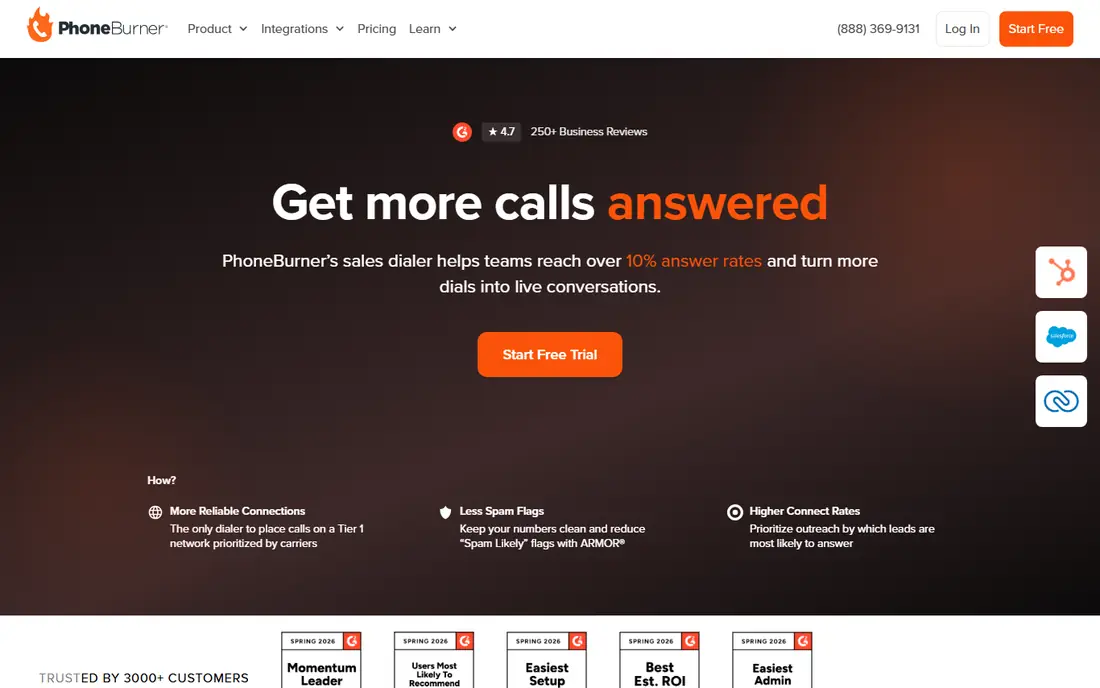
Choose PhoneBurner for controlled calling and caller reputation. Rather than blasting lines in parallel, it runs quick one-to-one power dialing and invests the difference in keeping your numbers clean: ARMOR spam protection, local caller ID, and smart filtering of low-pickup numbers. Also, plans contain unlimited dialing minutes, which makes costs predictable.
The built-in CRM features mean small teams can run without a separate CRM. Worth adding: for high-volume US outbound where every answered call counts, the premium is defensible. The price is the headline trade-off, at $140 to $183 per user a month based on plan and billing term. It is also strictly an US and Canada tool, so international teams should look elsewhere. And the free trial is 60 minutes of calling, not a time period, so push for an extended demo before signing up an entire team. Starting cost for PhoneBurner: From $140/user/month. Free options: Free trial.
Trade-offs to know: Premium price point.
- ARMOR spam protection and local caller ID
- One-click voicemail drop and post-call workflow automation
- US and Canada only, no international calling
Aloware
Ideal for: CRM-integrated teams prioritizing conversations over raw volume
Aloware was built for CRM-integrated teams prioritizing conversations over raw volume. Aloware makes an argument most dialer vendors avoid: that conversations per hour matter more than dials per hour. Its 1:1 power dialer is tightly integrated with HubSpot and Salesforce, pairs voice with SMS outreach, and emphasizes pickup-rate tooling and pipeline attribution over raw throughput.
Worth adding: if your motion is high-volume SDR blitzing, this is the wrong tool. If your reps need real conversations that land in the CRM and convert, the quality-first approach commonly wins on pipeline per dollar. Price to start with Aloware: From ~$30/user/month. As for free access: Free trial.
- Capable SMS alongside voice
- Conversation-quality focus with pipeline attribution
- Not a parallel dialer, so peak dial volume is lower
Kixie
Ideal for: CRM-native multi-line dialing for SMB teams
Pick Kixie if this describes you: CRM-native multi-line dialing for SMB teams. Kixie is the dialer most commonly recommended to teams that live inside HubSpot or Salesforce. On top of that, local presence dialing presents a local area code, and the spam-risk prevention tooling guards your numbers from getting flagged.
Also, the multi-line PowerDialer rings up to 10 lines at once and uses AI to detect whether a human answered, so reps stop wasting time on voicemail and dead air. Beyond that, watch the pricing arithmetic. Also note the primary interface is a Chrome extension, which is fine if your team is standardized on Chrome and awkward if it is not. As for the details, for SMB revenue teams of 5 to 50 reps who want CRM-native dialing with solid support, Kixie still earns its spot. Price to start with Kixie: From ~$35/user/month. As for free access: Free trial.
The main drawbacks: Real-world cost climbs to $109-$220/user/month with ConnectionBoost and extras.
- Multi-line PowerDialer with AI human-voice detection
- Local presence dialing and spam-risk prevention
- Chrome-extension-based interface limits browser choice
CloudTalk
Ideal for: International teams needing wide number coverage
For international teams needing wide number coverage, CloudTalk is a natural candidate. The main limit is level gating: at around $25 per user a month you get the base product, and the more solid dialing modes live on the more expensive plans.
For growing SMB and mid-market teams with international prospects, though, it is one of the best value propositions here. On cost, CloudTalk starts like this: From ~$25/user/month. Trial and free access: Free trial.
Downsides: Power dialer features sit on higher levels.
- Smart dialing modes in one
- Power, parallel
- Some advanced features need extras
JustCall
Ideal for: Budget-conscious multi-country teams
JustCall works best for budget-conscious multi-country teams. JustCall pairs a cloud phone system with serious dialer modes, power, predictive, and dynamic, plus native AI coaching and sentiment analysis that plenty of competitors sell as extras. Local numbers across more than 70 countries make it a natural fit for distributed teams, and the 100+ integrations handle the major CRMs.
Also, the $29 entry figure applies to base plans billed yearly. Teams that require the dialer-focused levels report $49 to $89 per user a month, and you still need a CRM underneath. Even so, for international SMB teams that want multi-line dialing without enterprise pricing, JustCall undercuts most rivals with comparable coverage. More specifically, the pricing deserves a second look. Entry price for JustCall: From ~$29/user/month. Trial and free access: Free trial.
Where it falls short: Dialer-focused plans can reach $49-$89/user/month before you add a CRM.
- AI coaching and sentiment analysis included
- Power, predictive
- Some features need higher levels
How these tools were picked
Ainotely looked at what each vendor publishes: pricing, plan limits, feature coverage for power dialer software and stated drawbacks. No hands-on testing is claimed. Where a vendor does not publish a price, the entry says quote. Where a price depends on seats or billing term, the entry says so. The sequence is a judgement call: typical use case first, then pricing transparency, then free access. Use the profiles to check fit.
A buyer's checklist
- Ask Nooks for a written quote, since no starting price is shown.
- Take the trial from PhoneBurner, Aloware, Kixie and others and push a live task through it before you pay.
- Read the limits listed for Nooks first: newer system with less track record than legacy rivals.
- Involve the people who will use Aloware daily; a short pilot beats a long feature checklist.
- Confirm the exact JustCall plan that includes your must-have features.
Frequently asked questions
Do these tools publish their prices?
Not all of them. Nooks publishes no starting price, so expect a quote request for it. The rest, Mojo Dialer included, show a starting price, though seats and billing terms still change the final cost.
Can I try these options before paying?
Often, yes. PhoneBurner, Aloware, Kixie and others offer a free trial. Use your own data and a real task during the test, and check what the free tier or trial limits before you rely on it.
Are power dialers legal?
The software itself is legal, but how you use it is regulated. Single-line power dialing is usually lower-risk than predictive dialing. If you do outbound at scale, get compliance advice instead of relying on a vendor's marketing claims.
What is a power dialer?
A power dialer automatically calls the next number on a rep's list once the previous call ends, skipping manual dialing. It typically doubles or triples daily talk time compared with hand dialing.
How are the tools for power dialer software ordered?
Nooks sits first and JustCall last because the order follows typical fit for power dialer software, then price clarity and free access. It is a judgement call, so read each profile for fit and limits.
What is the cheapest option for power dialer software in this list?
On published monthly entry prices, CloudTalk is the lowest here at From ~$25/user/month. Entry price is only part of the cost, because seats, add-ons and billing terms can change the total.