Best Pregnancy App in 2026: 8 Apps Compared

- 1
 What to ExpectWeek by week content and communityVisit
- 2
 BabyCenterFree community and daily updatesVisit
- 3
 Ovia PregnancyTracking from fertility through pregnancyVisit
- 4
 FloCycle app users moving into pregnancy modeVisit
- 5
 Pregnancy+3D visuals of fetal developmentVisit
- Prices and free plans vary widely, so check the current plan page before you pay.
- The best choice depends on how much you will actually use each week, not on the longest feature list.
- Start with a free plan or trial where one exists, then upgrade only when you hit a real limit.
- Read the privacy and cancellation terms, especially for subscriptions that renew automatically.
Pregnancy apps are for education and tracking only and are not medical advice. Talk to your clinician about symptoms, medications and birth planning. Users should be adults or use apps with a parent or guardian where required.
Quick comparison
| Product | Ideal for | Price from | Free version | |
|---|---|---|---|---|
| What to Expect | Week by week content and community | Free | Yes | Visit |
| BabyCenter | Free community and daily updates | Free | Yes | Visit |
| Ovia Pregnancy | Tracking from fertility through pregnancy | Free | Yes | Visit |
| Flo | Cycle app users moving into pregnancy mode | Free | Yes | Visit |
| Pregnancy+ | 3D visuals of fetal development | Free | Yes | Visit |
 The Bump | Pregnancy content and registry tools | Free | Yes | Visit |
 Glow Nurture | Health reports and symptom tracking | Free | Yes | Visit |
 Sprout Pregnancy | Visual pregnancy tracking | See website | No | Visit |
The best pregnancy apps
We compared official feature pages, pricing pages, app store listings, privacy policies and public reviews to build this list. Our pick for most people is the option that gives the clearest value for its price, but the right choice for you depends on your budget, your devices and how often you will use it.
What to Expect
Ideal for: Week by week content and community
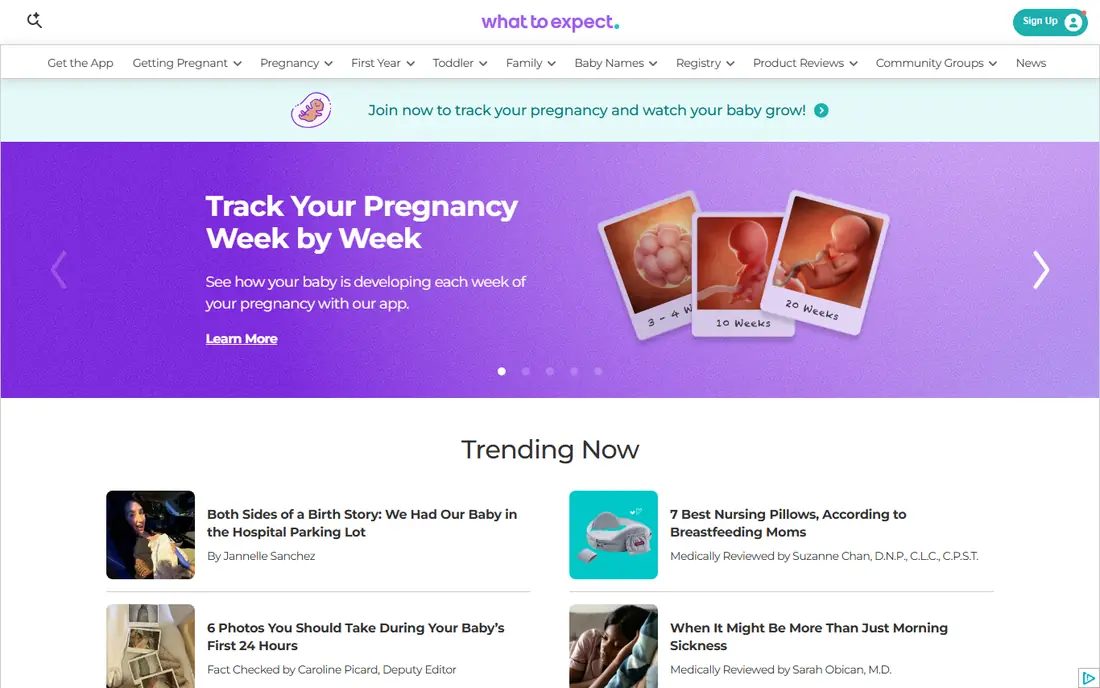
What to Expect fits week by week content and community. Its content depth and forums suit first time parents who want guidance and community. That focus shows in day to day use, where the main tools are easy to find and the extras do not get in the way. The catch is worth knowing before you commit. Ad supported data practices mean privacy settings deserve attention. Check the current price, the renewal terms and what is included on the plan you actually want, since entry plans often leave out the features shown in marketing. If that trade off still works for your routine, this is an easy option to recommend.
- Week by week guides
- Forums
- Baby tracker after birth
- Ads
- Privacy settings need review
BabyCenter
Ideal for: Free community and daily updates
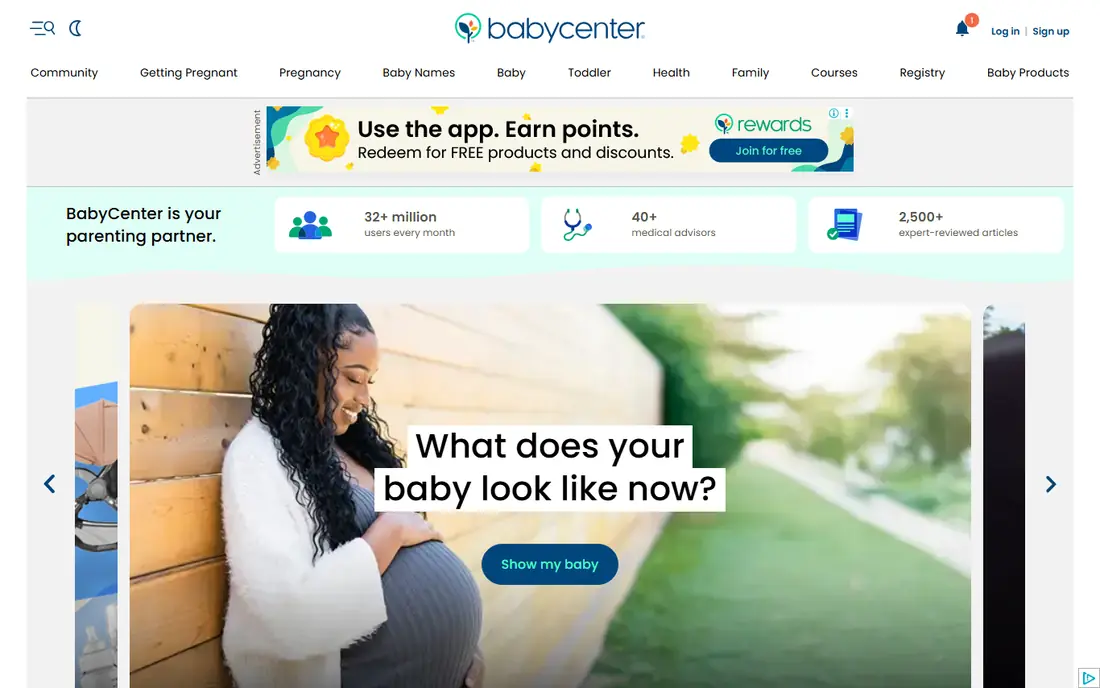
For free community and daily updates, BabyCenter is a strong place to start. Its free Birth Clubs give due date groups a place to share experiences. It is a practical choice when you want results without a long setup process. The catch is worth knowing before you commit. Ad based model means data settings should be checked. Check the current price, the renewal terms and what is included on the plan you actually want, since entry plans often leave out the features shown in marketing. If that trade off still works for your routine, this is an easy option to recommend.
- Daily updates
- Birth Clubs
- Kick counter and contraction timer
- Ads
- Privacy settings need review
Ovia Pregnancy
Ideal for: Tracking from fertility through pregnancy
If tracking from fertility through pregnancy is your main need, Ovia Pregnancy deserves a close look. Its continuity from fertility tracking suits users who already use Ovia. The design keeps the core job front and centre. The catch is worth knowing before you commit. Check whether you use the consumer or employer version, since data terms differ. Check the current price, the renewal terms and what is included on the plan you actually want, since entry plans often leave out the features shown in marketing. If that trade off still works for your routine, this is an easy option to recommend.
- Kick and contraction tools
- Food safety lookup
- Symptom tracking
- Employer version data sharing differs
- Premium tools vary
Flo
Ideal for: Cycle app users moving into pregnancy mode
Flo fits cycle app users moving into pregnancy mode. Existing Flo users get continuity without switching apps. That focus shows in day to day use, where the main tools are easy to find and the extras do not get in the way. The catch is worth knowing before you commit. Some pregnancy tools sit behind Premium. Check the current price, the renewal terms and what is included on the plan you actually want, since entry plans often leave out the features shown in marketing. If that trade off still works for your routine, this is an easy option to recommend.
- Cycle continuity
- Pregnancy mode
- Community
- Premium needed for some tools
- Privacy history deserves review
Pregnancy+
Ideal for: 3D visuals of fetal development
For 3d visuals of fetal development, Pregnancy+ is a strong place to start. Visual learners benefit from clear 3D development models. It is a practical choice when you want results without a long setup process. The catch is worth knowing before you commit. If you want all tools free, another app may fit better. Check the current price, the renewal terms and what is included on the plan you actually want, since entry plans often leave out the features shown in marketing. If that trade off still works for your routine, this is an easy option to recommend.
- Interactive 3D models
- Checklists
- Kick counter on premium
- Some tools need Premium
- Ads on free version
The Bump
Ideal for: Pregnancy content and registry tools
If pregnancy content and registry tools is your main need, The Bump deserves a close look. Its content and registry tools suit parents planning for baby arrival. The design keeps the core job front and centre. The catch is worth knowing before you commit. Deep tracking fans may want a dedicated tracker beside it. Check the current price, the renewal terms and what is included on the plan you actually want, since entry plans often leave out the features shown in marketing. If that trade off still works for your routine, this is an easy option to recommend.
- Week by week content
- Checklists
- Registry
- Ads
- Tracking tools are basic
Glow Nurture
Ideal for: Health reports and symptom tracking
Glow Nurture fits health reports and symptom tracking. Its shareable health reports can help at prenatal visits. That focus shows in day to day use, where the main tools are easy to find and the extras do not get in the way. The catch is worth knowing before you commit. Full features need a paid plan. Check the current price, the renewal terms and what is included on the plan you actually want, since entry plans often leave out the features shown in marketing. If that trade off still works for your routine, this is an easy option to recommend.
- Symptom tracking
- Health reports
- Community
- Premium needed for full features
- Ads on free version
Sprout Pregnancy
Ideal for: Visual pregnancy tracking
For visual pregnancy tracking, Sprout Pregnancy is a strong place to start. Its visual tracking suits parents who want a clear weekly view. It is a practical choice when you want results without a long setup process. The catch is worth knowing before you commit. Community features are thinner than free rivals. Check the current price, the renewal terms and what is included on the plan you actually want, since entry plans often leave out the features shown in marketing. If that trade off still works for your routine, this is an easy option to recommend.
- 3D visuals
- Kick counter
- Weight tracking
- Paid app
- Smaller community
How we picked these
We started with the products that appear most often in this category, then kept only the ones that exist and work today, with a clear official homepage and a plan structure we could describe honestly. We compared official feature pages, pricing pages, app store listings, privacy policies and public reviews, and we left out products whose prices or homepages we could not verify. We did not claim hands on testing that did not happen, and we favoured products with clear terms over products that hide limits in fine print. We also weighed fit over fame. A well known name can be the wrong pick if its plan is built for a different kind of user, while a smaller option can be better when it matches your daily routine. That is why each write up names who the product suits, one concrete strength and one honest weakness, so you can judge the trade off for yourself.
Choose a pregnancy app with privacy in mind
Read privacy settings on day one
Pregnancy data is sensitive. Check what data is collected, whether ads use it, and how to turn off personalised ads before logging symptoms.
Pair content with tracking if needed
One app rarely does both perfectly. Many parents use a content app for reading and a tracker for kicks and symptoms.
Keep your clinician in the loop
Apps support education and tracking, but they do not replace prenatal care. Bring app reports to visits and ask about anything unusual. Before you decide, shortlist two options and test them side by side for a few days of normal use. Note what slows you down, what costs extra, and what you would miss if you switched. That short test usually reveals the right choice faster than reading another ten reviews, because it is based on your routine, your devices and your budget rather than on a generic ranking. Also check support and cancellation before you pay for a year in advance. A clear help centre, a reachable support team and a simple cancel button are worth more than a small discount, because they decide how painful it is to fix a billing problem or leave later. If support is hard to reach during a trial, treat that as a warning sign, not as a minor detail, and choose the option with clearer terms even if its headline price is slightly higher.
Frequently asked questions
What is the best pregnancy app?
What to Expect suits content and community, BabyCenter suits free Birth Clubs, and Ovia suits tracking continuity. Privacy settings matter for all of them.
What is the best free pregnancy app?
BabyCenter, What to Expect, Ovia and The Bump offer strong free plans. Premium features vary, so check what is free before relying on a tool.
What is the best pregnancy tracker app?
Ovia and BabyCenter include kick counters and contraction timers for free, while Pregnancy+ puts some tools behind Premium.
Are pregnancy apps safe for data?
Data practices vary widely. Read privacy policies, limit sensitive logging, and use strong passwords and device locks.
Can a pregnancy app replace my doctor?
No, apps support tracking and education only. Prenatal visits, tests and clinician advice remain essential.