Best Primer Design Software Compared for PCR Labs

- 1
 Primer3Routine PCR primer design at no costVisit
- 2
 Primer-BLASTSpecificity checked PCR primersVisit
- 3
 SnapGenePlasmid and primer design on desktopVisit
- 4
 BenchlingShared academic lab notebooks and primer designVisit
- 5
 Geneious PrimeFull sequence analysis and primer designVisit
- Free tools cover most routine PCR primer design, and Primer3 plus Primer-BLAST form a strong no-cost starting pair.
- SnapGene starts at $360 per year for one academic user and Geneious Prime starts at $660 per year for one academic user, based on vendor pricing pages checked 12 November 2026.
- Benchling is free for verified academic accounts, while its commercial plans are quote only, so commercial labs should request a quote before budgeting.
- Primer Premier and the IDT tools suit labs that want focused primer checks, qPCR probe design, or detailed control of melting temperature.
- Match the tool to the job: use a specificity checker for new targets, a desktop suite for cloning, and a cloud notebook for shared lab work.
Quick comparison
| Product | Ideal for | Price from | Free version | |
|---|---|---|---|---|
| Primer3 | Routine PCR primer design at no cost | $0 | Yes | Visit |
| Primer-BLAST | Specificity checked PCR primers | $0 | Yes | Visit |
| SnapGene | Plasmid and primer design on desktop | $360 per year (academic, 1 user) | Free trial (30 days) | Visit |
| Benchling | Shared academic lab notebooks and primer design | quote only | Yes (academic) | Visit |
| Geneious Prime | Full sequence analysis and primer design | $660 per year (academic, 1 user) | Free trial (14 days) | Visit |
 Primer Premier | Detailed PCR and multiplex primer design | quote only | No | Visit |
 OligoAnalyzer | Checking Tm, dimers and hairpins | $0 | Yes | Visit |
 PrimerQuest | Custom PCR and qPCR primer and probe design | $0 | Yes | Visit |
The best primer design software
Primer3
Ideal for: Routine PCR primer design at no cost
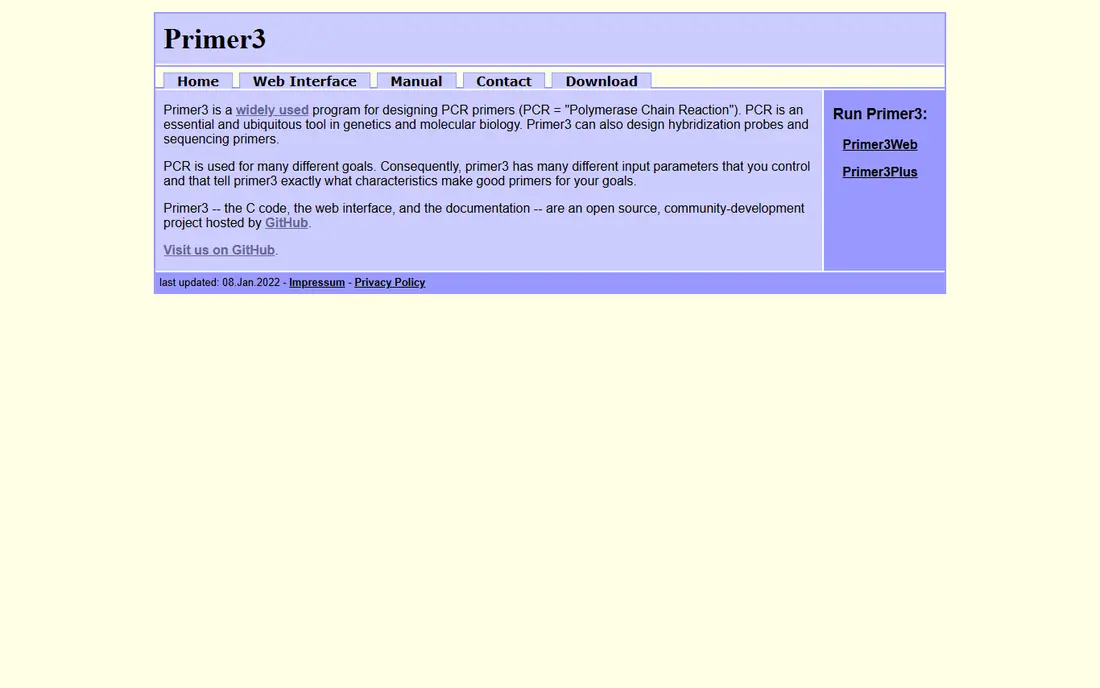
Primer3 is a widely used program for designing PCR primers, and it also designs hybridization probes and sequencing primers. The project site states that Primer3 is an open source, community development project, with code, a web interface and documentation hosted on GitHub.
The tool gives control over primer length, melting temperature range, GC content and product size. A lab can set tight limits for a diagnostic assay or looser limits for a first pass, then review ranked candidate pairs.
Primer3 does not check primer specificity against a genome on its own, so a careful lab should pair it with a BLAST based check or with Primer-BLAST. It also has no cloning map, notebook or ordering link. Even with those limits, its price, control and long record of use make it a sound base tool for teaching labs, core facilities and any team that wants a free primer engine.
- Free and open source
- Works as a web tool and as a command line program
- Plain interface with a learning curve for new users
- No built in genome specificity check
Primer-BLAST
Ideal for: Specificity checked PCR primers
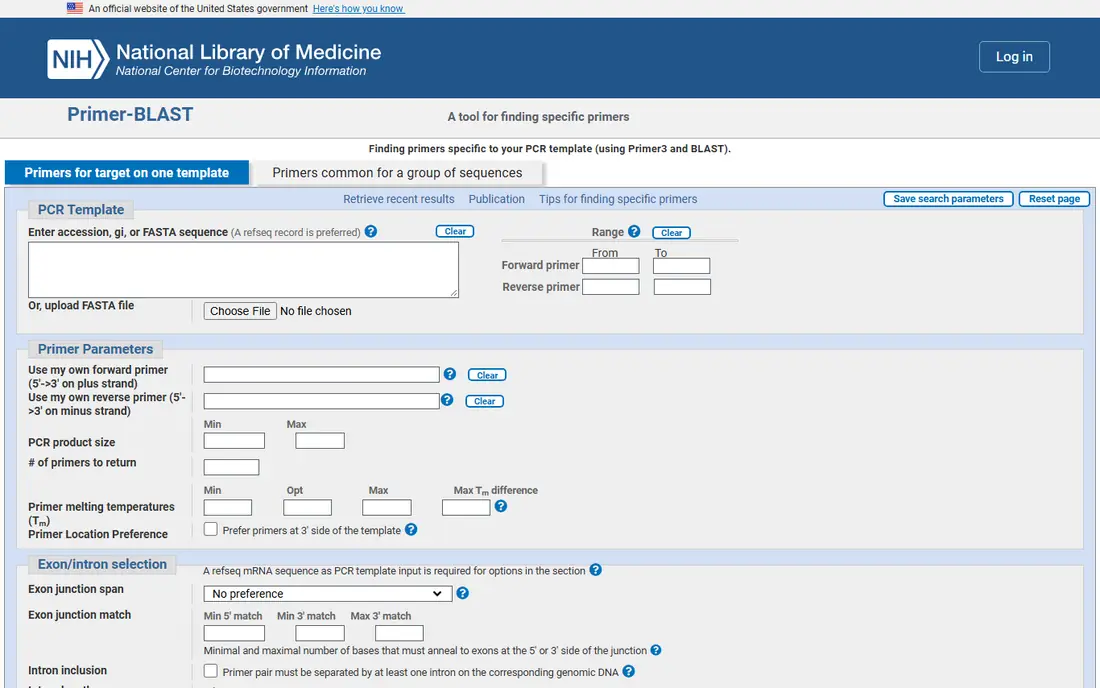
Primer-BLAST is a free web service from the National Center for Biotechnology Information, and it joins Primer3 primer design with a BLAST search for specificity. Users can design new target specific primers in one step and can also check the specificity of primers they already have.
The tool lets the user pick a database, such as a genome or transcriptome, and set a specificity threshold and other primer properties. It screens candidate pairs against that database, so pairs that could cause non specific amplification are set aside.
Primer-BLAST needs an internet connection, though no NCBI account is needed for basic use, and large jobs can take time in a queue. Start with the defaults and change one setting at a time. For a lab that wants a free check before ordering primers, it is one of the most useful tools in this list, and it pairs well with Primer3, SnapGene or Benchling.
- Combines Primer3 design with a BLAST specificity check
- Free to use through NCBI
- Runs can be slow when the database is large
- Web only, with no offline desktop version
SnapGene
Ideal for: Plasmid and primer design on desktop
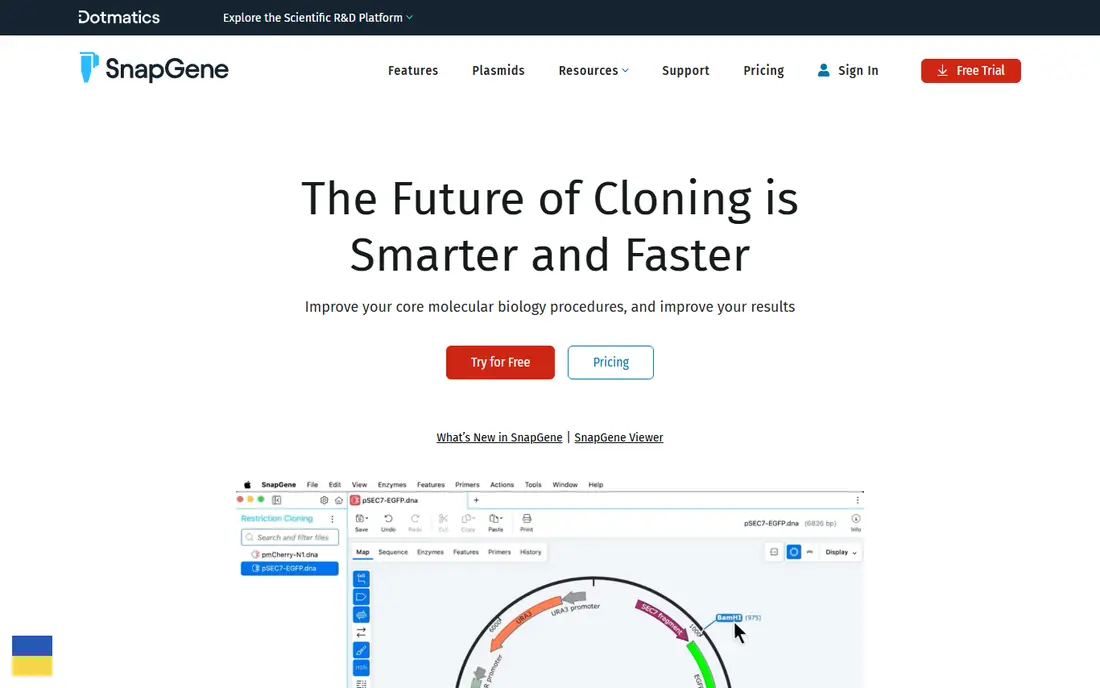
SnapGene is a desktop application for designing, annotating and simulating DNA constructs, and its primer tools sit inside that wider cloning workflow. A user can design primers for a plasmid and see the result on a map. The vendor pricing page checked 12 November 2026 lists an academic subscription at $360 per year for one user, and a corporate subscription at $1,945 per year for one user.
The app includes free updates during the term, licences for Windows, Mac and Linux, and online licence management. A student subscription is listed at $149 per year, and course licences for teaching are free. When a subscription expires, SnapGene reverts to Viewer mode, where most functions are disabled.
SnapGene suits a lab that does regular cloning and wants one desktop tool for maps, primers and simulated gels. It is less suited to a lab that needs a shared cloud notebook or a free tool for every member, because each user needs a seat. Test the 30 day trial with a real cloning task and confirm whether you qualify for academic pricing before you commit.
- Clear plasmid maps and primer design in one desktop app
- Works on Windows, Mac and Linux
- Full editing stops when a subscription ends and the app reverts to Viewer mode
- Corporate pricing is much higher than academic pricing
Benchling
Ideal for: Shared academic lab notebooks and primer design
Benchling is a cloud platform for research data, and its Molecular Biology suite includes primer design alongside cloning, alignment and CRISPR design. The academic page checked 12 November 2026 states that Benchling offers an academic plan free of charge, including Notebook and Molecular Biology.
The primer tool lives in the same interface as sequence design, so a primer stays linked to the sequence it was designed against. Notebook entries carry timestamps and version histories, which helps when a primer design changes during a project.
The main limit is cost transparency for commercial labs. Benchling does not publish a commercial list price on the academic page, and commercial plans are quote only. A company should ask for a written quote, check what is included, and confirm data export and contract length. For an academic lab, the free plan is generous and easy to start.
- Free academic plan includes Notebook and Molecular Biology tools
- Primer design links to sequences, notebooks and collaborators
- Commercial pricing is not published and needs a sales quote
- Inventory and Registry are built for industry use, not academic use
Geneious Prime
Ideal for: Full sequence analysis and primer design
Geneious Prime is a desktop suite for molecular biology and sequence analysis, with primer design, alignment, cloning, assembly and annotation in one place. The vendor pricing page checked 12 November 2026 lists a personal academic subscription at $660 per year for one user, a personal corporate subscription at $2,350 per year, and a student plan at $200 per year.
A personal subscription includes a Geneious Cloud workspace, 10GB of secure cloud storage, free upgrades during the term, and access to Geneious Academy. When a subscription expires, Geneious Prime reverts to restricted mode, where data can be viewed and files can be imported and exported, but most other functions are disabled.
Geneious Prime suits a lab that wants one suite for primers, alignments, assemblies and reports. It is a larger purchase than a free web tool, and the corporate price is a real budget item. Use the 14 day trial on a real project, list the features you will actually use, and compare the personal and team plans before you buy.
- Wide sequence analysis, alignment and primer tools in one suite
- Cloud workspace and 10GB storage on a personal plan
- Corporate pricing is much higher than academic pricing
- The full suite can be more than a small lab needs
Primer Premier
Ideal for: Detailed PCR and multiplex primer design
Primer Premier, from PREMIER Biosoft, is described by the vendor as a comprehensive program to design and analyze PCR primers. The product page checked 12 November 2026 states that its search algorithm finds optimal PCR, multiplex and SNP genotyping primers with melting temperature based on the nearest neighbor thermodynamic algorithm.
That ranking helps when a lab needs to compare many candidate pairs and pick one with a clear margin. The tool also loads sequences from dbSNP and designs primers flanking a selected SNP, which suits genotyping work.
The vendor does not publish a list price on the product page, so the starting price in this guide is quote only. A buyer should request a written quote, ask what is included, and check licence terms, updates and support. Primer Premier suits a lab that does a lot of PCR, multiplex PCR or SNP work and wants a focused desktop tool. A lab that only designs a few primers a month may find a free web tool enough.
- Ranked primer results with nearest neighbor Tm calculation
- Handles multiplex and SNP genotyping primer design
- No public list price, so buyers must request a quote
- Desktop focus, with no free web version for quick checks
OligoAnalyzer
Ideal for: Checking Tm, dimers and hairpins
OligoAnalyzer, from Integrated DNA Technologies, is a free primer analysis tool that helps a lab understand the expected properties of an oligo before ordering it. The vendor page lists a calculator for GC content, melting temperature, molecular weight and extinction coefficient, plus checks for secondary structure and dimer formation.
The tool accepts DNA, RNA, locked nucleic acid bases, modifications, mixed bases and phosphorothioated bases. A user can adjust salt and oligo concentrations, then run hairpin, self dimer, hetero dimer, NCBI BLAST or Tm mismatch checks.
OligoAnalyzer is an analysis tool, not a primer designer, so it works best after a primer pair has been drafted in Primer3, Primer-BLAST, PrimerQuest or a desktop suite. It needs a free IDT account to start. For a lab that orders oligos often, it is a useful final check, and its predictions can save the cost and time of a failed order.
- Free checks for Tm, GC content, dimers and hairpins
- Links to NCBI BLAST for a sequence match search
- Needs an IDT account to use the tool
- It analyzes a primer, it does not design a full primer pair from a template
PrimerQuest
Ideal for: Custom PCR and qPCR primer and probe design
PrimerQuest, from Integrated DNA Technologies, is a free online tool for designing custom PCR primers and hydrolysis probes. IDT states that the tool helps a lab design a custom assay by generating a list of ideal design options from its nucleic acid sequences. The tool offers about 45 settings, from primer, probe and amplicon criteria to target regions.
The tool gives four design options for common experimental setups, and it can run batch analyses with up to 50 sequences that are each longer than 80 bases. Users can design primers or assays for PCR, qPCR or sequencing, for any species.
PrimerQuest needs a free IDT account, and its output is a set of predicted designs, not a guarantee of PCR success. A lab should still check specificity, test the assay, and confirm efficiency in the lab. For qPCR work, PrimerQuest is one of the most direct free options in this guide, and it pairs well with OligoAnalyzer for a final check before ordering.
- Free design for PCR, qPCR and sequencing primers and probes
- About 45 to 50 settings for primer, probe and amplicon criteria
- Needs an IDT account to use the tool
- Results are predictions, so a design still needs lab validation
How we chose
We compared vendor pricing pages, product pages and documentation checked 12 November 2026, and we kept only tools with a working official site and a clear primer design function. Prices come from the vendor pricing page, or are marked quote only where the vendor does not publish a price. We did not claim hands-on testing.
We favored tools that cover the main primer jobs in a lab: routine PCR, specificity checking, qPCR probe design, multiplex and SNP work, and primer checks for Tm, dimers and hairpins. We also favored tools that fit different budgets, from free web tools to desktop suites and cloud platforms. A tool was left out if its official site did not load or its main function was not primer design.
What to check before you buy
Check the licence type first. Academic, student, corporate and commercial prices differ by a wide margin, and academic pricing often needs a degree granting institution or a nonprofit research setting. Ask the vendor to confirm in writing which price applies to your lab. Confirm renewal terms and what happens when a licence ends.
Check the primer features against your assays. A lab that runs qPCR needs probe design and amplicon control. A lab that runs multiplex PCR needs primer screening across a set of primers, not just one pair. A lab that works on gene families needs a specificity check against a genome or transcriptome. Ask for a trial and run a real target through it before you order.
Check data handling and sharing. A desktop tool keeps files on a local machine, while a cloud tool stores them in a vendor workspace with permissions and version history. Confirm export formats, such as GenBank, FASTA and primer lists, and confirm how a lab member can take their files if the lab changes tools.
| Lab size and budget | Best starting choice | Why it fits | Cost to start | | One researcher, no budget | Primer3 plus Primer-BLAST | Free design plus a free specificity check | $0 | | One researcher, qPCR focus | PrimerQuest plus OligoAnalyzer | Free probe design plus a free final check | $0 | | Small academic lab, 2 to 5 users | Benchling academic plan | Free shared notebook and primer design | $0 for verified academic accounts | | Small academic lab, cloning focus | SnapGene academic, 1 user | Desktop maps and primers, per user licence | $360 per year | | Academic lab, full analysis | Geneious Prime academic, 1 user | Primer design plus alignment and assembly | $660 per year | | Commercial lab, shared records | Benchling commercial | Shared cloud records, price by quote | Quote only | | Commercial lab, desktop suite | Geneious Prime corporate, 1 user | Full suite with cloud storage and training | $2,350 per year |
Frequently asked questions
Which primer design tool is best for a beginner?
Primer-BLAST is a good first tool because it is free, it runs in a browser, and it checks specificity as part of the design. Start with the default settings, pick the right database for your target, and review the ranked pairs before you order. Pair it with OligoAnalyzer for a final check on Tm, dimers and hairpins.
Is Primer3 really free?
Yes. Primer3 is free and open source, and the project site states that the code, web interface and documentation form an open source, community development project. You can use the web interface for occasional design work or run the command line version in a pipeline. You still need to check specificity and validate each primer in the lab.
Do I need a specificity check for every primer?
A specificity check is wise for a new target, a gene family, or a qPCR assay where a false signal would mislead the result. Primer-BLAST runs that check against a genome or transcriptome and screens out pairs that could cause non specific amplification. A new design should have one, even if a repeat order of a proven pair may not need a fresh check.
What is the cheapest way to design PCR primers?
The cheapest route is Primer3 for design, Primer-BLAST for a specificity check, and OligoAnalyzer for a final check on Tm and dimers. All three are free to use, though OligoAnalyzer needs a free IDT account. That route covers design, specificity and analysis at $0, and it suits a small lab or a teaching lab.
Is SnapGene or Geneious Prime better for primer design?
SnapGene suits cloning work, where primers sit inside a plasmid map and a simulated construct. Geneious Prime suits wider sequence work, where primers sit beside alignments, assemblies and annotations. SnapGene academic pricing starts at $360 per year for one user, while Geneious Prime academic pricing starts at $660 per year for one user. Use each trial on a real task before you choose.
Can Benchling replace a desktop primer tool?
Benchling can replace a desktop tool for many academic labs, because its free academic plan includes primer design, cloning and alignment in a shared cloud workspace. It suits labs that share primers, plasmids and protocols. It is less suited to a lab that needs offline desktop work or a tool that stays fully editable after a licence ends, so check those points first.
Sources
- https://primer3.org/
- https://www.ncbi.nlm.nih.gov/tools/primer-blast/
- https://www.snapgene.com/pricing
- https://www.benchling.com/academic
- https://www.geneious.com/pricing
- https://premierbiosoft.com/primerdesign/
- https://www.idtdna.com/pages/tools/oligoanalyzer
- https://www.idtdna.com/page/support-and-education/decoded-plus/design-efficient-pcr-and-qpcr-primers-and-probes-using-online-tools/