Best Producing Software in 2026: 7 Options Compared

- 1
 FL StudioBeat makingVisit
- 2
 Ableton LiveElectronic productionVisit
- 3
 Logic ProMac professionalsVisit
- 4
 GarageBandMac beginnersVisit
- 5
 BandLabFree online studioVisit
- Producing software ranges from free beat-making apps to full DAWs used for professional albums.
- FL Studio and Ableton Live lead for beat making and electronic production, with lifetime updates for FL Studio.
- Logic Pro suits Mac producers who want a complete professional DAW, while GarageBand suits Mac beginners free.
- BandLab, LMMS, and Soundtrap cover free and browser-based production, with collaboration built in.
- Our pick for most new producers is a free tool to learn on; our pick for serious production is a full DAW matched to your genre.
Quick comparison
| Product | Ideal for | Price from | Free version | |
|---|---|---|---|---|
| FL Studio | Beat making | See website | Free trial | Visit |
| Ableton Live | Electronic production | See website | Free trial | Visit |
| Logic Pro | Mac professionals | See website | Free trial | Visit |
| GarageBand | Mac beginners | Free | Free | Visit |
| BandLab | Free online studio | Free | Free | Visit |
 LMMS | Free open-source beats | Free | Free | Visit |
 Soundtrap | Browser beat making | See website | Free plan | Visit |
The best producing software
Producing software, usually called a DAW, lets you record, arrange, mix, and master music: beats, melodies, vocals, and full songs. Some tools focus on fast beat making with loops and step sequencers, while others offer deep mixing, recording, and sound design for professional releases.
We compared official feature pages, pricing pages, and public reviews for tools available in October 2026, looking at beat tools, instruments, loops, recording, mixing, collaboration, and price. The seven tools below cover free apps, browser studios, and professional DAWs.
FL Studio
Ideal for: Beat making
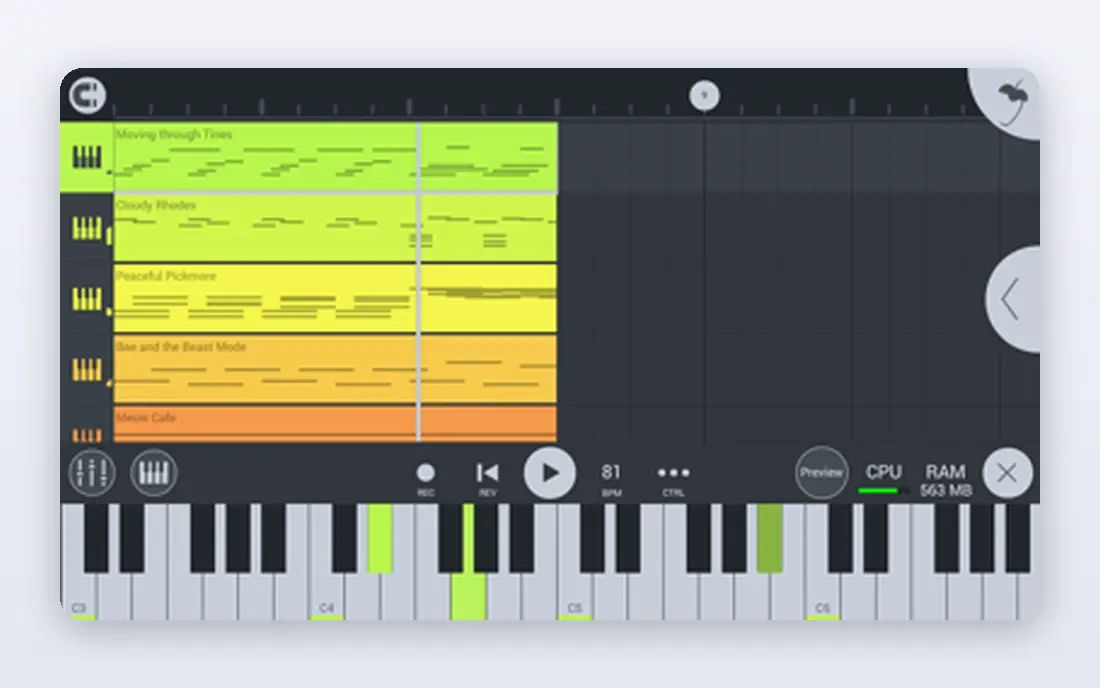
FL Studio is a complete DAW for Windows and Mac, built for beats, melodies, and full songs, with more than 100 instruments, effects, tools, and sounds. Its homepage highlights lifetime free updates for your edition, the FL Cloud library with more than 2 million samples, FLEX packs for many styles, and the FL Studio 2026 release with cloud project backup and an assistant called Gopher.
The strength is beat-making speed plus lifetime value: pay once for an edition and receive updates for life, with a huge sound library and an active community. The trade-off is that pricing is not shown on the homepage and the depth takes time to learn. For beat makers and electronic producers, FL Studio is a leading choice.
- 100 plus instruments, effects, and tools
- Lifetime free updates
- FL Cloud with 2 million plus samples
- Pricing not shown on homepage
- Windows and Mac only
- Depth takes time to learn
Ableton Live
Ideal for: Electronic production

Ableton Live is a creative tool for music makers, with Live 12.4 out now featuring Link Audio and updated devices, plus a rent-to-own option for Live 12 Suite. Its homepage presents tutorials, artist features, and beginner courses for learning production in Live, alongside Push hardware for hands-on control.
The strength is the workflow: Session view for sketching ideas and arranging live, plus deep devices and effects for electronic music. The trade-off is pricing not shown on the homepage and a learning curve for newcomers. For electronic producers and live performers, Ableton Live is a leading choice.
- Live 12.4 current release
- Session view for live arrangement
- Rent-to-own for Suite
- Strong tutorials
- Pricing not shown on homepage
- Learning curve
- Best for electronic and live styles
Logic Pro
Ideal for: Mac professionals
Logic Pro is Apple's professional DAW for Mac, with recording, mixing, mastering, and a large library of instruments, loops, and effects. Its product pages present professional production tools for songwriting, film scoring, and mixing, with projects from GarageBand opening directly in Logic Pro for a smooth upgrade path.
The strength is completeness on Mac: a professional studio in one purchase, with deep instruments and mixing tools. The trade-off is Mac-only availability and pricing not shown on the homepage. For Mac producers ready for professional work, Logic Pro is a strong pick.
- Complete professional DAW on Mac
- Large instrument and loop library
- GarageBand projects open directly
- Mac only
- Pricing not shown on homepage
- Best for committed Mac producers
GarageBand
Ideal for: Mac beginners
GarageBand is Apple's free music creation app for Mac, iPhone, and iPad, with multitrack recording, loops, and built-in instruments for songs, beats, and podcasts. Its product pages present simple creation and sharing, with an easy path to Logic Pro when skills outgrow it.
The strength is free access on Apple devices: beginners can make beats and songs immediately, with no cost and no complex setup. The trade-off is Apple-only availability and limited advanced mixing. For Mac and iPhone beginners, GarageBand is a strong pick.
- Free on Mac, iPhone, and iPad
- Simple recording and loops
- Projects upgrade to Logic Pro
- Mac and iOS only
- Fewer advanced tools
- Limited mixing depth
BandLab
Ideal for: Free online studio
BandLab is a free online music creation platform with a Studio DAW in the browser and on iOS and Android, plus social features, release tools, and a mastering service. Its homepage states that the Studio is best-in-class and 100 percent free, with unlimited multitrack projects, free cloud storage, up to 50 collaborators per project, and hundreds of thousands of royalty-free loops and samples.
The strength is free collaboration: make music anywhere, invite collaborators, and release tracks while keeping 100 percent of earnings from releases. The trade-off is that mastering and some extras sit in paid tiers, and desktop DAW depth is lighter than FL Studio or Ableton. For free, social beat making, BandLab is a leading choice.
- 100 percent free Studio
- Unlimited multitrack projects
- Up to 50 collaborators per project
- Browser and mobile focus
- Mastering and extras have paid tiers
- Desktop DAW depth is lighter
LMMS
Ideal for: Free open-source beats
LMMS is a free, open-source, community-driven music production program for creating melodies and beats, synthesizing and mixing sounds, and arranging samples. Its homepage lists sequencing, composing, mixing, and automation in one interface, a Beat and Bassline Editor, a Piano Roll Editor, 16 built-in synthesizers including emulations of classic chips, VST and SoundFont support, and versions for Linux, Windows, and macOS.
The strength is free beat making on every desktop platform, with classic synth sounds and no cost at all. The trade-off is a dated interface and a focus on patterns and MIDI rather than audio recording. For free desktop beat making, LMMS is a strong pick.
- 100 percent free and open source
- Runs on Linux, Windows, and Mac
- 16 built-in synthesizers
- Interface is dated
- No built-in audio recording focus
- Community support only
Soundtrap
Ideal for: Browser beat making
Soundtrap is a free online music and beat maker from Spotify's studio family, with vocal and mixing tools, virtual instruments, and a collaborative studio on any device. Its homepage covers reverb, distortion, EQ, delay, and compression, a beatmaker, sampler, synths, drum kits, and 808 sounds, an online MIDI editor, real-time collaboration with video and chat, and a sound library of more than 24,000 loops with new packs every two weeks.
The strength is browser beat making with friends: no install, real-time collaboration, and a large loop library. The trade-off is that pricing is not shown on the homepage and vocal tuning and automation sit on paid plans. For browser-based beat making, Soundtrap is a strong pick.
- Free online beat maker
- Patterns beatmaker and MIDI editor
- 24,000 plus loops and collaboration
- Pricing not shown on homepage
- Advanced vocal tuning and automation need paid plans
- Browser-based
How we picked these
We compared official feature pages, pricing pages, and public reviews for producing software available in October 2026. We favored tools that make real beats and songs with instruments, loops, recording, and mixing, and that remain actively offered. Pricing is listed as "See website" where no starting price was shown on the homepage. We did not claim hands-on testing; this comparison rests on vendor documentation, pricing pages, and public reviews.
What to check before you pick producing software
Start with your platform and budget: Mac users can start free with GarageBand and grow into Logic Pro, Windows users can start with LMMS or BandLab, and browser users can start with Soundtrap. Check whether the free plan or trial covers full songs, since some trials limit saving or export.
Next, test your genre workflow: beat makers need a strong step sequencer and drum tools, songwriters need recording and comping, and electronic producers need sound design and live arrangement. Try a full track from idea to export before paying, and check plugin support and loop licensing for commercial release.
Finally, use the free trials properly. FL Studio, Ableton Live, and Logic Pro all offer trials, and BandLab, LMMS, and Soundtrap offer free entry points, so there is little reason to buy before finishing at least one track. Judge a DAW by how fast you finish music in it, not by how many features it lists, since the best tool is the one you actually open every day.
Frequently asked questions
What is the best free beat making app?
BandLab offers a fully free studio with unlimited projects and collaboration, LMMS offers free open-source desktop beat making, and Soundtrap offers a free online beat maker. GarageBand is free on Apple devices.
Is FL Studio or Ableton better for beats?
FL Studio suits beat makers who want a fast step sequencer and lifetime updates, while Ableton suits electronic producers who want live arrangement and deep sound design. Both are professional-grade; workflow preference decides.
Can I produce music on my phone?
Yes. BandLab and Soundtrap work on mobile and browser, and GarageBand works on iPhone and iPad. Phone production suits sketching beats and ideas, while finishing tracks is easier on desktop.
Do I need music theory to produce beats?
No. Loops, step sequencers, and piano-roll editors let beginners build beats without theory, though basic knowledge of keys, scales, and rhythm helps songs sound more polished.
Can I release music made with free software?
Yes, in most cases. BandLab lets creators keep release earnings, and LMMS output is yours. Check loop licenses and sample terms for any tool before commercial release.
What computer do I need for music production?
Most modern laptops handle beat making and recording, with more RAM and CPU helping larger projects. Start with what you own, and upgrade only when projects stutter or load slowly.