8 Top Project Management Collaboration Tools Compared (2026)

- 1
 TrelloSmall teams that want straightforward kanban boards with zero ramp-up timeVisit
- 2
 SmartsheetSpreadsheet-first planners, PMOs and teams migrating off ExcelVisit
- 3
 AsanaTeams that want refined task and project tracking without a ramp-up timeVisit
- 4
 Monday.comVisual teams that like colorful boards, dashboards and no-code automationVisit
- 5
 ClickUpTeams that want tasks, docs, goals and chat in a single appVisit
- Trello is the opening pick, best for small teams that want straightforward kanban boards with zero ramp-up time.
- The cheapest monthly starting price in the list is $5 per user per month, offered by Trello.
- 7 out of 8 tools include a free plan, among them Trello, Asana, Monday.com and ClickUp.
- For agencies and client-facing teams that bill hours and handle client work, Teamwork is worth a look.
Direct answer
For small teams that want straightforward kanban boards with zero ramp-up time, Trello is where this list starts. If your case is different, Smartsheet suits spreadsheet-first planners, PMOs and teams migrating off Excel and Asana suits teams that want polished task and project tracking without a ramp-up time. The other 5 tools in the list cover narrower or pricier cases.
Quick comparison
| Product | Ideal for | Price from | Free version | |
|---|---|---|---|---|
| Trello | Small teams that want straightforward kanban boards with zero ramp-up time | $5 per user per month (Standard, billed annually) | Yes | Visit |
| Smartsheet | Spreadsheet-first planners, PMOs and teams migrating off Excel | $9 per user a month (Pro, billed annually, 1-10 members, new customers) | Free trial (30 days) | Visit |
| Asana | Teams that want refined task and project tracking without a ramp-up time | $10.99 per user a month (Starter, billed yearly) | Yes | Visit |
| Monday.com | Visual teams that like colorful boards, dashboards and no-code automation | $9 per seat per month (Basic, billed yearly, 3-seat minimum) | Yes | Visit |
| ClickUp | Teams that want tasks, docs, goals and chat in a single app | $7 per user per month (Unlimited, billed yearly) | Yes | Visit |
 Jira | Software teams running agile sprints and structured development workflows | $7.91 per user a month (Standard, billed yearly; $8.15 month-to-month) | Yes | Visit |
 Notion | Small teams that live in documents, wikis and light task lists | $10 per seat a month (Plus, billed yearly) | Yes | Visit |
 Teamwork | Agencies and client-facing teams that bill hours and run client work | $10.99 per user a month (Deliver, billed yearly) | Yes | Visit |
Project Management Collaboration Tools compared in detail
If you are comparing project management collaboration tools, this page covers 8 tools in one place: what each is best for, what it costs to start, whether it has a free plan, and the main limit to know about.
Trello
Ideal for: Small teams that want straightforward kanban boards with zero ramp-up time
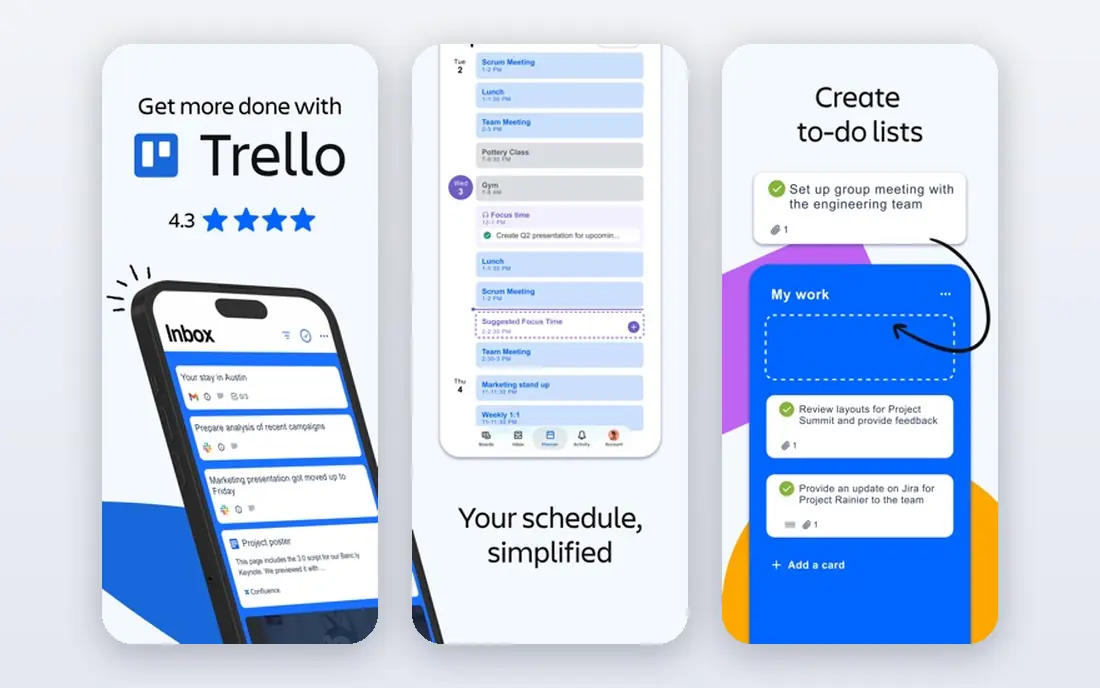
Trello targets small teams that want straightforward kanban boards with zero ramp-up time. Multi-project portfolios, dependencies and resource planning stretch Trello past its design. It is the perfect first project tool and a fine permanent home for straightforward workflows, but expanding teams typically graduate to Asana, Monday.com or ClickUp within per year or two.
Trade-offs to know: The free plan limits boards and automation runs.
From a buyer's view, complexity is the enemy here. Trello is the kanban original, and it remains the fastest way to get a team visualizing work. On cost, Trello starts like this: $5 per user per month. A free plan is available with Trello.
- Timeline and integrations as needed
- A genuinely handy free plan with unlimited cards
- Scaling past a dozen boards gets messy
Smartsheet
Ideal for: Spreadsheet-first planners, PMOs and teams migrating off Excel

Where Smartsheet fits: spreadsheet-first planners, PMOs and teams migrating off Excel. Smartsheet is the bridge for teams that run on spreadsheets but need more.
The grid looks like Excel, so adoption is nearly instant, whereas Gantt charts, dependencies and automatic alerts add the project management layer underneath. As for the details, Pro opens at $9 per user a month on annual billing for small teams, which is competitive for what it gives. Smartsheet cost at the entry level: $9 per user per month. On free options: Free trial (30 days).
Points against: The per-user price rises on Business level; No free plan.
- Familiar grid interface that Excel users adopt immediately
- Solid Gantt
- Collaboration features lag purpose-built tools like Asana
Asana
Ideal for: Teams that want refined task and project tracking without a ramp-up time
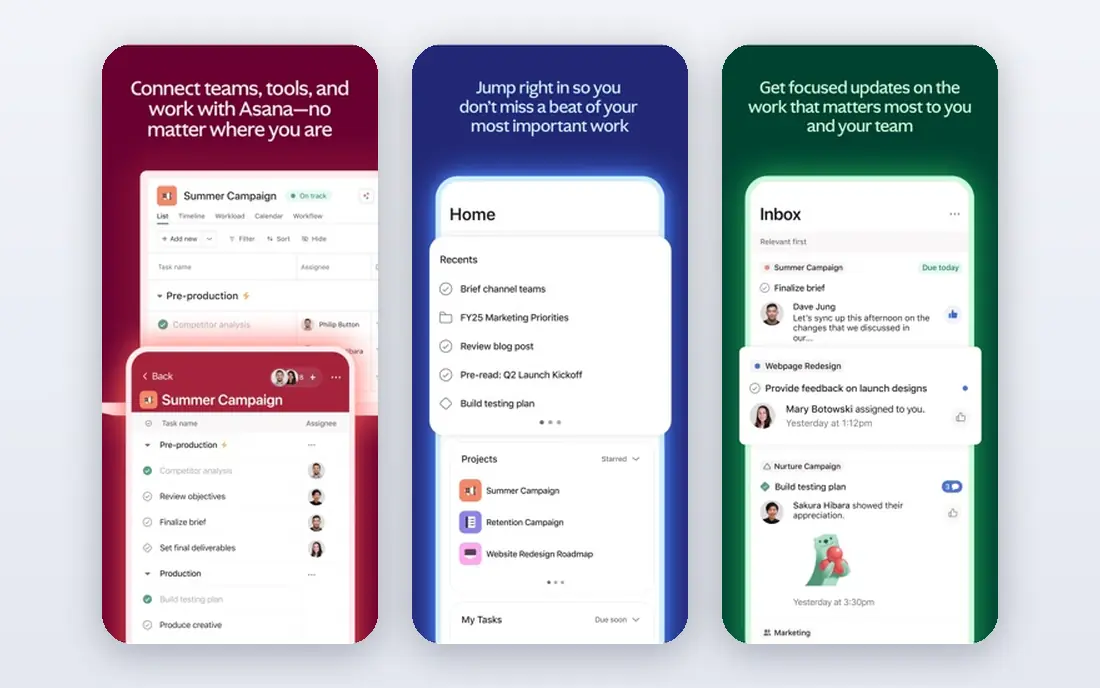
Asana is aimed squarely at teams that want refined task and project tracking without a ramp-up time. The honest catch is the ceiling.
And whereas the Personal plan is free for up to 2 users, it is too limited for real team use. Also, the Starter plan at $10.99 per user a month on annual billing handles task dependencies, timeline view, custom fields and automation rules, which is enough for most marketing, operations and product teams. Asana starts at: $10.99 per user per month. Asana has a free plan.
Limits to weigh: Advanced reporting and portfolios need higher tiers.
- Capable timeline
- Quick interface that new users learn in an afternoon
- Guest and collaborator permissions get complicated at scale
Monday.com
Ideal for: Visual teams that like colorful boards, dashboards and no-code automation
Monday.com is a good fit for visual teams that like colorful boards, dashboards and no-code automation. Entry-level lacks timeline view, calendar view and most automations, so most teams land on Standard or Pro, where the price per seat rises. Boards can track anything from content calendars to hiring pipelines.
Trade-offs to know: The interface can feel busy on complicated boards.
The dashboard widgets turn project data into charts without exporting to a spreadsheet. Worth adding: read the plan details before committing. Monday.com is a capable pick for operations-minded teams that want custom workflows, but budget for a minimum of the Standard level when comparing quotes. Entry price for Monday.com: $9 per seat per month. Monday.com has a free plan.
- No-code automations and integrations that non-technical users can build
- Highly visual boards with capable dashboard and reporting widgets
- The Basic plan is bare-bones, with real features starting on Standard
ClickUp
Ideal for: Teams that want tasks, docs, goals and chat in a single app
Where ClickUp fits: teams that want tasks, docs, goals and chat in a single app. ClickUp's pitch is consolidation: rather than paying for a task tool, a docs tool and a goals tracker, you get all of them in one workspace. Worth adding: the price of that breadth is complexity.
What works well: goals and time tracking in one workspace; Tasks, documents, whiteboards.
The Unlimited plan at $7 per user a month on annual billing undercuts every direct competitor. The Free Forever plan includes unlimited tasks and members with 100MB of storage. More specifically, for budget-conscious teams, the value is unmatched. Entry price for ClickUp: $7 per user per month. ClickUp offers a free plan.
Honest limits: Performance can lag in very large workspaces; Feature density overwhelms new users.
- The lowest premium entry price on this list at $7 per user
- One of the most ample free plans in the category
- The settings maze takes live to tame
Jira
Ideal for: Software teams running agile sprints and structured development workflows
Jira is designed for software teams running agile sprints and structured development workflows. Jira owns software project management the way spreadsheets own finance. Business teams frequently find it rigid and jargon-heavy, and heavy customization builds an admin burden.
Limits to weigh: The interface prioritizes power over polish.
Where Jira stands out: The standard for agile software development, with sprints.
Worth adding: Scrum and kanban boards, sprint planning, backlog grooming and release tracking are all native. The Standard plan at $7.91 per user a month on annual billing is reasonable for what engineering teams get. The free level for up to 10 users means small dev teams may never pay. Outside engineering, Jira is a hard sell. On cost, Jira starts like this: $7.91 per user per month. A free plan is available with Jira.
- Backlogs and releases built in
- Bitbucket and the Atlassian ecosystem
- Configuration complexity grows with customization
Notion
Ideal for: Small teams that live in documents, wikis and light task lists
Where Notion fits: small teams that live in documents, wikis and light task lists. Notion is where numerous small teams already keep their knowledge, and its databases make a decent light task system.
Points against: Performance suffers in large databases.
In daily use, Notion fits best as the docs layer of a stack, at times paired with a dedicated tracker like Asana or Jira, instead of as the entire stack. Notion pricing: $10 per seat per month. A free plan is available with Notion.
- Databases that turn notes into real project trackers
- The best docs-plus-tasks combination on this list
- Not a true project management tool: no native timelines without workarounds, weak workload views
Teamwork
Ideal for: Agencies and client-facing teams that bill hours and run client work
Teamwork is a good fit for agencies and client-facing teams that bill hours and run client work. Teamwork is the project tool built by an agency for agencies. In daily use, the trade-off is ecosystem.
The main drawbacks: Less well known, so fewer integrations and community templates.
Client-services teams should trial Teamwork before defaulting to a generalist tool. As for the details, the Deliver plan at $10.99 per user per month on annual billing spans the core. The Free Forever plan supports up to 5 users for tiny shops testing the waters. Starting cost for Teamwork: $10.99 per user per month. Teamwork offers a free plan.
- Workload and profitability views that agencies actually use
- A free level for up to 5 users
- The interface is less refined than Asana or Monday.com
Our selection method
Selection started from tools commonly considered for project management collaboration tools, then narrowed to 8 that have clear pricing information or a clear quote process. Figures are shown as the vendors publish them. Billing terms, seat minimums and add-ons can change the real cost. Order on the page follows fit for the typical buyer first, then price transparency and free access. Your own requirements should decide the final pick.
Questions to settle before buying
- Confirm the entry price on the vendor page: Trello starts at $5 per user per month, but seat counts and billing terms change the total.
- Read the fine print on the free plans from Trello, Asana, Monday.com and others; seat, project and feature caps differ.
- Take the trial from Smartsheet and push a live task through it before you pay.
- Read the limits listed for Trello first: too straightforward for complicated projects with dependencies and reporting.
- Check whether Asana bills monthly or annually, and what cancelling early costs.
- Ask the daily users to test Monday.com on a live task before you roll it out to everyone.
Frequently asked questions
Do these tools publish their prices?
Yes. Every tool from Trello to Teamwork shows a starting price, though seats, add-ons and billing terms still change the final cost.
Can these tools replace spreadsheets and chat?
They replace the spreadsheet as the source of truth for who does what by when. Beyond that, the healthiest stacks pair a project tool with a chat app and a docs tool, and keep each one doing its own job.
Which tool is a good match for agencies?
For most readers this guide would start with Trello, built for small teams that want straightforward kanban boards with zero learning curve. Smartsheet is the alternative for spreadsheet-first planners, PMOs and teams migrating off Excel, and Asana for teams that want refined task and project tracking without a ramp-up time. The right answer depends on budget and workflow.
What is the cheapest option for project management collaboration tools in this list?
On published monthly entry prices, Trello is the lowest here at $5 per user per month. Entry price is only part of the cost, because seats, add-ons and billing terms can change the total.
Which options for project management collaboration tools have a free plan?
7 of the 8 tools have a free plan, including Trello, Asana, Monday.com and ClickUp. Free plans usually cap users, projects or features, so check the limits on the vendor page. One other tool offers a trial instead.
Do I need a premium plan, or is free enough?
Free plans work for tiny teams with straightforward needs: ClickUp, Trello, Asana Personal and Teamwork all offer usable free levels. If more than five people rely on the tool daily, budget for a premium plan.