7 Strong Project Management Software for Contractors in 2026

- 1
 JobTreadSmall to mid-sized contractorsVisit
- 2
 BuildertrendResidential builders and remodelersVisit
- 3
 ProcoreCommercial general contractors and owners running complicated, multi-trade projectsVisit
- 4
 BuildxactResidential builders and remodelers who live in estimating and takeoffsVisit
- 5
 Houzz ProRemodelers and design-build businesses who want software plus homeowner leadsVisit
- JobTread is the opening pick, best for small to mid-sized contractors who want every feature for one flat price.
- A free plan is available from 3 of the 7 tools: Buildxact, Houzz Pro, Fieldwire.
- For the cheapest start, look at Fieldwire: $39/user/month.
- The main caution on Procore: pricing is quote-based and sized for serious construction volume, well above SMB budgets.
Direct answer
This list puts JobTread first for small to mid-sized contractors who want every feature for one flat price. Alternatives: Buildertrend for residential builders and remodelers wanting scheduling, financials and client communication in one, and Procore for commercial general contractors and owners running complicated, multi-trade projects. Prices, free plans and limits for all 7 tools follow.
Quick comparison
| Product | Ideal for | Price from | Free version | |
|---|---|---|---|---|
| JobTread | Small to mid-sized contractors | $199/month (first user, per month billing; $159 billed yearly) | No | Visit |
| Buildertrend | Residential builders and remodelers | See website (demo and quote) | No | Visit |
| Procore | Commercial general contractors and owners running complicated, multi-trade projects | See website (custom, volume-based pricing) | No | Visit |
| Buildxact | Residential builders and remodelers who live in estimating and takeoffs | $199/month (Foundation plan) | Yes | Visit |
| Houzz Pro | Remodelers and design-build businesses who want software plus homeowner leads | $99/month (Design plan, 1 user) | Yes | Visit |
 Knowify | Trade contractors (electrical, HVAC, plumbing) | $99/month (Core plan, billed annually; $149 monthly) | Free trial (14 days) | Visit |
 Fieldwire | Field teams that live on drawings, tasks and punch lists | $39/user/month (Pro, billed annually; $54 billed monthly) | Yes | Visit |
Tool-by-tool breakdown
This Ainotely guide covers 7 project management software for contractors. Each profile lists a starting price, free plan details, strengths and drawbacks, so you can drop poor fits quickly.
JobTread
Ideal for: Small to mid-sized contractors
JobTread serves small to mid-sized contractors who want every feature for one flat price. JobTread's pitch is radical simplicity in pricing: one price, everything included, unlimited jobs and files. On top of that, the monthly plan is $199 a month for the first internal user with no annual commitment, or $159 a month on annual billing; additional internal users are $20/month each.
From a buyer's view, subcontractors, vendors and customers get free unlimited portal access, which competitors often charge for. The product itself is solid on sales and estimating through job finances: professional proposals, on-screen takeoff, budgeting, change orders, purchase orders and WIP reporting. Price to start with JobTread: $199/month. JobTread has no permanent free option.
Reasons to shortlist it: notes and schedules. Watch-outs: No free level and the entry price climbs quick with office users ($20/month each).
- All features included at every price: unlimited jobs, estimating, budgeting, scheduling, portals
- Field crew can be added free if they only need photos
- Estimating and budgeting strength, but no service dispatch for trades doing repair work
Buildertrend
Ideal for: Residential builders and remodelers
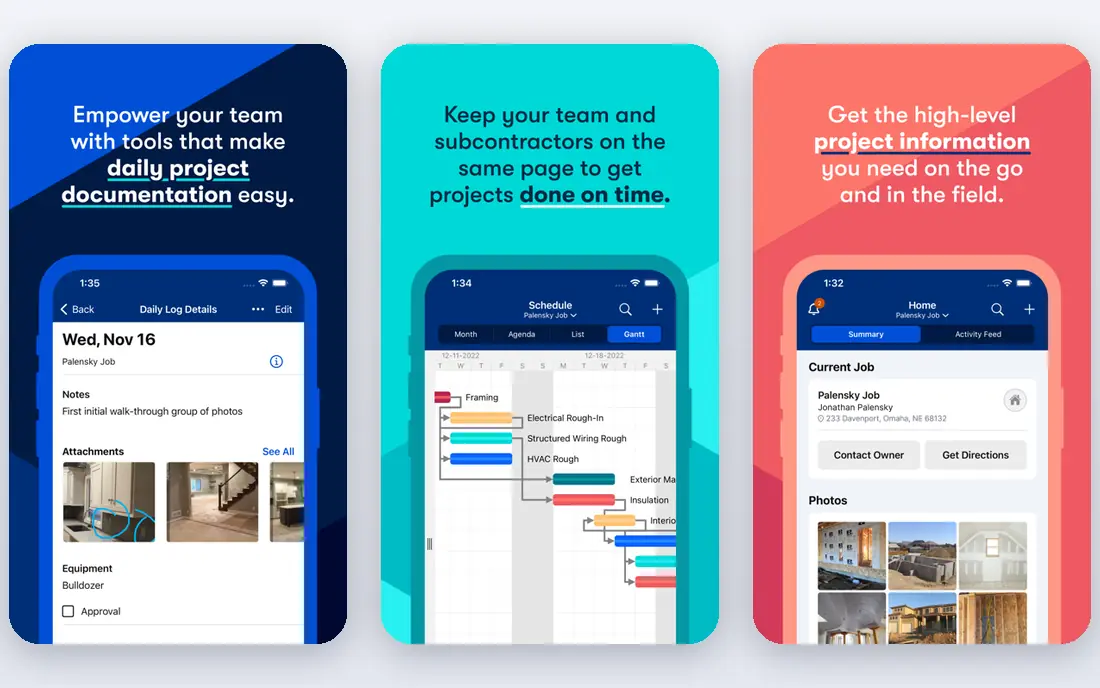
Buildertrend serves residential builders and remodelers wanting scheduling, financials and client communication in one. Buildertrend is the residential counterpart to Procore's commercial focus.
Trade-offs to know: less suited to heavy civil or industrial work.
Pricing for Buildertrend is not stated here, so ask the vendor for current figures. Buildertrend has no permanent free option.
- AI features for submittals
- Purpose-built for home builders with estimating tied straight to job costing
- No published pricing, so you cannot budget without a sales conversation
Procore
Ideal for: Commercial general contractors and owners running complicated, multi-trade projects
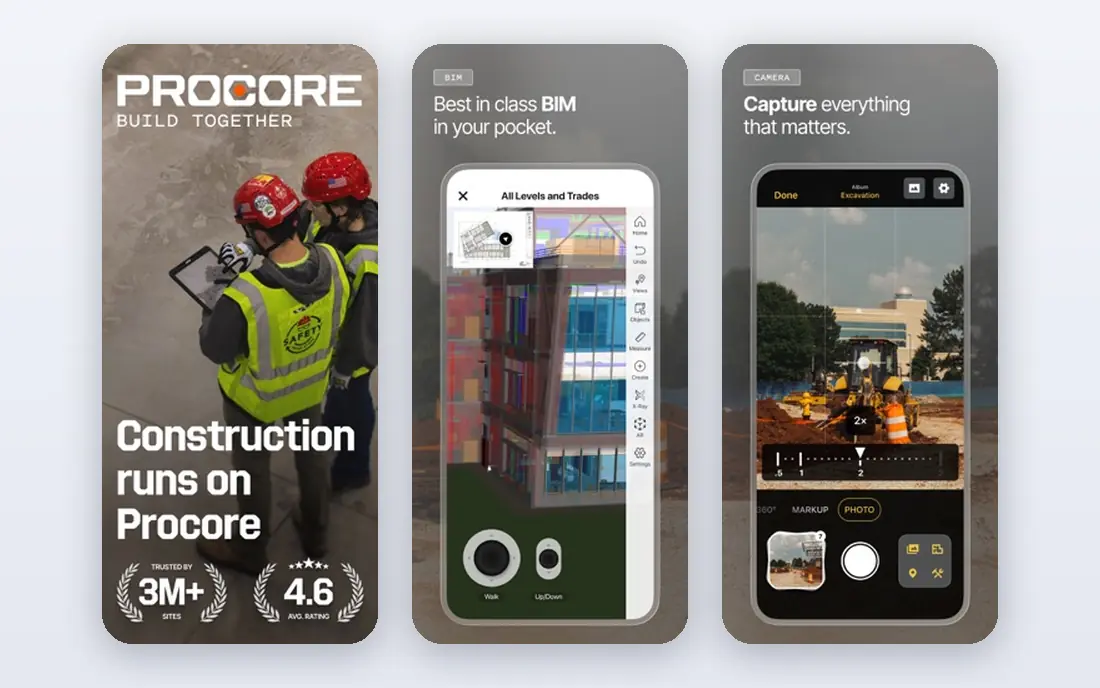
Choose Procore for commercial general contractors and owners running complicated, multi-trade projects. It handles the entire lifecycle from preconstruction through closeout: drawings, RFIs, submittals, daily logs, punch lists, budgets, change orders, and integrations with standard accounting systems. Worth adding: if you run multi-million-dollar commercial jobs, this is the safe enterprise choice.
Beyond that, Procore prices by your annual construction volume and does not publish numbers, so small residential contractors get priced out rapidly. The unlimited-user model is a genuine advantage: once you pay for the system, every stakeholder from the trailer to the office can use it without per-seat math. Check the vendor site for Procore pricing; none is listed in this comparison. Procore has no permanent free option.
The main drawbacks: well above SMB budgets.
- Unlimited users rather than per-seat licenses
- The broadest construction product: project, financials, quality
- Implementation is a real project with training and onboarding time
Buildxact
Ideal for: Residential builders and remodelers who live in estimating and takeoffs
Buildxact was built for residential builders and remodelers who live in estimating and takeoffs. The pricing ladder is published and flat: Foundation at $199/month for estimating, Pro at $399 adding job management and scheduling, Master at $599 with the full AI toolkit and user controls. Buildxact is the estimating specialist that grew into job management.
What to check first: Commercial GCs will find the scope too residential.
Its AI-powered takeoffs, live material dealer pricing and professional quote builder help residential builders bid quicker and more accurately. The same estimate becomes the job-costing baseline once work starts. For everyday use, if winning bids is your bottleneck, Buildxact pays for itself fastest. Worth adding: if field coordination is the gap instead, Fieldwire suits better. Price to start with Buildxact: $199/month. You can start on Buildxact without paying. What Buildxact does well: Best-in-class digital takeoff and estimating for residential work with live dealer pricing.
- Estimate flows straight into job management
- Unlimited users on all plans
- Job management opens at Pro ($399) and full teams pay Master ($599)
Houzz Pro
Ideal for: Remodelers and design-build businesses who want software plus homeowner leads
In short, Houzz Pro is for remodelers and design-build firms who want software plus homeowner leads. The Design plan at $99 a month includes 3D floor plans, CRM, estimates and proposals, invoices and online payments. As for the details, the main limit is cost layering: additional users are $50/month each.
Limits to weigh: The advertising package opens at $499/month and is sold separately, which surprises some buyers.
The advertising package opens at $499 a month separate from the software. Worth adding: if lead generation matters as much as project management, Houzz Pro is a compelling package. More specifically, teams opens at $399 with unlimited users plus marketing tools like email marketing and a custom website. If you already have a full pipeline, compare the software-only value. Houzz Pro pricing: $99/month. Houzz Pro has a free plan.
- Published pricing with a free plan to start
- The only tool here that bundles project management with the Houzz homeowner marketplace
- Full construction features (takeoffs, schedules, change orders) sit behind the $199/month Pro plan
Knowify
Ideal for: Trade contractors (electrical, HVAC, plumbing)
For trade contractors (electrical, HVAC, plumbing) needing project and service work in one system, Knowify is a natural candidate. It manages both sides of a trade contractor's business: long-term project work with estimating, job costing and progress billing, and fast-paced service work with dispatching, equipment history and automatic reminders through the Service Pro add-on. The QuickBooks sync is genuinely the deepest in the category, carrying real financial data both ways.
What to check first: $99 handles one user and service dispatch is a $99/month add-on, so costs stack for teams doing both.
Every plan contains a 14-day trial with no contract. Pure project builders should weigh JobTread's flat simplicity instead. As for the details, published pricing: Core at $99/month billed yearly ($149 monthly) with one user, Advanced at $329/month billed yearly with ten users and WIP reporting, Service Pro dispatch at $99/month. Starting cost for Knowify: $99/month. Free plan details: Free trial (14 days).
- The deepest QuickBooks integration in construction, with real licensed G702/G703 AIA pay apps
- Handles both long-term projects and service dispatch on one system
- Project-only builders get more software for the money elsewhere
Fieldwire
Ideal for: Field teams that live on drawings, tasks and punch lists
Where Fieldwire fits: field teams that live on drawings, tasks and punch lists. Business ($64) and Business Plus ($89) add custom forms, integrations and the BIM viewer. For everyday use, crews view the latest drawings on phones and tablets, run tasks and punch lists with photos, and keep RFIs and daily reports flowing even offline.
For coordination-first contractors, particularly specialty trades, the free level makes this an easy first step into digital job management. From a buyer's view, the free Basic plan (5 users, 3 projects, 100 sheets) is enough to run a real job, and Pro at $39 per user a month billed yearly adds reports, exports and unlimited projects. Entry price for Fieldwire: $39/user/month. A free plan is available with Fieldwire.
Limits to weigh: Per-user pricing makes it pricey as teams grow.
- Now part of Hilti with transparent per-user pricing
- Quick mobile plan viewing with versioning and offline access
- Estimating and accounting are not its job, so it pairs with rather than replaces an office system
Our selection method
Each tool was reviewed on what its vendor publishes: price, plan limits, core features and stated drawbacks. We did not run hands-on tests. Prices and plan limits come from vendor pages and can change, so confirm them on the vendor site before you buy. We ordered the tools by general fit, then by how clearly pricing is shown, then by free access. A buyer with unusual needs may reorder them.
Pre-purchase checklist
- Get a written quote from Buildertrend and Procore; the list shows no starting price for them.
- Check what the free option really includes: Buildxact, Houzz Pro and Fieldwire offer a free plan, and usage caps differ.
- Use real work to test the free trial from Knowify, rather than a demo project.
- Read the limits listed for JobTread first: no free level and the entry price climbs quick with office users ($20/month each).
- A short pilot of Houzz Pro with your real workflow tells you more than a feature table.
- Read the plan comparison for Fieldwire carefully; key features often start on a higher tier.
Frequently asked questions
Is JobTread the right pick for everyone comparing project management software for contractors?
No single tool suits every team. JobTread comes first because it fits small to mid-size contractors who want every feature for one flat price, while Buildertrend suits residential builders and remodelers wanting scheduling, financials and client communication in one and Procore suits commercial general contractors and owners running complex, multi-trade projects. Match the tool to your own size, budget and workflow before deciding.
What is the cheapest option for project management software for contractors in this list?
On published monthly entry prices, Fieldwire is the lowest here at $39/user/month. Entry price is only part of the cost, because seats, add-ons and billing terms can change the total.
Can I try these tools before paying?
Often, yes. Buildxact, Houzz Pro and Fieldwire have a free plan and Knowify offers a free trial. Use your own data and a real task during the test, and check what the free tier or trial limits before you rely on it.
Which options for project management software for contractors have a free plan?
Buildxact, Houzz Pro and Fieldwire offer a free plan in this list. Free plans usually cap users, projects or features, so check the limits on the vendor page. One other tool offers a trial instead.