7 Strong Project Management Software with Gantt Charts in 2026
- 1
 GanttPROManagers who want a focused Gantt-only scheduling toolVisit
- 2
 Microsoft ProjectEnterprises with Microsoft 365 and formal PMO processesVisit
- 3
 ProofHubTeams that want flat pricing rather than per-user seatsVisit
- 4
 WrikeMid-sized teams that require Gantt views across a project portfolioVisit
- 5
 SmartsheetTeams that run projects from the timeline itselfVisit
- Top of the list is GanttPRO, which targets managers who want a focused Gantt-only scheduling tool.
- Asana is the one to check for teams that want a Timeline view inside capable task management.
- Only Asana offers a free plan among these 7 tools.
- GanttPRO has the lowest monthly starting price in this list: $7/user/month billed annually.
- What to know about GanttPRO first: no meaningful task-management or collaboration depth beyond the timeline.
Direct answer
If you need managers who want a focused Gantt-only scheduling tool, GanttPRO is the first tool to look at here. Microsoft Project is better for enterprises with Microsoft 365 and formal PMO processes, and ProofHub is better for teams that want flat pricing rather than per-user seats. The remaining 4 options are covered below with prices and limits.
Quick comparison
| Product | Ideal for | Price from | Free version | |
|---|---|---|---|---|
| GanttPRO | Managers who want a focused Gantt-only scheduling tool | $7/user/month billed annually (Core plan) | Free trial (14 days) | Visit |
| Microsoft Project | Enterprises with Microsoft 365 and formal PMO processes | See website (Plan 1, Plan 3 and Plan 5 quoted by Microsoft) | No | Visit |
| ProofHub | Teams that want flat pricing rather than per-user seats | $45/month billed yearly (Essential plan) | Free trial (14 days) | Visit |
| Wrike | Mid-sized teams that require Gantt views across a project portfolio | $10/user/month (Team plan) | Free trial | Visit |
| Smartsheet | Teams that run projects from the timeline itself | $9/user/month billed annually (Pro plan) | Free trial | Visit |
 monday.com | Visual teams that want Gantt alongside boards and dashboards | $19/seat/month billed annually (Pro plan, the tier with Gantt) | Free trial | Visit |
 Asana | Teams that want a Timeline view inside capable task management | $10.99/user/month billed yearly (Starter plan) | Yes | Visit |
Project Management Software with Gantt Charts profiles
Choosing project management software with gantt charts usually comes down to price, fit and limits. This Ainotely guide sets 7 tools side by side on those three points, with the facts kept short and checkable.
GanttPRO
Ideal for: Managers who want a focused Gantt-only scheduling tool
GanttPRO was built for managers who want a focused Gantt-only scheduling tool. What you do not get is everything else: docs, chat, CRM-style pipelines and deep integrations are absent or thin. It is a scheduling tool, not a work system, so most teams will run it alongside something else for daily task execution.
Auto-scheduling, critical path, baselines, resource workload views and project templates are all here, in an interface that a new user can learn in an afternoon. Beyond that, core at $7 per user a month billed yearly undercuts Smartsheet and monday for pure scheduling, with Advanced at $10 and Business at $17 adding capacity. GanttPRO starts at: $7/user/month billed annually. Free access: Free trial (14 days).
Trade-offs to know: The free trial is 14 days with no free level.
- Purpose-built for Gantt charts with dependencies
- Clean per-user pricing from $7 monthly billed yearly
- Integrations are fewer than the big products
Microsoft Project
Ideal for: Enterprises with Microsoft 365 and formal PMO processes
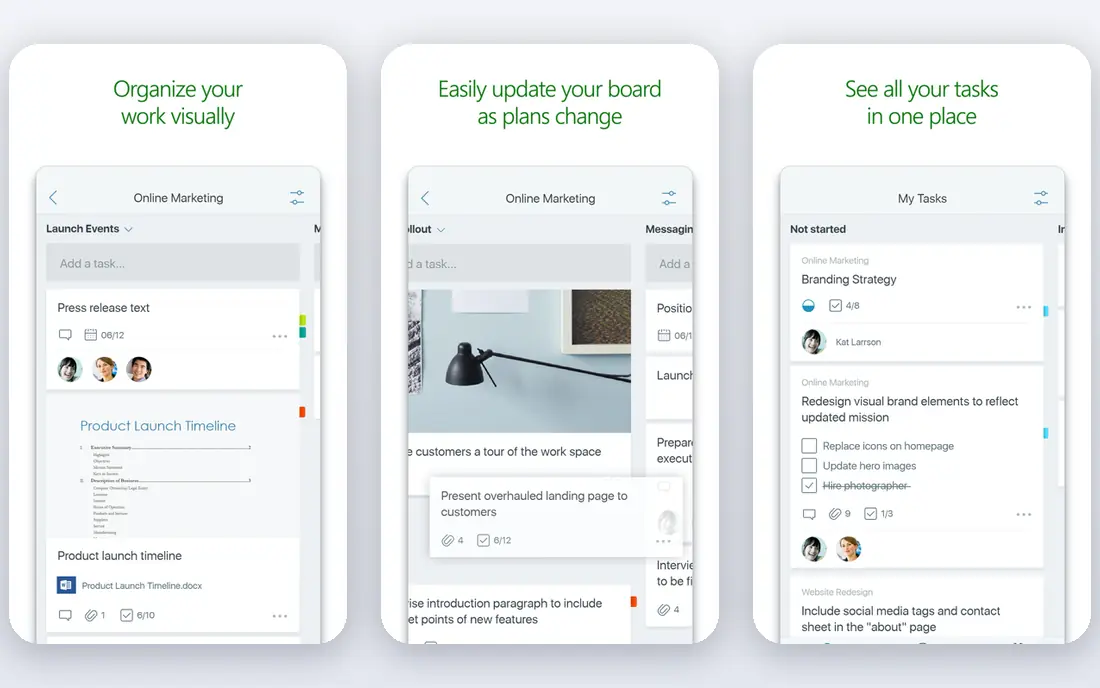
Microsoft Project is designed for enterprises with Microsoft 365 and formal PMO processes. For construction, engineering and IT programs with certified PMs, nothing else matches the scheduling depth. Resource-constrained scheduling, several baselines, critical path analysis and portfolio management are all first-class, and the cloud plans share data with Planner and Teams.
What to check first: Overkill for teams without dedicated project managers.
On top of that, for everyone else, it is too much tool. In daily use, otherwise the tools above deliver 80 percent of the value with a fifth of the setup. For everyday use, the interface assumes project management training, licensing runs through Microsoft's plan structure instead of a straightforward per-user price, and small teams will spend more time configuring it than using it. This comparison lists no price for Microsoft Project; ask the vendor. Microsoft Project has no free plan.
- Connects with Teams
- The desktop client still leads for complicated programs
- No published trial and pricing needs navigating Microsoft's plan maze
ProofHub
Ideal for: Teams that want flat pricing rather than per-user seats
Where ProofHub fits: teams that want flat pricing rather than per-user seats. Essential at $45 a month billed yearly ($50 month to month) includes unlimited users and 40 projects, which means a 20-person team pays about $2.25 per user a month.
As for the details, ProofHub's flat pricing is its whole argument. ProofHub cost at the entry level: $45/month billed annually. On free options: Free trial (14 days).
Limits to weigh: The interface is functional instead of refined.
- Flat $45 a month billed yearly includes unlimited users on the Essential plan
- Gantt charts with dependencies and critical path included
- Customization and advanced reporting trail the larger tools
Wrike
Ideal for: Mid-sized teams that require Gantt views across a project portfolio
Wrike was built for mid-sized teams that require Gantt views across a project portfolio. Wrike positions itself between the straightforward visual tools and the enterprise schedulers. More specifically, the free level is fine for entry-level task tracking but hides the Gantt view.
Downsides: The free plan excludes Gantt entirely.
So there is no free way to evaluate the timeline. Worth adding: Wrike exposes lots of interface at once. Teams used to more straightforward tools need a week or two to settle in. In daily use, the Gantt view manages dependencies, milestones and critical path well. The same data feeds workload charts and dashboards, so resource planning and timeline planning stay connected. The starting price for Wrike: $10/user/month. Free plan details: Free trial.
- Interactive timelines with dependencies and critical path
- Workload views and time tracking built in
- Advanced reporting and security need Business or Enterprise
Smartsheet
Ideal for: Teams that run projects from the timeline itself
Smartsheet is aimed squarely at teams that run projects from the timeline itself. Smartsheet is the closest thing to Microsoft Project without the Microsoft Project ramp-up time.
Trade-offs to know: The interface feels dated next to monday or Asana.
Pro at $9 per user a month billed yearly ($12 month to month) is a fair entry price for this depth. If the timeline is the deliverable your clients see, start here. Smartsheet starts at: $9/user/month billed annually. On free options: Free trial.
- Gantt is native, with dependencies
- The spreadsheet-like grid makes bulk date edits quick
- Per-user pricing brings up on large teams
monday.com
Ideal for: Visual teams that want Gantt alongside boards and dashboards
monday.com is built with visual teams that want Gantt alongside boards and dashboards in mind. The Gantt view supports dependencies, milestones and baseline comparisons. It sits inside a system that also takes care of CRM, docs and forms.
Drawbacks to consider: Gantt needs the Pro level, so the advertised $9 Basic price does not contain it.
The Gantt view is not available on the $9 Basic plan. You need Pro at $19 per seat per month billed yearly, with a three-seat minimum, so the real entry point is $57 a month. Entry price for monday.com: $19/seat/month billed annually. Free plan details: Free trial.
- Huge template library and integration list
- Solid dashboards that roll timelines up to portfolio level
- Costs climb quick with automations and integrations
Asana
Ideal for: Teams that want a Timeline view inside capable task management
Asana was built for teams that want a Timeline view inside capable task management. Asana's Timeline is a Gantt-style view inside one of the best task managers available.
On top of that, Asana's Timeline lacks critical path analysis and baseline comparison, the two features that separate a real Gantt tool from a pretty timeline. Asana starts at: $10.99/user/month billed annually. Asana offers a free plan.
Where it is weaker: Per-user costs scale rapidly past 15 seats.
- A usable free Personal plan for small teams
- Timeline view with dependencies and milestones from the Starter level
- Workload management needs the Advanced level
How we chose
Selection started from tools commonly considered for project management software with gantt charts, then narrowed to 7 that have clear pricing information or a clear quote process. Where a price is missing, the vendor does not list one publicly or ties it to a quote. Always confirm before budgeting. We ordered the tools by general fit, then by how clearly pricing is shown, then by free access. A buyer with unusual needs may reorder them.
Things to verify first
- Ask Microsoft Project for a written quote, since no starting price is shown.
- Look at the free plan from Asana closely: its caps decide whether it is usable for real work.
- Use real work to test the free trial from GanttPRO, ProofHub, Wrike and others, rather than a demo project.
- Before choosing GanttPRO, weigh its main limit: no meaningful task-management or collaboration depth beyond the timeline.
- Look at the help docs and support options for GanttPRO before you commit.
- Price Smartsheet for your actual team size; headline prices rarely include add-ons or overage.
Frequently asked questions
Can I try these tools before paying?
Often, yes. Asana has a free plan and GanttPRO, ProofHub, Wrike and others offer a free trial. Use your own data and a real task during the test, and check what the free tier or trial limits before you rely on it.
What is the cheapest option for project management software with gantt charts in this list?
On published monthly entry prices, GanttPRO is the lowest here at $7/user/month billed annually. Entry price is only part of the cost, because seats, add-ons and billing terms can change the total.
How are the tools for project management software with gantt charts ordered?
GanttPRO sits first and Asana last because the order follows typical fit for project management software with gantt charts, then price clarity and free access. It is a judgement call, so read each profile for fit and limits.
Which options for project management software with gantt charts have a free plan?
Asana is the only tool in this list with a free plan. Free plans usually cap users, projects or features, so check the limits on the vendor page. Several others offer a trial instead.
Which project management software has the best Gantt chart?
GanttPRO comes first here and is built for managers who want a focused Gantt-only scheduling tool. Buyers with other needs may prefer Microsoft Project (for enterprises with Microsoft 365 and formal PMO processes) or ProofHub (for teams that want flat pricing rather than per-user seats). Compare costs and limits first.