Best Provider Credentialing Software in 2026: 8 Tools Compared

- 1
 MedallionAutomated credentialingVisit
- 2
 VerifiableReal-time verificationVisit
- 3
 symplrHealth system credentialingVisit
- 4
 CredSimplePayer enrollment workflowsVisit
- 5
 SilversheetSmall practice trackingVisit
- Medallion and Verifiable lead for automated credentialing with payer enrollment workflows.
- symplr and CredSimple suit larger health systems and groups with complex provider rosters.
- Silversheet and MedTrainer fit smaller practices that need simpler tracking and reminders.
- CAQH ProView and Modio Health support data sharing and provider profile management.
- Confirm primary source verification, payer rules, and audit trails before choosing.
Quick comparison
| Product | Ideal for | Price from | Free version | |
|---|---|---|---|---|
| Medallion | Automated credentialing | See website | No | Visit |
| Verifiable | Real-time verification | See website | No | Visit |
| symplr | Health system credentialing | See website | No | Visit |
| CredSimple | Payer enrollment workflows | See website | No | Visit |
| Silversheet | Small practice tracking | See website | Free trial | Visit |
 MedTrainer | Compliance plus credentialing | See website | Free trial | Visit |
 CAQH ProView | Provider data sharing | See website | No | Visit |
 Modio Health | Provider profile management | See website | No | Visit |
The best provider credentialing software
We compared official feature pages, pricing pages, and public reviews for eight credentialing tools. Credentialing covers license checks, payer enrollment, and ongoing monitoring, and errors can delay billing or create compliance risk, so automation and audit trails matter greatly.
Regulatory note: Credentialing and compliance requirements change by state, payer, and facility type. Confirm current requirements with each payer, state board, and accrediting body before relying on any software workflow, and keep primary source records for audits.
Medallion
Ideal for: Automated credentialing
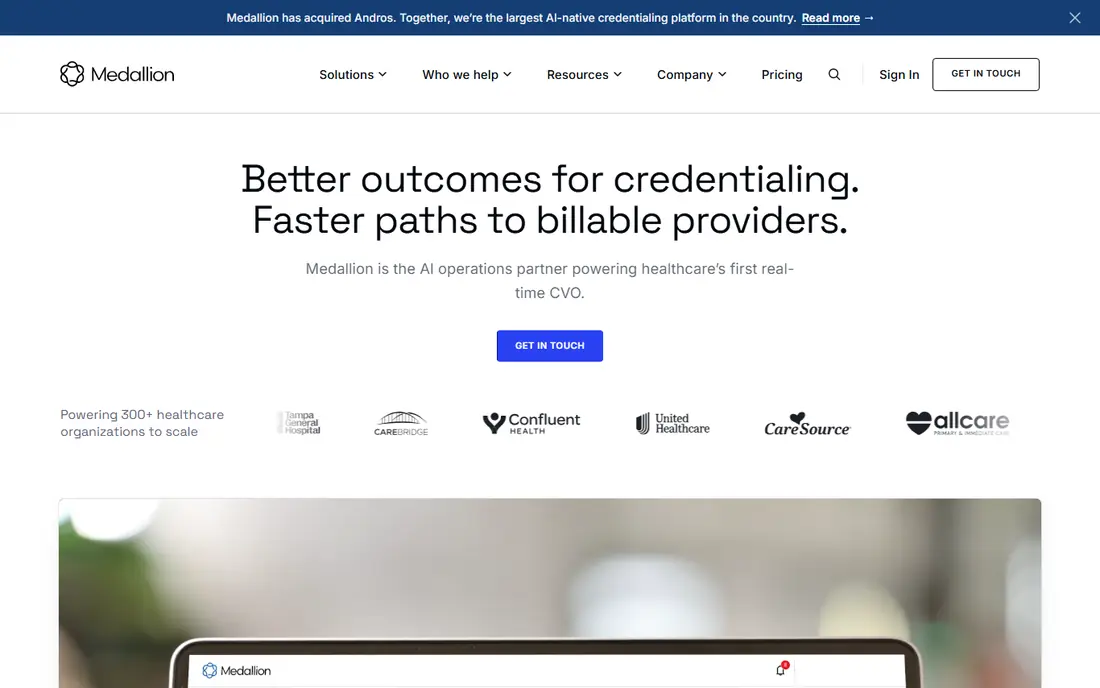
Medallion automates provider credentialing with primary source verification, license monitoring, and payer enrollment tracking. Health groups can see each provider status, expiring documents, and payer approvals in one dashboard. Automation reduces manual chasing of licenses and applications.
Pricing is quoted, and large rosters need clean data before migration. For groups that credential many providers across payers, Medallion cuts admin time and missed renewals. Confirm which payers and verifications are covered for your states.
- Automated primary source checks
- Payer enrollment tracking
- License monitoring
- Pricing is quoted
- Setup needs data cleanup for large rosters
Verifiable
Ideal for: Real-time verification

Verifiable focuses on real-time verification of licenses, sanctions, and exclusions, with monitoring alerts when a provider status changes. API options let health systems feed verification into their own workflows. The approach suits organizations that need continuous monitoring, not just one-time checks.
Smaller practices with few providers may find the platform broad. For health systems and staffing firms that must catch status changes fast, Verifiable offers strong monitoring. Check coverage for your license types and states.
- Real-time license and sanction checks
- API options
- Monitoring alerts
- Pricing is quoted
- Smaller practices may find it broad
symplr
Ideal for: Health system credentialing
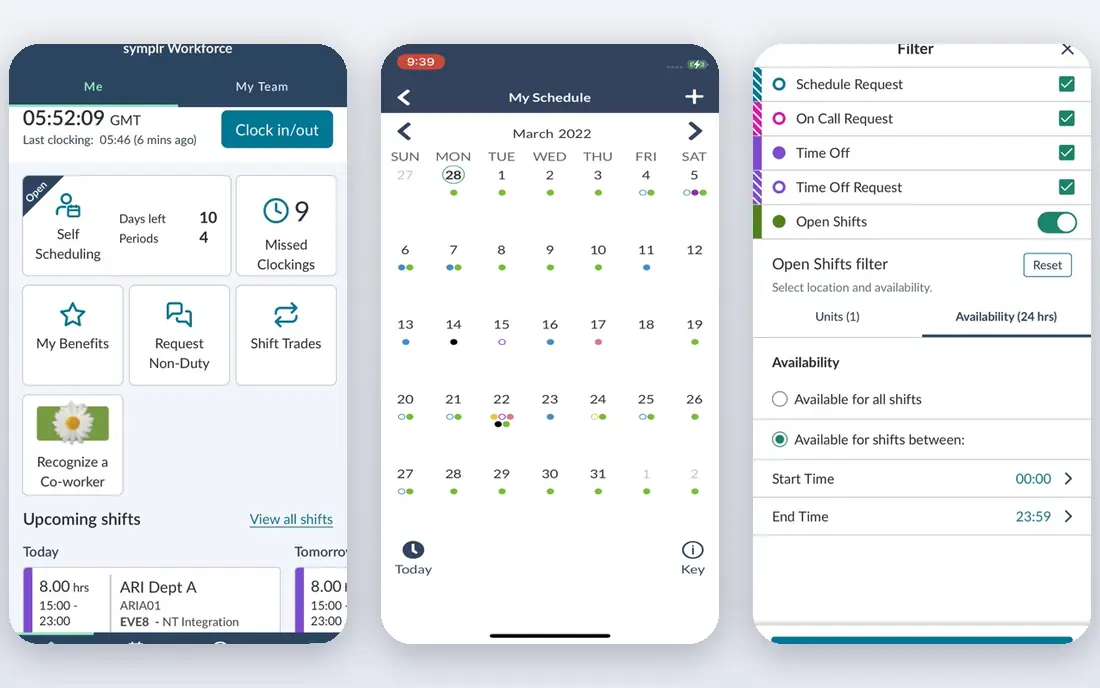
symplr provides provider data management, credentialing, and privileging for health systems and large groups. The platform tracks licenses, enrollments, and privileges, with analytics for compliance teams. Integration with HR and EHR systems helps larger organizations keep provider data consistent.
Implementation needs planning, especially for large rosters and multi-facility setups. Smaller practices may prefer a simpler tool. For health systems with complex provider governance, symplr offers depth and scale.
- Broad provider data platform
- Credentialing and privileging
- Analytics
- Pricing is quoted
- Implementation takes planning
CredSimple
Ideal for: Payer enrollment workflows
CredSimple, now part of Andros, helps health groups manage credentialing and payer enrollment with workflows and provider profiles. Teams track applications, documents, and payer status in one place, reducing spreadsheet work. The tool suits groups that enroll providers with many payers.
Pricing is quoted, and the Andros acquisition means buyers should confirm the current product roadmap. For payer-heavy credentialing, CredSimple remains a practical workflow tool. Ask about payer coverage and support during a demo.
- Payer enrollment tracking
- Credentialing workflows
- Provider profiles
- Pricing is quoted
- Acquired by Andros, so roadmap varies
Silversheet
Ideal for: Small practice tracking
Silversheet gives smaller practices a simple way to track provider credentials, documents, and renewal dates. Reminders flag expiring licenses and certificates, and profiles keep documents organized. The interface suits practices without a dedicated credentialing team.
Automation and payer enrollment depth are lighter than Medallion or symplr. For a small practice that mainly needs tracking and reminders, Silversheet is affordable and easy to adopt. Check payer workflow support if enrollment is a major need.
- Simple provider tracking
- Document reminders
- Affordable for small groups
- Automation is lighter than Medallion
- Payer depth varies
MedTrainer
Ideal for: Compliance plus credentialing
MedTrainer combines credentialing with compliance training and document management, which suits practices that track both provider credentials and staff training. Dashboards show expiring items, and reporting helps compliance teams prepare for audits. The combined approach reduces the need for separate training tools.
Credentialing depth varies by plan, so confirm payer enrollment features if you need them. For practices that want compliance and credentialing together, MedTrainer is a practical bundle. Test reporting with your audit needs during a trial.
- Credentialing plus training and compliance
- Document tracking
- Reporting
- Credentialing depth varies by plan
- Pricing is quoted
CAQH ProView
Ideal for: Provider data sharing
CAQH ProView is a widely used system where providers enter credentials once and share them with participating payers and organizations. It reduces duplicate data entry, since many payers accept CAQH profiles. Providers control their data and attest to its accuracy.
ProView alone is not a full credentialing workflow, since payers still verify and enroll separately. Practices still need tracking for applications and renewals. For any practice working with payers, maintaining an accurate CAQH profile is a basic step, best paired with a tracking tool.
- Widely used provider data source
- Payer access
- Standardized profiles
- Not a full credentialing workflow
- Data entry still needs care
Modio Health
Ideal for: Provider profile management
Modio Health, part of CHG Healthcare, helps groups manage provider profiles, credentials, and enrollment workflows. Teams track documents, expirations, and applications, with collaboration for credentialing staff. The tool suits groups that manage many provider profiles across facilities.
Payer enrollment depth varies, so confirm coverage for your payers. For groups that need organized profiles and tracking with team workflows, Modio is a solid choice. Ask for a demo with your roster size and payer mix.
- Provider profiles and tracking
- Credentialing workflows
- Team collaboration
- Pricing is quoted
- Payer enrollment depth varies
How we picked these
We compared official feature pages, pricing pages, and public reviews for credentialing tools in October 2026. We favored tools with primary source verification, license monitoring, payer enrollment tracking, and audit trails, and we mixed automated platforms with simpler tracking tools. We did not claim hands-on testing, and we list prices as shown on vendor sites, using See website where pricing is quoted.
What to check before you buy
Start with your payer and state mix, then confirm which verifications, enrollments, and monitoring the tool covers for those payers. Ask for sample audit trails and reports, since credentialing files must stand up to payer and accreditation review. Check how expirations are flagged and who gets alerts.
Next, test data migration with your current roster, since messy provider data slows any new system. Confirm integrations with HR, EHR, and payer systems, and clarify who handles primary source verification versus data entry. Finally, run a pilot with a subset of providers, measure time to enroll and renewal misses, and confirm support response times before a full rollout.
A final check before you commit
Price comparisons work best when you model a full year of use, including seats, add-ons, storage, and support, rather than comparing headline monthly rates. A plan that looks cheap for three users can grow quickly when contractors, managers, or part-time staff are added, and a plan that looks costly may include features you would otherwise buy separately. Ask for a written quote for your expected user count at six and twelve months, and check renewal terms, since first-year discounts often hide the long-term rate you will actually pay.
Total cost includes time as well as money, so count setup hours, training hours, and the admin time needed each month for each finalist. A tool that saves ten minutes per user per day can justify a higher fee, while a cheap tool that needs constant manual fixes can cost more in staff time than it saves in subscription fees. Ask current users in similar firms about weekly admin load, and treat those answers as part of the price. The cheapest subscription is rarely the cheapest system once staff time is counted honestly.
Budget holders often ask for a single recommendation, but a short ranked list with reasons serves the team better than a forced single winner. Rank your top three by fit for daily work, total yearly cost, and support quality, and state plainly where each one falls short, so decision makers see trade-offs instead of a sales pitch. If the top choice is rejected on price, the second choice should already be tested and ready, which avoids a rushed purchase later. Keep the ranking with the trial notes, since it becomes the baseline for the next review cycle and for onboarding new staff who ask why this tool was chosen.
Also check references from firms of similar size and in a similar line of work, since a vendor that serves large enterprises well may still struggle with small-team needs, and the reverse is true as well. Ask references about onboarding time, support responsiveness, and the one feature they wish worked better, since those answers reveal patterns that no demo will show. If a vendor hesitates to provide references, or only offers very large customers, treat that as useful information about fit for your size. Two short reference calls often save weeks of trial and error, and they give your team confidence that the choice rests on real user experience rather than polished sales material alone.
Frequently asked questions
What is provider credentialing software?
It tracks provider licenses, education, and payer enrollments, verifies credentials from primary sources, and monitors expirations. It replaces spreadsheets with workflows and audit trails.
How long does credentialing take?
Timelines vary by payer and state, often from weeks to months. Software speeds document handling and tracking, but payer review times still vary.
Does credentialing software replace payer enrollment staff?
No, it supports them. Staff still review applications, respond to payer requests, and handle exceptions, but software cuts manual tracking and missed renewals.
What is primary source verification?
It means checking a license or credential directly with the issuing board or source, rather than trusting a copy. Many payers and accreditors require it, so confirm the tool covers your license types.
Can small practices use credentialing software?
Yes. Tools such as Silversheet and MedTrainer suit smaller practices with tracking and reminders, while Medallion and symplr serve larger groups with automation.