Best Remote Access Security Software (SASE)

- 1
 Zscaler Private AccessLarge enterprises replacing VPN at scaleVisit
- 2
 Palo Alto Networks Prisma AccessPalo Alto shops needing full SASE breadthVisit
- 3
 Cloudflare AccessSmall teams wanting published pricingVisit
- 4
 Netskope Private AccessUniversal ZTNA across remote, campus, and OTVisit
- 5
 Cato NetworksSingle-vendor SASE with built-in SD-WANVisit
- Seven of the eight tools publish no per-user price, so expect a sales quote for Zscaler, Prisma Access, Netskope, Cato, FortiSASE, Cisco Secure Access, and Check Point SASE.
- Cloudflare Access is the only tool with a published per-user price, at $7 per user per month on pay-as-you-go, and the only one with a free plan, covering up to 50 users.
- Zero trust network access connects a user to a single app, not to the whole network, which removes the lateral movement behind most VPN breaches.
- Most platforms bundle web gateway, firewall, and data protection with private access, so compare the full bundle.
- Rollout effort varies widely, from Cloudflare Access on its free plan to full SASE platforms that need scoping and policy design.
Quick comparison
| Product | Ideal for | Price from | Free version | |
|---|---|---|---|---|
| Zscaler Private Access | Large enterprises replacing VPN at scale | quote only | No | Visit |
| Palo Alto Networks Prisma Access | Palo Alto shops needing full SASE breadth | quote only | No | Visit |
| Cloudflare Access | Small teams wanting published pricing | $7 per user/month (billed annually) | Yes | Visit |
| Netskope Private Access | Universal ZTNA across remote, campus, and OT | quote only | No | Visit |
| Cato Networks | Single-vendor SASE with built-in SD-WAN | quote only | No | Visit |
 Fortinet FortiSASE | Fortinet shops and data residency needs | quote only | No | Visit |
 Cisco Secure Access | Cisco and Duo customers consolidating SSE | quote only | No | Visit |
 Perimeter 81 by Check Point | Mid-market teams wanting simple SASE setup | quote only | No | Visit |
The best remote access security software (SASE)
Zscaler Private Access
Ideal for: Large enterprises replacing VPN at scale
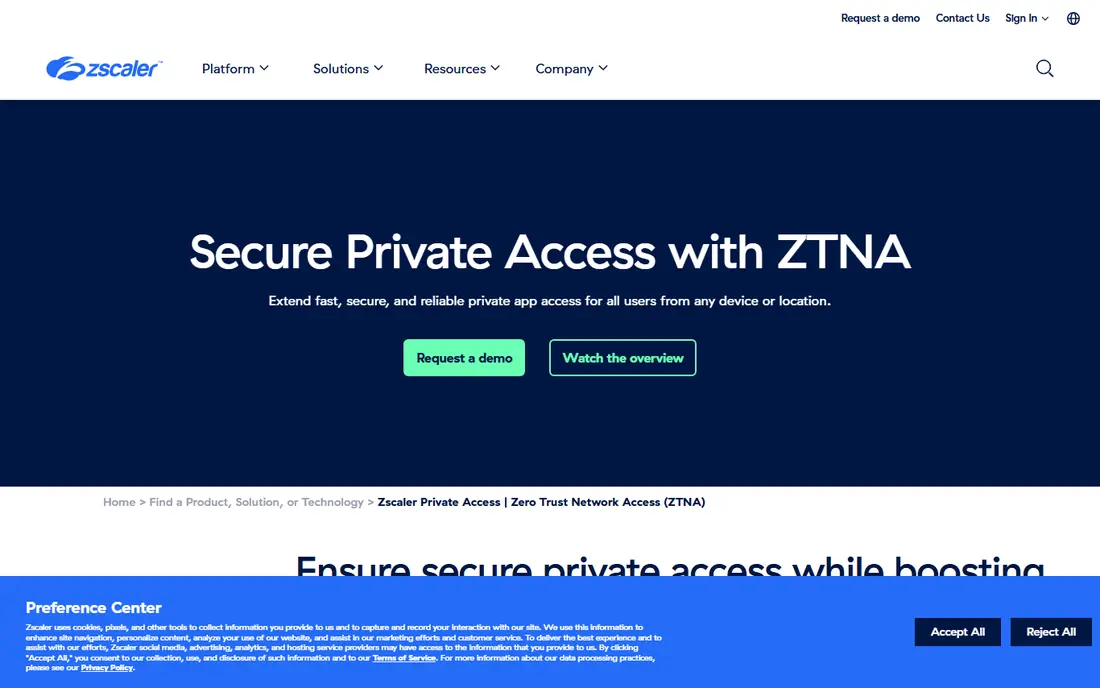
Zscaler Private Access, or ZPA, is the zero trust network access service inside the Zscaler Zero Trust Exchange. It brokers a direct connection between an authorised user and one private app, so the user never joins the corporate network and the app stays hidden from the public internet. ZPA can replace VPN and VDI for private app access, and its AI-powered segmentation discovers apps and suggests segments and policies.
ZPA also covers workloads, with privileged RDP, SSH, and VNC access without a client, plus browser access. Threat protection and data loss prevention run inline on private app traffic. The drawback is commercial: the Zscaler pricing page lists platform bundles with no per-user price, so ZPA is quote only, and the bundle structure hides what the private access piece costs alone.
- User-to-app segmentation hides apps from the internet
- AI-generated app segments cut policy setup time
- No published price, and ZPA is sold inside bundles or as a standalone platform, so forecasting cost needs a sales quote
Palo Alto Networks Prisma Access
Ideal for: Palo Alto shops needing full SASE breadth
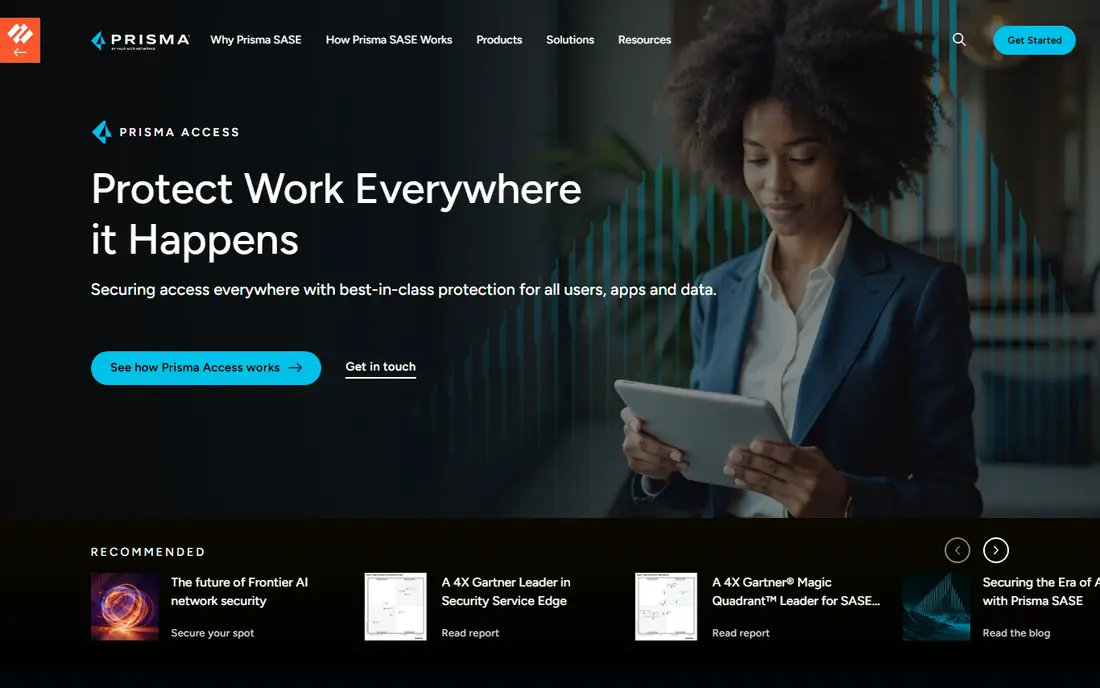
Prisma Access is Palo Alto Networks cloud-delivered SASE service, built to protect users, apps, and data wherever work happens. It combines zero trust network access with secure web gateway, cloud access security broker, firewall as a service, remote browser isolation, and the Prisma Agent. Palo Alto states more than 100 points of presence in 76 countries.
For remote access, Prisma Access gives least-privilege access to private apps, with identity and device context checked before each connection, and it inspects traffic on all ports and protocols. It fits best where a team already runs Palo Alto firewalls or Cortex tooling. The trade-off is scope: this is a large platform, not a narrow ZTNA point product, so rollout and policy work need staff time, and Palo Alto publishes no price.
- Full SASE stack with ZTNA, secure web gateway, CASB, and firewall as a service in one service
- Global backbone with more than 100 locations in 76 countries
- No published price, and the breadth of the platform means deployment and policy tuning take real engineering time
Cloudflare Access
Ideal for: Small teams wanting published pricing
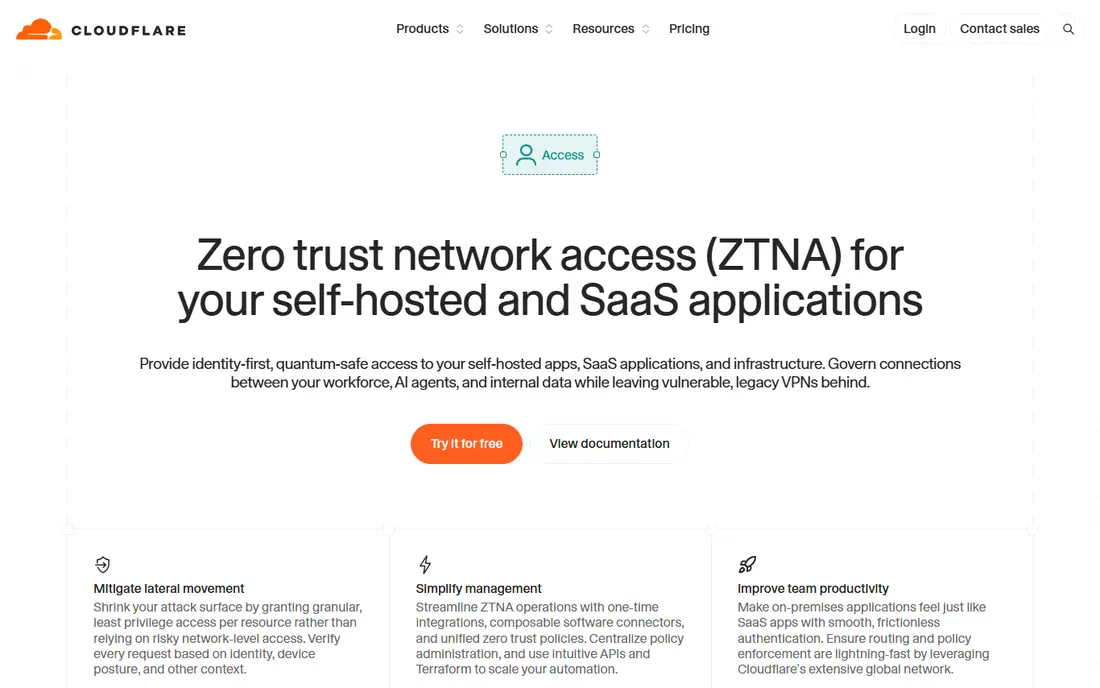
Cloudflare Access replaces the VPN with identity-first zero trust network access for self-hosted and software-as-a-service apps. Every request is checked against identity, device posture, and other context before access is granted, and policies grant least-privilege access per resource rather than network-level access. Contractors can connect through the browser with no client, using social identity providers or one-time PINs.
Cloudflare is the most transparent vendor in this guide on price. Its zero trust pricing page lists a free plan at $0 for teams under 50 users, a pay-as-you-go plan at $7 per user per month when billed annually, and a contract plan at a custom price. ZTNA data transfer is free for the first 10 GB and $1 per GB per month after that. The limit to note is scope: the $7 plan covers zero trust services, while full Cloudflare One SASE is priced by contract.
- Published $7 per user per month pay-as-you-go price and a free plan for up to 50 users
- Clientless access for contractors and unmanaged devices
- Full Cloudflare One SASE, with network services such as Magic WAN, is a custom contract price, so the $7 figure covers zero trust only
Netskope Private Access
Ideal for: Universal ZTNA across remote, campus, and OT
Netskope One Private Access is the zero trust network access service inside Netskope One, and Netskope positions it as a full VPN and network access control replacement. Access methods include an agent and browser-based clientless access, and a local broker extends ZTNA to on-premises and operational technology sites.
Netskope Copilot for Private Access recommends granular app segments and least-privilege policies for new deployments and refines them from real usage data, which reduces the manual policy work that slows many ZTNA rollouts. The service supports legacy protocols such as SSH and RDP, plus server-initiated traffic such as voice over IP. The buying drawback is price clarity: Netskope publishes no list price, and quotes are modular across Netskope One, so buyers should get every module itemised.
- Universal ZTNA covers remote, campus, IoT, and OT in one client
- AI policy optimisation suggests granular app segments
- No public list price, and the modular Netskope One packaging means the final quote depends on which modules you add
Cato Networks
Ideal for: Single-vendor SASE with built-in SD-WAN
Cato Networks sells a single-vendor SASE platform that converges networking and security in one cloud service. Sites connect through a Cato Socket appliance or a tunnel, and remote users connect through the Cato Client, with SD-WAN, firewall, secure web gateway, intrusion prevention, CASB, data loss prevention, and zero trust network access all running on the same platform and policy engine. That convergence is the main appeal: one console and one policy engine replace separate point products.
For remote access, Cato gives users ZTNA to private apps with identity and device context. Cato states that five ZTNA users are free per account, but there is no public per-user price beyond that, and sites are priced by shared bandwidth pools. That model suits multi-site enterprises with many branches, and it suits a small team with no sites less well, because the quote is built around bandwidth and sockets rather than a simple per-user rate.
- One converged platform with SD-WAN, firewall, secure web gateway, and ZTNA on a private global backbone
- One console and one policy engine
- No public per-user price, and sites are priced by bandwidth pools while remote users are licensed separately, so small rollouts are hard to budget
Fortinet FortiSASE
Ideal for: Fortinet shops and data residency needs
FortiSASE is Fortinet cloud-delivered SASE, built on the same operating system as FortiGate firewalls. It covers secure internet access, secure private access through universal ZTNA, and secure software-as-a-service access, with secure web gateway, firewall as a service, CASB, security posture management, a secure browser, SD-WAN, and digital experience monitoring in one service. Fortinet states a global network of more than 200 points of presence, with agent-based and agentless access options.
The platform fits teams that already run FortiGate at the edge. FortiSASE Sovereign is a separate option for organisations that need core SASE capabilities deployed in their own data centres to meet data residency rules. The buying drawback is price clarity: Fortinet publishes no FortiSASE price list on its site, and the Standard, Advanced, and Comprehensive tiers split features in ways that need a quote to untangle.
- One operating system, one agent, and one console across ZTNA, secure web gateway, CASB, and SD-WAN
- FortiSASE Sovereign covers data residency needs
- No public price list on the Fortinet site, and the tier ladder from Standard to Comprehensive makes it hard to see which features sit in which tier
Cisco Secure Access
Ideal for: Cisco and Duo customers consolidating SSE
Cisco Secure Access is the cloud-delivered security service edge service from Cisco, built around zero trust. It gives secure remote access to private apps through ZTNA, with least-privilege policies, contextual checks, and client or clientless connection methods, and VPN as a Service covers apps that are not ZTNA enabled. It also protects software-as-a-service and internet access, with Duo identity context and ThousandEyes monitoring.
Cisco sells Secure Access in Essentials and Advantage tiers, with separate Secure Internet Access and Secure Private Access user types, plus a DNS Defense tier for teams that only need DNS-layer security to start. Licensing is per covered user, in tiered user bands, on 12, 36, or 60 month terms. Cisco publishes no list price, so the only way to compare is a written quote for your exact user count and term.
- ZTNA with client and clientless options plus VPN as a Service for non-ZTNA apps
- Duo identity context and ThousandEyes experience monitoring built in
- No public price, and licensing is tiered by user band and term, so the quote changes with headcount and contract length
Perimeter 81 by Check Point
Ideal for: Mid-market teams wanting simple SASE setup
Perimeter 81 is now Check Point SASE, after Check Point acquired the company in 2023, and the product page presents it as a unified SASE solution for securing employees and the network. It combines zero trust network access, secure web gateway, and cloud access security broker with AI-powered data loss prevention, threat prevention, and posture management. Users connect to company resources from anywhere, and branches get zero-touch provisioning with sub-second failover.
The product is aimed at mid-market teams that want enterprise-grade network security without hardware to install and maintain, and Check Point states more than 5,000 customers secured. The main change buyers should note is commercial: the old Perimeter 81 self-serve price list, which once started at $8 per user per month, is no longer published, and Check Point SASE is now quote only, so budget planning needs a sales conversation.
- Unified SASE with ZTNA, secure web gateway, and CASB in one console
- Global private backbone with more than 85 points of presence
- No public per-user price since the Check Point acquisition, so the old self-serve price list is gone and small teams must go through sales
How we chose
We compared vendor pricing pages, product pages, and documentation for all eight tools on 11 November 2026. We checked which vendors publish a price and which ask for a quote, and we marked every unpublished price as quote only rather than repeating third-party estimates as fact. We compared the features that matter for remote access security: zero trust network access with per-app policy, identity and device checks, client and clientless access, threat inspection, data loss prevention, global coverage, and management from one console. We did not run hands-on tests or negotiate quotes, so feature claims here come from vendor documentation.
What to check before you buy
Check how access is granted first. Confirm that users connect to one app at a time, not to the network, and that identity, device posture, and location are checked on every session, not only at login. Ask which apps work through ZTNA and which still need a VPN or a client, because legacy apps, thick clients, and server-initiated traffic such as voice over IP often fall outside a basic ZTNA setup. Check whether clientless browser access is included or gated behind a higher tier, since contractors and unmanaged devices usually need it.
Check what the quote actually covers. With seven of the eight tools here selling by quote, ask for the per-user price, the minimum user count, the term, and every module itemised. Confirm whether the price is per named user or per concurrent user, and how many devices each user may cover. Check data residency and log retention, then run a proof of value with real users on real apps, and measure login time, app latency, and help desk tickets before and after the switch.
| Team size and budget | Best fit | Why | Watch out | | 1 to 25 people, under $5,000 a year | Cloudflare Access | Free plan up to 50 users, then $7 per user per month | Full SASE network services need a custom contract | | 25 to 100 people, $5,000 to $25,000 a year | Cloudflare Access, Perimeter 81 by Check Point | Published pricing or simple setup for a small team | Check Point is quote only, so get the quote in writing | | 100 to 500 people, $25,000 to $100,000 a year | Netskope Private Access, FortiSASE | Universal ZTNA with OT coverage, or Fortinet integration | Both are quote only, and module add-ons lift the total | | 500 to 2,000 people, $100,000 to $250,000 a year | Zscaler Private Access, Cato Networks | ZTNA at scale, or converged SASE with SD-WAN | Bundle pricing hides the per-user cost, so ask for it split out | | 2,000 or more people, over $250,000 a year | Palo Alto Networks Prisma Access, Cisco Secure Access | Global backbone breadth, or consolidation with Duo and Meraki | Long deployment and tiered licensing need a full cost model |
Frequently asked questions
What is SASE in remote access security?
SASE, or secure access service edge, combines network connectivity and security into one cloud service. For remote access, it means a user connects through a cloud service that checks identity and device posture, then opens access to one private app, while also inspecting web traffic and protecting data. It replaces the VPN with per-app access.
How is ZTNA different from a VPN?
A VPN connects a user to the whole network, so a compromised account can move sideways to other systems. ZTNA connects a user to one specific app only, after checking identity and device health, and keeps the app hidden from the internet. That smaller attack surface is the main reason teams replace VPNs with ZTNA.
Which SASE tool is cheapest for a small team?
Cloudflare Access is the cheapest option in this guide for a small team, because its free plan covers up to 50 users and its pay-as-you-go plan costs $7 per user per month when billed annually. The other seven tools are quote only, so a small team should request written quotes and compare the full first-year total, not just the headline rate.
Do I need the full SASE platform, or is ZTNA enough?
ZTNA alone is enough when your only goal is secure remote access to private apps. Choose the full SASE platform when you also need secure web gateway, firewall as a service, CASB, and SD-WAN for branches in the same service. Buying the full stack for a ZTNA-only problem adds cost and deployment work you may not need.
How long does it take to replace a VPN with SASE?
A small team can move a few apps to Cloudflare Access in days, while a full SASE rollout for a large enterprise often takes weeks or months. The time goes to discovering apps, writing per-app policies, testing client and clientless access, and migrating users in groups. Plan a pilot with one department first, then roll out in stages.
Sources
- https://www.zscaler.com/pricing-and-plans
- https://www.paloaltonetworks.com/sase/access
- https://www.cloudflare.com/plans/zero-trust-services/
- https://www.netskope.com/products/private-access
- https://www.catonetworks.com/
- https://www.fortinet.com/products/sase
- https://www.cisco.com/site/us/en/products/security/secure-access/index.html
- https://perimeter81.com/