Best Retail Software for Small Business in 2026: 8 Tools Compared

- 1
 SquareAll-round small retailVisit
- 2
 Shopify POSOnline plus in-store sellingVisit
- 3
 LightspeedGrowing multi-location retailVisit
- 4
 CloverHardware plus software bundlesVisit
- 5
 ErplyBack-office inventory controlVisit
- Square is the best all-round retail software for small businesses, with free point-of-sale tools, payments, and inventory in one system.
- Shopify POS suits stores that sell online and in person, keeping inventory and customers in sync across channels.
- Lightspeed and Clover suit growing retailers that need deeper inventory, multi-location, and hardware options.
- Erply, Revel, TouchBistro, and Epos Now cover niche needs, from back-office inventory to restaurants and multi-store chains.
- Start with payments and inventory. If your software cannot track stock accurately and take payments reliably, fancier features will not save it.
Quick comparison
| Product | Ideal for | Price from | Free version | |
|---|---|---|---|---|
| Square | All-round small retail | Free | Yes | Visit |
| Shopify POS | Online plus in-store selling | See website | Free trial | Visit |
| Lightspeed | Growing multi-location retail | See website | Free trial | Visit |
| Clover | Hardware plus software bundles | See website | Free trial | Visit |
| Erply | Back-office inventory control | See website | Free trial | Visit |
 Revel Systems | Larger retail and restaurants | See website | Free trial | Visit |
 TouchBistro | Restaurants and food retail | See website | Free trial | Visit |
 Epos Now | Affordable POS for small stores | See website | Free trial | Visit |
The best retail software for small business
We compared official feature pages, pricing pages, app store listings, and public reviews for the tools below. Our pick for most small retailers is Square, because it combines free point-of-sale software, built-in payments, and inventory tools that a new shop can start using in a day.
Square
Ideal for: All-round small retail
Square covers the core of a small shop: take payments, track inventory, manage customers, and sell online, all from one account. The free point-of-sale app runs on a phone, tablet, or Square hardware, and setup takes hours, not weeks. Add-ons cover payroll, marketing, and loyalty as you grow.
Flat-rate processing can cost more than interchange-plus pricing at high volume, and advanced inventory features sit on paid tiers. For a new or small retailer, Square is the fastest, most complete starting point.
- Free point-of-sale app with payments built in
- Inventory and customer tools included
- Affordable hardware options
- Flat-rate processing can cost more at high volume
- Advanced inventory needs paid plans
- Account reviews can freeze funds
Shopify POS
Ideal for: Online plus in-store selling

Shopify POS suits retailers who sell both online and in person. Inventory, customers, and orders sync across your website and store, so a sale in one channel updates stock everywhere. The app ecosystem adds loyalty, accounting, and marketing tools as needed.
You need a Shopify subscription plus POS hardware, so costs run higher than Square for a store-only business. For retailers with a real online presence, Shopify POS is the best unified choice.
- Online and in-store inventory stay in sync
- Huge app ecosystem
- Customer profiles across channels
- Needs a Shopify plan, so costs add up
- POS hardware is extra
- Advanced retail features need higher tiers
Lightspeed
Ideal for: Growing multi-location retail
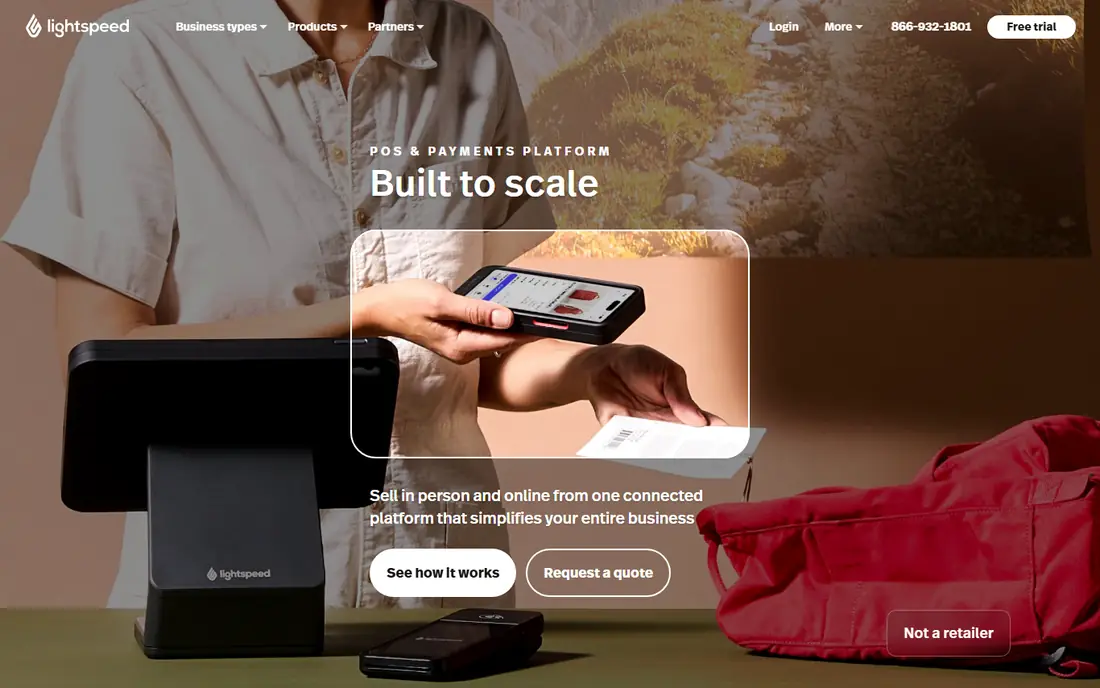
Lightspeed is built for retailers that have outgrown basic point-of-sale tools. Inventory handles variants, bundles, and multiple locations, reporting goes deep into sales and margins, and integrations cover accounting, ecommerce, and marketing.
Pricing and setup reflect that depth, so a single small shop may find it heavy. For growing retailers with several locations or complex inventory, Lightspeed is a strong upgrade.
- Deep inventory with variants and multi-location support
- Detailed reporting
- Integrations with accounting and ecommerce
- Pricing is higher than Square
- Setup takes longer
- Smaller shops may find it heavy
Clover
Ideal for: Hardware plus software bundles
Clover pairs point-of-sale software with a wide hardware lineup, from small handheld devices to full counter stations with customer displays. An app market adds inventory, loyalty, scheduling, and accounting tools, and Clover works through many banks and processors.
Hardware and software costs vary by provider, so total price needs a real quote. For retailers who want a polished counter setup with flexible hardware, Clover is a solid choice.
- Wide hardware range from handhelds to counters
- App market for extra features
- Works with many processors
- Hardware costs add up
- Software pricing varies by provider
- Some features depend on your merchant account
Erply
Ideal for: Back-office inventory control
Erply focuses on the back office: inventory, warehouses, barcodes, pricing, and multi-store control, with reporting that shows what is selling and where. An API connects it to ecommerce and accounting tools, making it a good hub for retailers with several locations.
The point-of-sale interface is less polished than Square or Shopify, and setup rewards careful inventory planning. For retailers whose main problem is stock control across stores, Erply is a strong pick.
- Strong back-office inventory and multi-store control
- Barcode, warehouse, and reporting tools
- API for integrations
- Interface feels dated
- Point-of-sale is less polished than Square
- Setup needs inventory planning
Revel Systems
Ideal for: Larger retail and restaurants
Revel Systems is a full point-of-sale platform for retail and restaurant businesses, with inventory, customer management, employee tools, and detailed reporting. Enterprise management covers multiple locations from one dashboard, which suits growing chains.
Pricing and setup are enterprise-oriented, so single small shops will find simpler tools faster. For multi-location retailers and restaurant groups, Revel is a capable, proven platform.
- Full point-of-sale with inventory, CRM, and reporting
- Works for retail and restaurants
- Enterprise management tools
- Enterprise pricing
- Setup is heavier than small-shop tools
- Best value at multi-location scale
TouchBistro
Ideal for: Restaurants and food retail
TouchBistro is point-of-sale software built for restaurants, covering tables, menus, modifiers, splitting bills, and kitchen workflows. An offline mode keeps service running if the internet drops, and inventory and staff tools round out the system.
General retailers will find it too restaurant-specific, and pricing runs per terminal on iPad hardware. For cafes, food shops, and restaurants that also sell retail goods, TouchBistro is a natural fit.
- Built for restaurants with tables, menus, and modifiers
- Offline mode for busy service
- Inventory and staff tools
- Restaurant focus limits general retail use
- Pricing is per terminal
- Hardware is iPad-based
Epos Now
Ideal for: Affordable POS for small stores
Epos Now offers point-of-sale bundles that include hardware and software at a price small stores can afford. Inventory, reporting, and customer tools come standard, and an app store adds accounting, loyalty, and ecommerce integrations.
Support quality varies by region, and some advanced features need paid add-ons, so read contract terms carefully. For small retailers who want a complete counter bundle without enterprise pricing, Epos Now is worth a quote.
- Affordable point-of-sale bundles with hardware
- Inventory and reporting included
- App store for extras
- Support quality varies by region
- Advanced features need add-ons
- Contract terms need checking
How we picked these
We compared official feature pages, pricing pages, app store listings, and public reviews for each tool, and we favored products still operating in October 2026 that serve small retailers with point-of-sale and inventory tools. We left out enterprise-only retail suites and payment-only apps with no inventory features. Note that homepage checks for this article were limited by a browser rate-limit error during our work, so readers should confirm current pricing and features on each vendor site.
Choosing retail software that fits your shop
Count your locations, products, and channels before you shop. A single shop with a few hundred products needs different software than a three-store chain with thousands of variants and an online store. Make a short list of must-have features, such as barcode scanning, purchase orders, or loyalty, and test them with your real products during a trial.
Check total cost, not just software price. Hardware, payment processing, add-ons, and support all add up, and a cheap plan with expensive processing can cost more than a pricier plan with better rates. Finally, test support before you commit, since a point-of-sale outage on a Saturday is when support quality matters most.
Inventory accuracy is the quiet foundation of retail software. A system that tracks stock across your store, back room, and online shop prevents overselling and stockouts, but only if staff update it consistently. Barcode scanning, low-stock alerts, and regular cycle counts keep records honest, and a good receiving workflow makes new stock appear in the system the day it arrives, not weeks later. Before you buy, test how the system handles returns, exchanges, and damaged goods, since those edge cases are where messy records start.
Multi-location growth is another test. A tool that works for one shop may struggle with two, so check whether inventory, pricing, and staff permissions can differ by location. Customer data matters too: purchase history and contact details support repeat sales, but they also need privacy care, so check how data is stored and who can export it. Pilot the system during a normal week, not a quiet one, and train staff on the real workflows they will use daily, since adoption decides whether the software helps or just adds screens to the job.
Frequently asked questions
What is the best retail software for small business?
Square is our pick for most small retailers, with free point-of-sale software, payments, and inventory in one system. Shopify POS suits stores that also sell online, while Lightspeed suits growing multi-location retailers.
Is Square free for retailers?
Square point-of-sale software is free to start, with no monthly fee for basic use, though payment processing fees apply to each sale. Advanced inventory and add-on features sit on paid plans.
What is the best POS for a clothing store?
Shopify POS and Lightspeed both handle clothing well, with variants for size and color and inventory across online and in-store channels. Square also works well for smaller clothing shops.
Do I need separate software for online and in-store sales?
Not necessarily. Shopify POS and Square both sync online and in-store inventory, so one system can cover both channels. Separate systems create stock errors and extra work.
How much does retail POS software cost?
Basic point-of-sale software can be free, with processing fees per sale, while paid plans typically range from tens to hundreds of dollars per month depending on locations and features. Hardware is usually extra.