Best Reverse Image Search Tools in 2026: 8 Tools Compared

- 1
 Google LensOverall reverse searchVisit
- 2
 TinEyeTracing exact copiesVisit
- 3
 Bing Visual SearchSecond opinionVisit
- 4
 Yandex ImagesSimilar imagesVisit
- 5
 PimEyesFace searchVisit
- Google Lens is the best first stop for most people because it is free, fast and has the largest index.
- TinEye is our pick for tracing exact copies and edited versions of your own photos.
- No single engine finds everything, so run important images through at least two engines.
- Face search tools need extra care, since a similar face is a lead, not proof of identity.
- Never upload private documents or photos of other people without a clear reason, since the image goes to the search service.
Quick comparison
| Product | Ideal for | Price from | Free version | |
|---|---|---|---|---|
| Google Lens | Overall reverse search | Free | Yes | Visit |
| TinEye | Tracing exact copies | Free | Yes | Visit |
| Bing Visual Search | Second opinion | Free | Yes | Visit |
| Yandex Images | Similar images | Free | Yes | Visit |
| PimEyes | Face search | See website | Yes | Visit |
 Lenso.ai | Face and image search | See website | Yes | Visit |
 Social Catfish | Dating profile checks | See website | Yes | Visit |
 FaceCheck.ID | Quick face checks | See website | No | Visit |
The best reverse image search tools
Reverse image search starts with a picture instead of words, and it answers different questions depending on the engine. Some find exact copies, others find similar products, and a few focus on faces. We compared official feature pages, pricing, app listings and public reviews to find tools that still work well in October 2026, and we note privacy limits honestly.
Google Lens
Ideal for: Overall reverse search

Google Lens is the tool to try first for almost any image. It identifies objects, text, landmarks and products inside a photo, and it finds visually similar images across the widest index of any free tool. It costs nothing, needs no account for basic searches, and is built into Chrome, Android and Google Photos, so most people can use it without installing anything new.
The limits matter for sensitive searches. Lens is not a dedicated face search, so different photos of the same person rarely connect, and results tend to favour popular pages over niche forums. Google also processes the uploaded image, and signed in searches can be saved to your activity, so avoid uploading private documents or sensitive personal photos.
- Largest index
- Identifies objects, products and landmarks
- Built into Chrome and Android
- Not a face recognition search
- Results favour popular pages
- Signed in searches may be saved
TinEye
Ideal for: Tracing exact copies
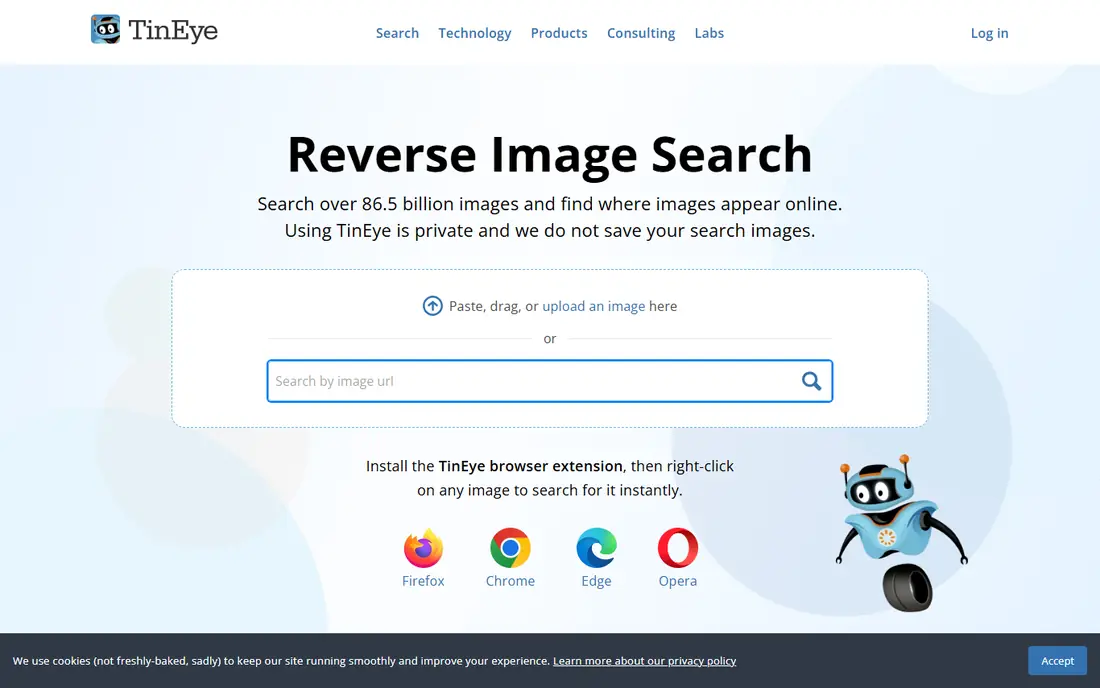
TinEye is the best tool for photographers and creators who want to know where their own image has been reused. It matches exact copies and edited versions, including cropped, resized and recoloured copies, and it can sort results by the date TinEye first found them. That date sorting helps when you need to show which copy appeared first.
Basic web search is free, while commercial use and automated alerts are paid products with separate terms. TinEye will not find a different photo of the same person or object, so pair it with Lens for a fuller picture, and use TinEye first when the question is who copied this exact image.
- Finds exact and edited copies
- Sorts results by date found
- Free for basic web search
- Smaller index than Google
- Does not find different photos of the same subject
Bing Visual Search
Ideal for: Second opinion

Bing Visual Search is worth running as a second check, because its index differs from Google's. An image that returns nothing useful on Lens sometimes returns a product match or a similar scene on Bing, especially for shopping and home related images. It is free and works from the browser without an extra app.
The mobile experience is less smooth than Lens, and shopping matches can crowd out other results. Use Bing as a complement rather than a replacement, and run the same image through both engines when the result matters, such as tracing a stolen photo or identifying a product.
- Free
- Good for products and scenes
- Different index from Google
- Mobile experience can be awkward
- Shopping results can dominate
Yandex Images
Ideal for: Similar images
Yandex Images is known for returning similar images, including similar faces and look-alikes, more readily than Google or Bing. That makes it useful when you want to find visually similar photos rather than an exact copy, and it adds a genuinely different index to your checks. It is free and works from the browser.
Privacy deserves attention here, since Yandex is a Russian company and its data handling falls under different rules from US or EU services. Avoid uploading sensitive personal photos, and do not treat a similar face as proof of identity, since look-alikes are common and a match is only a lead for further checking.
- Strong for similar images and faces
- Free
- Useful second index
- Privacy policies and data handling need care
- Not ideal for tracing oldest copy
PimEyes
Ideal for: Face search
PimEyes is a dedicated face search tool, which sets it apart from general engines. It searches for photos of a face across the public websites it indexes, and paid plans add source access and alerts when new matches appear. That makes it useful for people checking where their own face appears online.
The free tier is limited, with source links locked behind payment, so a free search may tell you a match exists without showing where. Use PimEyes only for your own face or with clear consent, and remember that a face match is not identity verification on its own.
- Dedicated face search across the open web
- Alerts on higher plans
- Useful for finding your own face
- Source links locked behind paid plans
- Free tier limited
- Face search raises privacy questions
Lenso.ai
Ideal for: Face and image search
Lenso.ai combines general image search with face search, plus alerts and source access on paid tiers. That combination suits users who want one workspace for both kinds of search, rather than switching between a general engine and a face tool. Free search is available, with limited access.
Pricing transparency is weaker than ideal, since the public pricing page does not always render a clear amount, so check the checkout price before paying. Availability also varies by region, with some features limited in the EU, so confirm the tool works for your location before relying on it.
- Combines face and general image search
- Alerts and source access
- Clean workflow
- Pricing page does not always show a clear amount
- Availability varies by region
FaceCheck.ID
Ideal for: Quick face checks
FaceCheck.ID offers a direct, credit based face search workflow that appeals to users who want a quick answer without a subscription. Published listings put the entry package at $19 in cryptocurrency for 150 credits, with three credits per search and a 14 day expiry. That structure suits a one off check rather than ongoing monitoring.
The payment and refund terms are the catch. Cryptocurrency only payment, short credit expiry and limited refund options make it a poor choice for cautious buyers. Use it only if you understand those terms, and treat any match as a lead to verify through other sources, not as proof.
- Direct credit based face search
- Fast results
- Useful for catfish checks
- Credits cost money and expire
- Payment by cryptocurrency only in some listings
- No refunds in some cases
How we picked these
We compared official feature pages, pricing pages, app listings and public reviews, and we only included tools that still offer reverse image or face search in October 2026. We favoured free general engines for most uses, and we included face tools with clear warnings about privacy and accuracy, since those tools are often misused. Where pricing was unclear or not rendered on a public page, we used See website.
How to run a reverse image search well
Start with Google Lens for a broad check, then run the same image through TinEye if you need exact copies, and Bing or Yandex for a second index. Each engine indexes the web differently, so checking more than one gives a fuller picture, especially for images that have been cropped or recoloured. For video, take a screenshot of the frame you want and search that still image.
Protect your privacy while you search. Do not upload private documents, medical images or photos of children, and avoid searching for private individuals without a legitimate reason. If you find your own photo reused without permission, save evidence first, including a screenshot, the URL and the date, then ask for credit or removal, or report it to the platform or host.
Frequently asked questions
Is reverse image search free?
Yes, Google Lens, Bing Visual Search and TinEye basic search are free. Face search tools and monitoring alerts are usually paid, with limited free previews.
Can reverse image search find a person from a photo?
General engines find similar images, not verified identities, while dedicated face tools find photos of a similar face. A match is a lead, not proof of who someone is, so verify through other sources.
Can reverse image search find cropped or edited photos?
Often, yes, especially for resized and lightly cropped copies. Mirrored, recoloured or heavily edited copies are more likely to be missed, so try a flipped version, a black and white version and a crop of the most distinctive part.
Why can reverse image search not find my photo?
Search engines can only find images on pages they can crawl, so private accounts, closed groups and messaging apps are largely invisible. If a photo was never posted publicly, no engine will find it.
Is it safe to upload a photo to a reverse image search?
The service receives and processes the image, so avoid private or sensitive photos. For public images, such as a product photo or your own published work, the risk is low, but read the privacy policy first.
Social Catfish
Ideal for: Dating profile checks
Social Catfish is best known for checking whether a dating profile photo is stolen or reused elsewhere. A free preview can tell you a match exists, which is enough for a quick gut check before you meet someone or send money. It also offers other identity checks beyond image search.
Full source details need a paid subscription, so the free preview is a starting point, not a complete answer. Never send money to someone based only on a search result, and report suspected scams to the platform and to the relevant authorities rather than confronting the person directly.