Best Rock Identification App in 2026: 8 Apps Compared

- 1
 Rock Identifier: Stone IDPhoto identification for collectorsVisit
- 2
 Rock IDFree identification by hand and photoVisit
- 3
 CrystalyzeCrystal and mineral identificationVisit
- 4
 RockdGeology maps and field contextVisit
- 5
 Google LensFree first check on common rocksVisit
- Rock Identifier: Stone ID is our pick for most people because it combines photo identification with a large mineral database.
- Rock ID from Rockhounding.org is the best free starting point, with hand identification tools that work without signal.
- Google Lens is a useful free first check for common rocks, while Rockd suits collectors who want maps and geological context.
- Photo identification works best for common minerals in good light, and struggles with weathered or rare specimens.
- Always confirm a valuable or unusual find with a local geologist, since no app replaces expert identification.
Quick comparison
| Product | Ideal for | Price from | Free version | |
|---|---|---|---|---|
| Rock Identifier: Stone ID | Photo identification for collectors | Free | Yes | Visit |
| Rock ID | Free identification by hand and photo | Free | Yes | Visit |
| Crystalyze | Crystal and mineral identification | Free | Yes | Visit |
| Rockd | Geology maps and field context | Free | Yes | Visit |
| Google Lens | Free first check on common rocks | Free | Yes | Visit |
 Rock and Crystal Identifier | Simple photo identification | Free | Yes | Visit |
 IdentifyRock | Web based identification without an app | Free | Yes | Visit |
 Geology Toolkit | Geology reference and field tools | See website | No | Visit |
The best rock identification app
Rock identification apps use photo recognition to suggest what a rock or mineral might be, then give details such as hardness, formation and common locations. They are best for curiosity and learning, and they work best when you photograph a clean, well lit specimen.
Rock Identifier: Stone ID
Ideal for: Photo identification for collectors
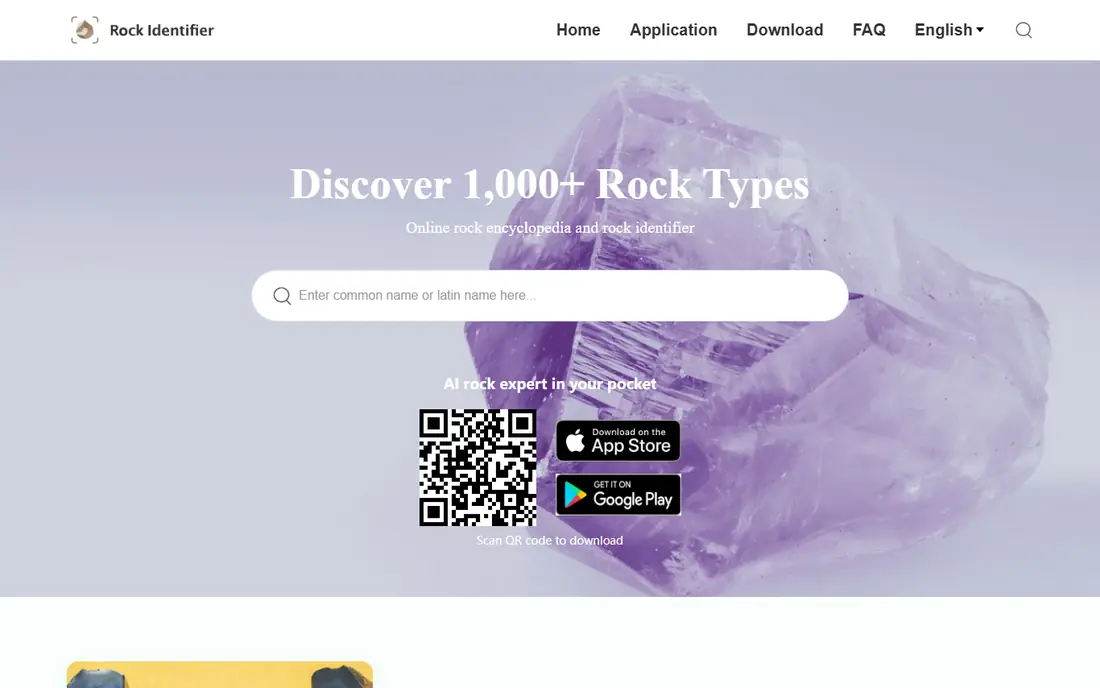
Rock Identifier: Stone ID is the most popular rock identification app, and its strength is the combination of photo ID and detailed mineral information. Snap a photo and it returns a likely identification with hardness, composition, formation details and common locations, plus a collection tracker for your finds.
The free tier covers some scans, while unlimited scans and full features need a subscription, so check the store listing before committing. Accuracy is best for common minerals photographed in good light, and lower for weathered or unusual specimens. For a collector who wants a capable all round app, this is our first pick.
- Large mineral database
- Detailed results with hardness and locations
- Collection tracking
- Full features need a subscription
- Accuracy varies with photo quality
Rock ID
Ideal for: Free identification by hand and photo
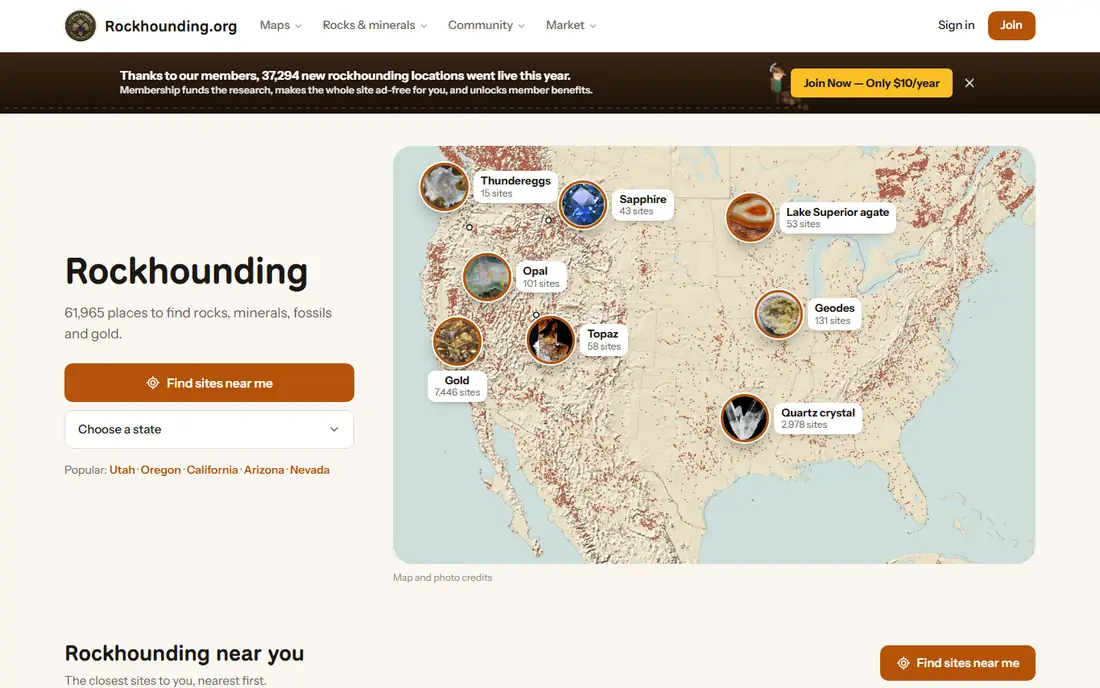
Rock ID is the free app from Rockhounding.org, built for rockhounds who want identification without a subscription. It offers hand identification, where you answer questions about color, hardness and texture, which works without signal in the field. That offline hand ID is a genuine advantage over photo only apps.
As a newer app, it has fewer ratings than the leaders, and its photo features are lighter. Still, for a free starting point, especially in the field, Rock ID is excellent. Use its decisive test suggestions, such as a scratch or streak test, to confirm a close call between similar minerals.
- Free to use
- Hand identification works offline
- Gives confidence and a decisive test
- Newer app with fewer ratings
- Photo features are lighter than rivals
Crystalyze
Ideal for: Crystal and mineral identification
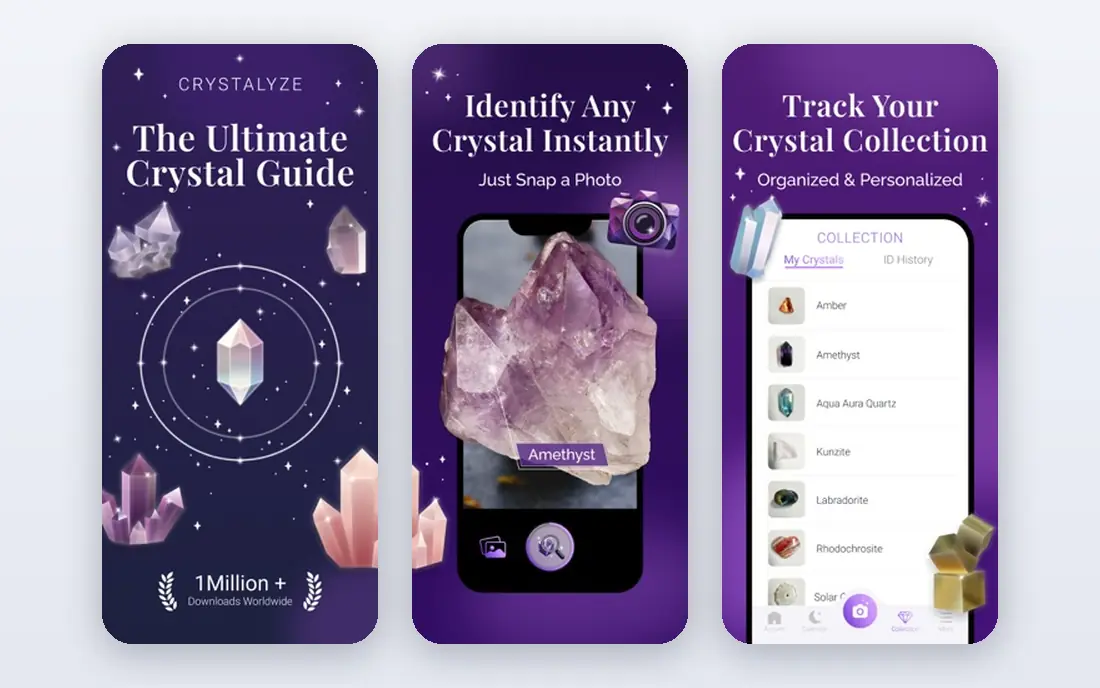
Crystalyze focuses on crystals, minerals and gemstones, with photo identification and detailed information about each stone. Collectors who focus on crystals will appreciate the depth of crystal data, including properties and meanings, alongside the identification itself.
The free tier covers a few identifications, with a subscription for full use. Rock focused tools are lighter than in Rock Identifier, so general rockhounds may prefer the leader. For a crystal collector, Crystalyze is a strong and focused choice.
- Focus on crystals and minerals
- Detailed crystal info
- Collection features
- Subscription for full use
- Fewer rock focused tools
Rockd
Ideal for: Geology maps and field context
Rockd is different from the photo ID apps: it shows geological maps for your location, so you can see what rock units and ages surround you. That context helps you judge whether an identification is plausible, since a mineral common in one region may be unlikely in another. It also lets you log finds against real geology.
Rockd does not identify a rock from a photo, so pair it with a photo app for full coverage. The interface takes a little learning, but for a serious rockhound, the map context is invaluable. It is free, which makes it an easy second app for any collector.
- Free
- Geological maps for your location
- Links finds to real geology
- Map based, not photo ID
- Interface takes learning
Google Lens
Ideal for: Free first check on common rocks
Google Lens is a useful free first check. Point it at a rock and it searches visually similar images, which often returns the right answer for common minerals such as quartz, amethyst or pyrite. It is already on many Android phones and inside the Google app on iPhone, so there is nothing new to install.
Lens is a general visual search tool, not a geology specialist, so results vary and it gives no hardness, streak or confidence data. Treat it as a starting hint, then confirm with a dedicated app or a physical test. For a casual question on a walk, Lens is the fastest free answer.
- Free
- No install needed on many phones
- Good for common minerals
- General tool, not geology specific
- Results vary widely
Rock and Crystal Identifier
Ideal for: Simple photo identification
Rock and Crystal Identifier offers a simple photo identification flow: snap a photo, get a result with mineral details, and save it to a collection. The simplicity suits casual users who do not want to learn geology terms before getting an answer.
Free scans are limited, with a subscription for unlimited use, so check the store listing for current limits. Results are best for common stones in good light. For a straightforward photo ID app without extra complexity, this is a solid option.
- Simple photo ID flow
- Mineral details
- Collection saving
- Free scans are limited
- Subscription for unlimited use
IdentifyRock
Ideal for: Web based identification without an app
IdentifyRock is a web based identification tool that works in a mobile or desktop browser, so you can identify a rock without installing an app. Upload a photo and it returns a likely identification with geological information, with free daily identifications and no account needed to start.
It needs internet, so it will not work in remote areas without signal. For a quick identification at home, or for someone who does not want another app on their phone, IdentifyRock is a convenient choice. Pair it with Rockd for map context when you are planning a collecting trip.
- Works in a browser, no install
- Free daily identifications
- No account needed to start
- Needs internet
- Web tool rather than a field app
Geology Toolkit
Ideal for: Geology reference and field tools
Geology Toolkit is a reference app for geology students and enthusiasts, with mineral data, rock information and field tools in one place. It suits users who want to learn geology systematically, rather than just identify one stone, and it works offline in the field.
It is a paid app and it is more reference than photo identification, so it complements rather than replaces a photo ID app. For a student or a collector who wants deeper geology knowledge, Geology Toolkit is a useful companion to Rock Identifier or Rock ID.
- Reference data for minerals and rocks
- Field tools for geology students
- Offline use
- Paid app
- More reference than photo ID
How we picked these
We compared official feature pages, app store listings and public reviews for each app, focusing on tools that are still maintained and work in October 2026. We favored apps with a working photo or hand identification method, a useful mineral database, and a free way to try before paying. We left out abandoned apps, apps with no geology data, and apps that charged before any identification. Prices change, so check the store listing before you pay.
How to get better identifications from a photo
Photograph the rock in natural, diffused light, fill the frame with the specimen, and use a plain background. Wet the rock first if it is dry, since wetting brings out color and texture that dry photos hide. Photograph a fresh fracture surface when you can, rather than a weathered exterior, since weathering masks the features apps use.
Next, add a physical test. Check hardness with a known item, note the streak color on unglazed porcelain if you have it, and observe whether the rock feels heavy for its size. Enter those observations into a hand identification tool such as Rock ID, and compare the result with the photo app answer. When two methods agree, confidence rises.
Finally, treat app results as suggestions, not verdicts. Similar minerals, such as quartz and calcite, can look alike in photos, and rare specimens often fool photo models. For a valuable, unusual or potentially hazardous find, ask a local geology club or university department for expert confirmation.
Joining a local rockhounding club or geology society will improve your identification skills faster than any app alone, since experienced collectors can show you tests and features that photos cannot convey. Club field trips also teach you where collecting is legal and welcome, which matters because many promising sites are private land, protected areas, or active claims. Check local rules before collecting anywhere, take only what is allowed, and leave sites as you found them. Apps help you learn, but community knowledge keeps the hobby safe and legal.
Frequently asked questions
What is the best rock identification app?
Rock Identifier: Stone ID is the best all round choice for photo identification and mineral details. Rock ID is the best free starting point, especially for offline hand identification in the field. Many collectors use both.
What is the best free rock identification app?
Rock ID from Rockhounding.org is free and works offline for hand identification. Google Lens is also free and gives a quick first check for common minerals. Both are good free options before paying for a subscription.
How accurate are rock identification apps?
Accuracy is highest for common minerals photographed in good light, and lower for weathered, rare or visually similar specimens. Use good photos, add physical tests, and confirm valuable finds with an expert.
Can an app identify a rock from a photo alone?
It can suggest an identification, but a photo alone is often not enough for certainty. Color, texture and shape overlap between minerals, so hardness, streak and location data improve the answer a lot.
Do rock identification apps work offline?
Some do, notably Rock ID for hand identification and Geology Toolkit for reference data. Photo identification usually needs internet for processing, so download reference data before a remote trip.