Best SaaS tools for mobile UI responsiveness in 2026: 8 Compared

- 1
 BrowserStackteams testing on many real devicesVisit
- 2
 LambdaTestteams who want cross browser and device testingVisit
- 3
 Sauce Labsenterprises testing at scaleVisit
- 4
 Google Lighthousefree performance and responsiveness checksVisit
- 5
 GTmetrixteams tracking page speed over timeVisit
- Our top choice for most readers is BrowserStack, which balances coverage, ease of use, and clear pricing for best SaaS tools for mobile UI responsiveness.
- LambdaTest is a strong alternative when teams who want cross browser and device testing matters more than a single all round option.
- Prices and free plans vary widely across this list, so check the vendor website for the current plan that fits your budget.
- We compared official feature pages, pricing, app-store listings, privacy policies, and public reviews for every option below.
Quick comparison
| Product | Ideal for | Price from | Free version | |
|---|---|---|---|---|
| BrowserStack | teams testing on many real devices | See website | No | Visit |
| LambdaTest | teams who want cross browser and device testing | See website | Yes | Visit |
| Sauce Labs | enterprises testing at scale | See website | No | Visit |
| Google Lighthouse | free performance and responsiveness checks | Free | Yes | Visit |
| GTmetrix | teams tracking page speed over time | Free | Yes | Visit |
 WebPageTest | teams who want deep performance measurement | Free | Yes | Visit |
 Responsively App | developers previewing many screen sizes at once | Free | Yes | Visit |
 Sizzy | developers who want fast multi screen previews | See website | No | Visit |
The best SaaS tools for mobile UI responsiveness
Responsive mobile interfaces must work on many screen sizes, so we compared device testing, performance measurement, and visual checks rather than design tools alone. We compared official feature pages, pricing, app-store listings, privacy policies, and public reviews to build this list, and we focused on options that work in October 2026.
BrowserStack
Ideal for: teams testing on many real devices

BrowserStack fits teams testing on many real devices. BrowserStack lets teams test on real devices and browsers without buying a device lab. The starting price is shown on the vendor website, and there is no free plan. Costs rise with seats and usage, so plan which devices and tests matter most before subscribing.
What stood out in our comparison was real device cloud. The honest catch is pricing per seat. Support and setup matter here too, so check help pages and onboarding before you commit to a paid plan.
If teams testing on many real devices is your main need, BrowserStack deserves a close look, but check test minutes can add cost before you commit. We also weighed how clearly BrowserStack explains its pricing and privacy terms, since vague terms often hide extra costs. Our pick for most readers in this group is the option that balances price, coverage, and ease of use.
- Real device cloud
- Many browsers and devices
- CI integration
- Pricing per seat
- Test minutes can add cost
LambdaTest
Ideal for: teams who want cross browser and device testing
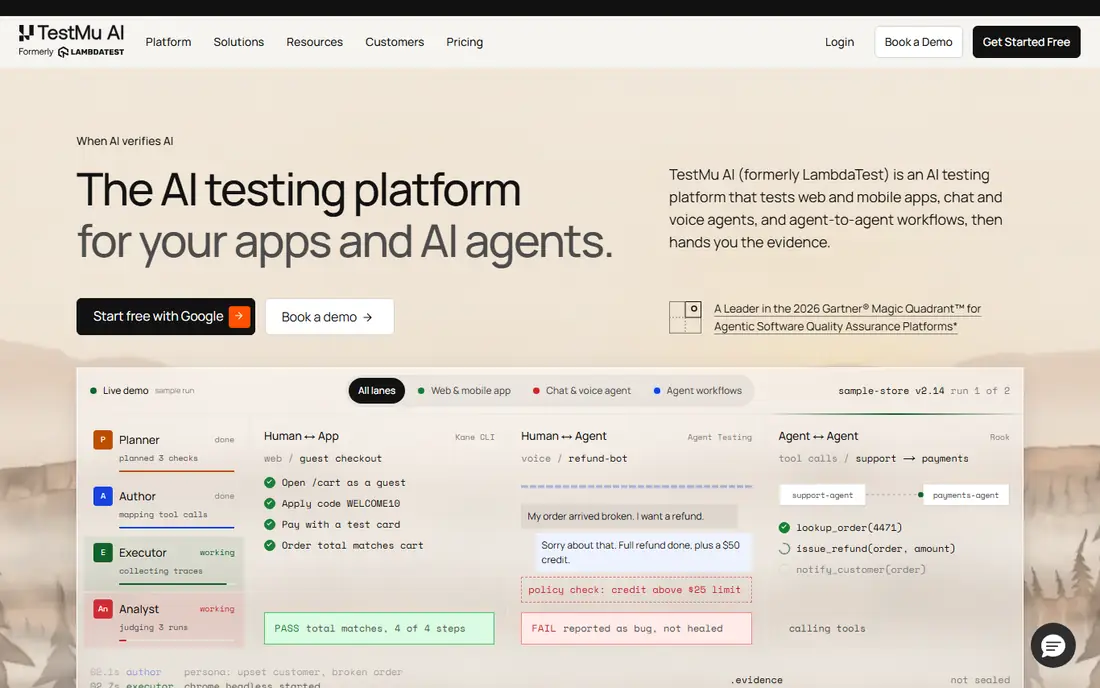
LambdaTest fits teams who want cross browser and device testing. LambdaTest covers cross browser and mobile testing with a free tier that suits small teams starting out. The starting price is shown on the vendor website, and a free plan is available. Free minutes run out fast on larger test suites, so budget for a paid plan if you test often.
What stood out in our comparison was real device and browser testing. The honest catch is free tier limits minutes. Integration with tools you already use can matter as much as the headline feature, so confirm that link early.
If teams who want cross browser and device testing is your main need, LambdaTest deserves a close look, but check advanced features need paid plans before you commit. We also weighed how clearly LambdaTest explains its pricing and privacy terms, since vague terms often hide extra costs. We would shortlist this one beside the category leader and compare them on a real trial.
- Real device and browser testing
- Visual checks
- Integrations
- Free tier limits minutes
- Advanced features need paid plans
Sauce Labs
Ideal for: enterprises testing at scale
Sauce Labs fits enterprises testing at scale. Sauce Labs suits larger teams running automated tests at scale across many devices. The starting price is shown on the vendor website, and there is no free plan. Smaller teams may find the enterprise pricing and setup heavier than a simpler tool.
What stood out in our comparison was large device cloud. The honest catch is enterprise pricing. Privacy terms deserve a read as well, especially where personal or payment data is involved.
If enterprises testing at scale is your main need, Sauce Labs deserves a close look, but check setup complexity before you commit. We also weighed how clearly Sauce Labs explains its pricing and privacy terms, since vague terms often hide extra costs. This is a solid second choice when the leading option does not cover your area or budget.
- Large device cloud
- Automated testing
- Enterprise reporting
- Enterprise pricing
- Setup complexity
Google Lighthouse
Ideal for: free performance and responsiveness checks
Google Lighthouse fits free performance and responsiveness checks. Lighthouse gives free, fast checks on performance, accessibility, and mobile layout that every team should run. The starting price is free, and a free plan is available. It audits rather than tests on real devices, so pair it with a device cloud for full coverage.
What stood out in our comparison was free performance audits. The honest catch is it is an audit tool, not a device cloud. Trial periods and free tiers are worth using first, since a short test often reveals more than a feature list.
If free performance and responsiveness checks is your main need, Google Lighthouse deserves a close look, but check scores need interpretation before you commit. We also weighed how clearly Google Lighthouse explains its pricing and privacy terms, since vague terms often hide extra costs. It earns a place here on the strength of its core feature, even though it is not the best all rounder.
- Free performance audits
- Mobile scoring
- Built into Chrome
- It is an audit tool, not a device cloud
- Scores need interpretation
GTmetrix
Ideal for: teams tracking page speed over time
GTmetrix fits teams tracking page speed over time. GTmetrix tracks page speed over time with clear recommendations, which helps teams prove improvements. The starting price is free, and a free plan is available. Its mobile testing is less deep than a device cloud, so use it for speed rather than full interface testing.
What stood out in our comparison was page speed reports. The honest catch is free tier limits tests. Long term cost matters as much as the starting price, so check what happens when you add users or usage.
If teams tracking page speed over time is your main need, GTmetrix deserves a close look, but check mobile device options are limited before you commit. We also weighed how clearly GTmetrix explains its pricing and privacy terms, since vague terms often hide extra costs. We kept it in the list because it serves a specific need better than more general rivals.
- Page speed reports
- Historical tracking
- Clear recommendations
- Free tier limits tests
- Mobile device options are limited
WebPageTest
Ideal for: teams who want deep performance measurement
WebPageTest fits teams who want deep performance measurement. WebPageTest gives detailed performance data that engineers trust, including filmstrips and waterfalls. The starting price is free, and a free plan is available. Its technical interface suits engineers more than designers, so pair results with plain language summaries for stakeholders.
What stood out in our comparison was detailed performance waterfalls. The honest catch is interface is technical. Customer reviews can highlight recurring problems, so look for patterns rather than single complaints.
If teams who want deep performance measurement is your main need, WebPageTest deserves a close look, but check setup needs skill before you commit. We also weighed how clearly WebPageTest explains its pricing and privacy terms, since vague terms often hide extra costs. It is worth a trial if its main strength matches the problem you are trying to solve.
- Detailed performance waterfalls
- Many locations
- Free tier
- Interface is technical
- Setup needs skill
Responsively App
Ideal for: developers previewing many screen sizes at once
Responsively App fits developers previewing many screen sizes at once. Responsively App shows many screen sizes side by side, which speeds up quick layout checks during development. The starting price is free, and a free plan is available. It previews layouts rather than running full device tests, so it complements rather than replaces a test cloud.
What stood out in our comparison was multi device preview in one window. The honest catch is preview tool only. Ease of use for everyone on your team counts, since a tool only one person understands will not stick.
If developers previewing many screen sizes at once is your main need, Responsively App deserves a close look, but check not a full test cloud before you commit. We also weighed how clearly Responsively App explains its pricing and privacy terms, since vague terms often hide extra costs. We would test it for a week on a real task before moving a whole team or household to it.
- Multi device preview in one window
- Free and open source
- Quick checks
- Preview tool only
- Not a full test cloud
Sizzy
Ideal for: developers who want fast multi screen previews
Sizzy fits developers who want fast multi screen previews. Sizzy previews many devices at once with debugging tools, which suits front end developers checking layouts daily. The starting price is shown on the vendor website, and there is no free plan. It is a preview and debugging tool, not a full automated test platform, so larger teams may need more.
What stood out in our comparison was multi screen preview. The honest catch is subscription cost. Check update frequency and support responsiveness, because neglected apps fall behind quickly.
If developers who want fast multi screen previews is your main need, Sizzy deserves a close look, but check browser based focus before you commit. We also weighed how clearly Sizzy explains its pricing and privacy terms, since vague terms often hide extra costs. It stands out for value rather than breadth, which suits buyers with a clear single need.
- Multi screen preview
- Debugging tools
- Fast workflow
- Subscription cost
- Browser based focus
How we picked these
We started from the topic itself and shortlisted products that genuinely fit it, rather than adding well known names that only partly match. For each candidate we checked its official feature pages and pricing, looked at its app-store listing where one exists, and read its privacy terms and public reviews for recurring problems. Products that were discontinued, region locked for the stated market, or impossible to verify were left out. We then ranked the list by fit for the stated need, breadth of coverage, clarity of pricing, and ease of use for ordinary readers. No product paid for a place on this list, and our pick for most people is the one that balances those factors best, not the one with the longest feature list.
How to test responsive mobile interfaces
Use the points below as a checklist before you sign up, since the right choice depends on your budget, your device, and how often you will actually use the service.
Test on real device sizes your users actually use, not just the latest flagship phones.
Check load time and layout shifts on slower networks, since a pretty layout that loads slowly still fails users.
Automate visual checks in your release flow so a small change does not break a screen you forgot to test.
Frequently asked questions
What is the best option for best SaaS tools for mobile UI responsiveness?
For most readers, BrowserStack is a strong starting point because it covers teams testing on many real devices well and its pricing is clear. That said, the best choice depends on your budget, your location, and how often you will use it. Shortlist two or three options from this list and test them before you commit.
Are there free options for best SaaS tools for mobile UI responsiveness?
Yes, several options in this list offer a free plan or a free tier, including BrowserStack where a free plan is listed. Free plans usually limit features, storage, or usage, so check those limits against your needs. If you use the service daily, a paid plan often works out better than juggling free limits.
How much do these options cost?
Costs vary widely, and several vendors list pricing only on their own websites, so we mark those as See website in the comparison table. Compare the total monthly cost, including extra users, add ons, and transaction fees, rather than the headline price alone. A free trial is a good way to test value before paying.
How do I choose between the top options?
Start with the problem you need to solve, then check coverage for your area, device support, and pricing. Read the privacy terms if the service handles personal data, and look for recent public reviews that mention support quality. A short trial on a real task usually makes the choice clear.
Can I switch later if I pick the wrong one?
In most cases yes, though switching takes more effort when you have stored data, scheduled items, or a team using the service. Export your data before you cancel, and check whether the new service can import it. Keep your old account active until the new setup is working smoothly.