Best Sales Tools for Teams in 2026: 7 Tools Compared

- 1
 HubSpot Sales HubTeams wanting a free CRM startVisit
- 2
 Salesforce Sales CloudLarger teams needing deep customizationVisit
- 3
 PipedriveSales-only teams wanting clarityVisit
- 4
 Zoho CRMBudget-conscious growing teamsVisit
- 5
 OutreachTeams running structured sequencesVisit
- HubSpot is the best free starting point, with a usable CRM and paid upgrades as the team grows.
- Pipedrive suits sales-only teams that want a clear visual pipeline without extra modules.
- Apollo combines prospecting data with outreach, which can replace two subscriptions for smaller teams.
- Outreach and Salesforce suit larger teams with defined processes and admin support.
Quick comparison
| Product | Ideal for | Price from | Free version | |
|---|---|---|---|---|
| HubSpot Sales Hub | Teams wanting a free CRM start | Free | Yes | Visit |
| Salesforce Sales Cloud | Larger teams needing deep customization | See website | Free trial | Visit |
| Pipedrive | Sales-only teams wanting clarity | $14 per user per month | Free trial | Visit |
| Zoho CRM | Budget-conscious growing teams | Free | Yes | Visit |
| Outreach | Teams running structured sequences | See website | No | Visit |
 Apollo.io | Prospecting plus outreach in one tool | Free | Yes | Visit |
 Close | Small teams that live on calls and email | See website | Free trial | Visit |
The best sales tools for teams
Sales teams waste the most time on admin: logging calls, chasing follow-ups and hunting for contact details. The tools below cut that work in different ways, from full CRMs to prospecting and outreach platforms. We compared them on pipeline clarity, automation, ease of adoption and price, because a tool the team will not use helps no one.
HubSpot Sales Hub
Ideal for: Teams wanting a free CRM start
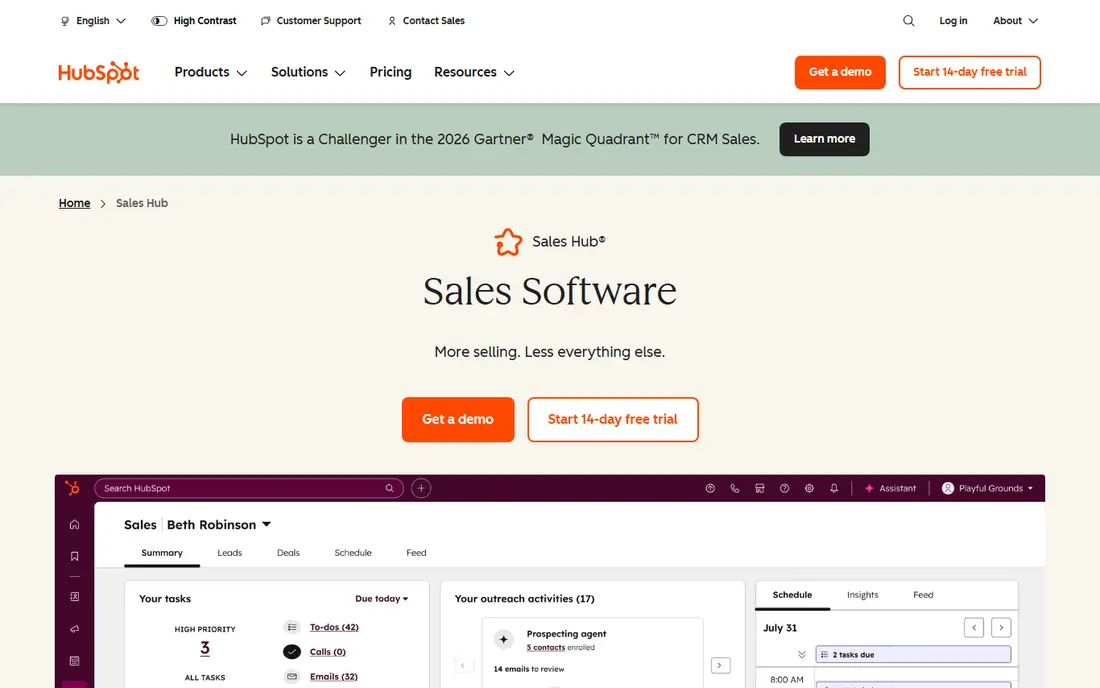
HubSpot Sales Hub starts with a genuinely usable free CRM: contacts, deal pipelines, email tracking and meeting links, with no card required. Teams can add paid tiers for sequences, automation and forecasting as they grow, and the wider HubSpot platform covers marketing and service if those teams join later.
The free tier has limits, and the features most teams want, such as forecasting and sequences, sit in Professional at $90 per seat per month, which also carries a one-time onboarding fee. Small teams should start free, prove the process, and upgrade only when a specific feature earns its cost.
For readers focused on teams wanting a free CRM start, HubSpot Sales Hub is worth a trial before deciding, since the free tier or trial shows its real feel fast. Check the current plan details on the vendor site, since prices and limits change, and confirm that the version you need works on your devices.
- Free CRM with pipelines and email tracking
- Upgrades as you grow
- Strong integrations
- Forecasting and sequences need paid tiers
- Onboarding fees on higher plans
Salesforce Sales Cloud
Ideal for: Larger teams needing deep customization
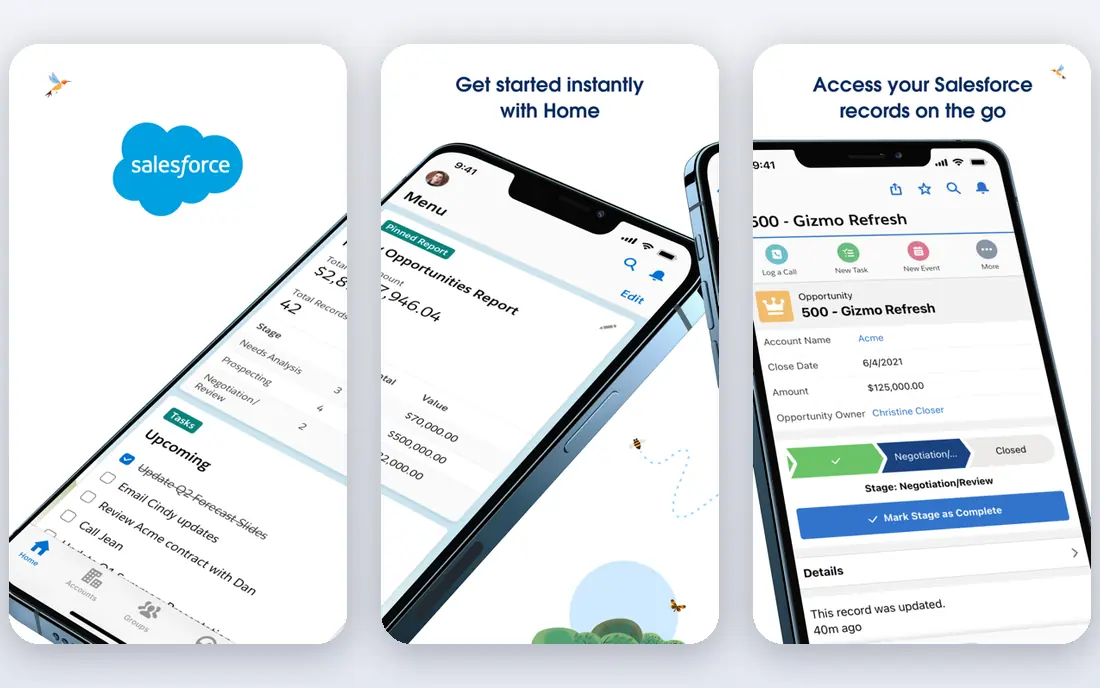
Salesforce Sales Cloud remains the standard for larger sales organizations. Its customization, reporting and app ecosystem handle complex sales processes, territories and approvals that simpler CRMs cannot, and its enterprise controls suit regulated industries. If your process is unusual, Salesforce can usually be shaped to fit it.
That power comes with setup cost and admin time. Small teams often find it heavy, and the total bill grows with add-ons and user tiers. It fits teams that have, or will hire, someone to run it, and that need reporting depth a simpler CRM cannot give.
We would shortlist Salesforce Sales Cloud for larger teams needing deep customization, and compare it directly with the two options nearest it in price before paying. Check the current plan details on the vendor site, since prices and limits change, and confirm that the version you need works on your devices.
- Deep customization and reporting
- Huge app ecosystem
- Strong enterprise controls
- Complex setup
- Needs admin time
- Costs rise with add-ons
Pipedrive
Ideal for: Sales-only teams wanting clarity

Pipedrive is built around one idea: a visual pipeline that reps actually update. Its drag-and-drop deals, activity reminders and simple reporting make it easy for a sales-only team to see what is stuck and what needs a call. Setup takes hours, not weeks, and pricing from $14 per user per month is straightforward.
There is no permanent free plan, only a trial, and marketing features arrive through add-ons rather than built-in modules. Teams that need marketing automation in the same system should look at HubSpot instead. For pure pipeline selling, Pipedrive is hard to beat on clarity.
If sales-only teams wanting clarity is your main need, Pipedrive deserves a place on a shortlist, provided you test the catch described above first. Check the current plan details on the vendor site, since prices and limits change, and confirm that the version you need works on your devices.
- Clear visual pipeline
- Fast setup
- Good value for sales-only teams
- No permanent free plan
- Marketing features need add-ons
Zoho CRM
Ideal for: Budget-conscious growing teams
Zoho CRM gives small teams a free tier for up to three users and low-cost paid plans that cover automation, email and reporting. Its breadth is unusual at the price, and it connects with the wider Zoho suite for teams that also need invoicing or support tools. Value for money is its main strength.
The interface can feel busy, with many menus and options that take time to learn, and some advanced features sit behind higher tiers. Teams that want the cleanest possible pipeline may prefer Pipedrive. For teams that want breadth on a budget, Zoho is a strong pick.
Our view is that Zoho CRM earns its place here for budget-conscious growing teams, even with the limits noted above. Check the current plan details on the vendor site, since prices and limits change, and confirm that the version you need works on your devices.
- Free tier for small teams
- Wide feature set
- Low paid pricing
- Interface can feel busy
- Some features need higher tiers
Outreach
Ideal for: Teams running structured sequences
Outreach is the specialist for teams that run structured outreach at volume. Its sequences, analytics and coaching tools help managers see which messages get replies and where reps stall, and it enforces a consistent follow-up process across the team. Larger outbound teams rely on it for exactly that discipline.
It is priced for larger teams and works beside a CRM rather than replacing one, so the combined cost is real. Setup also takes effort to get sequences and reporting right. It fits teams with a defined outbound motion, not teams still figuring out their pitch.
For readers focused on teams running structured sequences, Outreach is worth a trial before deciding, since the free tier or trial shows its real feel fast. Check the current plan details on the vendor site, since prices and limits change, and confirm that the version you need works on your devices.
- Strong sequencing and analytics
- Coaching tools
- Enterprise controls
- Priced for larger teams
- Needs a CRM beside it
- Setup takes effort
Apollo.io
Ideal for: Prospecting plus outreach in one tool
Apollo combines a large business contact database with prospecting and outreach tools, so a small team can find leads and contact them without buying two products. Its free tier lets teams test the data before paying, and its sequences and analytics cover the basics of outbound work.
Contact data accuracy varies by industry and region, so verify key details before a big campaign. Higher tiers are needed for larger volumes and advanced features. For small teams that need both leads and outreach on one bill, Apollo is a practical choice.
We would shortlist Apollo.io for prospecting plus outreach in one tool, and compare it directly with the two options nearest it in price before paying. Check the current plan details on the vendor site, since prices and limits change, and confirm that the version you need works on your devices.
- Large contact database
- Prospecting and sequences in one place
- Free tier
- Data accuracy varies by industry
- Higher tiers needed for scale
Close
Ideal for: Small teams that live on calls and email
Close is built for small teams that sell by phone and email. Calling, SMS and email live inside the CRM, so reps log conversations without switching tools, and the pipeline view stays simple. Setup is fast, and the focus on communication suits teams that close deals through conversations rather than long nurture tracks.
Its integration library is smaller than HubSpot or Salesforce, and its reporting is lighter than enterprise tools. Teams with complex reporting needs will outgrow it. For a small, call-driven team that wants speed over breadth, Close is a good fit.
If small teams that live on calls and email is your main need, Close deserves a place on a shortlist, provided you test the catch described above first. Check the current plan details on the vendor site, since prices and limits change, and confirm that the version you need works on your devices.
- Built-in calling and email
- Fast pipeline view
- Quick setup
- Smaller integration library than rivals
- Reporting is lighter
How we picked these
We compared official feature pages, pricing pages, app store listings, privacy policies and public reviews for each option below. We checked that each product is still available and that its stated plans match what the vendor publishes. We did not run hands-on tests, so our picks rest on documented features, pricing and the fit for the reader described in each section, not on lab results. Where a price could not be confirmed on the vendor site at the time of writing, we wrote See website rather than guessing. We also looked at how each option handles the everyday details that decide whether a tool gets used: setup time, device support, what happens when you cancel or downgrade, and whether help is available when something breaks. A product that looks strong on a feature list but is hard to set up, hard to leave, or poorly supported will cost more in time than it saves, so we weighed those practical points alongside price and features. Where reviewers or users reported a recurring problem, we noted it in the honest catch for that product, rather than leaving it out because the vendor page did not mention it.
How to pick sales tools your team will actually use
Start with the pipeline, not the feature list. Write down your stages, who owns each one, and what a rep must log after a call, then pick the tool that makes that flow easiest. Count seats honestly, including part-time users, since per-seat pricing punishes teams that buy for everyone. Test with two or three reps on live deals for two weeks, and watch whether follow-ups happen faster. A tool that needs a full-time admin for a ten-person team is the wrong tool.
A final check before you commit
Run a short trial on a real task before you pay for a year or move a whole team. Use the free plan or trial to complete one full job, from setup to export or delivery, and note where you got stuck. Check the cancellation path too: can you leave and keep your data, or does leaving mean starting over? Read the pricing page for renewal rates, not just the first-year offer, and confirm what support you get on the plan you will actually buy. Finally, ask one current user about the worst part of the product, since that answer tells you more than any feature list. If the trial feels good on a real task and the exit path is clear, the choice is much safer.
Frequently asked questions
What is the best sales tool for a small team?
HubSpot CRM is free and covers contacts, deals and pipelines for small teams. Pipedrive is the best paid alternative for sales-only teams, with a clearer pipeline view and a lower learning curve than larger platforms.
Do sales teams need a CRM and an outreach tool?
A CRM tracks deals and customers, while an outreach tool runs sequences of emails and calls. Small teams can start with a CRM alone, then add outreach when follow-up volume grows beyond what reps can handle by hand.
How much does a sales CRM cost?
Entry costs range from free for HubSpot CRM to around $14 per user per month for Pipedrive Lite. Mid-tier plans with automation and forecasting run higher, and enterprise platforms add onboarding fees, so check the full first-year cost.
What is sales automation?
Sales automation handles repetitive tasks such as logging emails, assigning leads, sending follow-up sequences and updating deal stages. It saves rep time and keeps follow-ups consistent, but it works best on top of a clean, agreed process.
Is Salesforce too big for a small team?
Salesforce is powerful but can be heavy for a small team without admin support. Smaller teams often do better with HubSpot or Pipedrive, then move to Salesforce when reporting and customization needs outgrow them.