How to Pick Sales Tracking Software: 8 Tools Compared

- Close takes the first slot, best suited to inside sales teams that live on the phone.
- 3 of 8 tools offer a free plan: Zoho CRM, HubSpot CRM, Freshsales.
- Starting prices begin at $14 per user per month with Pipedrive.
- Close comes with a trade-off: less suited to inbound or account-management motions.
- Freshsales fits growing teams that want AI features cheaply.
Direct answer
If you need inside sales teams that live on the phone, Close is the first tool to look at here. Zoho CRM fits customization and value on a budget; HubSpot CRM fits teams that want to start free and grow. All 8 tools are compared below on price, free plan and limits.
Quick comparison
| Product | Ideal for | Price from | Free version | |
|---|---|---|---|---|
 Close | Inside sales teams that live on the phone | $35 per user per month (Essentials, billed yearly) | Free trial (14 days) | Visit |
 Zoho CRM | Customization and value on a budget | $14 per user per month (Standard); free for up to 3 users | Yes | Visit |
 HubSpot CRM | Teams that want to start free and grow | $0 (free CRM); Starter $15 per user a month | Yes | Visit |
 Pipedrive | Deal-focused teams that live in the pipeline | $14 per user a month (Essential, billed yearly) | Free trial (14 days) | Visit |
 Copper | Teams that live in Google Workspace | $23 per user a month (Basic) | Free trial | Visit |
 Salesforce | Large and complicated sales operations | $25 per user a month (Starter Suite) | Free trial | Visit |
 Keap | Small service companies that require automation | $299 a month (2 users included) | Free trial | Visit |
 Freshsales | Expanding teams that want AI features cheaply | $9 per user a month (Growth); free for up to 3 users | Yes | Visit |
Sales Tracking Software, one by one
Ainotely compared 8 tools for sales tracking software. The goal is a practical shortlist: published prices, free plan facts, best-fit use cases and honest limits for every entry.
Close
Ideal for: Inside sales teams that live on the phone
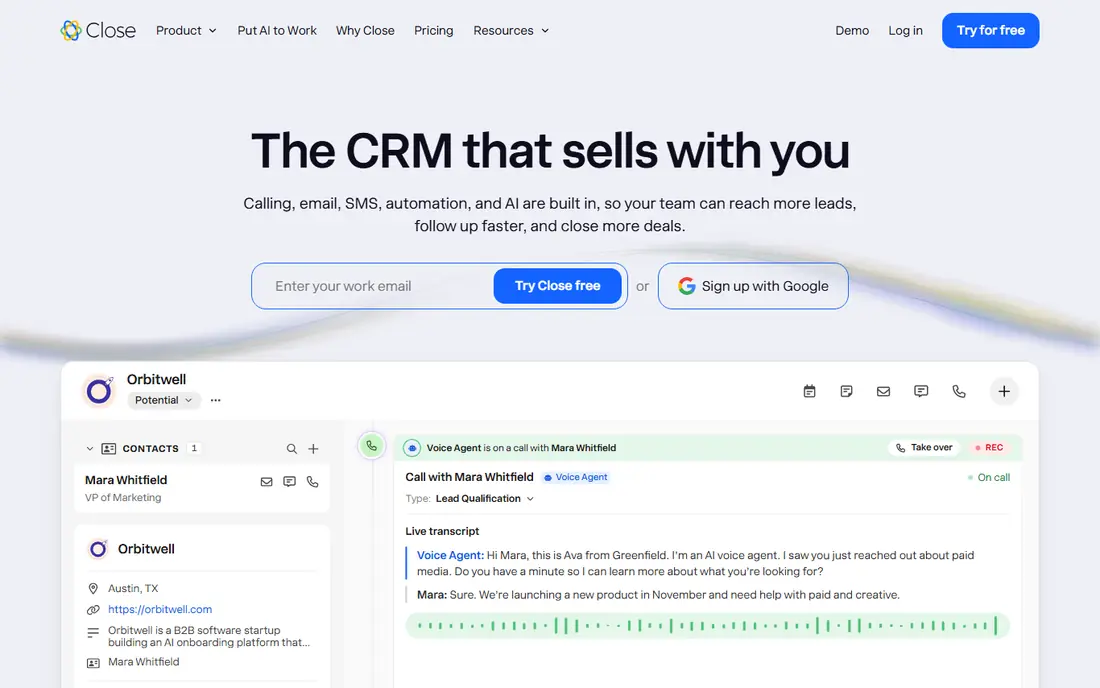
Close serves inside sales teams that live on the phone. Reps can power through call lists with the predictive dialer, log outcomes in one click, and keep every touch in the sequence without switching tools.
At $35 a user for Essentials, it costs more than Pipedrive's entry level but replaces a separate dialer subscription. Entry price for Close: $35 per user per month. As for free access: Free trial (14 days).
Drawbacks to consider: Smaller integration ecosystem.
- Multichannel sequences (call, email, SMS) in one workflow
- Made for high-volume outbound
- Less suited to inbound or account-management motions
Zoho CRM
Ideal for: Customization and value on a budget
Zoho CRM makes the most sense for customization and value on a budget. Zoho CRM hands small firms enterprise-style customization at a small-business price.
Honest limits: The ramp-up time is steeper than Pipedrive.
It rewards the effort put into configuration. Entry price for Zoho CRM: $14 per user per month. You can start on Zoho CRM without paying.
- Deep customization at a low price
- Part of the 40-plus-app Zoho suite
- Support quality varies
HubSpot CRM
Ideal for: Teams that want to start free and grow
HubSpot CRM is aimed squarely at teams that want to start free and grow. Starter at $15 a user is reasonable, but Professional jumps to around $90 to $100 a user with a mandatory onboarding fee, a cliff that surprises expanding teams.
From a buyer's view, start free, upgrade when a specific missing feature, normally automation or custom reporting, is costing you deals. The business model presents in the upgrade path. Entry price for HubSpot CRM: $0. Free access exists with HubSpot CRM.
Downsides: Reporting limits on lower levels push upgrades. What works well: Best free level in the CRM market.
- Genuinely usable
- 1,500-plus integrations
- Professional layers on a mandatory onboarding fee
Pipedrive
Ideal for: Deal-focused teams that live in the pipeline
Pipedrive is built with deal-focused teams that live in the pipeline in mind. The pricing reality bundles the extras.
Pipedrive remains very good value for pure sales tracking; teams that also need marketing automation should compare HubSpot's bundled pricing. For everyday use, essential at $14 covers the pipeline basics, but most teams land on Advanced ($29) or Professional ($49) for email sync, automation, and forecasting, and extras like LeadBooster push the real per-seat cost well above the sticker. Entry price for Pipedrive: $14 per user per month. Trial and free access: Free trial (14 days).
Where it is weaker: No free level.
- AI Sales Assistant on higher levels
- Activity-based selling keeps reps focused
- Marketing automation is thin
Copper
Ideal for: Teams that live in Google Workspace
Copper targets teams that live in Google Workspace. Copper's whole pitch is the Google Workspace integration: it lives inside Gmail, so emails, calendar events, and contacts flow into the CRM without the copy-paste tax. The interface is clean and the ramp-up time is short.
Honest limits: The Google dependence is also the lock-in.
What works well: No double data entry between Gmail and CRM.
The limitation is the flip side of the strength. At $23 a user, it costs more than Pipedrive Essential for less breadth. It is the right pick for the Google-native team that wants CRM without changing how they work. Outside the Google workflow, it is less capable than the generalists, and the deep integration becomes lock-in if the company ever leaves Workspace. What you pay to start with Copper: $23 per user per month. On free options: Free trial.
- Straightforward interface
- Native-feeling Google Workspace integration
- Smaller ecosystem
Salesforce
Ideal for: Large and complicated sales operations
Salesforce makes the most sense for large and complicated sales operations. Large sales organizations with complicated processes, several teams, and dedicated administrators get capabilities nothing else supplies.
In practice, below that, the more straightforward tools win on adoption, which is what actually drives revenue. Worth adding: the Starter Suite at $25 a user hands small teams an on-ramp, though few stay on it long. Salesforce starts at: $25 per user per month. Free access: Free trial.
Where it is weaker: The interface overwhelms casual users.
- The standard for enterprise sales
- Unmatched depth and customization at scale
- Implementation needs expertise
Keap
Ideal for: Small service companies that require automation
Keap is designed for small service companies that require automation. Keap, formerly Infusionsoft, is the all-in-one for small service businesses: CRM, email marketing automation, invoicing, and payments in a single system. Companies that live on follow-up sequences, appointment reminders, and repeat business get the automation of a much bigger marketing stack without stitching tools together.
Where it falls short: Overkill for straightforward pipeline tracking; The interface carries legacy complexity.
It is not the tool for straightforward deal tracking; Pipedrive does that better for less. Keap earns its price when the business needs CRM plus serious automation and would otherwise pay for three separate tools. Price to start with Keap: $299 per month. As for free access: Free trial.
Upsides: CRM plus marketing automation and payments in one.
- Designed for small service firms
- Solid email and campaign automation
- The most costly entry price here by far
Freshsales
Ideal for: Expanding teams that want AI features cheaply
In short, Freshsales is for expanding teams that want AI features cheaply. For firms already using Freshworks products, the integration is a bonus. But at $9 a user, it does not have to be the best at anything.
Trade-offs to know: Advanced customization is restricted.
It is the rational choice for budget-conscious teams that want a complete CRM without a big bill. As for the details, the free level handles three users, which is enough for a founding sales team to begin. Price to start with Freshsales: $9 per user per month. You can start on Freshsales without paying.
- Built-in phone and AI lead scoring
- Cheapest premium level of the serious CRMs
- The Freshworks ecosystem matters less outside it
How we chose
The comparison looks at four things: starting price, free access, how well the feature set matches sales tracking software, and the main limit of each tool. Where a price is missing, the vendor does not list one publicly or ties it to a quote. Always confirm before budgeting. Tools are placed by general fit for sales tracking software, with price clarity and free access as tie-breakers. A different team can reasonably rank them differently.
Before you commit
- Prices are a starting point; Pipedrive shows $14 per user per month to start, so verify what your seat count would cost.
- Read the fine print on the free plans from Zoho CRM, HubSpot CRM and Freshsales; seat, project and feature caps differ.
- Use real work to test the free trial from Close, Pipedrive, Copper and others, rather than a demo project.
- Before choosing Close, weigh its main limit: less suited to inbound or account-management motions.
- Price Copper for your actual team size; headline prices rarely include add-ons or overage.
- See whether HubSpot CRM offers onboarding or training, and whether it is included in the price.
Frequently asked questions
How much does sales tracking software cost?
Small teams pay $0 to $15 a user per month on free levels, HubSpot Starter, Pipedrive Essential, or Freshsales Growth. From a buyer's view, mid-sized teams usually land at $29 to $59 a user on Pipedrive Advanced/Professional or HubSpot's higher levels.
Do I need a CRM or just a spreadsheet?
The cost of one lost deal typically exceeds a year of CRM subscription. If the business relies on follow-up, which most do, a CRM pays for itself the first time it saves a stalled opportunity.
Is Close the right pick for everyone comparing sales tracking software?
No single tool suits every team. Close comes first because it fits inside sales teams that live on the phone, while Zoho CRM suits customization and value on a budget and HubSpot CRM suits teams that want to start free and grow. Match the tool to your own size, budget and workflow before deciding.
Do these tools publish their prices?
Yes. Every tool from Close to Freshsales shows a starting price, though seats, add-ons and billing terms still change the final cost.
Can I try these options before paying?
Often, yes. Zoho CRM, HubSpot CRM and Freshsales have a free plan and Close, Pipedrive, Copper and others offer a free trial. Use your own data and a real task during the test, and check what the free tier or trial limits before you rely on it.
What is the cheapest option for sales tracking software in this list?
On published monthly entry prices, Pipedrive is the lowest here at $14 per user per month. Entry price is only part of the cost, because seats, add-ons and billing terms can change the total.