Best Search Engine Submission Software in 2026: 7 Tools Compared

- 1
 Google Search ConsoleSubmitting to GoogleVisit
- 2
 Ahrefs FreeAudits and backlinksVisit
- 3
 Rank MathWordPress SEO and sitemapsVisit
- 4
 All in One SEOWordPress SEO for beginnersVisit
- 5
 Yoast SEOWordPress SEO guidanceVisit
- Google Search Console is the essential free tool for submitting sitemaps and URLs to Google and checking index coverage.
- Ahrefs Free adds site audits and backlink data that Search Console does not show.
- WordPress plugins such as Rank Math, Yoast, and SEOPress handle sitemaps, indexing settings, and search engine notifications inside your site.
- IndexNow lets participating search engines learn about new and changed pages faster than waiting for a crawl.
Quick comparison
| Product | Ideal for | Price from | Free version | |
|---|---|---|---|---|
| Google Search Console | Submitting to Google | Free | Yes | Visit |
| Ahrefs Free | Audits and backlinks | Free | Yes | Visit |
| Rank Math | WordPress SEO and sitemaps | Free | Yes | Visit |
| All in One SEO | WordPress SEO for beginners | Free | Yes | Visit |
| Yoast SEO | WordPress SEO guidance | Free | Yes | Visit |
 SEOPress | Low-cost WordPress SEO | Free | Yes | Visit |
 IndexNow | Fast indexing signals | Free | Yes | Visit |
The best search engine submission software
We compared official feature pages, pricing pages, and app-store listings for tools that help sites get found and indexed in October 2026. Note that modern search engines no longer rely on old-style bulk submission forms. The tools below work through sitemaps, URL inspection, and indexing protocols, which is how submission works today.
Google Search Console
Ideal for: Submitting to Google
Google Search Console is the starting point for any site that wants Google traffic. Owners verify a site, submit a sitemap, and ask Google to crawl individual URLs when pages change. Reports show which pages are indexed, which have problems, and which search queries bring clicks and impressions.
The limit is scope. Search Console covers Google only, and it shows only a sample of data for large sites. Every site owner should still set it up first, since it is free, official, and the direct channel to Google's index.
- Free
- Submit sitemaps and individual URLs
- See index coverage and search queries
- Google only
- Data is limited to your verified sites
Ahrefs Free
Ideal for: Audits and backlinks

Ahrefs Free, formerly Ahrefs Webmaster Tools, gives verified site owners free access to site audit, site explorer, and web analytics tools. The audit checks for more than 170 technical and on-page issues, while the explorer shows which pages earn traffic and which sites link to you. That fills gaps Search Console leaves, especially on backlinks.
Free limits apply, including crawl credits per project and a cap on visible backlinks and keywords at once. For a site owner who wants a deeper technical check without paying, Ahrefs Free is the best companion to Search Console.
- Free site audits for verified sites
- Backlink and keyword data
- Web analytics included
- Data limits on the free tier
- Full competitor research needs a paid plan
Rank Math
Ideal for: WordPress SEO and sitemaps
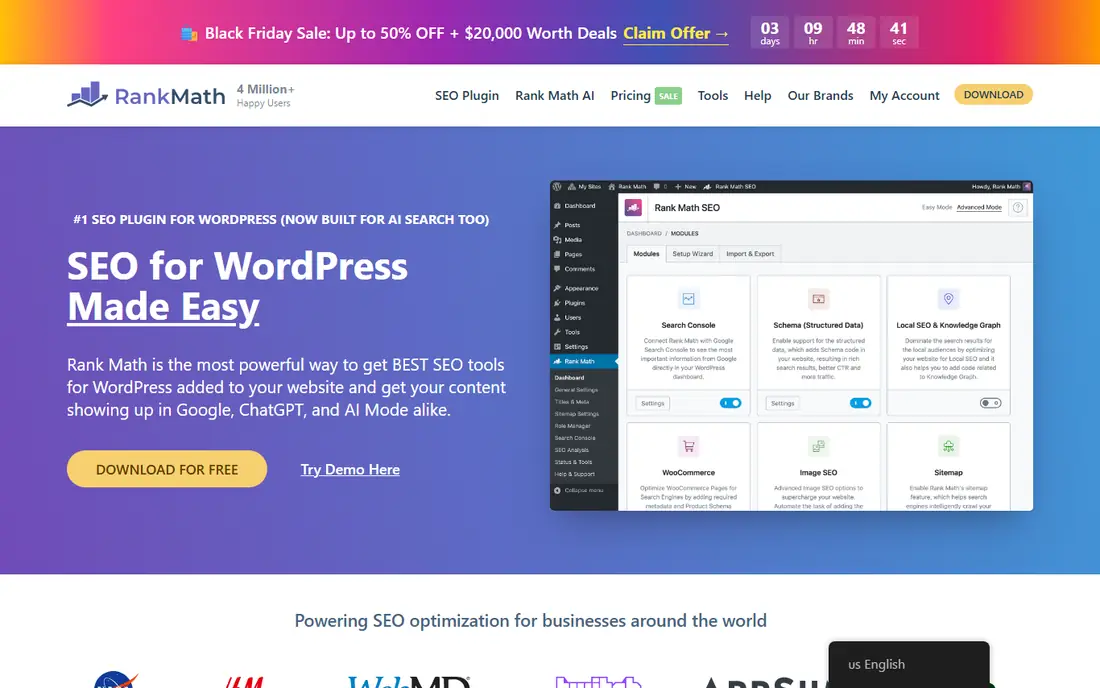
Rank Math is a WordPress SEO plugin with a strong free version. It generates XML sitemaps, controls which pages search engines can index, adds schema markup, and connects to Google Search Console so performance data appears inside WordPress. A setup wizard configures the basics in minutes.
The plugin is WordPress only, and its module list can feel crowded for a beginner. For a WordPress site owner who wants sitemaps, indexing control, and on-page guidance in one free plugin, Rank Math is a strong pick.
- Free core plugin
- Automatic sitemaps
- Search Console integration
- Schema support
- WordPress only
- Many modules can feel busy
All in One SEO
Ideal for: WordPress SEO for beginners
All in One SEO, known as AIOSEO, is a WordPress plugin used by millions of sites. Its free version covers titles, descriptions, sitemaps, and schema basics, while paid plans add rank tracking, local SEO, redirection tools, and link suggestions. Search statistics from Search Console appear inside the dashboard, so owners can check performance without leaving WordPress.
The free version is a solid foundation, but deeper tools such as the redirection manager and advanced schema sit behind paid plans. For a beginner who wants a guided setup and clear defaults, AIOSEO is one of the easiest plugins to start with.
- Beginner-friendly setup
- Smart sitemaps
- Search Console data inside WordPress
- Local SEO tools
- WordPress only
- Advanced features need a paid plan
Yoast SEO
Ideal for: WordPress SEO guidance
Yoast SEO is one of the oldest WordPress SEO plugins, with a free version covering titles, descriptions, sitemaps, and schema, plus readability and SEO analysis as you write. Premium adds internal linking suggestions, redirect automation, and AI optimization help, priced at $118.80 per year on its site. A Shopify version exists for store owners.
Yoast's strength is guidance: it explains what to fix in plain terms as you edit a post. The premium price is higher than some rivals, so free users should weigh whether the paid extras matter for their site. For a WordPress writer who wants coaching inside the editor, Yoast remains a reliable choice.
- Long track record
- Real-time content analysis
- Sitemaps and schema
- Shopify version available
- WordPress focus
- Premium plan costs $118.80 per year
SEOPress
Ideal for: Low-cost WordPress SEO
SEOPress is a WordPress SEO plugin with a free version that covers titles, descriptions, XML and HTML sitemaps, social tags, and content analysis, with no ads and no data collection in the free tier. The Pro version adds AI metadata generation, site audit, WooCommerce and local SEO, and Search Console data in the dashboard.
The community is smaller than Yoast's or Rank Math's, so finding tutorials takes a bit more searching. For a site owner who wants a clean, low-cost plugin without upsell noise, SEOPress is a good fit, and its white-label option suits agencies.
- Free version with no ads
- Sitemaps and social tags
- Search Console integration on Pro
- White label
- WordPress only
- Smaller community than Yoast or Rank Math
IndexNow
Ideal for: Fast indexing signals
IndexNow is a protocol that lets websites instantly notify participating search engines when content is added, updated, or deleted. Instead of waiting for a crawler to revisit a page, the site sends a signal and the engine can fetch the change sooner. Major SEO plugins, including Rank Math and Yoast, can send IndexNow signals automatically.
The limit is participation. Google does not use IndexNow in the same way as other engines, so it does not replace Search Console. For sites that change often, such as news or e-commerce, IndexNow still speeds up discovery on the engines that support it.
- Instantly notifies participating engines of changes
- Simple protocol
- Supported by major plugins
- Not all search engines participate
- Does not guarantee ranking
How we picked these
We compared official feature pages, pricing pages, and app-store listings for submission and indexing tools available in October 2026. We favored tools that work with current search engine methods, meaning sitemaps, URL inspection, and indexing protocols, rather than outdated bulk submission services. We also checked how each tool handles sitemaps, coverage reporting, and indexing signals, since those are the practical ways submission works in 2026. We did not include our own product in this list.
How to get your site indexed well
Start with the basics: verify your site in Google Search Console, submit your sitemap, and fix any coverage errors it reports. Then install one SEO plugin if you run WordPress, and let it generate sitemaps and control indexing settings. Running two SEO plugins at once causes conflicts, so pick one and stick with it.
Next, focus on content and links. Search engines index pages they can crawl and find through links, so a clear internal link structure and a few quality external links help more than repeated submissions. Use URL inspection for important new pages, and use IndexNow through your plugin for fast signals to participating engines. Check index coverage monthly, and fix crawl errors before chasing new tools.
Getting indexed well depends less on the tool and more on site basics, so check those first. A sitemap that lists broken, redirected, or duplicate pages will waste crawl budget, and a slow or error-prone page will rank poorly even if it is indexed fast. Before adding tools, confirm that your site loads quickly, that important pages return a 200 status, and that your robots file does not block key sections by mistake. Then use Search Console to watch coverage over time rather than checking once: new errors appear after redesigns, migrations, and plugin updates. For WordPress sites, keep one SEO plugin active and disable sitemap features in any second plugin, since duplicate sitemaps confuse reporting. Finally, remember that submission speeds discovery but does not guarantee ranking. Content quality, internal links, and backlinks decide where a page ranks once it is indexed, so treat submission tools as plumbing, not promotion.
Frequently asked questions
What is search engine submission software?
Search engine submission software helps site owners tell search engines about their pages, usually through sitemaps, URL inspection tools, or indexing protocols such as IndexNow. Modern search engines also find pages by crawling links, so submission works best alongside good site structure.
Do I still need to submit my site to search engines?
In most cases, a sitemap plus Search Console verification is enough for Google, and good internal links help engines find pages on their own. Submission tools still help for new sites, new pages, and sites that change often, since they speed up discovery.
Is Google Search Console free?
Yes. Google Search Console is free for verified site owners, with no limit on the number of verified sites. It covers sitemaps, URL inspection, index coverage, and search performance data for Google.
Which WordPress SEO plugin is best for submission?
Rank Math, Yoast, and SEOPress all generate sitemaps and manage indexing settings well. Rank Math offers the most in its free version, Yoast offers the clearest writing guidance, and SEOPress offers a clean low-cost option. Pick one, since running two together causes conflicts.
Does IndexNow work with Google?
IndexNow is supported by participating engines such as Bing and Yandex, while Google relies on Search Console and sitemaps for discovery. Use both: Search Console for Google, and IndexNow through your plugin for engines that support it.
How long does it take for a new page to get indexed?
It varies from hours to weeks. A new page on an established site with a submitted sitemap and internal links often appears within days, while a page on a brand-new site can take weeks, since search engines crawl new sites less often. Requesting indexing in Search Console and linking from a popular existing page can speed things up. If a page is still unindexed after several weeks, check Search Console for coverage errors, noindex tags, or crawl blocks, since a technical problem is the most common cause.