Best secret management tools in 2026: 8 Compared

- 1
 HashiCorp VaultEnterprise vaultingVisit
- 2
 AWS Secrets ManagerAWS workloadsVisit
- 3
 Azure Key VaultAzure workloadsVisit
- 4
 Google Secret ManagerGoogle Cloud workloadsVisit
- 5
 DopplerDeveloper-friendly secretsVisit
- HashiCorp Vault remains the default shortlist choice for teams that need a central vault with dynamic secrets and broad integrations.
- Cloud teams often start with their own cloud vault, since AWS, Azure and Google each offer a managed secrets service close to their other services.
- Doppler and Akeyless suit teams that want a simpler developer experience without running vault infrastructure themselves.
- Rotation, audit logs and least-privilege access matter more than the vault alone, so check those controls on every option.
Quick comparison
| Product | Ideal for | Price from | Free version | |
|---|---|---|---|---|
| HashiCorp Vault | Enterprise vaulting | See website | No | Visit |
| AWS Secrets Manager | AWS workloads | See website | No | Visit |
| Azure Key Vault | Azure workloads | See website | No | Visit |
| Google Secret Manager | Google Cloud workloads | See website | No | Visit |
| Doppler | Developer-friendly secrets | See website | Yes | Visit |
 1Password Secrets Automation | Teams already using 1Password | See website | No | Visit |
 CyberArk Conjur | Enterprise privileged access | See website | No | Visit |
 Akeyless | SaaS vault with broad integrations | See website | Yes | Visit |
The best secret management tools
We compared official feature pages, pricing pages, app store listings, privacy policies and public reviews to build this list, focusing on products that fit the topic closely and are still available in October 2026.
HashiCorp Vault
Ideal for: Enterprise vaulting

For buyers who want a clear fit, HashiCorp Vault is aimed at multi-cloud and enterprise DevSecOps teams. Vault is the reference product for central secrets management, with dynamic secrets that expire. It integrates with cloud platforms, Kubernetes and CI tools, and supports detailed policies for who can read each secret. In practice, that means the product earns its place by doing one job well for that audience, rather than trying to cover every possible use case at once. We compared its official feature page, pricing and public reviews against the other options here, and its best-for label reflects where it looked strongest, not where its marketing claims are loudest.
The trade-off is worth naming plainly. Self-hosting and tuning Vault takes real expertise, and enterprise pricing is quoted, so smaller teams should weigh the operating cost. On price, the starting point listed above is not published clearly, so check the vendor site, and the free plan entry is No. If that combination fits your budget and your main use case, HashiCorp Vault is a sensible shortlist choice. If the catch above is a deal breaker, move to another entry in this list whose strength matches your priority instead.
- Dynamic secrets
- Broad integrations
- Strong access controls
- Running it well needs expertise
- Pricing is custom for enterprise
AWS Secrets Manager
Ideal for: AWS workloads

If that use case sounds familiar, AWS Secrets Manager is aimed at teams already running on AWS. AWS Secrets Manager is the natural choice inside AWS, since it sits close to the services that use the secrets. Automatic rotation for supported databases reduces the risk of long-lived credentials. In practice, that means the product earns its place by doing one job well for that audience, rather than trying to cover every possible use case at once. We compared its official feature page, pricing and public reviews against the other options here, and its best-for label reflects where it looked strongest, not where its marketing claims are loudest.
On the other side of that strength, It is less convenient for multi-cloud estates, and API call charges can grow with heavy use. On price, the starting point listed above is not published clearly, so check the vendor site, and the free plan entry is No. If that combination fits your budget and your main use case, AWS Secrets Manager is a sensible shortlist choice. If the catch above is a deal breaker, move to another entry in this list whose strength matches your priority instead.
- Managed service inside AWS
- Automatic rotation for supported databases
- IAM controls
- Best inside AWS
- Costs scale with secrets and API calls
Azure Key Vault
Ideal for: Azure workloads
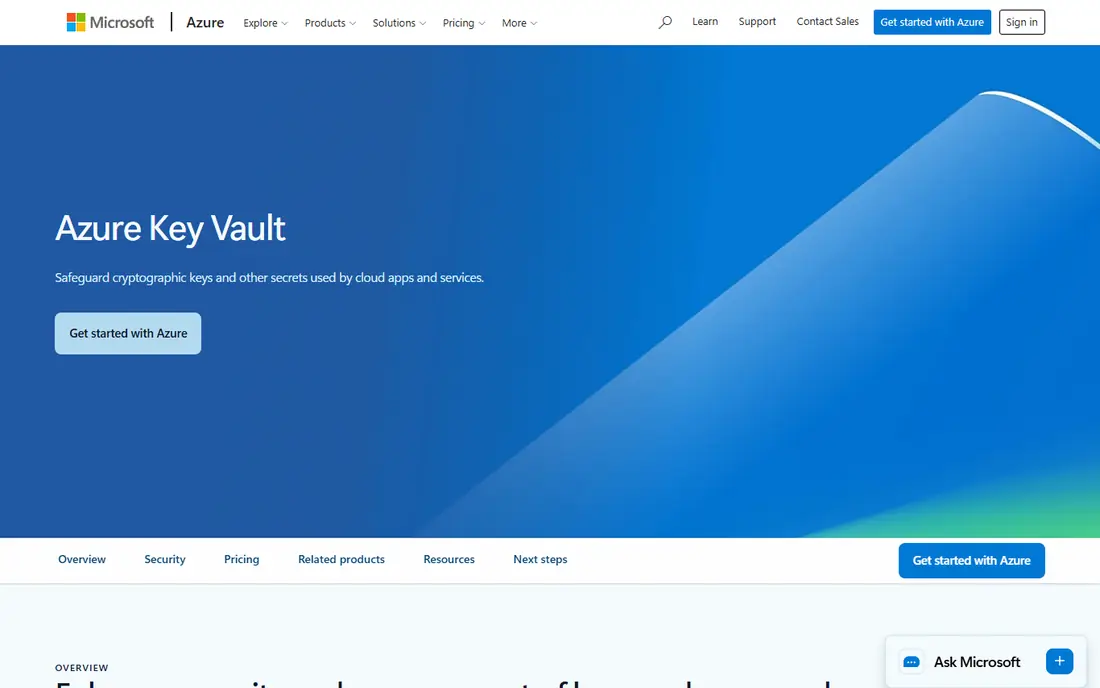
Among the options here, Azure Key Vault is aimed at teams already running on Azure. Azure Key Vault stores keys, secrets and certificates with Azure identity controls. It fits Azure applications and pipelines well, and audit logs help compliance reviews. In practice, that means the product earns its place by doing one job well for that audience, rather than trying to cover every possible use case at once. We compared its official feature page, pricing and public reviews against the other options here, and its best-for label reflects where it looked strongest, not where its marketing claims are loudest.
Before you commit, weigh this part. Teams outside Azure get less value, and the premium tier is needed for some hardware-backed key options. On price, the starting point listed above is not published clearly, so check the vendor site, and the free plan entry is No. If that combination fits your budget and your main use case, Azure Key Vault is a sensible shortlist choice. If the catch above is a deal breaker, move to another entry in this list whose strength matches your priority instead.
- Managed vault for keys and certificates
- Azure identity integration
- Audit logging
- Best inside Azure
- Some features need premium tier
Google Secret Manager
Ideal for: Google Cloud workloads
For a team or household weighing this choice, Google Secret Manager is aimed at teams already running on Google Cloud. Google Secret Manager gives Google Cloud teams a managed vault with versioning and IAM controls. It is simple to adopt for services already on Google Cloud, with access granted through existing identities. In practice, that means the product earns its place by doing one job well for that audience, rather than trying to cover every possible use case at once. We compared its official feature page, pricing and public reviews against the other options here, and its best-for label reflects where it looked strongest, not where its marketing claims are loudest.
The honest catch comes next. Its ecosystem is narrower than Vault, so multi-cloud teams may need a second tool. On price, the starting point listed above is not published clearly, so check the vendor site, and the free plan entry is No. If that combination fits your budget and your main use case, Google Secret Manager is a sensible shortlist choice. If the catch above is a deal breaker, move to another entry in this list whose strength matches your priority instead.
- Managed Google Cloud service
- IAM access control
- Versioning
- Best inside Google Cloud
- Narrower ecosystem than Vault
Doppler
Ideal for: Developer-friendly secrets
When the main need is the one above, Doppler is aimed at startups and product teams. Doppler is built for developers who want secrets synced to apps, CI and infrastructure without running a vault. Its dashboard and integrations make onboarding fast, and audit logs show access history. In practice, that means the product earns its place by doing one job well for that audience, rather than trying to cover every possible use case at once. We compared its official feature page, pricing and public reviews against the other options here, and its best-for label reflects where it looked strongest, not where its marketing claims are loudest.
Pricing and limits deserve a second look. Larger enterprises may need features that sit on higher tiers, and its integration list is smaller than Vault. On price, the starting point listed above is not published clearly, so check the vendor site, and the free plan entry is Yes. If that combination fits your budget and your main use case, Doppler is a sensible shortlist choice. If the catch above is a deal breaker, move to another entry in this list whose strength matches your priority instead.
- Simple developer workflow
- Syncs to many platforms
- Audit logs
- Enterprise features need higher tiers
- Smaller ecosystem than Vault
1Password Secrets Automation
Ideal for: Teams already using 1Password
For readers who put this factor first, 1Password Secrets Automation is aimed at teams that already trust 1Password. 1Password Secrets Automation extends a familiar password manager into developer secrets. Teams already using 1Password can adopt it with little training, using vaults, a CLI and integrations. In practice, that means the product earns its place by doing one job well for that audience, rather than trying to cover every possible use case at once. We compared its official feature page, pricing and public reviews against the other options here, and its best-for label reflects where it looked strongest, not where its marketing claims are loudest.
A smaller drawback can still matter. It is not a full replacement for Vault in large dynamic-secret estates, so enterprise teams should test its limits first. On price, the starting point listed above is not published clearly, so check the vendor site, and the free plan entry is No. If that combination fits your budget and your main use case, 1Password Secrets Automation is a sensible shortlist choice. If the catch above is a deal breaker, move to another entry in this list whose strength matches your priority instead.
- Familiar 1Password experience
- Vaults for teams
- CLI and integrations
- Geared to team secrets rather than large dynamic-secret estates
CyberArk Conjur
Ideal for: Enterprise privileged access
In a crowded field, CyberArk Conjur is aimed at large enterprises with strict access rules. CyberArk Conjur offers policy-based secrets access for machines and applications. Its open source core lets teams inspect the approach, while CyberArk enterprise support adds controls for large estates. In practice, that means the product earns its place by doing one job well for that audience, rather than trying to cover every possible use case at once. We compared its official feature page, pricing and public reviews against the other options here, and its best-for label reflects where it looked strongest, not where its marketing claims are loudest.
What to check before paying is simple. Setup takes effort, and the full enterprise package is a commercial product, so budget and skills matter. On price, the starting point listed above is not published clearly, so check the vendor site, and the free plan entry is No. If that combination fits your budget and your main use case, CyberArk Conjur is a sensible shortlist choice. If the catch above is a deal breaker, move to another entry in this list whose strength matches your priority instead.
- Strong enterprise controls
- Open source core
- Policy-based access
- Setup complexity
- Enterprise support is paid
Akeyless
Ideal for: SaaS vault with broad integrations
For a first purchase in this category, Akeyless is aimed at teams that want a managed vault. Akeyless offers a SaaS vault with gateways, integrations and access controls without self-hosting. It covers secrets, certificates and keys, and its gateway model suits hybrid estates. In practice, that means the product earns its place by doing one job well for that audience, rather than trying to cover every possible use case at once. We compared its official feature page, pricing and public reviews against the other options here, and its best-for label reflects where it looked strongest, not where its marketing claims are loudest.
The limit to keep in mind is this. It is newer than Vault, so buyers who need long enterprise reference lists should ask for case studies in their sector. On price, the starting point listed above is not published clearly, so check the vendor site, and the free plan entry is Yes. If that combination fits your budget and your main use case, Akeyless is a sensible shortlist choice. If the catch above is a deal breaker, move to another entry in this list whose strength matches your priority instead.
- SaaS vault without self-hosting
- Broad integrations
- Gateway options
- Newer than Vault, so enterprise references are fewer
How we picked these
We compared official feature pages, pricing pages, app store listings, privacy policies and public reviews for each product, and we kept only products that are still available in October 2026 and that fit the topic closely. Where a vendor did not publish a clear starting price on its own site, we wrote See website rather than guessing. Prices can change, so check the vendor page linked in each product block before you buy.
Picking a secrets tool your developers will actually use
Start by listing where secrets live today, including code, CI pipelines, servers and SaaS tools. A vault that only covers one of those places will leave gaps. Next, check rotation and revocation: can a leaked key be replaced quickly, and does the audit log show who accessed what? Then test the developer workflow, since a tool that slows deploys will be worked around. Finally, confirm compliance needs such as access reviews, encryption controls and residency, since enterprise buyers often need those answers before a purchase is approved.
Frequently asked questions
What is a secret management tool?
It is a system that stores passwords, API keys, tokens and certificates in an encrypted vault, controls who can read them, and logs access. It replaces secrets stored in code, spreadsheets or chat messages.
Is HashiCorp Vault better than a cloud secrets manager?
Vault offers more flexibility across clouds and on-premises systems, while a cloud vault is simpler inside one cloud. Multi-cloud teams often prefer Vault, and single-cloud teams often prefer the native service.
Do these tools rotate secrets automatically?
Many support rotation for databases and some cloud services, but coverage varies by integration. Check rotation support for each specific database or service you use before you buy.
Can small teams use enterprise secrets tools?
Yes, several options offer free or low-cost tiers, including Doppler and the cloud vaults. The key is to start with one vault and one rotation rule, then expand coverage gradually.
How do secrets tools handle CI and deployment pipelines?
They inject secrets at run time from the vault, so pipelines do not store long-lived keys in files. Look for native integrations with your CI tool and short-lived tokens.