8 Best Security Systems for Restaurants

- 1
 SimpliSafeLow cost DIY monitoringVisit
- 2
 Ring AlarmCheap monitored alarm with camerasVisit
- 3
 ADTProfessional install and monitoringVisit
- 4
 VivintSmart cameras with professional monitoringVisit
- 5
 VerkadaCloud cameras for multi-site groupsVisit
- SimpliSafe is the cheapest monitored option at $22.99 a month for Standard professional monitoring, with a free self-monitoring tier underneath.
- Ring Alarm Pro at $19.99 a month is the lowest-cost monitored plan here, with video history for every camera at one address.
- ADT, Vivint, Verkada, Rhombus, and Brivo do not publish a flat price, so expect a quote and a site survey before you get a number.
- Frontpoint at $44.99 a month is the priciest DIY option here, so it only makes sense if you want its interactive monitoring features.
- A restaurant needs cameras in the dining room, the kitchen, and the stockroom, plus access control for the office and the safe, so count the doors before you count the cost.
Quick comparison
| Product | Ideal for | Price from | Free version | |
|---|---|---|---|---|
| SimpliSafe | Low cost DIY monitoring | $9.99 per month | Yes | Visit |
| Ring Alarm | Cheap monitored alarm with cameras | $19.99 per month | Yes | Visit |
| ADT | Professional install and monitoring | quote only | No | Visit |
| Vivint | Smart cameras with professional monitoring | quote only | No | Visit |
| Verkada | Cloud cameras for multi-site groups | quote only | No | Visit |
 Rhombus | Cloud cameras with open API | quote only | No | Visit |
 Frontpoint | Interactive DIY monitoring | $44.99 per month | No | Visit |
 Brivo | Access control for staff doors | quote only | No | Visit |
The best security systems for restaurants
SimpliSafe
Ideal for: Low cost DIY monitoring
SimpliSafe is a DIY system that suits a small restaurant that wants professional monitoring without a contract or a professional install. The plans run from free self-monitoring, to self-monitoring with camera recordings at $9.99 a month, to Standard professional monitoring at $22.99 a month with cellular backup and police, fire, and medical dispatch. Core at $32.99 adds video verification and camera recordings, while Pro at $49.99 and Pro Plus at $79.99 add Active Guard outdoor protection.
Setup takes about 15 minutes per sensor area, and the hardware covers door and window sensors, motion sensors, glass break sensors, panic buttons, indoor and outdoor cameras, and a video doorbell. The 60-day money-back guarantee gives time to test coverage across the dining room and the kitchen. The limits to note are that Standard monitoring does not include saved camera recordings, so a restaurant that wants video history needs Core or above, and the system is built for small sites rather than a large multi-unit group.
- No contract and free self-monitoring tier
- Standard monitoring starts at $22.99 a month
- Standard plan excludes camera recordings
- Active Guard outdoor protection needs Pro at $49.99
Ring Alarm
Ideal for: Cheap monitored alarm with cameras
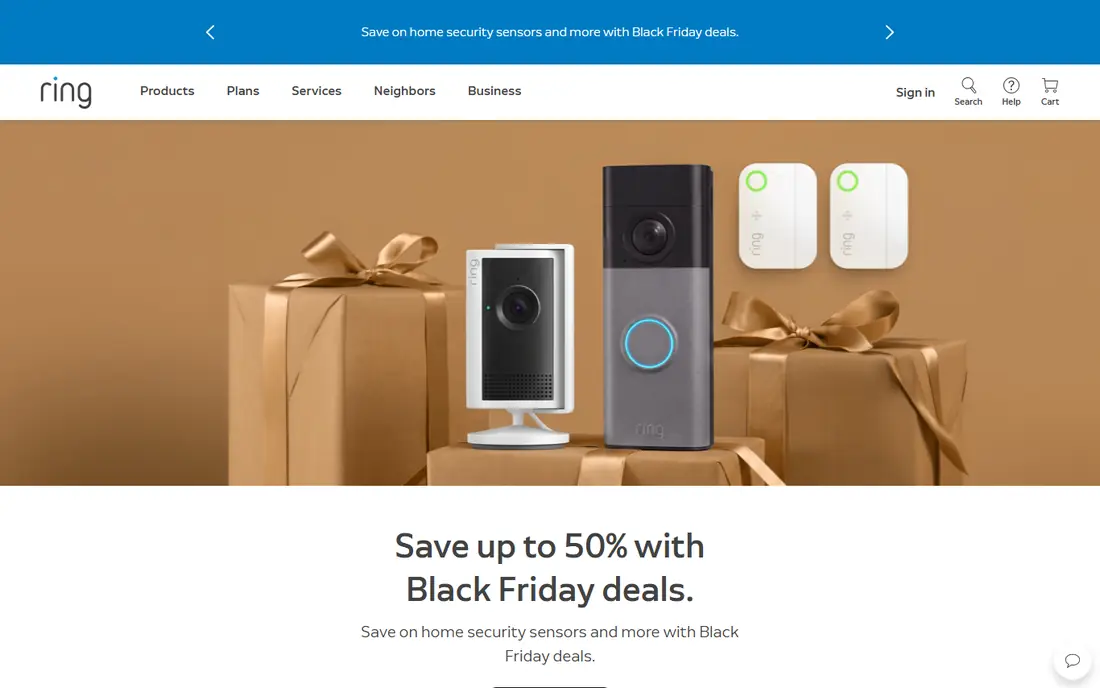
Ring Alarm is the alarm system from Ring, and it pairs with Ring doorbells and cameras to cover the front door, the dining room, the kitchen exit, and the stockroom. The Ring Pro plan costs $19.99 a month and includes 24/7 professional monitoring, video history for unlimited cameras at one address, cellular backup, and an extended warranty. The cheaper Solo plan at $4.99 and Multi plan at $9.99 cover video only, with monitoring available as a $10 a month add-on to Standard or Premium plans.
Self-monitoring is free through the Ring app, so a restaurant can start with alerts only and add professional monitoring later. The hardware is easy to install, the 8-piece kit starts at about $249, and the app lets the owner arm, disarm, and check cameras from anywhere. The drawback is the add-on structure: monitoring is not a standalone plan, and the Virtual Security Guard live video service costs $99 a month on top, so a restaurant that wants live agents watching cameras should budget for that separately.
- Pro plan at $19.99 covers monitoring and video for all devices
- No long-term contract
- Professional monitoring is an add-on, not a standalone plan
- Virtual Security Guard costs $99 a month extra
ADT
Ideal for: Professional install and monitoring
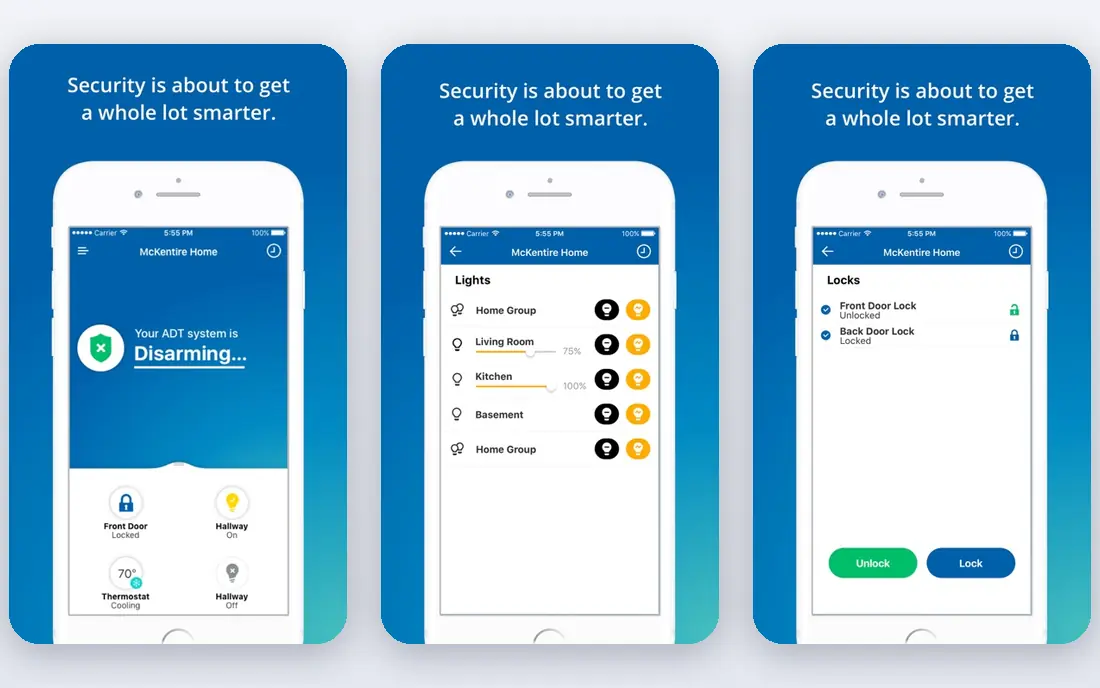
ADT is the largest professional security company in the US, and it suits a restaurant owner who wants a professionally installed system with 24/7 monitoring and a service network behind it. ADT offers self-setup plans starting around $24.99 a month and professionally installed plans from about $49.99 a month, with cameras, door and window sensors, motion sensors, smart locks, and video doorbells. Monitoring centers handle alarm response, and professional installers place sensors and cameras for full coverage.
The advantage is the service: an installer walks the site, places equipment where it covers the dining room, kitchen, office, and delivery door, and the monitoring center responds around the clock. The drawback is price transparency and contracts. ADT does not publish one flat price, so the final number depends on the equipment list and the plan, and the agreement may run for a set term with early cancellation fees. Get the equipment list, the monthly rate, and the contract length in writing before you sign.
- Professional installation and 24/7 monitoring
- Large dealer and service network across the US
- No published flat price
- Contracts and cancellation terms need close reading
Vivint
Ideal for: Smart cameras with professional monitoring
Vivint is a professionally installed smart security system with strong cameras, door and window sensors, motion sensors, smart locks, and a video doorbell, all managed from one app. Its cameras use smart detection to tell people, packages, and vehicles apart, which helps a restaurant owner check the delivery door and the parking area without watching hours of footage. Monitoring runs 24/7, and the system can tie into smart locks for staff access and lighting controls.
The install is handled by a Vivint technician, which suits an owner who does not want to place sensors and cameras alone. The drawback is the price model: Vivint does not publish a flat monthly rate, and equipment is often financed over the contract term, so the monthly bill combines the monitoring fee and the equipment payment. Ask for the full monthly total, the equipment cost, and the contract term in one written quote, and compare that total against the DIY options before deciding.
- High quality cameras with smart detection
- Professional install and 24/7 monitoring
- Quote-only pricing
- Equipment is usually financed, which adds to the monthly bill
Verkada
Ideal for: Cloud cameras for multi-site groups
Verkada is a cloud-managed security platform built for businesses with one or many sites, and it suits a restaurant group that wants the same camera system across every location. Its cameras store video in the cloud, so there is no recorder to maintain on site, and the dashboard lets an owner watch live and recorded video, search by person or vehicle, and manage access control and environmental sensors from one login. Door controllers and intercoms tie into the same system.
The strength is scale and simplicity at the group level: add a camera, assign a license, and the site appears in the same dashboard, with no local server to patch. The drawback is cost structure and connectivity. Verkada does not publish prices, and each camera needs a license, so the bill grows with the camera count, and a site with weak internet will struggle since video goes to the cloud. Ask for a per-camera license price and a multi-site quote before you compare it with the DIY systems.
- Cloud-managed cameras with no recorder on site
- Scales across many locations from one dashboard
- Quote-only pricing with per-camera licenses
- Needs good internet at every site
Rhombus
Ideal for: Cloud cameras with open API
Rhombus is a cloud video security platform for businesses that want cameras, access control, and sensors managed from one web dashboard. Its cameras upload to the cloud, so there is no DVR or NVR on site, and the open API lets a restaurant group connect video to point of sale data, access logs, or custom dashboards. Features include people counting, vehicle search, and alerts when a camera goes offline or a door stays open.
The open API is the main reason to pick Rhombus over a closed system: a group can tie camera events to its own tools instead of living inside one vendor app. The drawback is that pricing is quote only, so the cost depends on camera count, license term, and add-ons, and the partner and installer network is smaller than ADT or Vivint. A single-site restaurant may find the DIY options cheaper, while a group that wants integrations should ask for a written quote per site.
- Cloud video with an open API for integrations
- No recorder hardware to maintain
- Quote-only pricing
- Smaller partner network than the big alarm brands
Frontpoint
Ideal for: Interactive DIY monitoring
Frontpoint is a DIY security system with professional monitoring, aimed at owners who want app control, automation, and crash-and-smash protection without a professional install visit. Monitoring plans run $44.99 to $49.99 a month, and the system covers door and window sensors, motion sensors, glass break sensors, cameras, video doorbells, and smart locks, all managed from the Frontpoint app with rules for arming, lighting, and locks.
The system is easy to set up, the equipment is wireless, and the interactive plan lets the owner control the system and get alerts from anywhere. The drawback is the price: $44.99 a month is about double SimpliSafe Standard at $22.99 and well above Ring Pro at $19.99, and equipment is bought upfront, so the first bill is high. A restaurant that values the automation rules and the app experience may accept the premium, but a cost-focused owner will get similar monitoring for less elsewhere.
- Interactive monitoring with app control and automation
- DIY install with no long install visit
- Highest monthly price among the DIY options here
- Equipment costs add up at checkout
Brivo
Ideal for: Access control for staff doors
Brivo is a cloud access control platform that suits a restaurant that needs to manage who can open the office, the stockroom, the safe room, and the back door. Staff use a mobile credential, a key fob, or a PIN, and the owner can grant or revoke access instantly, set schedules for delivery drivers and cleaners, and see a log of every entry. It works across many sites from one dashboard, which helps a group with several restaurants.
The strength is control over doors without rekeying locks every time a staff member leaves, and the entry log helps settle questions about after-hours access. The drawback is scope: Brivo is an access control system, not a full alarm or camera platform, so it pairs with cameras and an alarm rather than replacing them, and pricing is quote only. Budget for Brivo plus a camera system, and ask for the per-door and per-user pricing in writing.
- Cloud access control that scales across sites
- Mobile credentials and detailed entry logs
- Quote-only pricing
- Built for access control, not a full alarm system
How we chose
We compared vendor pricing pages, product documentation, and plan details for each system, and we checked the starting price and monitoring terms on the vendor site on 11 November 2026. We favored systems that cover alarms, cameras, and access control for restaurant spaces, publish a price or offer a clear quote path, and work without a long contract where possible. We did not test any system hands-on, and we did not use customer counts, ratings, or awards to rank the tools. Prices change often, so confirm the current figure on the vendor pricing page before you buy.
What to check before you buy
Count the doors, windows, and rooms before you count the cost, because the equipment list decides the bill more than the monthly plan. Check whether camera recordings are included in the monitoring plan or cost extra, whether the system works during an internet outage, and whether the contract has a term or an early cancellation fee. Ask who responds to alarms, how false alarms are handled, and whether the system covers the kitchen exit and the stockroom, which are the two spots most owners forget.
| Restaurant size | Best starting point | Why it fits | Monthly cost to model | | Single small cafe | SimpliSafe Standard | Cheap monitoring, no contract | $22.99 | | One restaurant with cameras | Ring Alarm Pro | Monitoring plus video for all cameras | $19.99 | | Restaurant that wants a pro install | ADT or Vivint | Installer places sensors and cameras | Get a quote | | Three or more sites | Verkada or Rhombus | One dashboard for every location | Get a quote | | Staff doors and stockroom | Brivo plus cameras | Access logs and mobile credentials | Get a quote | | DIY with automation | Frontpoint | App control and automation rules | $44.99 |
Frequently asked questions
What is the best security system for a small restaurant?
SimpliSafe Standard at $22.99 a month is the best fit for most small restaurants, with professional monitoring, cellular backup, and no contract. Ring Alarm Pro at $19.99 a month is cheaper when video history matters, since it covers unlimited cameras at one address. Both install without a technician, so a small owner can be running the same week.
Do I need professional monitoring for my restaurant?
Professional monitoring means a monitoring center responds when an alarm triggers, even when the owner is away or asleep. Self-monitoring is free on SimpliSafe and Ring, but it relies on the owner seeing the alert and calling for help. A restaurant with a stockroom, a safe, and late-night closing is a good case for monitoring, since the risk hours are when no one is on site.
How many cameras does a restaurant need?
Most small restaurants need four to six cameras: the front door, the dining room, the kitchen exit, the stockroom, the office or safe area, and the back or delivery door. Count the entry points first, then add the cash and stock areas. Cloud plans often cap the camera count, so check the limit on the plan you pick before you buy hardware.
Can a security system work during an internet outage?
Alarm monitoring can keep working if the system has cellular backup, which SimpliSafe Standard and Ring Pro both include. Cloud cameras need internet to upload video, so they stop recording to the cloud during an outage, though some cameras keep a local copy. Ask whether the system has cellular backup and local storage before you rely on it overnight.
What does access control add to a restaurant security system?
Access control manages who can open staff-only doors, such as the office, the stockroom, and the safe room, using mobile credentials, fobs, or PINs. The owner can revoke access when a staff member leaves without rekeying locks, and the entry log shows who entered and when. Brivo is built for this, while SimpliSafe, Ring, and ADT cover it through smart locks.
Should a restaurant group use one system across all sites?
A group should use one cloud platform, such as Verkada or Rhombus, so every site appears in the same dashboard and the owner can check any location from one login. A single-site restaurant can use a DIY system and save money, but a group that mixes brands ends up managing several apps, several bills, and several logins, which costs time every week.