Best Self Publishing Companies in 2026: 7 Companies Compared

- 1
 Amazon KDPEbooks and print on demandVisit
- 2
 IngramSparkBookstore and library distributionVisit
- 3
 Draft2DigitalEasy wide ebook distributionVisit
- 4
 SmashwordsWide ebook distribution and storeVisit
- 5
 BookBabyAssisted publishing servicesVisit
- Amazon KDP is the best starting point for ebooks and print on demand, with no upfront cost and the largest store.
- IngramSpark reaches bookstores and libraries that Amazon alone does not, at the cost of setup fees and complexity.
- Draft2Digital is the easiest way to distribute an ebook to many stores at once.
- Assisted services such as BookBaby suit authors who want professional production without learning every tool.
Quick comparison
| Product | Ideal for | Price from | Free version | |
|---|---|---|---|---|
| Amazon KDP | Ebooks and print on demand | Free | Yes | Visit |
| IngramSpark | Bookstore and library distribution | See website | No | Visit |
| Draft2Digital | Easy wide ebook distribution | Free | Yes | Visit |
| Smashwords | Wide ebook distribution and store | Free | Yes | Visit |
| BookBaby | Assisted publishing services | See website | No | Visit |
 Lulu | Print books and direct sales | Free | Yes | Visit |
 PublishDrive | Ebook distribution with marketing tools | See website | No | Visit |
The best self publishing companies
Self-publishing means you keep control and a larger share of royalties, but you also handle editing, cover design and marketing. The companies below split into two groups: platforms where you do it yourself for low cost, and assisted services that handle production for a fee. We compared them on distribution, royalties, print quality and upfront cost.
Amazon KDP
Ideal for: Ebooks and print on demand
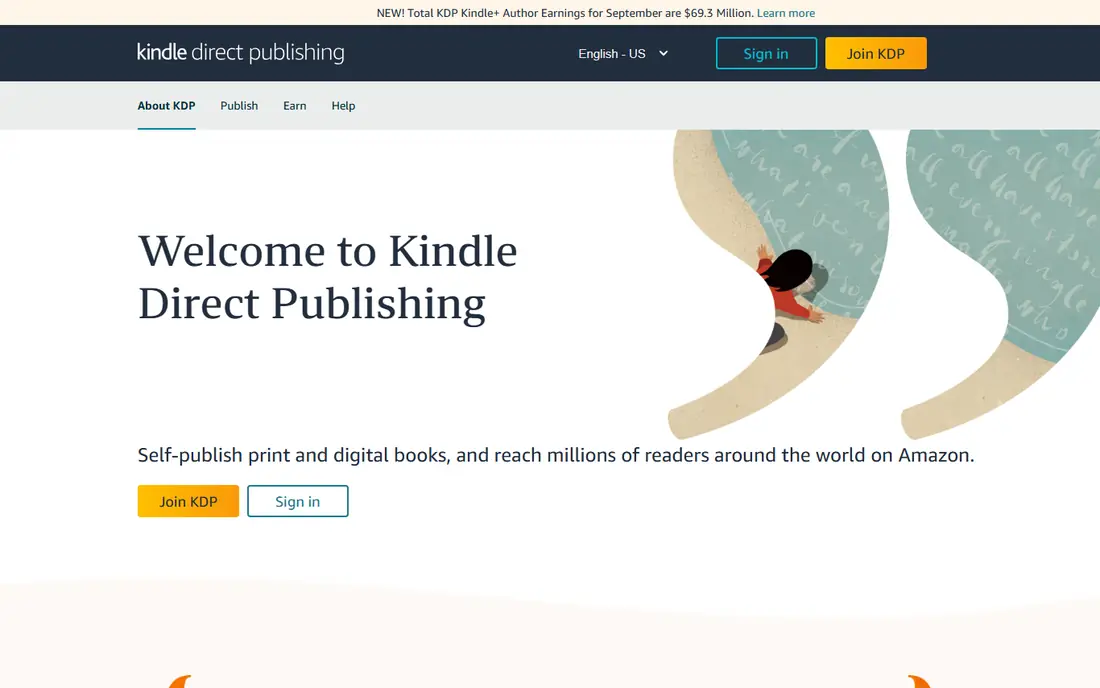
Amazon Kindle Direct Publishing is where most self-published authors start. Publishing an ebook or paperback costs nothing upfront, print on demand means no stock to store, and royalties reach 70 percent on ebooks in the higher pricing band. The Kindle store is also where most ebook readers shop, so reach is unmatched.
KDP is Amazon-focused, and its free ISBN limits print distribution elsewhere. Authors who want bookstores and libraries need IngramSpark as well. For a first book, though, KDP is the simplest and cheapest route to readers.
For readers focused on ebooks and print on demand, Amazon KDP is worth a trial before deciding, since the free tier or trial shows its real feel fast. Check the current plan details on the vendor site, since prices and limits change, and confirm that the version you need works on your devices.
- Largest ebook store
- Free publishing
- Print on demand with no stock
- Amazon-focused
- Print distribution to bookstores is limited
IngramSpark
Ideal for: Bookstore and library distribution
IngramSpark is the distribution arm of Ingram, the largest US book wholesaler, and it gets print books into bookstores and libraries that Amazon alone does not reach. Its catalog is used by retailers and librarians, and it handles both print and ebook distribution. Authors serious about print should consider it.
Setup and revision fees apply, and its interface is more complex than KDP, which can frustrate first-time authors. Print costs also vary by size and market. For wide print distribution, it remains the standard choice.
We would shortlist IngramSpark for bookstore and library distribution, and compare it directly with the two options nearest it in price before paying. Check the current plan details on the vendor site, since prices and limits change, and confirm that the version you need works on your devices.
- Reaches bookstores and libraries
- Print and ebook distribution
- Professional catalog
- Setup and revision fees
- Interface is complex for beginners
Draft2Digital
Ideal for: Easy wide ebook distribution

Draft2Digital makes wide ebook distribution simple: upload once, and it sends your book to Apple, Barnes and Noble, Kobo and other stores, with free formatting tools and a clear dashboard. It takes a percentage of royalties rather than charging upfront, so authors pay only when books sell.
That royalty share is the cost of convenience, and its print options are limited compared with IngramSpark. Authors who only want Amazon may not need it. For wide ebook reach without managing many accounts, it is the easiest tool here.
If easy wide ebook distribution is your main need, Draft2Digital deserves a place on a shortlist, provided you test the catch described above first. Check the current plan details on the vendor site, since prices and limits change, and confirm that the version you need works on your devices.
- Distributes to many ebook stores
- Free formatting tools
- Simple dashboard
- Takes a percentage of royalties
- Print options are limited
Smashwords
Ideal for: Wide ebook distribution and store
Smashwords combines its own ebook store with distribution to major retailers, and its frequent promotions help authors reach bargain readers. Its author tools cover formatting, pricing and coupon campaigns, and it has long served independent authors. The community around it is a bonus for new writers.
The interface feels dated, and print distribution is not its strength. Some authors also prefer Draft2Digital's cleaner dashboard. For ebook authors who like promotions and a long-standing indie store, Smashwords remains a useful option.
Our view is that Smashwords earns its place here for wide ebook distribution and store, even with the limits noted above. Check the current plan details on the vendor site, since prices and limits change, and confirm that the version you need works on your devices.
- Own ebook store plus distribution
- Frequent promotions
- Author tools
- Interface feels dated
- Print is not its strength
BookBaby
Ideal for: Assisted publishing services
BookBaby is an assisted service that handles editing, cover design, formatting and distribution in packages, so authors do not need to hire each freelancer separately. Its US-based support helps first-time authors through the process, and its distribution covers major ebook and print channels.
Packages cost more upfront than do-it-yourself platforms, and authors should read what each package includes. It is not the cheapest route. For authors who want professional production handled for them, BookBaby is a reputable choice.
For readers focused on assisted publishing services, BookBaby is worth a trial before deciding, since the free tier or trial shows its real feel fast. Check the current plan details on the vendor site, since prices and limits change, and confirm that the version you need works on your devices.
- Editing, design and formatting packages
- Distribution included
- US support
- Upfront packages cost more
- Royalties vary by package
Lulu
Ideal for: Print books and direct sales
Lulu focuses on print on demand, with many book sizes, bindings and color options, plus a direct store for selling to readers. Publishing is free to start, and authors can order copies for events or direct sales. Its print quality suits photo books, cookbooks and niche titles.
Ebook distribution is lighter than Draft2Digital, and bookstore reach usually needs Ingram connections. Authors focused on ebooks may prefer another platform. For print-first projects and direct sales, Lulu is flexible and author-friendly.
We would shortlist Lulu for print books and direct sales, and compare it directly with the two options nearest it in price before paying. Check the current plan details on the vendor site, since prices and limits change, and confirm that the version you need works on your devices.
- Print on demand with many formats
- Direct store sales
- No upfront publishing fee
- Ebook distribution is lighter
- Bookstore reach needs Ingram links
PublishDrive
Ideal for: Ebook distribution with marketing tools
PublishDrive distributes ebooks to many stores under a subscription model, so authors keep full royalties rather than sharing a percentage. Its marketing tools, including price promotions and store features, help authors manage wide distribution from one dashboard.
The subscription costs money even in months with low sales, which suits authors with several books more than a first-time author with one title. Print distribution is also limited. For prolific ebook authors who want full royalties, the model can pay off.
If ebook distribution with marketing tools is your main need, PublishDrive deserves a place on a shortlist, provided you test the catch described above first. Check the current plan details on the vendor site, since prices and limits change, and confirm that the version you need works on your devices.
- Wide ebook distribution
- Subscription model
- Marketing and pricing tools
- Subscription cost even with low sales
- Print is limited
How we picked these
We compared official feature pages, pricing pages, app store listings, privacy policies and public reviews for each option below. We checked that each product is still available and that its stated plans match what the vendor publishes. We did not run hands-on tests, so our picks rest on documented features, pricing and the fit for the reader described in each section, not on lab results. Where a price could not be confirmed on the vendor site at the time of writing, we wrote See website rather than guessing. We also looked at how each option handles the everyday details that decide whether a tool gets used: setup time, device support, what happens when you cancel or downgrade, and whether help is available when something breaks. A product that looks strong on a feature list but is hard to set up, hard to leave, or poorly supported will cost more in time than it saves, so we weighed those practical points alongside price and features. Where reviewers or users reported a recurring problem, we noted it in the honest catch for that product, rather than leaving it out because the vendor page did not mention it.
How to choose a self-publishing route
Decide where your readers buy books. Ebook readers mostly shop on Amazon and Apple, while print readers in bookstores need Ingram distribution. Budget for editing and cover design first, since those two costs affect sales more than the platform fee. Check royalty rates and print costs at your page count and price, because a few dollars per copy changes the math on a long book. Finally, keep your rights and files: you should be able to leave a platform with your manuscript, cover and ISBN records intact.
A final check before you commit
Run a short trial on a real task before you pay for a year or move a whole team. Use the free plan or trial to complete one full job, from setup to export or delivery, and note where you got stuck. Check the cancellation path too: can you leave and keep your data, or does leaving mean starting over? Read the pricing page for renewal rates, not just the first-year offer, and confirm what support you get on the plan you will actually buy. Finally, ask one current user about the worst part of the product, since that answer tells you more than any feature list. If the trial feels good on a real task and the exit path is clear, the choice is much safer.
Frequently asked questions
What is the best self-publishing company?
Amazon KDP is the best starting point for most authors, with free publishing, print on demand and the largest ebook store. IngramSpark adds bookstore and library distribution, while Draft2Digital simplifies ebook distribution to many stores.
How much does self-publishing cost?
Publishing itself can be free on KDP, Draft2Digital and Smashwords. Real costs come from editing, cover design and marketing, which can range from a few hundred to several thousand dollars depending on quality and length.
Do I need an ISBN?
Amazon gives a free ISBN for print books sold on Amazon, but it limits distribution elsewhere. Authors who want wide print distribution usually buy their own ISBN, which also lists them as publisher.
What royalties do self-published authors earn?
Amazon KDP pays up to 70 percent on ebooks priced in its higher royalty band, and lower rates outside it. Print royalties depend on list price minus print cost, so check the calculator for your page count before pricing.
Should I use an assisted self-publishing service?
Assisted services suit authors who want professional editing, design and formatting without managing freelancers. They cost more upfront, so compare what is included and keep your rights and files in the contract.