Best Serverless Platforms for Developers in Tokyo

- 1
 AWS LambdaFull-featured serverless in the Tokyo regionVisit
- 2
 Google Cloud FunctionsGoogle Cloud shops and container-based functionsVisit
- 3
 Azure FunctionsMicrosoft shops and enterprise event triggersVisit
- 4
 Cloudflare WorkersCheap global edge APIs with no egress feesVisit
- 5
 VercelFrontend developers deploying Next.js and APIs togetherVisit
- AWS Lambda, Google Cloud Functions and Azure Functions all run in a Tokyo region, so a Tokyo user gets low latency to the function without extra work.
- Cloudflare Workers is the cheapest at scale for light logic: $5 a month covers 10 million requests, with no charge for egress.
- Vercel and Netlify are the easiest routes for frontend developers, with functions bundled into the same deploy as the site.
- Supabase Edge Functions suit a Postgres-backed app, with 500,000 invocations included free and a Tokyo region you can pin.
- Fly.io is the only option here that runs long-lived containers in Tokyo, from $2.19 a month for the smallest machine.
Quick comparison
| Product | Ideal for | Price from | Free version | |
|---|---|---|---|---|
| AWS Lambda | Full-featured serverless in the Tokyo region | $0.20 per million requests | Yes | Visit |
| Google Cloud Functions | Google Cloud shops and container-based functions | $0.40 per million requests | Yes | Visit |
| Azure Functions | Microsoft shops and enterprise event triggers | $0.20 per million executions | Yes | Visit |
| Cloudflare Workers | Cheap global edge APIs with no egress fees | $5 per month | Yes | Visit |
| Vercel | Frontend developers deploying Next.js and APIs together | $20 per user/month | Yes | Visit |
 Netlify | Jamstack sites that need a few serverless functions | $0 | Yes | Visit |
 Supabase | Postgres-backed apps with edge functions | $0 | Yes | Visit |
 Fly.io | Long-running containers and full-stack apps in Tokyo | $2.19 per month | No | Visit |
The best serverless platforms for developers in Tokyo
AWS Lambda
Ideal for: Full-featured serverless in the Tokyo region
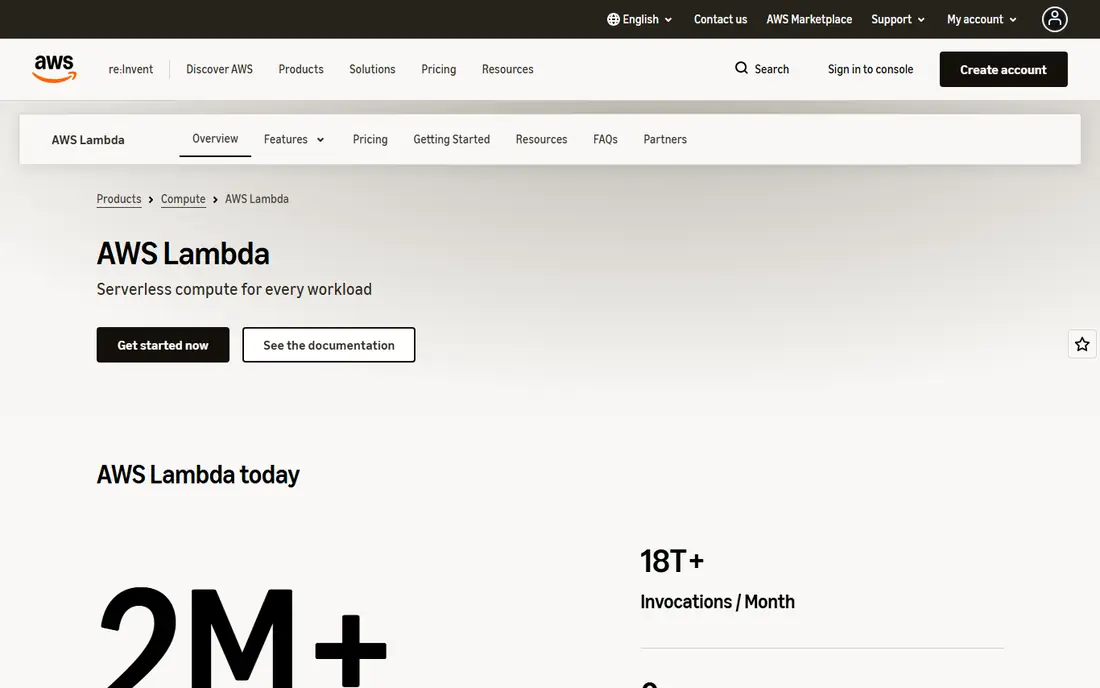
Lambda is the original serverless compute service, and it runs in the Tokyo region (ap-northeast-1) alongside the full AWS ecosystem: S3, DynamoDB, SQS, EventBridge and more. Functions support Node.js, Python, Java, Go, .NET and custom runtimes, run for up to 15 minutes, and scale from zero to thousands of concurrent executions. The pricing page, read today, lists $0.20 per million requests and $0.0000166667 per GB-second on x86, with Arm about 20 percent cheaper.
The free tier is the most generous here for event-driven work: 1 million requests and 400,000 GB-seconds every month, and it never expires. The catches are cold starts on infrequent functions, wall-clock billing that charges for time spent waiting on a database, and the extra cost of an HTTP front door. A function URL costs nothing extra, but API Gateway adds $3.50 per million requests, which can exceed the Lambda bill itself.
- Runs in the Tokyo region (ap-northeast-1) with a 15-minute maximum duration and the widest runtime choice
- Free tier of 1 million requests and 400,000 GB-seconds a month never expires
- Cold starts and per-millisecond billing make costs hard to predict
- An HTTP front door costs extra, with API Gateway at $3.50 per million requests
Google Cloud Functions
Ideal for: Google Cloud shops and container-based functions

Google Cloud Functions is now Cloud Run functions, and the pricing page confirms it runs in the Tokyo region (asia-northeast1) with the same billing as Cloud Run. On request-based billing, the first 2 million requests a month are free, then requests cost $0.40 per million, active CPU costs $0.000024 per vCPU-second and memory $0.0000025 per GiB-second. On instance-based billing, the first 240,000 vCPU-seconds and 450,000 GiB-seconds are free, then CPU costs $0.000018 per vCPU-second.
The container model is the strength. You deploy any container image, set concurrency per instance, and run background jobs, scheduled jobs and HTTP services on the same platform. The weakness is the request-based CPU price: a 200-millisecond function at 5 million requests a month costs about $21, against about $2.47 on Lambda for the same work. Pick instance-based billing for steady traffic, and check which billing mode your service uses before you estimate costs.
- Tokyo region (asia-northeast1) with 2 million free requests a month on request-based billing
- Runs any container, not only single functions
- Request-based CPU pricing makes long-running functions expensive
- The product name and pricing page now redirect to Cloud Run, which confuses new users
Azure Functions
Ideal for: Microsoft shops and enterprise event triggers
Azure Functions runs in the Japan East region and fits teams already on Microsoft 365, Entra ID or Azure services. The Consumption plan bills per execution and per GB-second, with a monthly free grant of 1 million executions and 400,000 GB-seconds, confirmed on the live pricing page today. Triggers cover HTTP, timers, queues, blobs, Cosmos DB and Event Grid, and the newer Flex Consumption plan adds faster scaling and virtual network support.
The worked example on the pricing page shows 1.1 million billable GB-seconds costing $17.60, which works out to $0.000016 per GB-second, and 2026 reads put executions at $0.20 per million. The live page did not render the per-unit execution price in our text read, so confirm it in the Azure pricing calculator before you budget. Flex Consumption is the better plan for most new apps, but note its free grant is smaller: 250,000 executions and 100,000 GB-seconds a month.
- Runs in the Japan East region with a 1 million execution and 400,000 GB-second monthly free grant
- Deep integration with Microsoft 365, Teams and Azure services
- The live pricing page did not render per-unit prices in our read, so the $0.20 figure comes from 2026 reads
- The newer Flex Consumption plan cuts the free grant to 250,000 executions
Cloudflare Workers
Ideal for: Cheap global edge APIs with no egress fees
Workers run JavaScript, TypeScript, Python and Rust in V8 isolates on Cloudflare's global edge network, so a user in Tokyo hits a nearby data center without you picking a region. The pricing page, read today, lists a free plan of 100,000 requests a day with 10 milliseconds of CPU per invocation, and a $5-a-month plan covering 10 million requests and 30 million CPU-milliseconds, then $0.30 per million requests and $0.02 per million CPU-milliseconds. There are no egress or throughput charges.
Only active CPU time counts, so a Worker waiting on a database or an API costs nothing for the wait. The limits are the isolate model, which supports Web Standard APIs rather than the full Node.js standard library, and the separate billing for KV, D1, Durable Objects and R2. A 5-million-request API at 7 milliseconds of CPU a month costs about $5.10 on the $5 plan, which makes Workers the cheapest option here for light, high-volume logic.
- $5 a month covers 10 million requests and 30 million CPU-milliseconds, with no charge for egress or wall-clock waiting time
- Free plan gives 100,000 requests a day
- 10 milliseconds of CPU per invocation on the free plan and a V8 isolate model that blocks many Node.js APIs
- Storage products such as KV and D1 bill separately
Vercel
Ideal for: Frontend developers deploying Next.js and APIs together
Vercel is the hosting platform for Next.js and other frontend frameworks, and its Functions run your API routes, server-rendered pages and webhooks on Fluid compute, billed by active CPU time. The pricing page, read today, includes 1 million function invocations and 4 hours of Fluid Active CPU a month, with a $20 included usage credit on Pro. Functions can be pinned to the Tokyo region (hnd1), and the Edge runtime executes in the region closest to each request.
The default region is Washington, D.C. (iad1), so a Tokyo team must set the region or the latency gain disappears. Pro costs $20 per user a month, per 2026 reads of the pricing page, and the live page confirmed the $20 included credit. The Hobby plan is free but limited to personal, non-commercial use, and Hobby accounts cannot purchase additional usage, so a commercial project needs Pro from the start.
- Functions deploy with your frontend and can be pinned to the Tokyo (hnd1) region
- Hobby plan is free with 1 million invocations a month included
- Hobby is for personal, non-commercial use only, and Hobby accounts cannot buy extra usage
- Functions default to the Washington, D.C. region unless you pin them
Netlify
Ideal for: Jamstack sites that need a few serverless functions
Netlify hosts Jamstack sites and web apps with serverless functions, edge functions, a Postgres database and blob storage in one deploy. The pricing page, read today, lists a Free plan at $0 forever with 300 usage credits a month, a Personal plan at $9 a month with 1,000 credits, and a Pro plan at $20 a month starting with 3,000 credits. Functions run on AWS Lambda under the hood, and Pro lets you set a custom AWS region, so you can point functions at Tokyo.
The credit model is the weak point for budgeting. Compute costs 10 credits per GB-hour, web requests cost 2 credits per 10,000 requests, bandwidth costs 20 credits per GB and a production deploy costs 15 credits, so a busy site burns credits in several directions at once. The free plan's 300 credits cover a small site, but a function-heavy app will need Pro and the auto-recharge add-on, at $10 per 1,500 extra credits.
- Free plan at $0 forever with 300 usage credits a month
- Functions run on AWS Lambda and Pro lets you set a custom AWS region
- Credit-based pricing makes function costs hard to estimate
- Compute costs 10 credits per GB-hour and web requests 2 credits per 10,000 requests
Supabase
Ideal for: Postgres-backed apps with edge functions
Supabase is an open source Firebase alternative built on Postgres, and its Edge Functions run Deno-based TypeScript close to your database. The docs confirm Edge Functions support regional invocation in ap-northeast-1 (Tokyo), selectable with an x-region header, and the pricing page, read today, lists 500,000 Edge Function invocations included. The Free plan costs $0 and includes unlimited API requests, 50,000 monthly active users, a 500 MB database and 5 GB of egress.
The Pro plan costs $25 a month and adds 100,000 monthly active users, an 8 GB database, 250 GB of egress and $10 a month in compute credits. The limits to watch are the free plan's 1-week inactivity pause and the 2-project cap, plus the $2 per million invocation overage, which comes from 2026 reads of the docs rather than the live pricing page. For a Tokyo team with a Postgres backend, Supabase keeps the database and the functions in the same region.
- Edge Functions run in the Tokyo region (ap-northeast-1) and 500,000 invocations a month are included
- Free plan includes a Postgres database, auth and storage
- Free projects pause after 1 week of inactivity and are limited to 2 active projects
- The $2 per million invocation overage comes from 2026 reads, not the live pricing page
Fly.io
Ideal for: Long-running containers and full-stack apps in Tokyo
Fly.io runs full-stack applications as Machines, which are fast-booting Firecracker microVMs, in cities including Tokyo, listed on its pricing page. The smallest preset, a shared CPU with 256 MB of RAM, costs $0.0030 an hour, or $2.19 a month, and compute bills by the second while a Machine runs. You get $1 of free credit to start with no credit card needed, and every app gets a shared IPv4 address and unlimited Anycast IPv6.
Fly.io is the only platform here that runs long-lived processes rather than short functions, so it fits websockets, background workers and always-on APIs. The trade offs are the absence of a free tier, the $0.04 per GB egress charge in Asia Pacific, and the $2 a month charge for a dedicated IPv4 address. Support costs extra: Standard support is $29 a month and Premium is $199 a month, both confirmed on the live pricing page today.
- Tokyo is a listed region and the smallest machine costs $2.19 a month
- $1 free credit to start with no credit card needed
- No free tier, only a $1 starting credit, so every machine bills from the first hour
- Egress in Asia Pacific costs $0.04 per GB, double the North America rate
What 5 million requests a month costs
Worked example: a 512 MB function running 200 milliseconds per request, 5 million requests a month, at each vendor's list prices read on 12 November 2026. Logs, egress and front-door charges are excluded.
| Platform | Monthly cost for the example | | AWS Lambda | $2.47: requests $0.80, compute $1.67 | | Cloudflare Workers | $5.10: $5 minimum, $0.10 CPU overage at 7 ms per request | | Google Cloud Functions, request-based billing | $21.23: requests $1.20, CPU $19.68, memory $0.35 | | Google Cloud Functions, instance-based billing | $13.78: CPU $13.68, memory $0.10, no request charge |
Lambda is cheapest for this shape of work because its free tier absorbs most of the compute. Workers is the flattest: the same $5.10 covers anything up to 10 million requests at light CPU use. Cloud Run functions costs the most here because request-based CPU is priced at $0.000024 per vCPU-second, so check which billing mode your service uses before you estimate costs.
How we chose
We opened the pricing pages of all eight vendors on 12 November 2026 and checked Tokyo region availability: AWS Lambda in ap-northeast-1, Google Cloud Functions in asia-northeast1, Azure Functions in Japan East, Vercel in hnd1, Supabase Edge Functions in ap-northeast-1, Fly.io in Tokyo, Cloudflare Workers on the global edge network, and Netlify Functions with a custom AWS region on Pro. We compared free tiers, per-request prices, duration billing and maximum durations, and we worked the same 5-million-request example through each price list. We did no hands-on testing.
What to check before you buy
Confirm the function runs in the Tokyo region, or on the edge, rather than in the vendor's default US region, since Vercel and Netlify both default to the US unless you change it. Check the maximum duration and memory limits against your workload, and check what the free tier covers and whether it expires. Check the cost of the HTTP front door, logs and egress, which are billed separately from the function itself. Check whether the platform bills wall-clock time or active CPU time, since that changes the bill for functions that wait on a database.
Frequently asked questions
Which serverless platform is fastest for users in Tokyo?
The fastest is the one that runs closest to the user. AWS Lambda, Google Cloud Functions and Azure Functions all run in a Tokyo region, so pick one and deploy there. Cloudflare Workers and the Vercel Edge runtime run on the edge network, so Tokyo users hit a nearby data center. Whichever you pick, check the deployed region: Vercel defaults to Washington, D.C., and Netlify defaults to US East unless you set a region.
How much does serverless cost for 1 million requests a month?
Nothing on most of these platforms. AWS Lambda covers 1 million requests and 400,000 GB-seconds free every month, Google Cloud Functions covers 2 million requests free on request-based billing, and Azure Functions covers 1 million executions free. Cloudflare Workers covers 100,000 requests a day free. At that volume the bill only appears if your functions use a lot of memory or run for a long time.
What is the difference between AWS Lambda and Cloudflare Workers?
Lambda runs your code in a region you choose, supports almost every runtime, runs for up to 15 minutes and bills wall-clock time. Workers run in V8 isolates on the edge network, support Web Standard APIs, cap CPU time at 5 minutes per invocation and bill only active CPU time. Lambda fits event-driven work inside AWS; Workers fit light, high-volume APIs where egress would otherwise cost money.
Do I need a credit card to try serverless?
Fly.io gives $1 of free credit to start with no credit card needed. AWS, Google Cloud and Azure ask for a card to open an account even though their free tiers cost nothing at low volume, and the card is how they bill overages. Vercel, Netlify and Supabase all have free plans that need no card to start. Whichever you choose, set a billing alert before you point real traffic at it.
Can I run long tasks on serverless?
It depends on the platform. AWS Lambda runs for up to 15 minutes, Azure Functions runs for up to 10 minutes on the Consumption plan, and Cloudflare Workers allow up to 5 minutes of CPU time per invocation on the $5 plan. Google Cloud Run jobs run containers, so they have no fixed request timeout. For work that runs for hours, such as video processing, Fly.io Machines or a Cloud Run job fits better than a function.
Which platform is best for a Next.js app in Tokyo?
Vercel is the natural fit, since it builds and hosts Next.js and lets you pin functions to the Tokyo region (hnd1) on Pro. Netlify is the alternative if you want a similar deploy flow with a credit-based free plan. If your app needs a Postgres database in the same region, Supabase Edge Functions in ap-northeast-1 pair well with either host. For a plain API with no frontend, AWS Lambda in ap-northeast-1 or Cloudflare Workers usually costs less.
Sources
- https://aws.amazon.com/lambda/pricing/
- https://cloud.google.com/functions/pricing
- https://azure.microsoft.com/en-us/pricing/details/functions/
- https://developers.cloudflare.com/workers/platform/pricing/
- https://vercel.com/pricing
- https://www.netlify.com/pricing/
- https://supabase.com/pricing
- https://fly.io/pricing