Best Service Software in 2026: 7 Tools Compared

- 1
 JobberSmall service businessesVisit
- 2
 Housecall ProHome service teamsVisit
- 3
 ServiceTitanLarger service firmsVisit
- 4
 FieldEdgeTrade businesses with dispatch needsVisit
- 5
 WorkizGrowing service teamsVisit
- Jobber is our pick for small service businesses that want quoting, scheduling, and invoicing in one place.
- Housecall Pro suits home service teams that want simple scheduling and customer notifications.
- ServiceTitan suits larger firms with complex dispatch, marketing, and reporting needs.
- FieldEdge, Workiz, Service Fusion, and mHelpDesk offer varied mixes of price and depth for different trades.
Quick comparison
| Product | Ideal for | Price from | Free version | |
|---|---|---|---|---|
| Jobber | Small service businesses | See website | Free trial | Visit |
| Housecall Pro | Home service teams | See website | Free trial | Visit |
| ServiceTitan | Larger service firms | See website | No | Visit |
| FieldEdge | Trade businesses with dispatch needs | See website | Free trial | Visit |
| Workiz | Growing service teams | See website | Free trial | Visit |
 Service Fusion | Service firms wanting value | See website | Free trial | Visit |
 mHelpDesk | Simple job management | See website | Free trial | Visit |
The best service software
Service software, also called field service management software, helps trade and service businesses schedule jobs, dispatch technicians, invoice customers, and track work. The right tool can replace a mix of spreadsheets, paper, and phone calls.
We compared official feature pages and pricing pages for each tool below. Our pick for most small service businesses is Jobber, because it covers quoting, scheduling, invoicing, and customer messaging in a clean package.
Team size matters here. A two-person trade business needs something simple, while a larger firm needs dispatch boards, inventory, and deeper reporting. We note the fit for each tool.
Jobber
Ideal for: Small service businesses

Jobber covers the core workflow for small service businesses: quote a job, schedule it, send reminders, complete the work, and invoice from the same system. Customer messaging and online booking are built in.
Its interface is clean and easy to teach to office staff and field workers alike. Larger firms with complex dispatch or inventory needs may outgrow it, but for small teams it hits the sweet spot.
Our view: the best all-round service software for small teams.
Bottom line: Jobber is a strong fit for small service businesses, and its main draw is quoting, scheduling, invoicing, and payments. Weigh that against the limits above before you commit, and test it with your own real work during any trial or free period.
- Quoting, scheduling, invoicing, and payments
- Customer messaging
- Clean interface
- Advanced inventory and dispatch features are thinner than enterprise tools
Housecall Pro
Ideal for: Home service teams
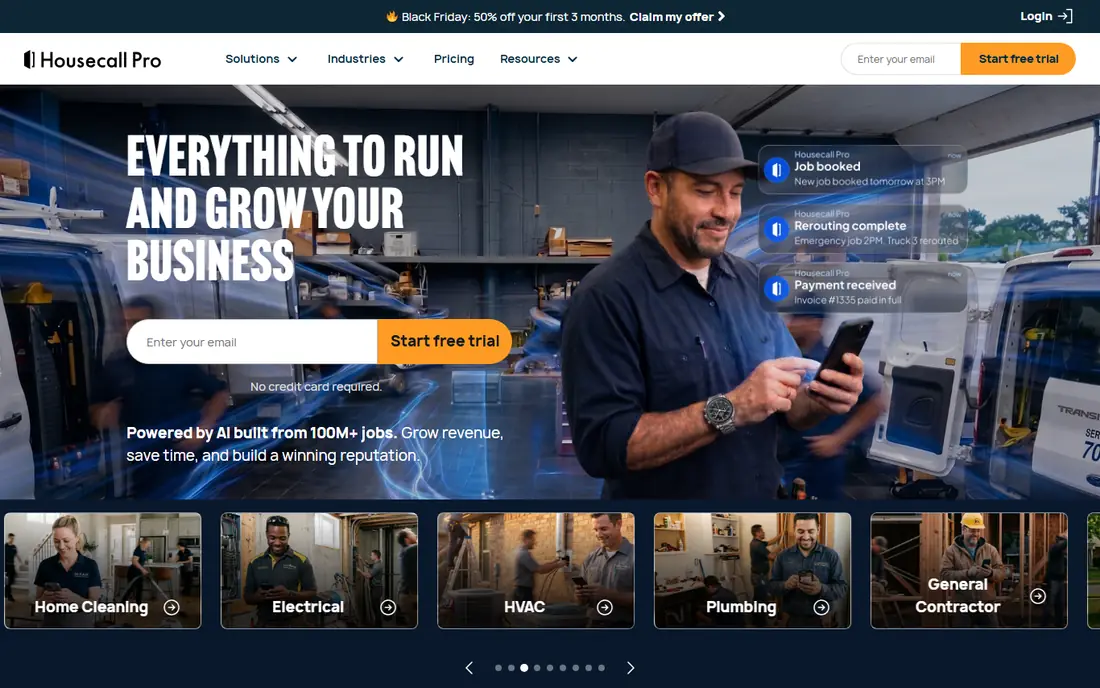
Housecall Pro is built for home services such as cleaning, plumbing, and HVAC. It offers scheduling, dispatch, automated customer notifications, invoicing, and online booking.
Its strength is simplicity: office staff can learn it quickly, and customers get clear arrival updates. Larger firms may want deeper reporting, which sits on higher tiers or other tools.
Our view: a friendly, capable choice for home service businesses.
Bottom line: Housecall Pro is a strong fit for home service teams, and its main draw is scheduling and dispatch. Weigh that against the limits above before you commit, and test it with your own real work during any trial or free period.
- Scheduling and dispatch
- Customer notifications
- Invoicing and payments
- Reporting depth is thinner than ServiceTitan
- Pricing tiers add up
ServiceTitan
Ideal for: Larger service firms

ServiceTitan is the heavyweight here, built for larger home service firms with complex needs. It covers dispatch, call booking, marketing, reporting, inventory, and payroll integrations in one system.
That depth brings cost and setup effort, so it suits firms with real scale and office staff to run it. Small teams will find it more than they need.
Our view: the best choice for larger firms that want one deep system.
Bottom line: ServiceTitan is a strong fit for larger service firms, and its main draw is deep dispatch, marketing, and reporting. Weigh that against the limits above before you commit, and test it with your own real work during any trial or free period.
- Deep dispatch, marketing, and reporting
- Call tracking
- Inventory and payroll links
- Enterprise pricing and setup effort
- More than small teams need
FieldEdge
Ideal for: Trade businesses with dispatch needs
FieldEdge serves HVAC, plumbing, electrical, and similar trades with a dispatch board, scheduling, invoicing, and customer management. It links with QuickBooks for accounting, which many trades already use.
Its interface feels dated next to Jobber, but its trade focus is strong. Teams that value dispatch control over polish will find it a solid workhorse.
Our view: a dependable trade-focused option for dispatch-heavy teams.
Bottom line: FieldEdge is a strong fit for trade businesses with dispatch needs, and its main draw is dispatch board and scheduling. Weigh that against the limits above before you commit, and test it with your own real work during any trial or free period.
- Dispatch board and scheduling
- Invoicing and customer records
- QuickBooks link
- Interface feels dated in places
- Setup needs care
Workiz
Ideal for: Growing service teams
Workiz offers scheduling, dispatch, invoicing, online booking, and customer communication for service teams, with an optional phone system add-on. Setup is straightforward, which helps growing teams move fast.
Advanced reporting is thinner than ServiceTitan, and some features cost extra. For a growing team that wants a clear core system, it is a practical pick.
Our view: a good growth-stage choice for teams moving beyond spreadsheets.
Bottom line: Workiz is a strong fit for growing service teams, and its main draw is scheduling, invoicing, and online booking. Weigh that against the limits above before you commit, and test it with your own real work during any trial or free period.
- Scheduling, invoicing, and online booking
- Phone system add-on
- Simple setup
- Advanced reporting is thinner
- Some features are paid add-ons
Service Fusion
Ideal for: Service firms wanting value
Service Fusion covers scheduling, dispatch, invoicing, estimates, and a customer portal, with GPS tracking for field staff. It is a value-focused option for service firms that want breadth without enterprise pricing.
Its interface is functional rather than pretty, and new staff need a little training. The feature range for the price is the main appeal.
Our view: a strong value pick for service firms that want a full feature set.
Bottom line: Service Fusion is a strong fit for service firms wanting value, and its main draw is scheduling, dispatch, and invoicing. Weigh that against the limits above before you commit, and test it with your own real work during any trial or free period.
- Scheduling, dispatch, and invoicing
- Customer portal
- GPS tracking
- Interface is functional rather than polished
- Learning curve for new staff
mHelpDesk
Ideal for: Simple job management
mHelpDesk offers job management, scheduling, invoicing, and customer records in a simple package. It suits small service businesses that want to move from paper and spreadsheets without a complex rollout.
Its integration list is smaller than larger rivals, and feature depth is modest. For a small team, that simplicity is often exactly what is needed.
Our view: a simple, affordable start for small service teams.
Bottom line: mHelpDesk is a strong fit for simple job management, and its main draw is job tracking, scheduling, and invoicing. Weigh that against the limits above before you commit, and test it with your own real work during any trial or free period.
- Job tracking, scheduling, and invoicing
- Simple interface
- Affordable tiers
- Smaller vendor with fewer integrations
- Feature depth is modest
How we picked these
We compared official feature pages and pricing pages, and we looked at scheduling, dispatch, invoicing, customer messaging, and integrations. We favoured tools with a clear fit for a stated team size.
We did not claim hands-on use. Where pricing was not published, we wrote See website rather than guessing a monthly figure.
How to choose service software
List your daily workflow before you shop. Note how jobs arrive, who schedules them, how technicians get details, and how you invoice. The tool that matches that flow will be adopted fastest.
Test scheduling and dispatch with real jobs during a trial. A dispatch board that looks good in a demo may feel clumsy with your actual routes, so run a week of real jobs through it and ask technicians for honest feedback on the mobile app.
Check customer messaging carefully. Automated reminders, arrival updates, and online booking reduce no-shows and phone calls, and customers now expect them as standard.
Confirm accounting links. A QuickBooks or Xero link saves hours of double entry, so check that your accounting tool is supported before you commit.
Think about field staff, not just the office. The mobile app must work offline or in poor signal areas, since technicians often work in basements, rural sites, and new builds.
Finally, count the total cost, including add-ons and per-user fees. A low base price can grow quickly with extra users, phone features, and marketing tools, so price your real team, not the demo team.
Frequently asked questions
What is service software?
Service software, or field service management software, helps service businesses schedule jobs, dispatch technicians, manage customers, and invoice work from one system.
Which service software is best for a small business?
Jobber is our pick for small teams, thanks to its clean mix of quoting, scheduling, invoicing, and messaging. Housecall Pro is another strong small-team choice.
Do I need ServiceTitan for a small team?
Usually not. ServiceTitan suits larger firms with complex dispatch and reporting needs. Small teams get better value from Jobber, Housecall Pro, or Workiz.
Can service software replace spreadsheets?
Yes, for most teams. It centralises jobs, customers, schedules, and invoices, which cuts double entry and lost paperwork. Keep a spreadsheet backup during the switch.
Does service software work offline for field staff?
Many tools offer mobile apps with offline access for job details, though syncing needs a connection later. Check offline support for your chosen tool before rollout.
Does service software include customer messaging?
Yes, most tools here include customer notifications, reminders, and messaging. Automated arrival updates and review requests are common features that save office time and reduce no-shows.