8 Best Sites for HR Software Reviews

- 1
 G2Comparing many HR tools at onceVisit
- 2
 CapterraFiltering by feature and priceVisit
- 3
 Software AdviceAdvisor shortlist in 15 minutesVisit
- 4
 TrustRadiusVerified reviews from real usersVisit
- 5
 GetAppQuick side-by-side comparisonsVisit
- All eight sites in this guide are free to browse, and none charges readers to search, compare, or read reviews.
- G2, Capterra, and GetApp cover the widest range of HR products, while TrustRadius focuses on verified reviews from real users.
- Software Advice is the only site here with a free 1-on-1 advisor shortlist, giving 3 to 5 options in 15 minutes.
- Gartner Peer Insights suits enterprise buyers, but full review detail needs a free login and its Voice of the Customer reports need a Gartner entitlement.
- Vendor listing is quote only on every site here, and vendors that pay can get better placement, so read several sources before you decide.
Quick comparison
| Product | Ideal for | Price from | Free version | |
|---|---|---|---|---|
| G2 | Comparing many HR tools at once | Free to browse | Yes | Visit |
| Capterra | Filtering by feature and price | Free to browse | Yes | Visit |
| Software Advice | Advisor shortlist in 15 minutes | Free to browse | Yes | Visit |
| TrustRadius | Verified reviews from real users | Free to browse | Yes | Visit |
| GetApp | Quick side-by-side comparisons | Free to browse | Yes | Visit |
 Gartner Peer Insights | Enterprise peer reviews | Free to browse | Yes | Visit |
 SourceForge | Reviews plus open-source downloads | Free to browse | Yes | Visit |
 FeaturedCustomers | Customer stories and video reviews | Free to browse | Yes | Visit |
The best sites for HR software reviews
G2
Ideal for: Comparing many HR tools at once
G2 is one of the largest software review sites, with detailed profiles for HR tools covering payroll, recruiting, performance, and benefits. Readers can browse reviews, compare products side by side, and filter by company size, features, and ratings without an account. The comparison grids make it easy to line up three or four HR tools and see where each one is strong.
The free side is for readers. Vendor-side promotion runs through G2 Marketing Solutions, which is a separate product that vendors buy to claim and promote their profiles. That split means the reviews you read are free to access, but vendors that invest in their presence get more visibility. Use G2 as one source among several, and check the review dates to see how current the feedback is.
- Large review base with comparison grids
- No account needed to browse
- Vendor promotion runs through G2 Marketing Solutions
- Free browsing does not include vendor visibility tools
Capterra
Ideal for: Filtering by feature and price
Capterra, part of the Gartner family, lists HR software with reviews, feature lists, and pricing details that readers can filter by company size, deployment, and budget. The site also offers a free advisor consultation, where an advisor helps narrow the list to a shortlist. That combination of self-serve search and human help suits buyers who want to move fast.
Capterra discloses on its product pages that placement may be influenced by client status, which means vendors that pay for profiles can appear more prominently. The reviews themselves are free to read, and the filters help you compare products on features rather than on placement alone. Cross-check any shortlist against TrustRadius or G2 before you contact vendors.
- Strong filters for features, pricing, and deployment
- Free advisor consultation
- Placement may be influenced by client status, so vendors that pay can get better placement
Software Advice
Ideal for: Advisor shortlist in 15 minutes
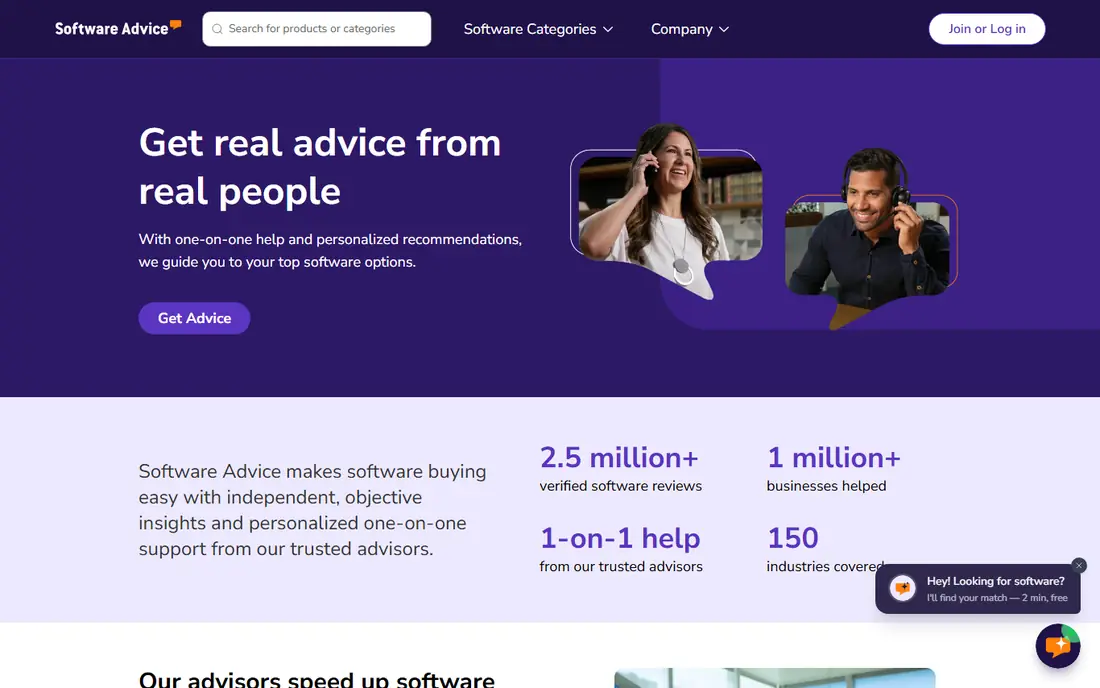
Software Advice focuses on helping buyers choose, rather than on browsing alone. A free 1-on-1 advisor call gives you a shortlist of 3 to 5 HR software options in 15 minutes, based on your company size, budget, and must-have features. Reviews and comparisons are also free to read on the site, so you can check the shortlist against what other buyers wrote.
The model is funded by vendors on a pay-per-lead basis, and Software Advice discloses that when its advisors match you to a software provider, it may earn a referral fee. That means recommendations come from its vendor network, not from the whole market. Treat the shortlist as a starting point, then verify each option on G2 or Capterra before you book a demo.
- Free 1-on-1 advisor shortlist of 3 to 5 options in 15 minutes
- Reviews free to read
- Advisors earn a referral fee when they match you to a provider, so recommendations come from its vendor network
TrustRadius
Ideal for: Verified reviews from real users
TrustRadius built its name on verified reviews, checking that reviewers are real users of the product before their review counts. For HR software, that means the feedback on payroll accuracy, onboarding ease, and support quality comes from people who run the tool day to day. Readers can browse product information and verified reviews free, with no account needed for the basics.
The free side is reading reviews. Vendor tools such as Customer Voice, intent data, and deal-winning content are separate products that vendors buy, not part of free browsing. That split keeps the review side clean for readers, but it means you will not see vendor-side analytics or intent signals. Use TrustRadius when you want to trust the reviewer identity behind each rating.
- Verified reviews with user detail
- Clear scoring on real usage
- Vendor tools such as intent data are separate products
- Free access covers reading reviews only
GetApp
Ideal for: Quick side-by-side comparisons
GetApp, also part of the Gartner family, suits buyers who want a fast answer. Search for an HR category, compare products side by side, and read verified reviews without creating an account. The comparison pages show features, pricing, and review scores together, which helps a small team narrow a long list to two or three finalists in one sitting.
GetApp states on its category pages that it is free for users because software providers pay for profiles that receive more traffic and sales opportunities. That means providers that pay get promoted placement, so the order of results reflects vendor spend as well as review scores. Sort by rating or filter by features to see past the promoted order.
- Fast search and comparison pages
- Verified reviews free to read
- Providers that pay get promoted placement and more traffic, so placement reflects vendor spend
Gartner Peer Insights
Ideal for: Enterprise peer reviews
Gartner Peer Insights collects reviews from enterprise technology buyers, and its HR software pages carry ratings on service, support, and implementation from large organisations. Summary-level access and ratings are free, and the site publishes Voice of the Customer reports that summarise what peers like and dislike about each vendor. That view suits enterprise buyers who want peer evidence rather than vendor claims.
Access has limits. Reading full review detail requires a free login and registration, and Voice of the Customer and Peer Lessons Learned reports are gated by Gartner product entitlements, which are part of a Gartner subscription. Small teams may find the free summary view thin, while enterprise buyers with a Gartner seat get the full value.
- Peer reviews aimed at enterprise buyers
- Voice of the Customer reports
- Full review detail needs a free login
- Voice of the Customer reports need a Gartner entitlement
SourceForge
Ideal for: Reviews plus open-source downloads
SourceForge is best known as an open-source hosting platform, and its B2B software directory sits inside that larger site. Readers can compare business software and read reviews free, and open-source downloads are free as well. The directory covers HR categories such as payroll, recruiting, and time tracking, with review scores and feature lists on each product page.
The trade-off is focus. Because review coverage is one part of a much larger developer and open-source platform, HR-specific depth is thinner than on G2 or Capterra, and some HR product pages carry fewer reviews. Vendor reach is also a separate product: SourceForge sells vendor programs that help software sellers reach buyers. Use SourceForge to cross-check a shortlist, not as your only source.
- B2B software directory with reviews
- Open-source downloads free
- Review coverage is one part of a much larger developer platform, so HR-specific depth is thinner
FeaturedCustomers
Ideal for: Customer stories and video reviews
FeaturedCustomers focuses on customer proof: reviews, case studies, and customer videos that show how a product works in a real company. Readers can browse reviews, case studies, and videos free, and the site states it is free for users because vendors pay for their presence. That focus on stories suits buyers who want to see how an HR tool performs in a company like theirs.
Placement reflects vendor spend. Vendors that pay are highlighted as Premium vendors and are listed first on category pages, so vendors that do not pay get less visibility. The customer stories are still useful, because they name the company and the use case, but readers should check whether the listed vendors cover the full market or only the vendors that pay for placement.
- Customer case studies and video reviews
- Free for readers because vendors pay
- Vendors that pay are listed first as Premium vendors, so others get less visibility
How we chose
We compared the review sites on reader access, review verification, comparison tools, and advisor help, using each site own homepage and category pages on 2026-11-11. We looked for sites where readers can search, compare, and read reviews free, and we noted where vendor programs affect placement. We did not claim hands-on testing. All eight sites are free to browse, and vendor listing is quote only on each of them, so no reader price applies.
What to check before you buy
HR software buyers should check four things before they trust a review site. First, read reviews on at least two sites, because placement on any one site can reflect vendor spend. Second, check review dates and reviewer detail, since old reviews may describe a product that has changed. Third, confirm whether the site verifies reviewers, because TrustRadius and Gartner Peer Insights check reviewer identity while others vary. Fourth, ask what the vendor programs cover, since listing, promotion, and lead programs are quote only on every site here.
| Need | Best site | Real number to remember |
|---|---|---|
| Fast shortlist with help | Software Advice | 3 to 5 options in 15 minutes from a free advisor call |
| Verified reviewer identity | TrustRadius | Reviews checked against real users before they count |
| Enterprise peer evidence | Gartner Peer Insights | Full review detail needs a free login; reports need an entitlement |
| Widest product coverage | G2 or Capterra | Both list hundreds of HR products with comparison grids |
| Customer stories and video | FeaturedCustomers | Case studies and videos free to read; Premium vendors listed first |
Frequently asked questions
What is the best site for HR software reviews?
G2 is the strongest general pick, with a large review base, comparison grids, and free browsing with no account needed. Capterra suits buyers who want strong filters and a free advisor consultation. TrustRadius is the best choice when reviewer identity matters most, since it checks that reviewers are real users of the product.
Are HR software review sites free to use?
Yes, all eight sites in this guide are free to browse. Readers can search, compare, and read reviews without paying, and G2, Capterra, TrustRadius, GetApp, SourceForge, and FeaturedCustomers need no account for basic browsing. Gartner Peer Insights needs a free login for full review detail, and vendor listing programs are quote only on every site.
Which site has the most verified HR software reviews?
TrustRadius focuses most on verification, checking that reviewers are real users before their reviews count, and it labels its reviews as verified. Gartner Peer Insights also collects reviews from named enterprise peers, with summary ratings free to view. G2 and Capterra carry larger review volumes overall, so buyers often check both volume and verification together.
Can I get help choosing HR software from a review site?
Yes. Software Advice offers a free 1-on-1 advisor call that gives a shortlist of 3 to 5 HR software options in 15 minutes, based on your size, budget, and must-have features. Capterra also offers a free advisor consultation. Both services are free for buyers, though advisors may earn a referral fee when they match you to a provider.
How do I spot biased placement on review sites?
Look for disclosure lines on category and product pages. Capterra states that placement may be influenced by client status, GetApp states that providers pay for profiles that receive more traffic, and FeaturedCustomers lists vendors that pay first as Premium vendors. To offset placement bias, sort by rating, filter by features, and read reviews on a second site.