Cisco Webex comes first here, mainly for enterprises needing meetings plus messaging. Listed starting prices: Slack from $4.38 per user per month. Look at Zoom Team Chat for Teams already meeting on Zoom, and at Slack for general remote team messaging and automation. The full list of 5 tools follows, with prices and free plan facts.
Short on time? The summary and table above give the quick view of 5 social network platforms for remote teams, and the profiles that follow give the detail behind each entry.
Key takeaways
Cisco Webex is the opening pick, best for enterprises needing meetings plus messaging.
Mattermost comes with a trade-off: needs more technical administration.
Microsoft Teams is the one to check for organizations standardized on Microsoft 365.
Starting prices begin at $4.38 per user per month with Slack.
Best for: Enterprises needing meetings plus messaging
Cisco Webex is a good fit for enterprises needing meetings plus messaging. Consider Webex when enterprise meeting and device requirements dominate, and choose a more straightforward messaging tool if chat is the primary need. Beyond that, remote teams in structured IT environments frequently value that consolidation and device support.
Cisco Webex supplies AI-powered collaboration, customer experience features, devices and product options aimed at bigger organizations. The breadth of features can also mean a steeper ramp-up time. Check the vendor site for Cisco Webex pricing; none is listed in this comparison. Free access exists with Cisco Webex.
Points against: Feature depth may overwhelm small teams.
Zoom Team Chat is a good fit for Teams already meeting on Zoom. Zoom Team Chat lets teams link and collaborate with instant messaging built into the Zoom Workplace system.
Beyond that, Teams without Zoom in their stack gain little. No starting price is listed for Zoom Team Chat here; confirm pricing on the vendor site. Free options: Not stated.
Points against: Best value only for Zoom Workplace users.
Best for: General remote team messaging and automation
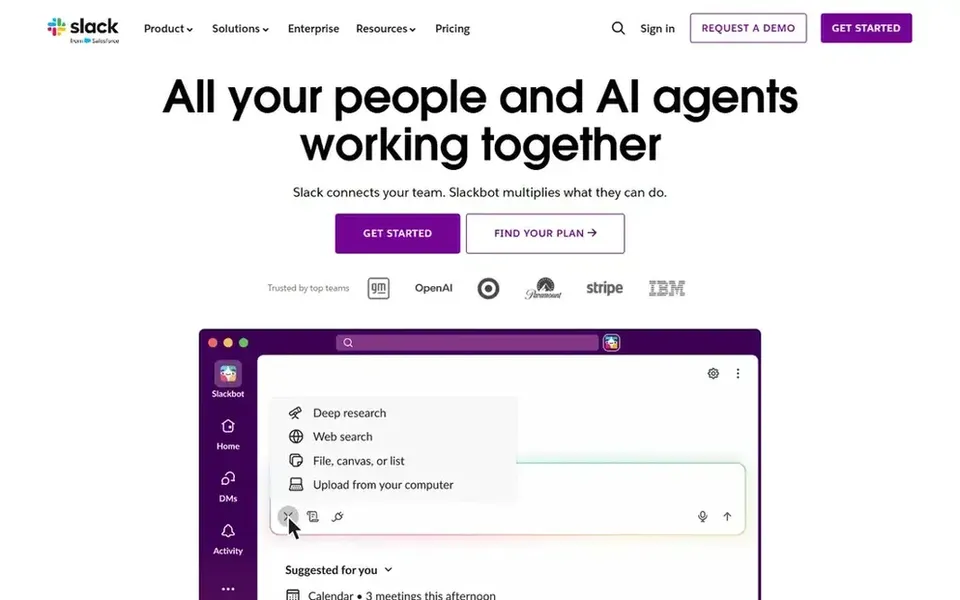
Where Slack fits: general remote team messaging and automation. In practice it is a channel-based messaging hub where remote teams hold conversations, share files and route updates from connected tools.
As for the details, the primary limits are cost at scale and the discipline required to keep channels and notifications under control. For everyday use, Teams already standardized on Microsoft 365 or Google Workspace may prefer a chat tool bundled with those suites. What you pay to start with Slack: $4.38 per user per month. Free access exists with Slack.
Mattermost is designed for regulated and self-hosted deployments. Mattermost offers zero-trust collaboration, automation and AI in private cloud, self-hosted and air-gapped environments, targeted at national security, critical infrastructure and regulated enterprises. As for the details, Teams without regulatory pressure may prefer a managed system.
For everyday use, choose Mattermost when self-hosting and air-gapped operation are genuine requirements. In practice, running Mattermost usually demands more technical administration than hosted messaging services, and small teams may lack the resources to operate it well. Beyond that, remote teams with strict data control requirements can keep conversations inside infrastructure they handle. No starting price is listed for Mattermost here; confirm pricing on the vendor site. Free options: Not stated.
Highlights: Aimed at critical infrastructure and regulated enterprises. What to check first: Requires more technical administration.
Best for: Organizations standardized on Microsoft 365
Where Microsoft Teams fits: organizations standardized on Microsoft 365. Microsoft Teams brings chat, video meetings and shared files together so teams can link and stay organized in one workspace.
Chat-only groups may find the surrounding meeting and file features more than they need. Remote teams benefit from keeping conversations and documents in the same environment. No starting price is listed for Microsoft Teams here; confirm pricing on the vendor site. Free access: Not stated.
Drawbacks to consider: Interface can feel heavy for chat-only use. Where Microsoft Teams stands out: Chat.
Confirm the entry price on the vendor page. For Cisco Webex, Zoom Team Chat, Mattermost and Microsoft Teams that means a quote rather than a fixed price.
Read the fine print on the free plans from Cisco Webex and Slack; seat, project and feature caps differ.
Read the limits listed for Cisco Webex first: setup and administration can be complicated.
Find out whether the entry plan of Zoom Team Chat covers your must-haves or only a trimmed-down version.
Pick one real project and run it in Cisco Webex first; a small pilot shows fit faster than a checklist.
How we picked
Pricing pages, product documentation and feature lists were the main sources, and every entry carries at least one honest drawback. Figures are shown as the vendors publish them. Billing terms, seat minimums and add-ons can change the real cost. Position on the page reflects fit for a typical buyer first, with price clarity and free access breaking ties. Treat it as a guide, not a ruling. This applies to all 5 social network platforms for remote teams options compared here.
Every price and plan detail on this page comes from the vendors’ own websites. We did not run hands-on tests unless the text says so, and we do not publish star ratings or review scores. See how we score and our disclosure.
Keep your shortlist in one place
Paste prices, trial dates and notes from this guide into Ainotely, our AI note app. It files them into a topic and pulls out tasks like “cancel trial by Friday”. Free 7-day trial, no card needed.
Not all of them. Cisco Webex, Zoom Team Chat, Mattermost and Microsoft Teams publish no starting price, so expect a quote request for those. The rest, Slack included, show a starting price, though seats and billing terms still change the final cost.
Can I try these tools before paying?
Often, yes. Cisco Webex and Slack have a free plan. Use your own data and a real task during the test, and check what the free tier or trial limits before you rely on it. For the full picture, the cards above cover all 5 entries of this social network platforms for remote teams list, including price, free plan and limits.
What is the best social network product for a small remote team?
This list starts with Cisco Webex, which fits enterprises needing meetings plus messaging. For other needs, Zoom Team Chat is aimed at Teams already meeting on Zoom, and Slack at general remote team messaging and automation. Check each tool's price and main limit first.
Is Cisco Webex the right pick for everyone comparing social network platforms for remote teams?
No single tool suits every team. Cisco Webex comes first because it fits enterprises needing meetings plus messaging, while Zoom Team Chat suits Teams already meeting on Zoom and Slack suits general remote team messaging and automation. Match the tool to your own size, budget and workflow before deciding.
How are the tools for social network platforms for remote teams ordered?
Cisco Webex sits first and Microsoft Teams last because the order follows typical fit for social network platforms for remote teams, then price clarity and free access. It is a judgement call, so read each profile for fit and limits.