7 Software Documentation Generator Tools Ranked for 2026

- The list opens with VuePress, aimed at Vue shops documenting components.
- For the cheapest start, look at GitBook: $65/site/month + $12/user/month.
- The main caution on ReadMe: priced per project, so several APIs multiply the bill.
- For non-technical contributors and hosted simplicity, GitBook is worth a look.
Direct answer
Start with VuePress if you need Vue shops documenting components. If your case is different, ReadMe suits API-first firms with interactive references and Doxygen suits C, C++ and Java codebases needing reference docs. All 7 tools are compared below on price, free plan and limits.
Quick comparison
| Product | Ideal for | Price from | Free version | |
|---|---|---|---|---|
 VuePress | Vue shops documenting components | Free (open source) | Yes | Visit |
 ReadMe | API-first businesses with interactive references | $99/month (Startup plan) | Yes | Visit |
 Doxygen | C, C++ and Java codebases needing reference docs | Free (open source) | Yes | Visit |
 MkDocs | Markdown-first teams that want the simplest setup | Free (open source) | Yes | Visit |
 Docusaurus | React-friendly teams wanting versioned docs sites | Free (open source) | Yes | Visit |
 Sphinx | Python projects needing API docs from docstrings | Free (open source) | Yes | Visit |
 GitBook | Non-technical contributors and hosted simplicity | $65/site/month + $12/user/month (Premium, billed annually) | Yes | Visit |
Software Documentation Generator Tool profiles
Short on time? The summary and table above give the quick view of 7 tools for software documentation generator tool, and the profiles that follow give the detail behind each entry.
VuePress
Ideal for: Vue shops documenting components

Choose VuePress for Vue shops documenting components. The generated site behaves like a single-page app with quick client-side navigation. If your team is already Vue-native, the capacity to reuse components between product and docs outweighs the smaller plugin shelf.
Where it falls short: Version 2 migration history caused confusion.
Also, for a team building a Vue component library, the docs site can render the actual components live next to their API descriptions, which is the ideal way to document a design system. Make sure you are reading the current docs before starting. The starting price for VuePress: Free. VuePress includes a free tier.
- Vue components inside Markdown pages
- Quick single-page-app feel
- Smaller community than Docusaurus
ReadMe
Ideal for: API-first businesses with interactive references
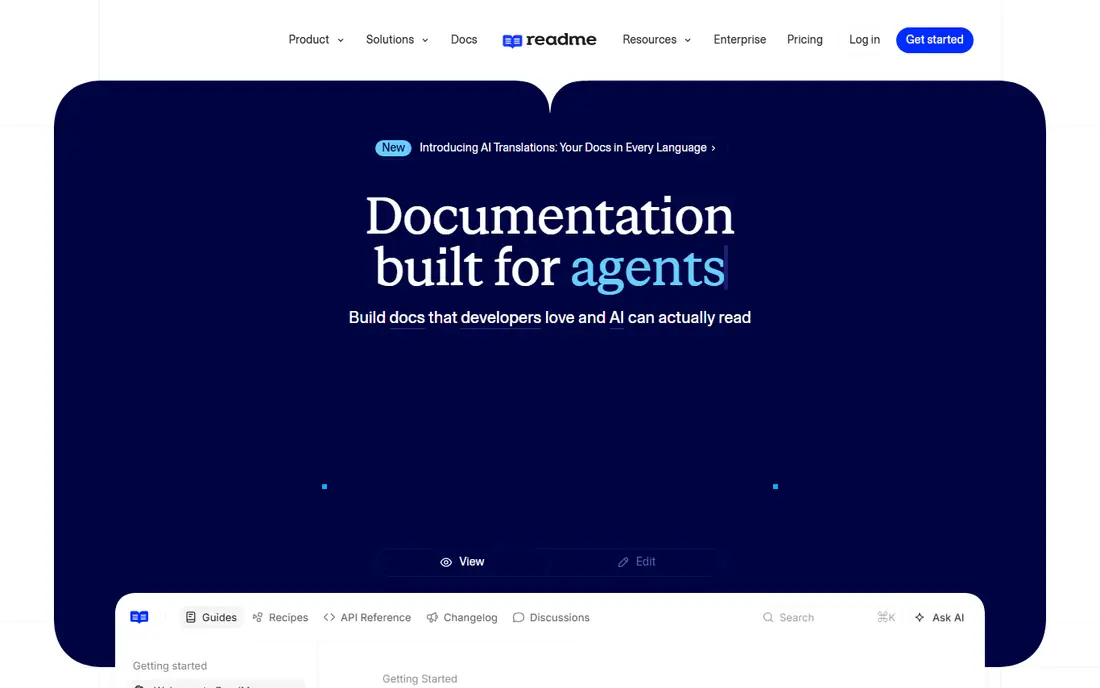
ReadMe serves API-first companies with interactive references. ReadMe targets companies whose API is the product. In daily use, first, pricing is per project, so a company with three public APIs pays three times.
From a buyer's view, teams that want everything as Markdown files in Git will fight it. Upload an OpenAPI definition and you get an interactive reference where developers can try endpoints from the browser, alongside guides, tutorials, a changelog and a discussion forum. From a buyer's view, second, ReadMe is a system, not files: your content lives in its editor and syncs to Git as a secondary concern, which is the reverse of the docs-as-code tools above. ReadMe cost at the entry level: $99/month. ReadMe offers a free plan.
Watch-outs: Markdown purists will miss plain-file workflows.
- Changelogs and discussion forums
- Guides plus reference in one hub
- Priced per project, so several APIs multiply the bill
Doxygen
Ideal for: C, C++ and Java codebases needing reference docs
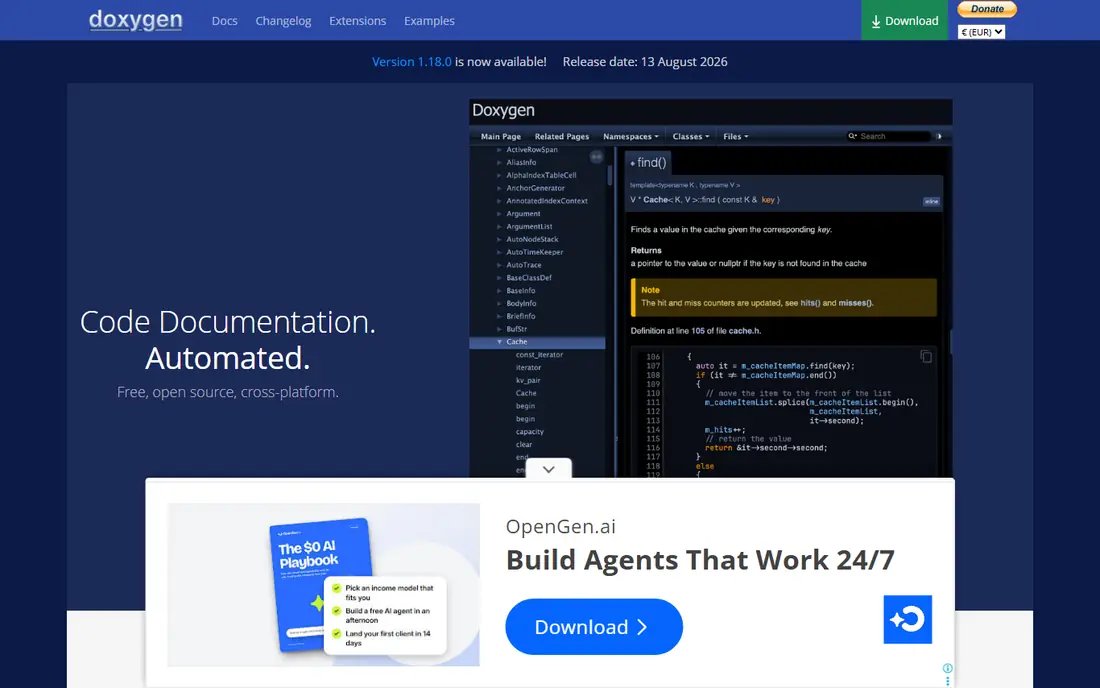
For C, C++ and Java codebases needing reference docs, Doxygen is a natural candidate. For large C++ codebases, nothing else in the free level comes close to this level of automatic structure extraction.
Price to start with Doxygen: Free. Doxygen has a free plan.
Points against: Output styling feels dated.
- Extracts docs from annotated source across numerous languages
- Plenty of output formats
- Configuration file is long and intimidating
MkDocs
Ideal for: Markdown-first teams that want the simplest setup
MkDocs is aimed squarely at Markdown-first teams that want the simplest setup. MkDocs wins on simplicity. Point it at a folder of Markdown files, run one command.
Trade-offs to know: Versioning is less refined than Docusaurus.
You have a documentation site with navigation, search and a live-reload server for writing. In practice, the Material for MkDocs theme turned it from a plain tool into something teams genuinely enjoy using, with tabs, annotations, code block features and a refined look that needs no design work. For API references, MkDocs leans on plugins like mkdocstrings, which work well but add configuration that Sphinx users get natively. MkDocs pricing: Free. MkDocs includes a free tier.
- Fastest path from Markdown files to a site
- Rich theme and plugin ecosystem
- API reference generation needs plugins
Docusaurus
Ideal for: React-friendly teams wanting versioned docs sites
For React-friendly teams wanting versioned docs sites, Docusaurus is a natural candidate. Docusaurus assumes your team is comfortable with Node.js, npm and a build step, which is natural for a JS product team and friction for everyone else. On top of that, when a team outgrows a README, Docusaurus is the most typical next step in the JavaScript world.
It turns Markdown files into a full documentation site with versioning per release, internationalization architecture, a blog section and Algolia-powered search, all without writing a backend. From a buyer's view, small projects at times find it heavy: for twenty pages of docs, the versioning system and plugin architecture are machinery you will never use. It shines when docs are a product surface in their own right, with several versions in the wild and translators contributing. The starting price for Docusaurus: Free. Docusaurus has a free plan.
Where it is weaker: Overkill for a small single-page doc set.
- React components inside Markdown
- Versioning and i18n built in
- Needs a Node.js toolchain
Sphinx
Ideal for: Python projects needing API docs from docstrings
Sphinx is a good fit for Python projects needing API docs from docstrings. Sphinx is the old hand of this category, and in Python it is still the standard. In practice, teams also underestimate theming: from day one, Sphinx sites look like they were built in 2012, and getting a modern look means adopting an external theme like Furo or the PyData theme.
If your team is Python-native and your docs are API-heavy, accept the ramp-up time. Markdown support exists through extensions, but it feels bolted on. Sphinx pricing: Free. A free plan is available with Sphinx.
The main drawbacks: Default themes look dated without customization.
- Huge extension ecosystem
- Autodoc produces API references from docstrings
- ReStructuredText has a learning curve
GitBook
Ideal for: Non-technical contributors and hosted simplicity
GitBook is a good fit for non-technical contributors and hosted simplicity. GitBook is the hosted product for teams that do not want to run a build pipeline. In daily use, public readers cost nothing and page views are unlimited, which makes it attractive for open API docs.
What to check first: Per-site plus per-user pricing scales steeply.
For everyday use, writers get a clean block editor, engineers get Git sync so docs can live in a repo, and publishing is a button click. The pricing model deserves a careful look before you commit. On top of that, premium plans charge per site plus per user: Premium lists at $65 per site a month plus $12 per user a month on annual billing. On cost, GitBook starts like this: $65/site/month + $12/user/month. GitBook offers a free plan.
- Git sync for docs-as-code teams
- Friendly block editor anyone can use
- No self-hosting choice
How these tools were picked
Selection started from tools commonly considered for software documentation generator tool, then narrowed to 7 that have clear pricing information or a clear quote process. Where a vendor does not publish a price, the entry says quote. Where a price depends on seats or billing term, the entry says so. We ordered the tools by general fit, then by how clearly pricing is shown, then by free access. A buyer with unusual needs may reorder them.
A buyer's checklist
- Confirm the entry price on the vendor page: GitBook starts at $65/site/month + $12/user/month, but seat counts and billing terms change the total.
- Check what the free option really includes: VuePress, ReadMe, Doxygen and others offer a free plan, and usage caps differ.
- Before choosing VuePress, weigh its main limit: smaller community than Docusaurus.
- Total up the real monthly cost of MkDocs, including add-ons, extra users and usage-based fees.
- Check whether the features you need in GitBook sit on the entry plan or only on higher tiers.
Frequently asked questions
Do these tools publish their prices?
Yes. Every tool from VuePress to GitBook shows a starting price, though seats, add-ons and billing terms still change the final cost.
Should we use a static generator or a hosted system?
If your writers are engineers comfortable with Git and Markdown, a static generator is cheaper and more adaptable. If non-technical people must contribute on a regular basis, a hosted product's editor normally pays for itself in participation.
What is the cheapest option for software documentation generator tool in this list?
On published monthly entry prices, GitBook is the lowest here at $65/site/month + $12/user/month. Entry price is only part of the cost, because seats, add-ons and billing terms can change the total.
Which options for software documentation generator tool have a free plan?
On this list, 7 of 7 tools include a free plan, among them VuePress, ReadMe, Doxygen and MkDocs. Caps on seats, usage or features are common, so test the free plan against your real workload.
Is Sphinx outdated in 2026?
No. It remains the standard for Python API documentation, with active maintenance and a large extension ecosystem. Its defaults look dated, but modern themes close the gap, and nothing matches autodoc for docstring-driven references.
Is VuePress the right pick for everyone comparing software documentation generator tool?
No single tool suits every team. VuePress comes first because it fits Vue shops documenting components, while ReadMe suits API-first companies with interactive references and Doxygen suits C, C++ and Java codebases needing reference docs. Match the tool to your own size, budget and workflow before deciding.