Best Software for Automated Proposals Using AI

- 1
 PandaDocAll-round sales proposals with e-sign and paymentsVisit
- 2
 ProposifyDesign-led proposals with detailed metricsVisit
- 3
 QwilrInteractive web proposals with built-in paymentsVisit
- 4
 GetAcceptE-sign and digital sales rooms for mid-size sales teamsVisit
- 5
 Better ProposalsLow-cost proposals for solo sellers and small agenciesVisit
- PandaDoc is the best all-round pick for most sales teams, with a free plan and a Starter plan at $19 per user per month when billed annually.
- Better Proposals is the cheapest entry point for a solo seller, at $13 per month when billed annually for one user.
- Qwilr and Proposify suit teams that want interactive, web-based proposals with live tracking and buyer analytics.
- Loopio and Responsive are built for RFP and questionnaire responses at volume, and both use custom quotes instead of public prices.
- AI drafting saves the most time when your content library is clean, so budget time to build templates before you judge any tool.
Quick comparison
| Product | Ideal for | Price from | Free version | |
|---|---|---|---|---|
| PandaDoc | All-round sales proposals with e-sign and payments | $19 per user/month (billed annually) | Yes | Visit |
| Proposify | Design-led proposals with detailed metrics | $39 per user/month (billed annually) | No | Visit |
| Qwilr | Interactive web proposals with built-in payments | $35 per user/month (billed annually) | No | Visit |
| GetAccept | E-sign and digital sales rooms for mid-size sales teams | $25 per user/month | No | Visit |
| Better Proposals | Low-cost proposals for solo sellers and small agencies | $13 per month (billed annually) | No | Visit |
 Nusii | Simple proposals for freelancers and small agencies | $29 per month | No | Visit |
 Loopio | RFP and questionnaire responses at volume | quote only | No | Visit |
 Responsive | Enterprise RFP automation across many teams | $10,000 per year | No | Visit |
The best automated proposal software
PandaDoc
Ideal for: All-round sales proposals with e-sign and payments
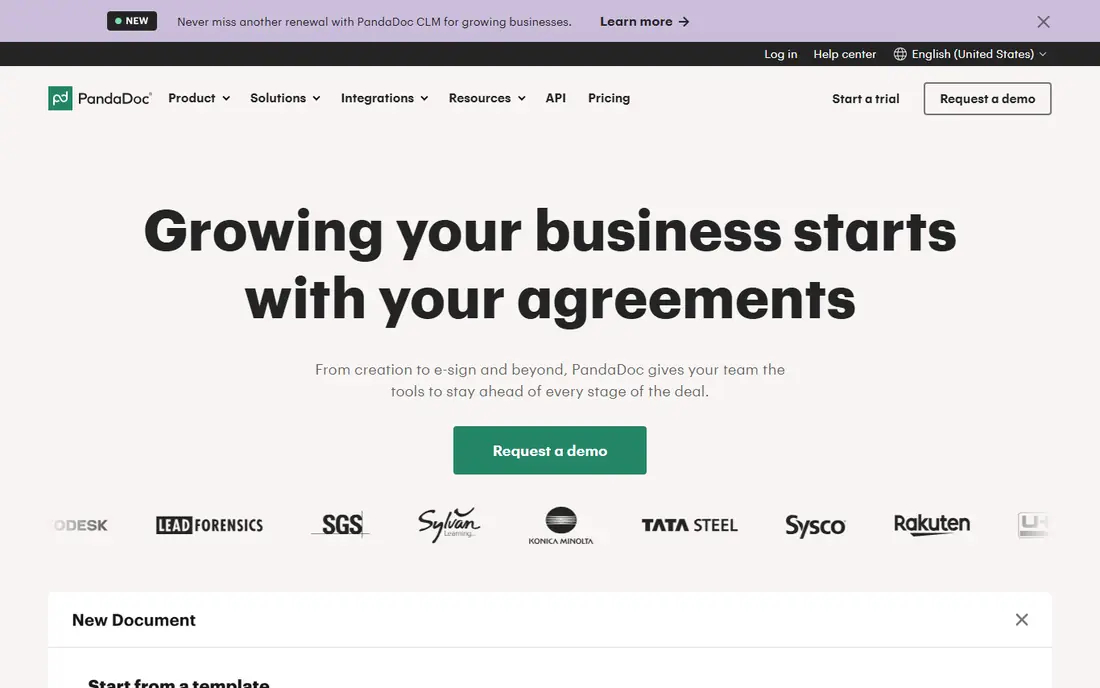
PandaDoc covers the full proposal flow in one place, from drafting and sending to signature and payment. You build a proposal from a template, drop in a pricing table, and send a link that the buyer can sign without downloading anything. The AI assistant drafts sections, shortens text, and fixes tone, which cuts the time a rep spends on a first draft. The pricing page lists a free plan at $0, a Starter plan at $19 per seat per month when billed annually, and a Business plan at $49 per seat per month when billed annually, with Enterprise on a custom quote.
The tracking is practical rather than decorative. You see when a buyer opens the document, how long they spend on each section, and when they sign, so follow-up calls land at the right moment. Templates, a content library, and CRM links to HubSpot and Salesforce keep repeat proposals consistent. The main limit is that the cheapest plans hold back the deeper automation, so a team that wants approval flows and advanced analytics will need Business or above.
- Free plan included
- Built-in e-sign and payments in the same document
- AI drafting and content library depth sit on higher tiers
- Per-seat pricing adds up fast for large teams
Proposify
Ideal for: Design-led proposals with detailed metrics
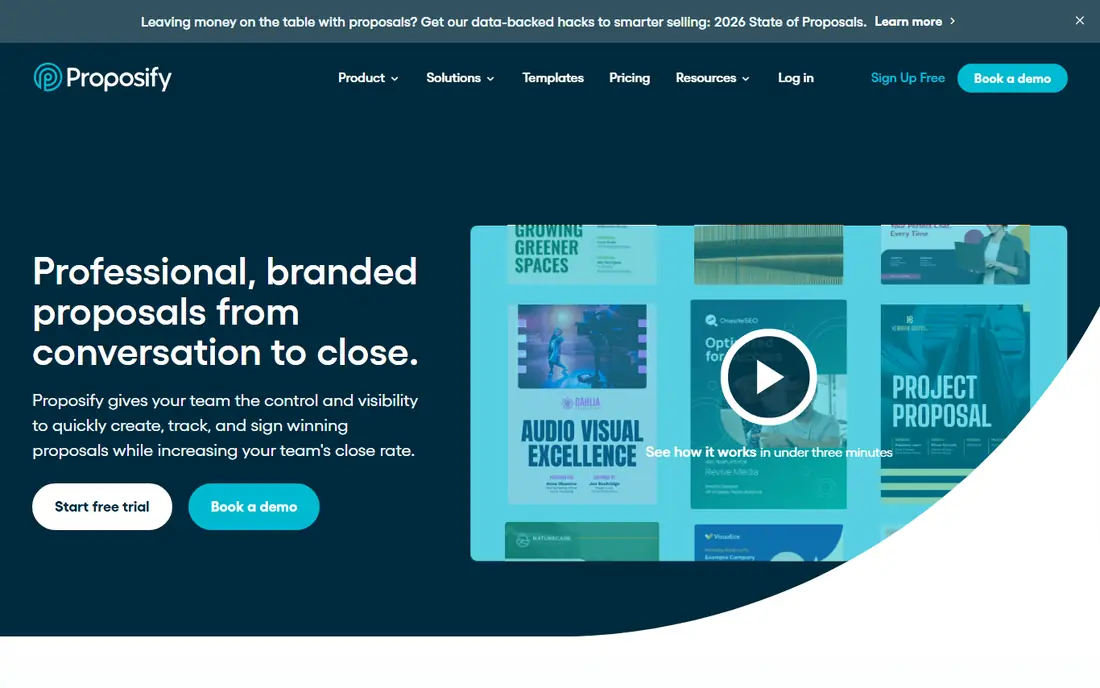
Proposify turns proposals into tracked web pages instead of static files. A buyer opens a link, picks optional add-ons from an interactive quote table, and signs on the page. The editor includes an AI writing widget that drafts, refines, and condenses text, plus a content library for reusable sections and a product catalog for pricing. The pricing page lists the Build plan at $39 per user per month when billed annually, or $49 when billed monthly, with Scale on a custom platform fee.
The metrics are the reason many teams pick it. You get a timeline of each open, time spent per section, and account-level reporting, which shows which templates close and which stall. A 14-day free trial opens the full Team feature set, so you can test a real proposal before you commit. The trade-off is cost and send limits: lower plans cap monthly sends, and extra sends carry a per-send fee, so high-volume teams should check the send allowance before they sign up.
- Strong document analytics and interactive quoting
- AI writing widget built into the editor
- Entry price is high for a small team
- Send limits apply on lower tiers
Qwilr
Ideal for: Interactive web proposals with built-in payments
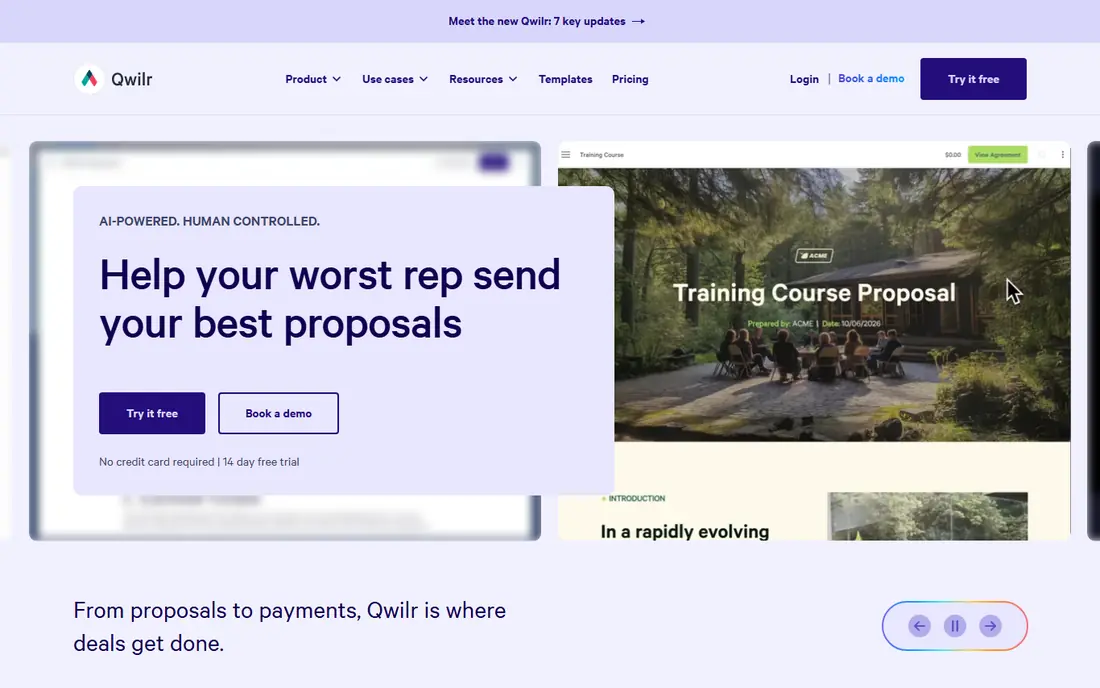
Qwilr builds proposals as interactive web pages with quote blocks, ROI calculators, embedded video, and one-click acceptance. Its Smart Proposal Engine and AI Prefill on the Scale plan generate tailored drafts from your rules, and the MCP integration lets AI tools create pages from templates. The pricing page lists Starter at $35 per user per month when billed annually, or $49 monthly, Growth at $55 per user per month, and Scale at $75 per user per month, with Growth and Scale on annual billing only.
Payments set Qwilr apart from most rivals in this list. QwilrPay collects full, partial, or recurring payments directly on the proposal page, with a small transaction fee on Starter and no fee on Growth and Scale. Analytics show who viewed each page and what they clicked, and the audit trail records every step. The main drawback is the seat minimums: Growth starts at 5 seats and Scale at 10, so a team of two or three will stay on Starter even if they want the higher features.
- Web-native pages with ROI calculators and quote blocks
- QwilrPay collects payment inside the proposal
- No free plan, only a 14-day trial
- Growth and Scale require 5 and 10 seats minimum
GetAccept
Ideal for: E-sign and digital sales rooms for mid-size sales teams
GetAccept combines e-signatures with a digital sales room, so a proposal lives next to videos, files, chat, and a mutual action plan that both sides can see. The AI side shows up in engagement tracking and buyer analytics: you see which stakeholders opened the room, what they read, and where the deal stalls. The pricing page lists an E-sign plan at $25 per user per month and a Professional plan at $49 per user per month with a 5-user minimum, while Enterprise is a custom quote. Note that this price comes from a vendor pricing page read on 26 Jul 2025, so confirm it on the live page before you buy.
The Professional plan adds the full sales room, pricing tables, a product library, and integrations with HubSpot, Pipedrive, and Salesforce, plus contract management and CPQ on Enterprise. Automated reminders and in-app chat keep the buyer moving without extra emails from the rep. The main limits are the dated price confirmation and the lack of a free plan, so use the demo to test the sales room flow against your own deal stages before you commit.
- Digital sales rooms with video and mutual action plans
- Strong CRM integrations
- Price was last read on the vendor pricing page on 26 Jul 2025 and needs a fresh check
- No free plan
Better Proposals
Ideal for: Low-cost proposals for solo sellers and small agencies
Better Proposals keeps proposal software simple and cheap. You pick a template, fill in your services and price, and send a link that the client can sign online. The pricing page lists Starter at $13 per month when billed annually for one user, Premium at $21 per user per month when billed annually, and Enterprise at $42 per user per month when billed annually. Monthly billing runs $19, $29, and $49 for the same three plans. A 14-day free trial runs on Premium and needs no credit card.
The tool focuses on the basics done well: clean templates, digital signatures, and tracking that shows when a client opens and signs. There is no heavy AI drafting suite, so it suits sellers who write their own copy and want the document, signature, and follow-up handled without a big subscription. The limit is scale: Starter is a single user, and teams that need approvals, a shared content library, or deep CRM automation will outgrow it and should look at PandaDoc or Proposify instead.
- Lowest entry price in this list
- 14-day free trial with no credit card
- No free plan
- Starter covers one user only
Nusii
Ideal for: Simple proposals for freelancers and small agencies
Nusii is proposal software for people who sell creative work and want the document out the door fast. You build a proposal from a template, send it from your own email domain, and the client signs online. Automatic reminders chase the client for you, and analytics show opens and acceptance. The pricing page lists Freelancer at $29 per month for 1 user, Agency at $49 per month for 3 users, and Business at $129 per month for 5 users, with yearly billing giving 2 months free. Every plan includes a 14-day free trial.
The appeal is how little there is to learn. There are no complex workflows to configure, and unlimited templates and clients come with every plan. The limit is volume: Freelancer allows only 5 active proposals, Agency 20, and Business 50 or more, so a busy agency will need the higher plans. Nusii also keeps its feature set narrow, which is a strength for solos and a weakness for teams that need CRM automation or approval chains.
- Very simple setup with no learning curve
- Includes e-signing and automatic reminders on every plan
- Only 5 active proposals on the Freelancer plan
- No free plan, only a 14-day trial
Loopio
Ideal for: RFP and questionnaire responses at volume
Loopio automates responses to RFPs, RFIs, security questionnaires, and due diligence requests. Its generative AI drafts answers from your content library, and reviewers approve them through multi-step review flows. The pricing page lists Foundations, Enhanced, and Enterprise plans with no dollar figures, and asks buyers to book a call for a custom quote. Foundations includes 10 seats and suits smaller sales-led teams, while Enhanced adds multi-language libraries and confidential projects.
The content library is the core of the product. Every approved answer is stored once and reused, so the AI drafts stay consistent with what your team has already approved. Unlimited projects and library entries come with every plan, which matters when response volume grows. The main drawback is fit: Loopio is built for teams that answer formal questionnaires every week, so a team that sends a few custom sales proposals a month will find PandaDoc or Better Proposals a better match, and the lack of public pricing slows down budgeting.
- Unlimited projects and library entries on every plan
- Generative AI drafts from your content library
- No public prices, so budgeting needs a sales call
- Built for response teams, not one-off sales proposals
Responsive
Ideal for: Enterprise RFP automation across many teams
Responsive, formerly RFPIO, is an enterprise platform for responding to RFPs, RFIs, and questionnaires. Its AI and automation studio drafts first responses from your content, routes work across teams, and tracks every project in one place. The pricing page lists the Emerging Edition starting from $10,000, with Growth and Enterprise editions on a sales quote. Every edition includes unlimited response projects, unlimited content, and collaboration, so the price scales with capability rather than with the number of responses.
The platform suits organisations where proposals cross legal, security, and sales teams and need governance, e-signatures, and advanced integrations. Intake requests, LookUp, and premium connectors arrive on Growth, while Enterprise adds flexible custom AI and advanced reporting. The clear limit is cost: $10,000 a year is an enterprise commitment, and smaller teams will get better value from Loopio or from a general proposal tool such as PandaDoc.
Pick by team size and budget
| Team size | Budget | Best pick | Why | | Solo seller | Under $20 per month | Better Proposals | $13 per month billed annually, one user, trial on Premium | | Freelancer or small agency | Under $30 per month | Nusii | $29 per month, simple setup, reminders included | | Small sales team | $20 to $40 per user per month | PandaDoc | Free plan, e-sign, payments, $19 per user per month billed annually | | Growing sales team | $35 to $55 per user per month | Qwilr | Interactive pages, payments, AI prefill on Scale | | Response team | Custom quote | Loopio | Unlimited projects, AI drafts from your library | | Enterprise | $10,000 per year and up | Responsive | Unlimited projects, governance, custom AI |
- Unlimited response projects on every edition
- AI and automation studio included from the entry edition
- Entry price of $10,000 per year rules out small teams
- Higher editions need a sales quote
How we chose
We opened each vendor pricing page on 12 Nov 2026 and took the entry plan price from the page itself, except for GetAccept, whose price comes from a vendor pricing page read on 26 Jul 2025 and is flagged in its section for a fresh check. We compared AI drafting, content libraries, e-signing, tracking, and payments, and we checked whether each tool offers a free plan or a free trial. We did not test any tool hands-on and we did not use third-party review scores. Prices exclude taxes where the vendor says so, and monthly billing usually costs more than the annual figure shown here.
What to check before you buy
Check the AI features on the plan you would actually buy, because drafting, prefill, and automation often sit one or two tiers above the entry price. Ask how many documents or sends your plan allows, since some tools cap monthly sends or active proposals. Confirm whether e-signatures are legally binding in your country and whether your CRM is supported on your tier. Test a real proposal on the trial, including the buyer view, the signature step, and the payment step if you plan to collect money in the document. Finally, read the renewal terms, because annual plans are usually charged in full at the start of the year.
Frequently asked questions
What is the cheapest software for automated proposals using AI?
Better Proposals is the cheapest entry in this list, at $13 per month when billed annually for one user, with a 14-day free trial on its Premium plan. Nusii follows at $29 per month for one user. PandaDoc is the cheapest option with a free plan, at $0, and its Starter plan costs $19 per user per month when billed annually. Pick the cheapest tool only after you check its send limits and AI features.
Does PandaDoc have a free plan?
Yes. PandaDoc lists a free plan at $0 on its pricing page, alongside Starter at $19 per seat per month when billed annually and Business at $49 per seat per month when billed annually. The free plan covers basic document creation and e-signing, while templates, the content library, and deeper automation sit on the higher plans. A free trial is also offered for Starter.
Which proposal tool is best for RFP responses?
Loopio is the best pick for teams that answer RFPs, RFIs, and security questionnaires every week, because it stores every approved answer in a library and its AI drafts from that library. Responsive suits larger organisations that need governance and custom AI across many teams, with its Emerging Edition starting from $10,000 per year. Both use custom quotes, so book a demo to get your price.
Can AI write a whole proposal for me?
AI can draft a first version from your templates, content library, and deal notes, but it cannot write a finished proposal on its own. You still need to check facts, prices, names, and terms, and to shape the argument for the buyer. The tools that save the most time are the ones with a clean content library, because the AI reuses approved text instead of inventing new claims.
Do I need a CRM to use proposal software?
No. Most tools in this list work on their own, with templates, e-signing, and tracking included. A CRM link helps when you want deal values, contact details, and proposal status in one place, and HubSpot, Salesforce, Pipedrive, and Zoho are the most common links. Check that your CRM is supported on the plan you buy, because some integrations sit on higher tiers.