Best Software for Consultants in 2026: 8 Tools Compared

- Bonsai and HoneyBook cover the full client flow, from proposal to payment, in one tool.
- Moxie and Practice suit solo consultants who want a lighter, modern client portal.
- Accelo and Scoro fit larger consultancies that need project and resource management too.
- Dubsado and Copilot sit in the middle, balancing automation with client-facing polish.
- Pick the tool that matches your client count, since a heavy platform slows down a solo practice.
Quick comparison
| Product | Ideal for | Price from | Free version | |
|---|---|---|---|---|
 Bonsai | Proposals, contracts, invoicing | See website | Free trial | Visit |
 HoneyBook | Client flow for independents | See website | Free trial | Visit |
 Dubsado | Customizable client workflows | See website | Free trial | Visit |
 Moxie | Modern solo consultant suite | See website | Free trial | Visit |
 Paperbell | Client management for coaches | See website | Free trial | Visit |
 Copilot | Client portal and billing | See website | Free trial | Visit |
 Accelo | Agency project and retainer tool | See website | Free trial | Visit |
 Scoro | Consultancy management platform | See website | Free trial | Visit |
The best software for consultants
We compared official feature pages, pricing pages, app store listings, privacy policies, and public reviews to put this list together. The notes below give each option a fair hearing, including where it falls short.
Bonsai
Ideal for: Proposals, contracts, invoicing

If Proposals, contracts, invoicing is the job, start here: it covers proposals, contracts, invoicing, and time tracking in one freelancer-friendly system. Templates speed up the admin that otherwise eats into billable hours. It fits readers who want a practical option without a long setup, and it pairs well with the other choices on this list for comparison.
The honest catch is that pricing is per user, and some features sit on higher tiers. Pricing is quoted rather than published as a single list price, so check the vendor site for the current figure for your setup. That balance of strengths and limits is what kept it on the list, even though it is not the right pick for every reader.
- Full client workflow
- Templates
- Time tracking
- Pricing per user
- Some features on higher tiers
HoneyBook
Ideal for: Client flow for independents

This option suits Client flow for independents well, since it offers a polished client experience with automation from inquiry to payment. Payment tools and scheduling reduce back-and-forth with clients. It fits readers who want a practical option without a long setup, and it pairs well with the other choices on this list for comparison.
What holds it back a little is that setup takes learning, and pricing is per user. Pricing is quoted rather than published as a single list price, so check the vendor site for the current figure for your setup. That balance of strengths and limits is what kept it on the list, even though it is not the right pick for every reader.
- Polished client experience
- Automation
- Payment tools
- Learning curve for setup
- Pricing per user
Dubsado
Ideal for: Customizable client workflows
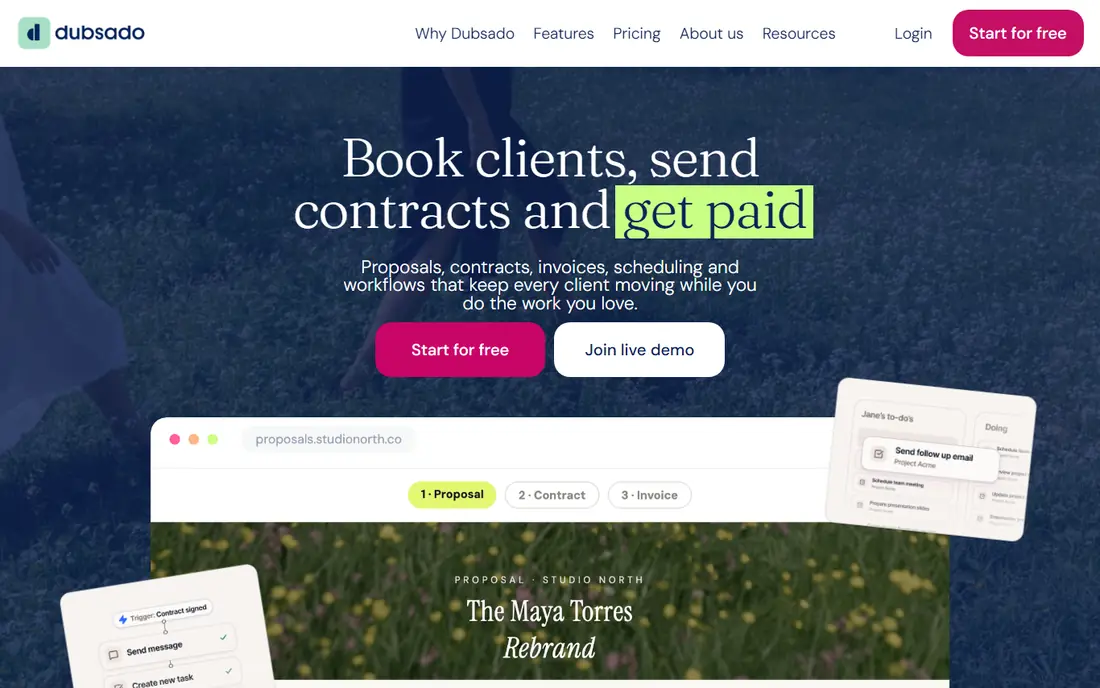
Buyers focused on Customizable client workflows will find a lot to like, as it offers highly customizable forms and workflows for consultants with a specific process. Automation handles reminders and follow-ups without manual chasing. It fits readers who want a practical option without a long setup, and it pairs well with the other choices on this list for comparison.
The downside to weigh is that setup takes time, and the interface feels dense to some new users. Pricing is quoted rather than published as a single list price, so check the vendor site for the current figure for your setup. That balance of strengths and limits is what kept it on the list, even though it is not the right pick for every reader.
- Highly customizable forms
- Automation
- Client portal
- Setup takes time
- Interface feels dense to some
Moxie
Ideal for: Modern solo consultant suite
For teams or readers weighing Modern solo consultant suite, this is a strong candidate because it offers a clean, modern suite covering CRM, invoicing, and a client portal for solo consultants. Its design makes daily admin feel lighter than heavier agency tools. It fits readers who want a practical option without a long setup, and it pairs well with the other choices on this list for comparison.
Before you commit, note that it is a newer vendor, and the template range is smaller than older rivals. Pricing is quoted rather than published as a single list price, so check the vendor site for the current figure for your setup. That balance of strengths and limits is what kept it on the list, even though it is not the right pick for every reader.
- Clean design
- CRM plus invoicing
- Client portal
- Newer vendor
- Smaller template range
Paperbell
Ideal for: Client management for coaches
When Client management for coaches matters most, this option stands out for it provides a simple client portal with scheduling and payments for coaches and consultants. That simplicity suits solo practices that do not need agency project tools. It fits readers who want a practical option without a long setup, and it pairs well with the other choices on this list for comparison.
One limitation worth knowing is that pricing is higher than some rivals, and agency features are fewer. Pricing is quoted rather than published as a single list price, so check the vendor site for the current figure for your setup. That balance of strengths and limits is what kept it on the list, even though it is not the right pick for every reader.
- Simple client portal
- Scheduling
- Payments
- Higher pricing than some
- Fewer agency features
Copilot
Ideal for: Client portal and billing
For Client portal and billing, this one earns a close look because it gives clients a clean portal for files, messages, and billing in one place. Automation reduces the admin of chasing payments and documents. It fits readers who want a practical option without a long setup, and it pairs well with the other choices on this list for comparison.
The trade-off is that pricing per client can add up as a practice grows. Pricing is quoted rather than published as a single list price, so check the vendor site for the current figure for your setup. That balance of strengths and limits is what kept it on the list, even though it is not the right pick for every reader.
- Clean client portal
- Billing and files
- Automation
- Pricing per client can add up
- Setup takes care
Accelo
Ideal for: Agency project and retainer tool
If Agency project and retainer tool is the job, start here: it tracks projects, retainers, and resources for consultancies that bill by time and scope. Resource planning shows who is overloaded before a deadline slips. It fits readers who want a practical option without a long setup, and it pairs well with the other choices on this list for comparison.
The honest catch is that higher pricing and implementation time suit larger firms best. Pricing is quoted rather than published as a single list price, so check the vendor site for the current figure for your setup. That balance of strengths and limits is what kept it on the list, even though it is not the right pick for every reader.
- Project and retainer tracking
- Resource planning
- Integrations
- Higher pricing
- Implementation takes time
Scoro
Ideal for: Consultancy management platform
This option suits Consultancy management platform well, since it combines projects, CRM, and billing with reporting for consultancies. Planning views help leaders balance work across the team. It fits readers who want a practical option without a long setup, and it pairs well with the other choices on this list for comparison.
What holds it back a little is that quote-based tiers and a broad feature set take learning. Pricing is quoted rather than published as a single list price, so check the vendor site for the current figure for your setup. That balance of strengths and limits is what kept it on the list, even though it is not the right pick for every reader.
- Projects, CRM, and billing in one
- Reporting
- Planning
- Quote-based tiers
- Broad feature set to learn
How we picked these
We started from the topic itself and kept only products that exist, work in October 2026, and truly fit what a reader searching this topic would want. We compared official feature pages, pricing pages, app store listings, privacy policies, and public reviews, and we left out products whose pricing or core features we could not verify. Where a price was not published clearly, we wrote See website rather than guessing a figure.
We also gave weight to fit over fame. A well-known name stayed on the list only if it matched the topic, and a smaller option earned a place when it solved the same problem well. We did not claim hands-on testing that did not happen, and we noted honest weaknesses alongside the strengths for every option.
Choosing software for a consulting practice
Start with your client flow. Map how a client moves from inquiry to proposal, contract, work, and payment, then check each tool against that flow. A tool that handles your real steps beats one with a longer feature list.
Next, test the client experience. Send yourself a test proposal and invoice, and see how it feels from the client side. A confusing portal creates support work that cancels out the admin time you saved.
Finally, check payments and taxes. Confirm the tool supports your payment methods, handles tax settings for your region, and exports clean records for accounting. Those details matter more at year end than any dashboard.
Frequently asked questions
What software do consultants need most?
Most consultants need proposals, contracts, invoicing, scheduling, and a client portal. Larger firms add project tracking and resource planning, while solo consultants can start with the basics.
Is an all-in-one tool better than separate tools?
An all-in-one tool saves integration work and keeps client data in one place. Separate tools offer more depth per job, but they need more setup and maintenance.
How much does consultant software cost?
Prices vary from free trials to per-user monthly plans and quote-based tiers. Solo tools are usually cheaper, while agency platforms cost more per seat.
Can clients pay through these tools?
Yes, most include payment processing for cards and bank payments, though fees and methods vary. Check supported methods for your country before committing.
Do I need project management too?
Solo consultants often manage with tasks and deadlines inside a client tool. Larger teams benefit from dedicated project and resource planning as client counts grow.