Software for Creating Forms in 2026: A Guide to 7 Tools

- 1
 Zoho FormsZoho ecosystem usersVisit
- 2
 Google FormsFree straightforward forms in Google WorkspaceVisit
- 3
 FormstackRegulated teams and workflow automationVisit
- 4
 TypeformConversational, branded formsVisit
- 5
 JotformMost templates and ample free planVisit
- This list starts with Zoho Forms, which is built for Zoho ecosystem users.
- Zoho Forms, Formstack, Typeform and others: pricing is by quote only, so plan time for a sales conversation.
- What to know about Google Forms first: basic design and logic.
- For straightforward forms with a long track record, Wufoo is worth a look.
- 6 out of 7 tools include a free plan, among them Zoho Forms, Google Forms, Typeform and Jotform.
Direct answer
Zoho Forms comes first here, mainly for Zoho ecosystem users. Alternatives: Google Forms for free straightforward forms in Google Workspace, and Formstack for regulated teams and workflow automation. Details, prices and limits for the rest of the 7 tools are below.
Quick comparison
| Product | Ideal for | Price from | Free version | |
|---|---|---|---|---|
| Zoho Forms | Zoho ecosystem users | See website | Yes | Visit |
| Google Forms | Free straightforward forms in Google Workspace | Free | Yes | Visit |
| Formstack | Regulated teams and workflow automation | See website | Free trial | Visit |
| Typeform | Conversational, branded forms | See website | Yes | Visit |
| Jotform | Most templates and ample free plan | See website | Yes | Visit |
 WPForms | WordPress sites | See website | Yes | Visit |
 Wufoo | Straightforward forms with a long track record | See website | Yes | Visit |
Software for Creating Forms, one by one
Choosing software for creating forms usually comes down to price, fit and limits. This Ainotely guide sets 7 tools side by side on those three points, with the facts kept short and checkable.
Zoho Forms
Ideal for: Zoho ecosystem users
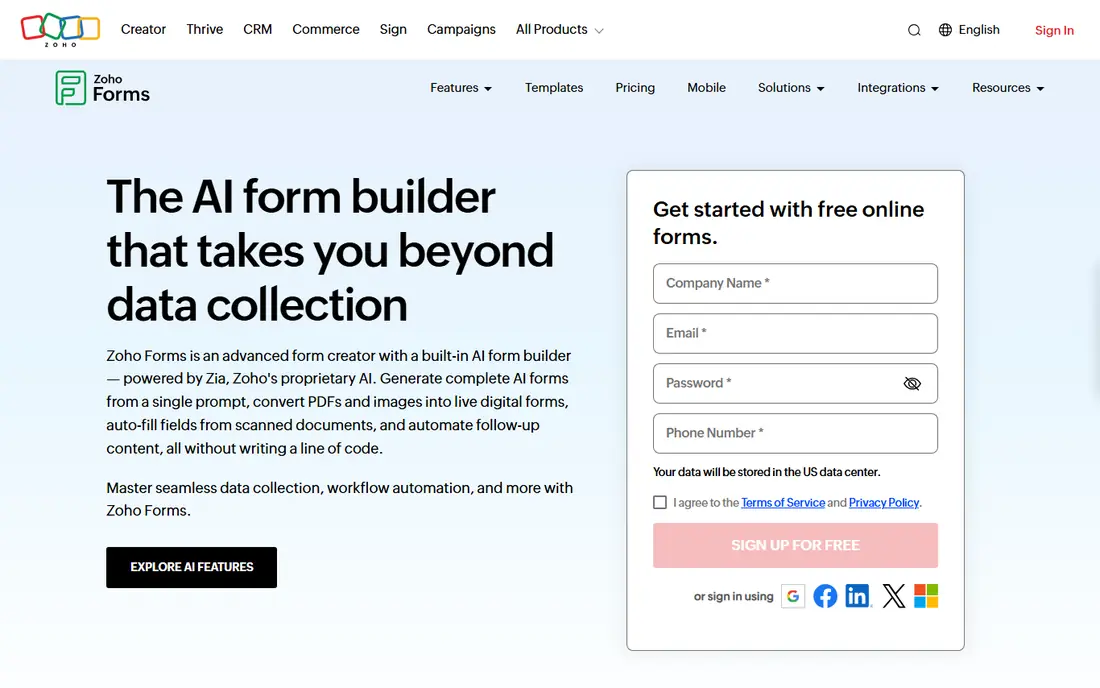
Zoho Forms is built with Zoho ecosystem users in mind. Zoho Forms makes the most sense inside the Zoho universe: submissions flow into Zoho CRM, Campaigns and Desk with no middleware. Zoho shops should start here; everyone else should compare on features alone.
For everyday use, standalone users should compare Jotform's free plan first. From a buyer's view, outside Zoho, the integrations are thinner than Jotform's and the design is unremarkable. Check the vendor site for Zoho Forms pricing; none is listed in this comparison. You can start on Zoho Forms without paying.
Honest limits: Best value needs the Zoho stack.
- Free plan available
- Deep integration with Zoho CRM and apps
- Standalone users get less
Google Forms
Ideal for: Free straightforward forms in Google Workspace

Where Google Forms fits: free straightforward forms in Google Workspace. Google Forms is the right answer when the form is a means to an end: a signup sheet, a fast survey, an internal poll. It is free, unlimited in the ways that matter for straightforward use, and every response lands in a spreadsheet automatically.
It is not a marketing tool. Beyond that, the quiz mode with auto-grading fits teachers and trainers. Entry price for Google Forms: Free. You can start on Google Forms without paying.
Points against: Restricted branding.
- Responses flow into Google Sheets
- Fully free
- No payment collection
Formstack
Ideal for: Regulated teams and workflow automation

Formstack serves regulated teams and workflow automation. Formstack plays one level up from entry-level form builders: forms feed into documents, eSignatures and automatic workflows, with the compliance controls that healthcare, education and finance teams need.
Limits to weigh: Free trial rather than a free plan.
Map that workflow before the trial ends, since the value lives downstream of the form itself. In daily use, the value appears when forms are the start of a regulated process instead of a standalone ask. This comparison lists no price for Formstack; ask the vendor. Free access: Free trial.
- Documents and eSignature in one system
- Solid compliance story including HIPAA
- Pricier than straightforward builders
Typeform
Ideal for: Conversational, branded forms
Typeform is a good fit for conversational, branded forms. You pay for that polish. Choose Typeform when completion rate and brand impression matter more than raw response count.
Downsides: Free plan is restricted.
The free plan is genuinely restricted, and response-based pricing means a viral survey gets pricey quick. On top of that, if responses will exceed a handful of hundred per month, price the annual plan before you fall in love with the builder. Check the vendor site for Typeform pricing; none is listed in this comparison. Typeform has a free plan.
- Beautiful default design
- Solid brand customization
- Can get expensive at high response volumes
Jotform
Ideal for: Most templates and ample free plan
Pick Jotform if this describes you: most templates and ample free plan. Jotform's moat is volume: thousands of templates, a drag-and-drop builder that spans everything from contact forms to HIPAA-friendly intake. A free plan that lets small teams run production forms without paying.
Worth adding: start on the free plan and upgrade only when you hit submission limits or need compliance features. For everyday use, the template gallery is the real time-saver: clone a template close to your use case rather than building from blank. If you want maximum capability per dollar, notably free, Jotform is hard to beat. In practice, integrations with payment processors, CRMs and cloud storage are wide. Jotform shows no starting price here, so confirm the cost on the vendor site. You can start on Jotform without paying.
Watch-outs: Interface can feel busy.
- Huge template library
- Free plan includes real use
- Advanced branding needs premium levels
WPForms
Ideal for: WordPress sites
WPForms is built with WordPress sites in mind. WPForms shines for contact forms, newsletter signups, and straightforward payment forms managed inside wp-admin. The free Lite version manages contact forms, and premium extras include payments, surveys, user registration and marketing integrations.
It only exists inside WordPress, so it is irrelevant if your site runs elsewhere. Install only the extras you need, since the full bundle can slow smaller sites. From a buyer's view, for WordPress owners who want forms managed in the same dashboard as everything else, there is no more straightforward choice. Pricing for WPForms is not stated here, so ask the vendor for current figures. Free access exists with WPForms.
Drawbacks to consider: Advanced features need premium add-ons.
- Native WordPress plugin
- Free Lite version
- WordPress-only
Wufoo
Ideal for: Straightforward forms with a long track record
Where Wufoo fits: straightforward forms with a long track record. Wufoo has been building forms since before most competitors existed, and it displays in the reliability. Beyond that, the builder is straightforward, the free account lets you build up to five forms, and reporting handles the basics well.
On top of that, if you outgrow it, Jotform imports Wufoo forms, which softens the migration substantially. More specifically, if you want a form tool that just works and never surprises you, Wufoo still gives. The five-form free limit means consolidating ruthlessly. Check the vendor site for Wufoo pricing; none is listed in this comparison. Wufoo offers a free plan.
Limits to weigh: Fewer modern integrations than newer rivals.
- Steady and battle-tested
- Dead straightforward to use
- Dated interface
How we chose
Ainotely used vendor pricing pages and product documentation as the base, then compared plans, free access and documented limits for 7 tools. Plan names, prices and limits change often. Treat the figures here as a starting point and verify them with the vendor. Position on the page reflects fit for a typical buyer first, with price clarity and free access breaking ties. Treat it as a guide, not a ruling.
Questions to settle before buying
- Get a written quote from Zoho Forms, Formstack, Typeform and others; the list shows no starting price for them.
- Read the fine print on the free plans from Zoho Forms, Google Forms, Typeform and others; seat, project and feature caps differ.
- Use real work to test the free trial from Formstack, rather than a demo project.
- Before choosing Zoho Forms, weigh its main limit: best value needs the Zoho stack.
- Read the plan comparison for Zoho Forms carefully; key features often start on a higher tier.
- Ask the daily users to test WPForms on a live task before you roll it out to everyone.
Frequently asked questions
Which options for software for creating forms have a free plan?
6 of the 7 tools have a free plan, including Zoho Forms, Google Forms, Typeform and Jotform. Free plans usually cap users, projects or features, so check the limits on the vendor page. One other tool offers a trial instead.
Do I need HIPAA compliance for patient intake forms?
If you collect protected health information, yes. Jotform and Formstack offer HIPAA-compliant plans with signed BAAs; standard plans from any vendor are not sufficient.
Which form builder is a good match for WordPress?
This list starts with Zoho Forms, which fits Zoho ecosystem users. For other needs, Google Forms is aimed at free straightforward forms in Google Workspace, and Formstack at regulated teams and workflow automation. Check each tool's price and main limit first.
Is Zoho Forms the right pick for everyone comparing software for creating forms?
No single tool suits every team. Zoho Forms comes first because it fits Zoho ecosystem users, while Google Forms suits free simple forms in Google Workspace and Formstack suits regulated teams and workflow automation. Match the tool to your own size, budget and workflow before deciding.
Can I try these tools before paying?
Often, yes. Zoho Forms, Google Forms, Typeform and others have a free plan and Formstack offers a free trial. Use your own data and a real task during the test, and check what the free tier or trial limits before you rely on it.
Do these tools publish their prices?
Not all of them. Zoho Forms, Formstack, Typeform and others publish no starting price, so expect a quote request for those. The rest, Google Forms included, show a starting price, though seats and billing terms still change the final cost.