Best software for moving companies in 2026: 7 Options Compared

- 1
 SmartMovinggrowing movers that want CRM plus dispatchVisit
- 2
 Supermovemovers that want a modern customer experienceVisit
- 3
 MoveitPromovers that want a broad feature setVisit
- 4
 Movegisticsmovers that want CRM and dispatch depthVisit
- 5
 Elromcomovers that want an all in one platformVisit
- SmartMoving suits growing movers that want CRM, dispatch and sales in one place.
- Supermove suits movers that want a modern customer and crew experience.
- MoveitPro suits movers that want a broad feature set at a clear price.
- Movegistics, Elromco and Moverbase suit movers that want CRM and dispatch depth.
Quick comparison
| Product | Ideal for | Price from | Free version | |
|---|---|---|---|---|
| SmartMoving | growing movers that want CRM plus dispatch | See website | No | Visit |
| Supermove | movers that want a modern customer experience | See website | No | Visit |
| MoveitPro | movers that want a broad feature set | See website | No | Visit |
| Movegistics | movers that want CRM and dispatch depth | See website | No | Visit |
| Elromco | movers that want an all in one platform | See website | No | Visit |
 Moverbase | movers that want simple job management | See website | No | Visit |
 Vonigo | field service firms including movers | See website | No | Visit |
The best software for moving companies
Software for moving companies covers quotes, bookings, dispatch, crew management, payments and customer communication. We compared official product pages, pricing pages and public reviews, focusing on quoting, scheduling, crew tools, payments and pricing model. Pricing is often per user or quote based, so we note the model rather than quoting a figure we could not confirm.
SmartMoving
Ideal for: growing movers that want CRM plus dispatch
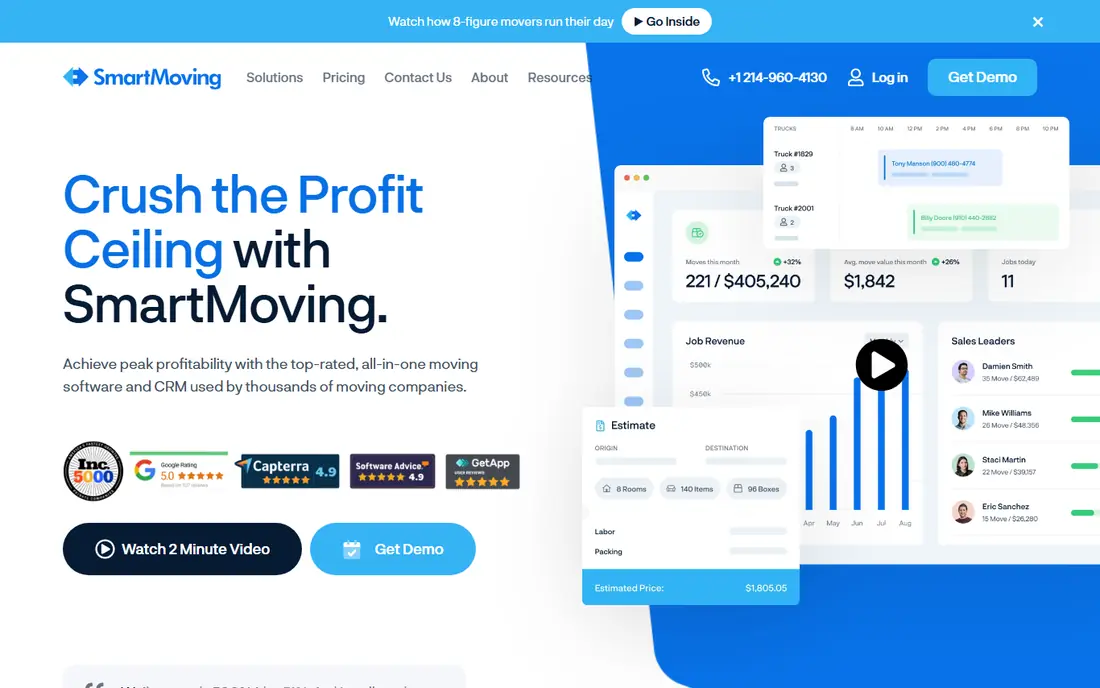
SmartMoving combines CRM, sales, dispatch, crew management and customer communication for moving companies, with tools for quotes, bookings and follow up. Its dashboard helps owners see pipeline, jobs and crew schedules in one place. That breadth suits a growing mover that has outgrown spreadsheets and separate tools.
Before you pay, check the limits that apply to your own use, including seats, storage, monthly usage and support hours. A plan that looks generous on the headline page can still cap the one feature you rely on most, so read the plan comparison page rather than the marketing summary. A trial or free tier is the safest way to test this, and it also shows whether support answers promptly when you need help.
Pricing is quoted, and setup takes time to import customers and train crews. Ask for a demo on your real job types, and confirm which features sit inside the quoted plan.
- CRM and sales
- Dispatch
- Crew and customer tools
- Pricing is quote based
- Setup takes time
Supermove
Ideal for: movers that want a modern customer experience
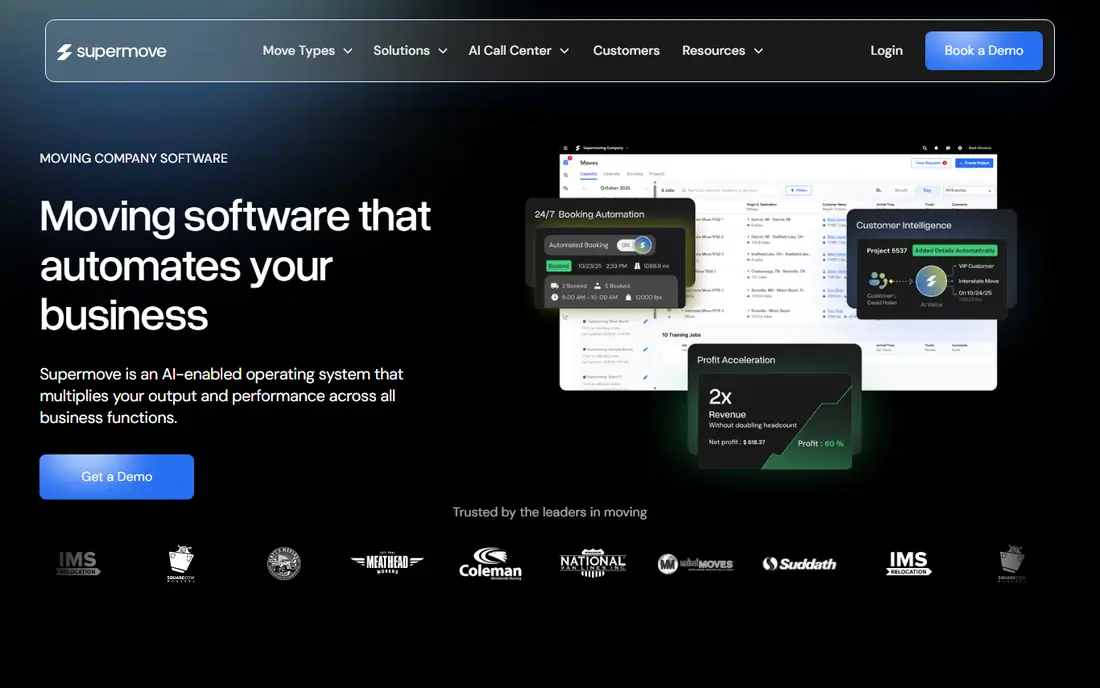
Supermove offers a modern booking flow for customers, a crew app for job day, and payment tools, aimed at residential movers who want a polished customer journey. Customers can book, sign and pay online, while crews see job details and checklists on a phone. That flow reduces phone time for the office.
The price on the headline page is only part of the cost, so check renewal pricing, per-seat charges and any paid add-ons before you commit. Free tiers help for light use, but they often cap the features that matter once work grows, and trials end on a fixed date whether you have finished testing or not. Set a reminder before a trial ends, and confirm cancellation steps in advance so you are not locked into a plan you no longer need.
Pricing is quoted, and the model fits residential moving best, so commercial movers should check fit. Test the customer booking flow yourself, and confirm how changes and cancellations are handled.
- Customer booking flow
- Crew app
- Payments
- Pricing is quote based
- Best for residential movers
MoveitPro
Ideal for: movers that want a broad feature set
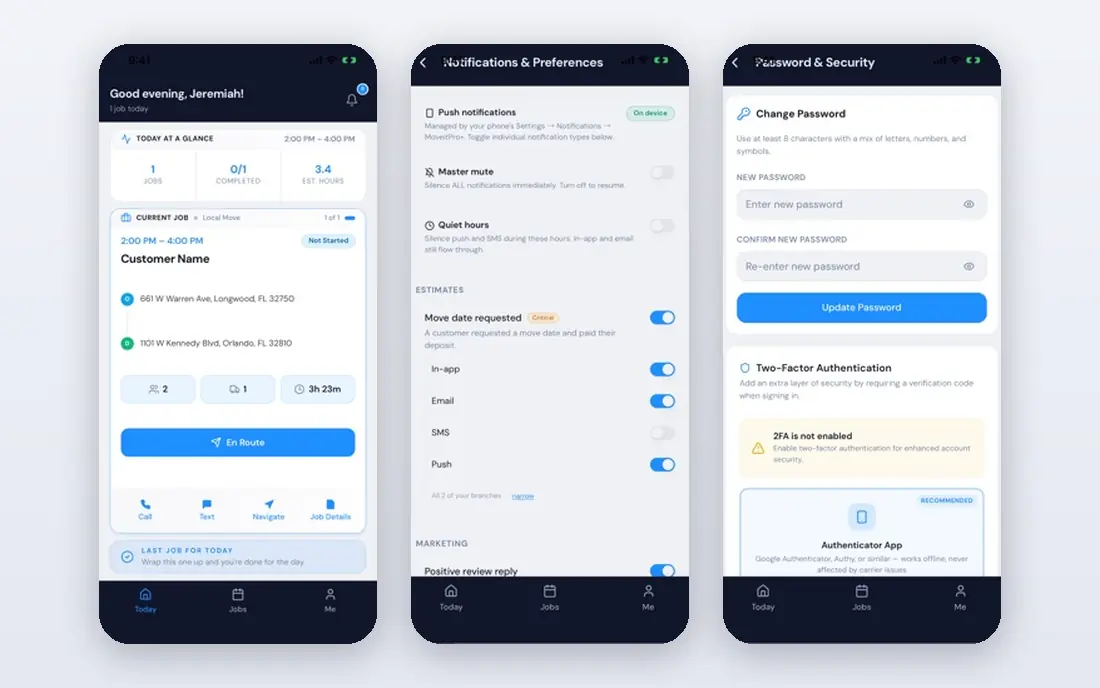
MoveitPro covers quoting, dispatch, CRM, crew scheduling and accounting links for moving companies of many sizes. Its broad feature set suits movers that want one system for sales, operations and billing. The platform also supports storage, packing and commercial jobs alongside residential moves.
Pricing is where many readers get caught out, so look past the headline figure and check what the plan actually includes for your level of use. Seats, usage limits, add-ons and renewal terms can change the real monthly cost, and a cheaper plan that lacks one feature you need is not a saving. If a free tier or trial is offered, use it for real work before paying, and confirm how cancellation works while you still have time to change your mind.
Its interface is functional rather than polished, and pricing varies by users and features. Trial it with your job types, including storage and packing, and confirm training and support terms.
- Quoting and dispatch
- CRM
- Accounting links
- Interface is functional
- Pricing varies by users
Movegistics
Ideal for: movers that want CRM and dispatch depth
Movegistics offers CRM, lead management, dispatch and reporting for moving companies, with tools to track leads from enquiry to completed job. Its reporting helps owners see conversion, revenue and crew performance. That CRM depth suits movers that invest in marketing and want to measure lead quality.
Before you pay, check the limits that apply to your own use, including seats, storage, monthly usage and support hours. A plan that looks generous on the headline page can still cap the one feature you rely on most, so read the plan comparison page rather than the marketing summary. A trial or free tier is the safest way to test this, and it also shows whether support answers promptly when you need help.
It is a smaller brand than SmartMoving or Supermove, so check references from movers of a similar size. Confirm integration with your accounting and payment tools before committing.
- CRM and lead management
- Dispatch
- Reporting
- Smaller brand
- Setup needs care
Elromco
Ideal for: movers that want an all in one platform
Elromco provides an all in one platform for moving companies, covering online quotes, booking, dispatch, crew tools and a customer portal. Customers can get a quote, book and track their move, while the office manages jobs from one dashboard. That breadth suits movers that want a single supplier for sales and operations.
The price on the headline page is only part of the cost, so check renewal pricing, per-seat charges and any paid add-ons before you commit. Free tiers help for light use, but they often cap the features that matter once work grows, and trials end on a fixed date whether you have finished testing or not. Set a reminder before a trial ends, and confirm cancellation steps in advance so you are not locked into a plan you no longer need.
Pricing is quoted and the platform takes time to learn, so plan training for office and crew. Test the customer portal and crew app on real jobs during a trial.
- Quotes and booking
- Dispatch
- Customer portal
- Pricing is quote based
- Learning curve
Moverbase
Ideal for: movers that want simple job management
Moverbase offers job scheduling, quoting and customer management for moving companies, with a simpler setup than larger platforms. Small movers can manage bookings, crews and customer details without a long implementation. Its focus on core operations suits teams that want clarity over breadth.
Pricing is where many readers get caught out, so look past the headline figure and check what the plan actually includes for your level of use. Seats, usage limits, add-ons and renewal terms can change the real monthly cost, and a cheaper plan that lacks one feature you need is not a saving. If a free tier or trial is offered, use it for real work before paying, and confirm how cancellation works while you still have time to change your mind.
Its feature range is narrower than SmartMoving or Elromco, so larger movers may outgrow it. Check whether it covers your payment, storage and reporting needs before committing.
- Job scheduling
- Quotes
- Customer management
- Feature range is narrower
- Smaller ecosystem
Vonigo
Ideal for: field service firms including movers
Vonigo is a field service platform covering scheduling, dispatch, CRM, quoting and mobile workforce tools, used by moving and other home service firms. Its mobile app helps crews see jobs, capture signatures and update status on site. That field service depth suits movers that also offer related services such as junk removal or storage.
Before you pay, check the limits that apply to your own use, including seats, storage, monthly usage and support hours. A plan that looks generous on the headline page can still cap the one feature you rely on most, so read the plan comparison page rather than the marketing summary. A trial or free tier is the safest way to test this, and it also shows whether support answers promptly when you need help.
It is a general field service tool rather than a moving only platform, so some moving specific workflows need configuration. Check whether quote, inventory and storage features match your job types during a demo.
- Scheduling and dispatch
- CRM
- Mobile workforce tools
- General field service focus
- Moving features are broader
How we picked these
We compared official feature pages, pricing pages, app store listings, privacy policies and public reviews for each option in this guide. We kept only products that exist and work in October 2026 and that fit the topic directly, and we checked that each official homepage loads and belongs to the product named. Prices and free tiers are taken from the vendor site where we could verify them, and we wrote See website where a price could not be confirmed, rather than guessing. Our pick in each guide reflects fit for ordinary readers, not a claim of hands-on testing, and we note the honest limits of each option alongside its strengths.
How to choose software for a moving company
Start with your biggest pain: lost leads, messy dispatch, crew confusion or slow payments. A CRM heavy tool fixes leads, while a dispatch heavy tool fixes job day chaos. List your job types, crew size and payment methods, then trial the system on real jobs, including a change of date and a damaged item claim, to see how it handles exceptions.
Compare total cost per user and per month, including onboarding and support, and check data export if you leave. Train crews on the mobile app before a busy week, and keep a paper backup for job day until the system proves reliable. A system that crews actually use on site is worth more than a dashboard that only the office opens.
Frequently asked questions
What is the best software for moving companies?
SmartMoving suits growing movers that want CRM plus dispatch, Supermove suits a modern customer experience, and MoveitPro suits a broad feature set. Movegistics, Elromco and Moverbase suit CRM and dispatch depth, while Vonigo suits field service firms.
How much does moving company software cost?
Pricing is usually per user per month or quoted by company size, with onboarding sometimes extra. Get a quote for your crew and office user count, and check whether customer booking, payments and support are included or paid extras.
Can moving software handle quotes and bookings online?
Yes, most platforms offer online quote forms, booking and customer portals, which reduce phone time and lost leads. Test the quote flow yourself, including video surveys if offered, and confirm how quotes convert to booked jobs.
Do movers need a crew app?
A crew app helps crews see job details, checklists, photos and signatures on site, and updates the office in real time. For small teams, a shared calendar may suffice, but a crew app reduces errors as job volume grows.
What should I check before switching moving software?
Check data import for customers and jobs, training for office and crew, payment and accounting integrations, and contract terms. Run the new system alongside the old one for a short period, and keep a backup of customer data before migrating.