Best Software for Real Estate Agents in 2026: 8 Tools Compared

- 1
 Follow Up BossAgent CRM and lead follow-upVisit
- 2
 kvCORECRM plus lead generationVisit
- 3
 Sierra InteractiveTeams and lead generationVisit
- 4
 BoomTownBrokerage lead conversionVisit
- 5
 LionDeskAffordable agent CRMVisit
- Follow Up Boss is our pick for agent CRMs, while kvCORE suits teams that want CRM plus lead generation and websites in one system.
- Sierra Interactive and BoomTown suit larger teams and brokerages with lead generation budgets.
- Transaction management tools such as Dotloop and Skyslope save time at closing, separate from CRM choice.
- Most agent CRMs price per user per month, so count team size and lead volume before comparing.
- Check MLS and lead source integrations first, since a CRM that cannot sync your leads will not get used.
Quick comparison
| Product | Ideal for | Price from | Free version | |
|---|---|---|---|---|
| Follow Up Boss | Agent CRM and lead follow-up | $69 per month | Free trial | Visit |
| kvCORE | CRM plus lead generation | See website | No | Visit |
| Sierra Interactive | Teams and lead generation | See website | No | Visit |
| BoomTown | Brokerage lead conversion | See website | No | Visit |
| LionDesk | Affordable agent CRM | $25 per month | Free trial | Visit |
 Dotloop | Transaction management | See website | Free trial | Visit |
 Skyslope | Brokerage transaction compliance | See website | No | Visit |
 Canva | Listing marketing design | Free | Yes | Visit |
The best software for real estate agents
Real estate software covers lead follow-up, listings, marketing and transaction paperwork, and no single tool does all of it best. The list below separates CRMs, lead platforms and transaction tools so you can build a stack that fits. We compared official pricing pages, feature lists and public reviews.
Follow Up Boss
Ideal for: Agent CRM and lead follow-up
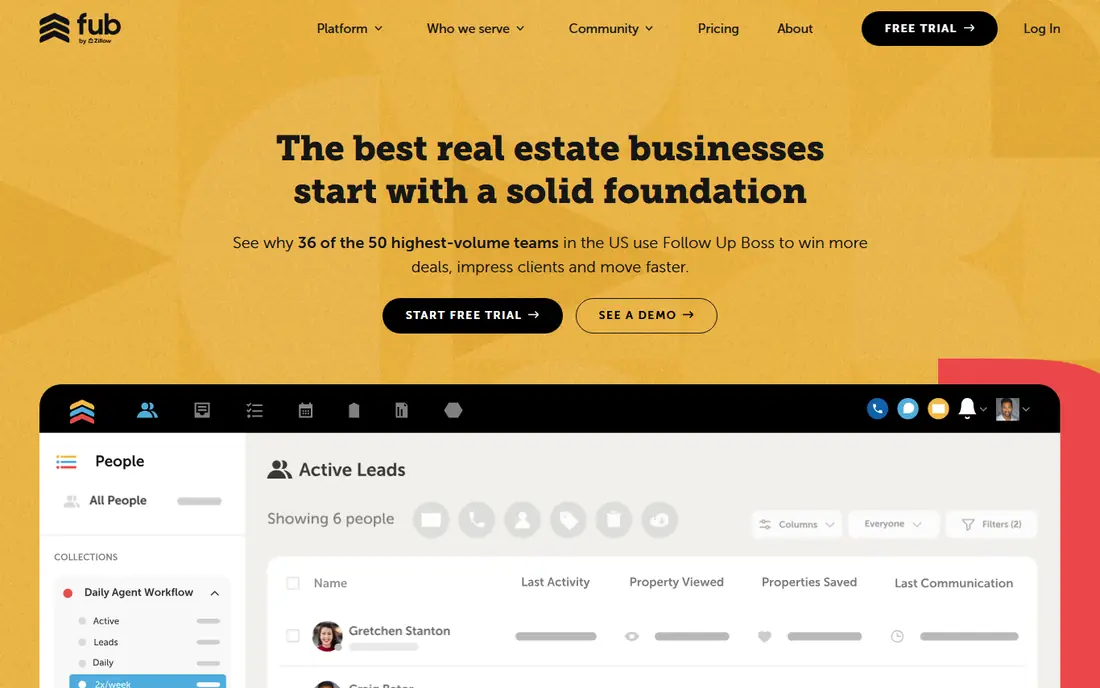
Follow Up Boss is our pick for agent CRMs because it focuses on the job that makes agents money: fast, consistent follow-up. Leads route instantly, action plans automate texts and calls, and integrations cover most lead sources, dialers and marketing tools. Agents who work internet leads will feel the difference in response speed.
It does not generate leads itself, so you still need lead sources such as Zillow, Realtor.com, social ads or a team website. Pricing starts around $69 per month and rises with users and add-ons. For an agent or team that already has leads and needs to convert more of them, Follow Up Boss is the first CRM to test.
- Fast lead routing and follow-up
- Strong integrations
- Action plans and calling tools
- Lead generation is separate
- Price rises with users and features
kvCORE
Ideal for: CRM plus lead generation

kvCORE suits a team or brokerage that wants CRM, agent websites, lead generation and marketing automation in one system. Smart campaigns nurture leads automatically, landing pages and IDX websites capture new leads, and the CRM tracks the full pipeline. That all-in-one scope reduces the number of vendors a brokerage manages.
Pricing is custom and the platform is broad, so a solo agent may find it heavy and pricey. For a team that wants one platform for lead generation through closing, kvCORE is a strong, integrated choice.
- CRM, websites, lead generation and marketing in one platform
- Smart campaigns
- Custom pricing
- Breadth can feel complex for a solo agent
Sierra Interactive
Ideal for: Teams and lead generation

Sierra Interactive suits high-performing teams and brokerages that invest in lead generation. Its IDX websites rank well, lead capture and routing are built for team workflows, and analytics show which sources and agents convert best. Teams that buy leads at scale need exactly that visibility.
Custom pricing and a team focus make it less suited to a solo agent on a tight budget. For a team with a lead budget and a need to track source performance, Sierra is a proven platform worth a demo.
- Strong IDX websites and lead generation
- Team CRM
- Performance analytics
- Custom pricing
- Aimed at teams and brokerages rather than solo agents
BoomTown
Ideal for: Brokerage lead conversion
BoomTown combines lead generation websites with a CRM tuned for conversion, plus predictive insights that flag leads most likely to transact. Onboarding and success support are strong, which matters for a brokerage rolling out a platform to many agents. Teams that want a managed lead-to-close system often choose BoomTown.
Pricing is custom, setup costs apply, and contracts are common, so total cost needs a written quote. For a brokerage ready to invest in lead generation and conversion as a system, BoomTown is a leading option.
- Lead generation plus CRM
- Predictive insights
- Strong onboarding and success support
- Custom pricing with setup costs
- Contracts are common
LionDesk
Ideal for: Affordable agent CRM
LionDesk is the budget CRM pick for an agent who wants follow-up automation without a high monthly bill. The entry plan starts around $25 per month, with text messaging, video messaging and drip campaigns included. For a solo agent moving from spreadsheets to a real CRM, LionDesk covers the essentials.
The interface feels dated compared with Follow Up Boss, and lead generation is separate, so you still need lead sources. If budget is the main constraint and you want automated follow-up now, LionDesk is a practical starting point.
- Low entry price
- Text and video messaging
- Drip campaigns included
- Interface feels dated to some users
- Lead generation is separate
Dotloop
Ideal for: Transaction management
Dotloop handles the paperwork side: contracts, disclosures, e-signatures and compliance checklists from offer to close. Agents, clients and brokerages can sign and track documents in one place, and audit trails help with compliance reviews. It pairs with a CRM rather than replacing one.
It is not a lead or marketing tool, so agents still need a CRM for follow-up. Pricing varies by user type, with brokerage plans differing from solo agent plans. For an agent drowning in transaction paperwork, Dotloop saves real time at closing.
- E-signatures and document management
- Compliance checklists
- Team and brokerage tools
- Not a CRM
- Pricing varies by user type and brokerage
Skyslope
Ideal for: Brokerage transaction compliance
Skyslope suits brokerages that need transaction management plus back-office compliance, commission tracking and auditing. Digital signatures, document checklists and brokerage review workflows keep files compliant, and reporting helps brokers see pipeline and risk across agents.
Custom pricing and a brokerage focus make it heavier than Dotloop for a solo agent. For a brokerage that needs compliance and back-office control alongside transaction management, Skyslope is a strong choice.
- Strong brokerage compliance and audit tools
- Digital signatures
- Back-office features
- Pricing is custom
- Aimed at brokerages more than solo agents
Canva
Ideal for: Listing marketing design
Canva earns a place because listing marketing is a daily agent job. Templates for just-listed posts, open house flyers, social graphics and buyer presentations let an agent produce polished marketing in minutes, with a free tier that covers most needs. Brand kits on paid plans keep colors and logos consistent.
It does not manage leads, listings or transactions, so pair it with a CRM and a transaction tool. For an agent who wants better marketing without hiring a designer, Canva is the fastest win in this list.
- Fast listing flyers, social posts and presentations
- Templates for real estate
- Free tier
- Not a CRM or transaction tool
- Design only
How we picked these
We compared official pricing pages, feature lists and public reviews for real estate software available in the US in October 2026. We favored tools with real agent deployments, MLS or lead source integrations, and a working official homepage. We left out tools we could not verify as live products.
What to check before you buy
Check integrations first. List your lead sources, MLS, dialer, email and transaction tools, and confirm each CRM syncs with them natively. A CRM that requires manual lead imports will be abandoned within weeks, however good its features look in a demo.
Separate CRM, leads and transactions
Budget for three jobs separately: lead generation, CRM follow-up, and transaction management. An all-in-one platform can cover all three, but a best-of-breed stack often converts better. Choose the combination your team will actually use daily, and test it with real leads during a trial.
Try before you commit to a full rollout
Most tools in this list offer a free tier or a trial, and the smartest use of that trial is a small, realistic test rather than a tour of every feature. Pick one real job, such as a single project, a single campaign, or a single workflow your team runs every week, and run it end to end in the trial. Invite the people who will actually use the tool daily, not just the person choosing it, and ask them to complete that job without help. Note where they get stuck, how long the job takes compared with your current method, and whether the result is good enough to share with a client or a manager. Check support response times during the trial too, since a fast answer during a trial often predicts the help you will get later. At the end of the trial, compare the real time saved and the real cost per user against the plan you would buy, and only then decide whether the upgrade is worth it for your team.
Frequently asked questions
What is the best software for real estate agents?
Follow Up Boss is our pick for agent CRM and lead follow-up. kvCORE suits teams that want CRM plus lead generation in one platform, while Dotloop suits transaction management at closing.
How much does real estate CRM software cost?
Follow Up Boss starts around $69 per month and LionDesk around $25 per month, while kvCORE, Sierra and BoomTown use custom pricing. Transaction tools vary by user type, so get a quote for your team size.
Do I need a CRM if I only get referrals?
A CRM still helps, because referrals need follow-up, nurture and past-client marketing to turn into repeat business. A simple CRM such as LionDesk or Follow Up Boss keeps referral relationships warm between transactions.
What is the difference between a CRM and transaction management?
A CRM manages leads, follow-up and client relationships before and after a sale. Transaction management tools such as Dotloop and Skyslope manage contracts, signatures and compliance from offer to close.
Can one tool do CRM, leads and transactions?
All-in-one platforms such as kvCORE cover much of the stack, but most agents still pair a CRM with a separate transaction tool. Test the combination on real leads and files before committing the team.