Best solution for software notifications in 2026: 7 Options Compared

- PagerDuty and Opsgenie suit on call teams that need reliable incident alerting.
- OneSignal suits product teams that send push, email and in app messages.
- Knock, Courier and Novu suit developers who manage notifications in code.
- Pushover suits individuals and small teams who want simple device alerts.
Quick comparison
| Product | Ideal for | Price from | Free version | |
|---|---|---|---|---|
 PagerDuty | on call teams that need incident alerts | See website | Free trial | Visit |
 Opsgenie | teams that want Atlassian linked alerting | See website | Free trial | Visit |
 Pushover | individuals who want simple device alerts | See website | Free trial | Visit |
 OneSignal | product teams sending push and email | See website | Yes | Visit |
 Knock | developers managing product notifications | See website | Free trial | Visit |
 Courier | developers who want one notification API | See website | Free trial | Visit |
 Novu | teams that want open source notifications | See website | Yes | Visit |
The best solution for software notifications
Software notification tools make sure the right person sees an alert, message or update at the right time, by push, email, SMS or chat. We compared official product pages, pricing pages, documentation and public reviews, focusing on channels, routing, escalation, templates and pricing model. Pricing is often based on users, messages or events, so we note the model rather than quoting a figure we could not confirm.
PagerDuty
Ideal for: on call teams that need incident alerts
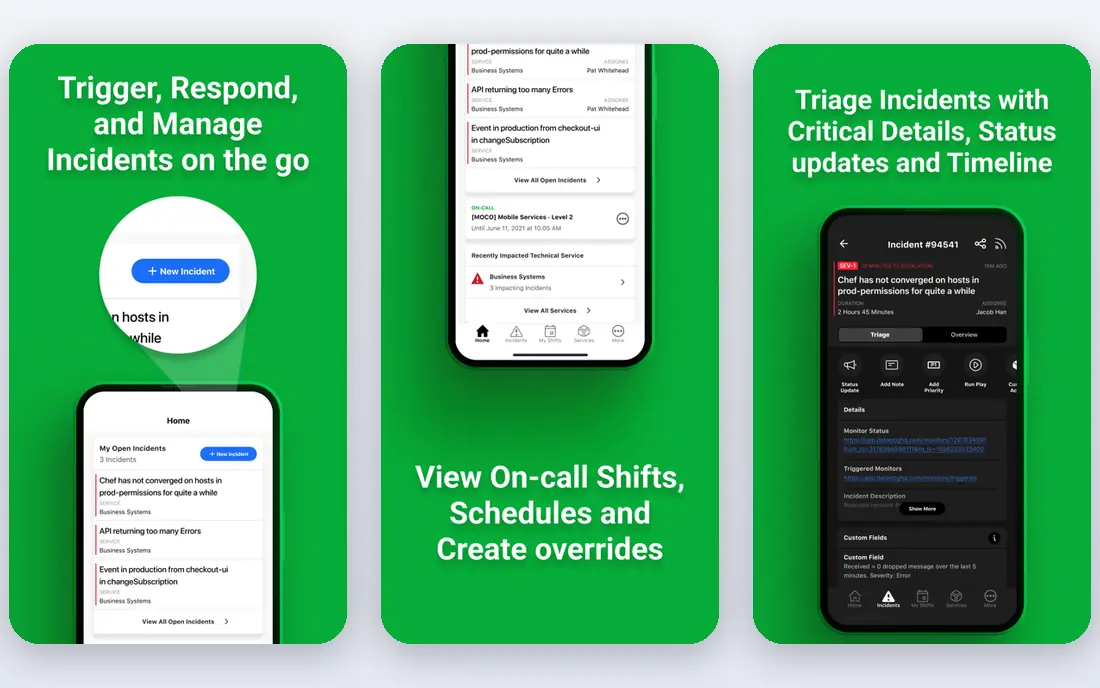
PagerDuty is a leading incident response platform that routes alerts to the on call engineer by phone, SMS, push or email, with schedules, escalation and acknowledgement tracking. It integrates with monitoring tools, so an alert from your stack reaches a person rather than sitting in a dashboard. Teams that run critical services rely on that reliability.
Before you pay, check the limits that apply to your own use, including seats, storage, monthly usage and support hours. A plan that looks generous on the headline page can still cap the one feature you rely on most, so read the plan comparison page rather than the marketing summary. A trial or free tier is the safest way to test this, and it also shows whether support answers promptly when you need help.
Pricing is per user and the full platform takes setup, including schedules, services and escalation policies. Start with one critical service, test escalation with a real drill, and confirm alert noise is filtered before adding more services.
- Reliable incident alerting
- Schedules and escalation
- Many integrations
- Pricing per user
- Breadth takes setup
Opsgenie
Ideal for: teams that want Atlassian linked alerting
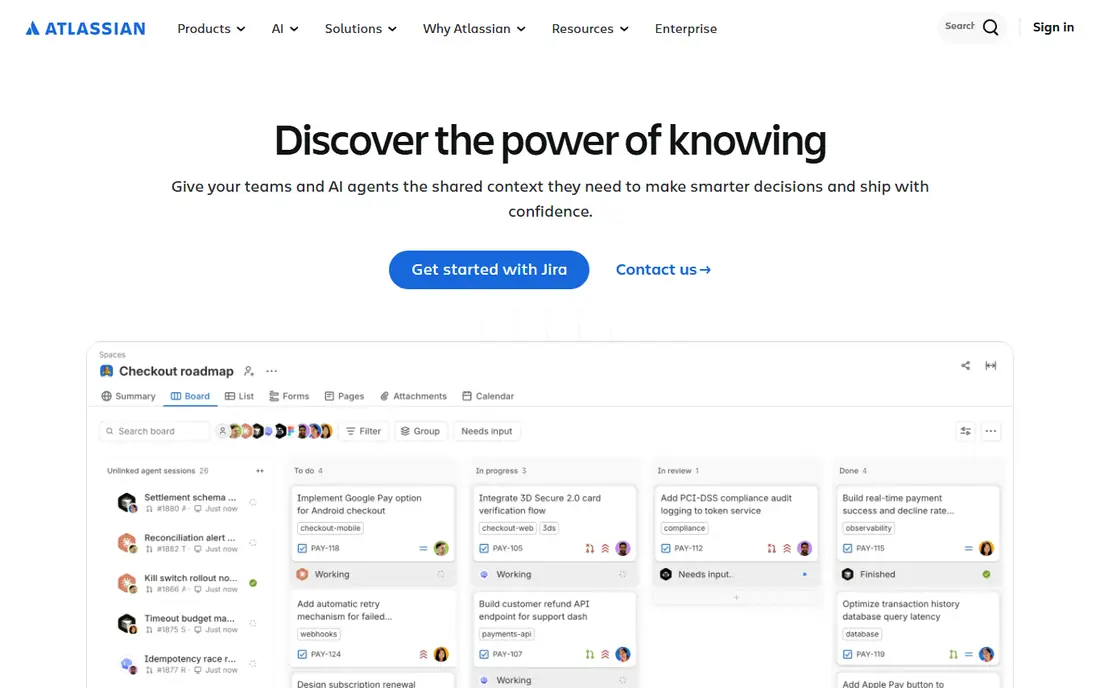
Opsgenie, from Atlassian, offers on call schedules, alert routing and escalation, with strong links to Jira for incident tracking. Teams already using Jira and Confluence benefit from that integration, since an alert can become a tracked incident without manual copying. Its mobile app keeps on call engineers reachable.
The price on the headline page is only part of the cost, so check renewal pricing, per-seat charges and any paid add-ons before you commit. Free tiers help for light use, but they often cap the features that matter once work grows, and trials end on a fixed date whether you have finished testing or not. Set a reminder before a trial ends, and confirm cancellation steps in advance so you are not locked into a plan you no longer need.
It fits Atlassian centred teams best, and pricing is per user, so large on call rotations need a cost check. Test the mobile alert flow, including acknowledgement and escalation, before relying on it for a critical service.
- On call schedules
- Escalation
- Jira integration
- Atlassian focused
- Pricing per user
Pushover
Ideal for: individuals who want simple device alerts
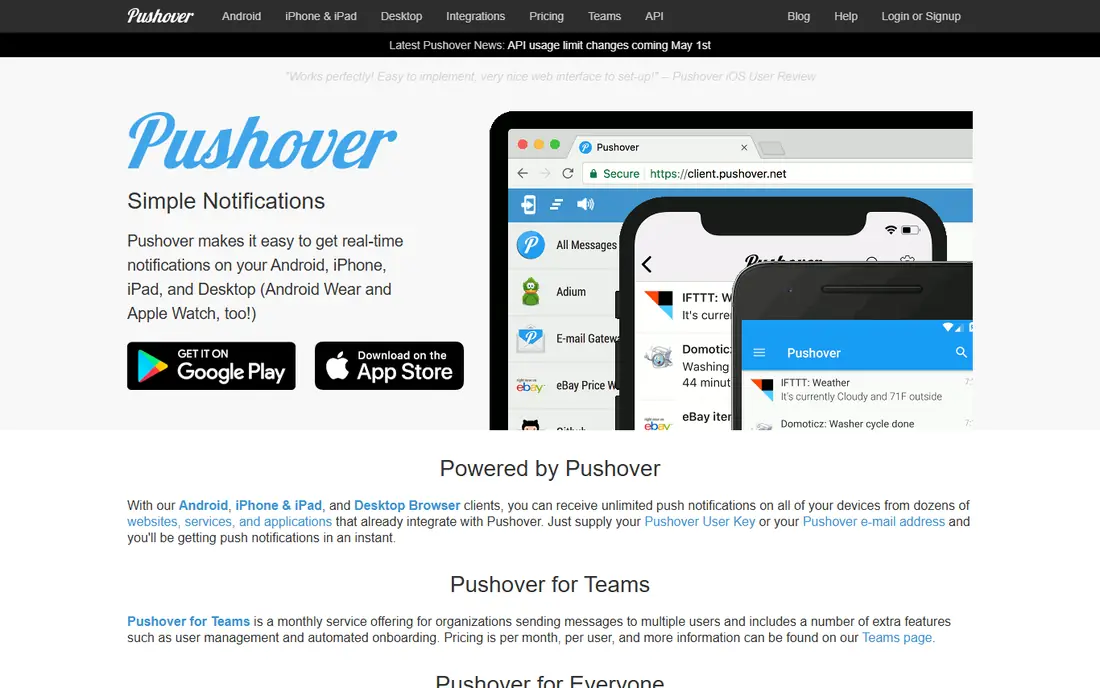
Pushover sends simple push notifications to phones and desktops from scripts, servers and apps through an easy API. It suits individuals, hobby projects and small teams that need a reliable ping when a job finishes or a server fails. Setup takes minutes, and the app cost model is simple compared with per user platforms.
Pricing is where many readers get caught out, so look past the headline figure and check what the plan actually includes for your level of use. Seats, usage limits, add-ons and renewal terms can change the real monthly cost, and a cheaper plan that lacks one feature you need is not a saving. If a free tier or trial is offered, use it for real work before paying, and confirm how cancellation works while you still have time to change your mind.
It is not an on call platform, so it lacks schedules, escalation and team routing. For a single person or a small side project that simplicity is enough, but a critical service needs PagerDuty or Opsgenie instead.
- Simple push alerts
- Easy API
- One time app cost model
- Small scale only
- No team escalation
OneSignal
Ideal for: product teams sending push and email
OneSignal helps product teams send push notifications, email and SMS to app and web users, with segmentation, scheduling and delivery analytics. It suits apps and websites that need to re-engage users, announce features or send transactional messages. Its free tier covers small audiences well.
Before you pay, check the limits that apply to your own use, including seats, storage, monthly usage and support hours. A plan that looks generous on the headline page can still cap the one feature you rely on most, so read the plan comparison page rather than the marketing summary. A trial or free tier is the safest way to test this, and it also shows whether support answers promptly when you need help.
Pricing scales with audience size and message volume, so a growing app should forecast cost. Check opt-in rules, platform policies and unsubscribe handling, since poor notification practice drives uninstalls.
- Push, email and SMS
- Segmentation
- Free tier
- Pricing scales with audience
- Setup needs care
Knock
Ideal for: developers managing product notifications
Knock gives developers a workflow system for product notifications, with templates, preferences, batching and multi-channel delivery from one API. Product teams can manage notification logic in code rather than scattering it across services. User preferences and digest options help reduce notification fatigue.
The price on the headline page is only part of the cost, so check renewal pricing, per-seat charges and any paid add-ons before you commit. Free tiers help for light use, but they often cap the features that matter once work grows, and trials end on a fixed date whether you have finished testing or not. Set a reminder before a trial ends, and confirm cancellation steps in advance so you are not locked into a plan you no longer need.
It is developer focused, so non-technical teams need engineering help to set it up. Test preference handling and digest timing with real users, and confirm pricing at your message volume.
- Notification workflows in code
- Templates
- Multi-channel
- Developer focused
- Pricing scales with volume
Courier
Ideal for: developers who want one notification API
Courier offers a single API and template system for email, push, SMS and chat notifications, with integrations for common providers. Developers can switch providers without rewriting notification code, and designers can edit templates without a deploy. That flexibility suits teams that send notifications across many channels.
Pricing is where many readers get caught out, so look past the headline figure and check what the plan actually includes for your level of use. Seats, usage limits, add-ons and renewal terms can change the real monthly cost, and a cheaper plan that lacks one feature you need is not a saving. If a free tier or trial is offered, use it for real work before paying, and confirm how cancellation works while you still have time to change your mind.
It is developer focused and priced by volume, so small teams should check the free tier against their message count. Prototype one notification flow end to end, including failure handling, before migrating all notifications.
- One API for many channels
- Templates
- Integrations
- Developer focused
- Volume pricing
Novu
Ideal for: teams that want open source notifications
Novu is an open source notification infrastructure platform with a workflow builder, templates and multi-channel delivery, plus a cloud option. Teams that want control over notification data or that prefer open source will value its model. Its workflow approach suits product notifications that need preferences and digests.
Before you pay, check the limits that apply to your own use, including seats, storage, monthly usage and support hours. A plan that looks generous on the headline page can still cap the one feature you rely on most, so read the plan comparison page rather than the marketing summary. A trial or free tier is the safest way to test this, and it also shows whether support answers promptly when you need help.
Self hosting needs maintenance, and as a newer platform its integration range is still growing. Test your key channels, and confirm support terms if you run it for a customer facing product.
- Open source core
- Workflow builder
- Multi-channel
- Self hosting needs effort
- Newer platform
How we picked these
We compared official feature pages, pricing pages, app store listings, privacy policies and public reviews for each option in this guide. We kept only products that exist and work in October 2026 and that fit the topic directly, and we checked that each official homepage loads and belongs to the product named. Prices and free tiers are taken from the vendor site where we could verify them, and we wrote See website where a price could not be confirmed, rather than guessing. Our pick in each guide reflects fit for ordinary readers, not a claim of hands-on testing, and we note the honest limits of each option alongside its strengths.
How to choose a notification solution
First decide whether you need incident alerting or product messaging, since those are different jobs. Incident tools such as PagerDuty and Opsgenie focus on reaching the on call person fast, while product tools such as OneSignal, Knock, Courier and Novu focus on user messages at scale. Buying the wrong type leads to missed alerts or annoyed users.
Test delivery, acknowledgement and failure handling on a real service, not just a demo. Check routing, escalation, user preferences, digest options and opt-out handling, and forecast cost at your real message volume. Set alert thresholds carefully, since too many notifications trains people to ignore the important ones.
Frequently asked questions
What is the best notification app for software teams?
PagerDuty and Opsgenie suit on call incident alerting, while OneSignal suits product push and email. Knock, Courier and Novu suit developers managing notifications in code, and Pushover suits simple personal alerts. Choose by incident versus product need.
What is the difference between PagerDuty and OneSignal?
PagerDuty routes incident alerts to on call engineers with schedules and escalation, while OneSignal sends product messages such as push and email to app users. They solve different problems, and many companies use both for their separate jobs.
How do I reduce alert fatigue?
Set clear thresholds, group related alerts, use digests for low priority messages, and let users set preferences. Review noisy alerts weekly and fix the underlying cause or raise the threshold. An alert that fires daily without action should be changed or removed.
Can I send push notifications without an app?
Yes, web push works for websites with user opt-in, and tools such as OneSignal support it alongside app push. Email and SMS remain useful for users who do not opt into push. Always get permission and offer an easy opt-out.
Is Pushover good for server monitoring?
Yes for personal or small projects, since Pushover sends simple push alerts from scripts and monitoring tools with an easy API. For team on call rotations with schedules and escalation, use PagerDuty or Opsgenie instead.