Best Speech to Text Software in 2026: 7 Tools Compared

- Otter.ai is our pick for meetings and interviews, with speaker identification, summaries and searchable transcripts.
- Wispr Flow suits writers who dictate directly into any app and want AI cleanup of filler words and mistakes.
- Descript suits podcasters and video creators who edit audio and video by editing text.
- Rev suits accuracy-critical work, with AI transcription plus a human option for the highest accuracy.
- Free built-in tools from Apple, Google and Microsoft cover basic dictation well, so pay only when you need team features or higher accuracy.
Quick comparison
| Product | Ideal for | Price from | Free version | |
|---|---|---|---|---|
 Otter.ai | Meetings and interviews | Free | Yes | Visit |
 Wispr Flow | Live dictation for writers | $15 per month | Yes | Visit |
 Descript | Podcast and video editing | $16 per month | Yes | Visit |
 Rev | Accuracy-critical transcription | $0.25 per minute | No | Visit |
 Sonix | Multilingual transcription | See website | Free trial | Visit |
 Notta | AI meeting notes | $8 per month | Yes | Visit |
 Google Docs Voice Typing | Free browser dictation | Free | Yes | Visit |
The best speech to text software
Speech to text splits into two jobs: live dictation, where you speak and text appears, and transcription, where recorded audio becomes a searchable transcript. The tools below cover both, and the right pick depends on whether you write, meet, interview or edit media. Start from your main job, since a great meeting tool can be a poor dictation tool.
Otter.ai
Ideal for: Meetings and interviews
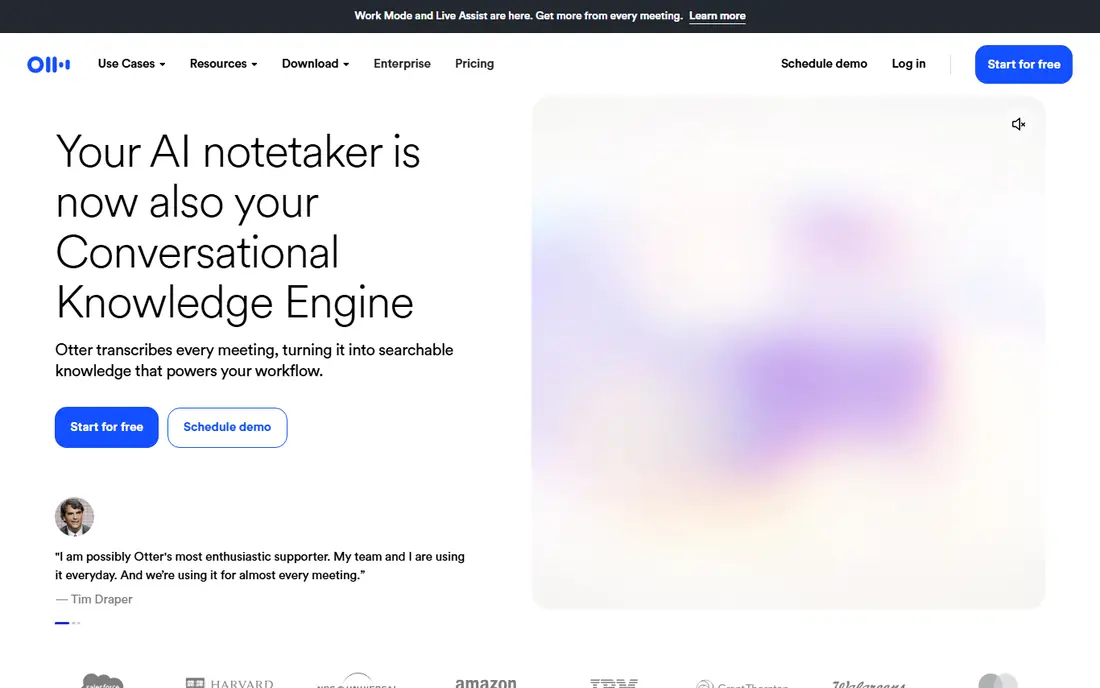
Otter.ai is our pick for meetings, interviews and lectures. It transcribes in real time, identifies speakers, generates summaries and makes the whole transcript searchable, which turns a long meeting into notes you can actually use. Integrations with video meeting platforms let it join calls and transcribe automatically.
The free tier covers a limited monthly minute allowance, and paid plans start around $16.99 per month for more minutes and team features. Cloud processing means audio leaves your device, so privacy-sensitive work needs another tool. For everyday meetings and interviews, Otter is the most useful all-rounder here.
- Speaker identification and AI summaries
- Searchable transcripts
- Free tier with monthly minutes
- Cloud-only, so recordings leave your device
- Accuracy drops in noisy rooms or with heavy accents
Wispr Flow
Ideal for: Live dictation for writers

Wispr Flow is built for writers who think out loud. Speak anywhere on your computer or phone, and text appears in your document, email or notes app, cleaned up by AI that removes filler words and corrects obvious mistakes. That cleanup is the difference between raw dictation and usable draft text, and it saves real editing time.
The free tier covers a limited weekly word allowance, and paid plans start around $15 per month. Cloud processing means it needs an internet connection, and privacy-sensitive writers should check the data policy. For daily dictation into existing apps, Wispr Flow is the smoothest tool here.
- System-wide dictation into any app
- AI cleanup removes fillers and fixes mistakes
- Fast and accurate for solo dictation
- Cloud-based, so no offline mode
- Desktop pricing is higher than mobile for some plans
Descript
Ideal for: Podcast and video editing

Descript changes editing by letting you edit media like a document. Delete a sentence from the transcript and the audio or video follows, remove filler words automatically, and export a polished episode without scrubbing timelines. Transcription is built in, which makes it a natural hub for podcasters and video creators.
If you only need dictation, Descript is more tool than you need, and the full editing feature set takes time to learn. For creators who record, transcribe and edit in one workflow, though, Descript saves hours compared with separate transcription and editing tools.
- Edit audio and video by editing the transcript
- Filler-word removal
- Transcription included with editing plans
- Overkill if you only need dictation
- Learning curve for full video editing features
Rev
Ideal for: Accuracy-critical transcription
Rev suits work where accuracy matters more than price. AI transcription starts at $0.25 per minute for quick drafts, while human transcription costs more and delivers the highest accuracy for legal, research and publishing work. That two-tier model lets you choose accuracy level by project, rather than paying for human transcription on everything.
Long recordings get expensive at per-minute rates, and there is no free tier for regular use. For interviews, depositions, research and any transcript that will be quoted or published, Rev is the safest choice for accuracy.
- AI transcription plus human transcription option
- High accuracy for legal, medical and research work
- Fast turnaround options
- Pay-per-minute costs add up for long recordings
- No free tier for ongoing use
Sonix
Ideal for: Multilingual transcription
Sonix is the multilingual transcription pick. It handles dozens of languages, offers translation between them, and provides a browser editor with timestamps for correcting and exporting transcripts. Researchers, journalists and teams working across languages will appreciate the language breadth and the searchable transcript archive.
Per-minute costs mean heavy users should compare subscription options carefully, and Sonix is a transcription service rather than a live dictation tool. For recorded audio in multiple languages, it is one of the most capable options available.
- Transcription in many languages with translation options
- Browser-based editor with timestamps
- Pay-as-you-go options
- Pay-per-minute pricing adds up for heavy use
- Interface is built for transcription, not live dictation
Notta
Ideal for: AI meeting notes
Notta offers AI meeting notes at a lower entry price than Otter, with transcription, summaries and action items for meetings and interviews. It supports many languages and works across web and mobile, which suits small teams and solo professionals who want meeting notes without the higher Otter price.
Team features and integrations are less deep than Otter, and accuracy depends heavily on recording quality, as with all cloud transcription. For budget-conscious meeting notes, Notta is a strong alternative, and its free tier lets you test it on real meetings first.
- Low entry price for AI meeting notes
- Summaries and action items
- Supports many languages
- Less established than Otter for team features
- Accuracy varies with audio quality
Google Docs Voice Typing
Ideal for: Free browser dictation
Google Docs Voice Typing is the best free dictation tool for casual use. Open a document in Chrome, turn on voice typing, and speak your draft, with support for many languages and voice commands for punctuation and formatting. There is nothing to install and nothing to pay, which makes it ideal for students and occasional dictation.
The limits are clear. It only works inside Google Docs, needs an internet connection, and lacks meeting features like speaker identification. For drafting inside Docs, though, it is genuinely good, and many writers will never need a paid dictation tool.
- Completely free in Chrome
- Supports many languages
- No install needed beyond a Google account
- Only works inside Google Docs
- Needs an internet connection
- No speaker identification or meeting features
How we picked these
We compared official feature pages, pricing pages and public reviews for speech to text tools available to US users in October 2026. We kept tools covering live dictation, meeting transcription and file transcription, and we checked prices and free tiers as vendors state them. We noted where tools are cloud-only versus offline, since that affects privacy. We did not claim hands-on testing, and we did not rank tools on review scores.
How to get accurate results
A good microphone matters more than a better app. Use a USB headset or external mic close to your mouth, reduce background noise, and speak at a natural pace with clear punctuation commands for dictation. For meetings, place the recording device near speakers, or use a meeting platform integration that captures audio directly rather than through a room speaker.
Then edit with the transcript, not against it. Check names, numbers and technical terms, since those are where automatic transcription fails most often. For publishable or legal transcripts, use a human transcription option or a careful manual review pass. Accuracy is a workflow, not a single app feature, and the best results come from good audio plus a sensible review step.
Accuracy depends heavily on audio quality, so test any transcription tool with the recordings you actually produce, including background noise, accents and overlapping speech, rather than with a clean studio sample. A tool that scores well on perfect audio can struggle in a real meeting room or a busy street. Also check speaker labeling, timestamp accuracy and export formats, since those details decide how much editing time you save after the transcript is generated.
Frequently asked questions
What is the best speech to text software for meetings?
Otter.ai is our pick, with speaker identification, summaries and searchable transcripts. Notta is a lower-priced alternative with similar meeting note features. Both offer free tiers for testing on real meetings before you pay.
Is there free speech to text software?
Yes. Google Docs Voice Typing is free in Chrome, Apple Dictation is built into Mac and iOS, and Windows Voice Access is built into Windows 11. Otter.ai and Notta also offer free tiers with monthly limits. Paid tools add team features, higher accuracy or AI cleanup.
What is the difference between dictation and transcription?
Dictation turns your live speech into text as you speak, which suits writing and notes. Transcription turns recorded audio into text after the fact, which suits meetings, interviews and podcasts. Some tools do both, but most excel at one job, so pick by your main use.
How accurate is AI speech to text?
Accuracy is high for clear, single-speaker audio in quiet rooms, and lower for noisy rooms, heavy accents, overlapping speakers and technical terms. Human transcription remains the most accurate option for publishable or legal work. Always review names, numbers and terms before relying on a transcript.
Does speech to text work offline?
Some tools do, including Apple Dictation, Windows Voice Access and offline Whisper-based apps, which process audio on your device. Cloud tools like Otter.ai and Wispr Flow need an internet connection. Choose offline tools for privacy-sensitive work.