Best Stargazing Apps in 2026: 8 Apps Compared

- 1
 StellariumAccurate sky simulationVisit
- 2
 Star Walk 2Guided stargazing for beginnersVisit
- 3
 SkySafariDeep object database for enthusiastsVisit
- 4
 Night SkyBeautiful Apple stargazingVisit
- 5
 SkyViewSimple point-and-identifyVisit
- Stellarium leads for accuracy and depth, and it is free on desktop with a mobile version.
- Star Walk 2 and SkySafari suit beginners and enthusiasts who want guided tours and object databases.
- Night Sky and SkyView suit casual stargazers who want a beautiful point-and-identify experience.
- Free tiers cover basic sky identification well, while deep object catalogues usually need a paid version.
Quick comparison
| Product | Ideal for | Price from | Free version | |
|---|---|---|---|---|
| Stellarium | Accurate sky simulation | Free | Yes | Visit |
| Star Walk 2 | Guided stargazing for beginners | See website | Free trial | Visit |
| SkySafari | Deep object database for enthusiasts | See website | Free trial | Visit |
| Night Sky | Beautiful Apple stargazing | See website | Free trial | Visit |
| SkyView | Simple point-and-identify | See website | Free trial | Visit |
 NASA App | Space news and sky events | Free | Yes | Visit |
 Heavens-Above | Satellite and ISS passes | Free | Yes | Visit |
 Star Chart | Family-friendly sky guide | See website | Free trial | Visit |
The best stargazing app
We compared stargazing apps on sky accuracy, object databases, guided tours and ease of use under a dark sky. The best app is the one you can use with red-night vision preserved and cold hands, so interface simplicity matters as much as data depth. Our pick for most stargazers is Stellarium, with Star Walk 2 as the friendlier alternative.
Stellarium
Ideal for: Accurate sky simulation
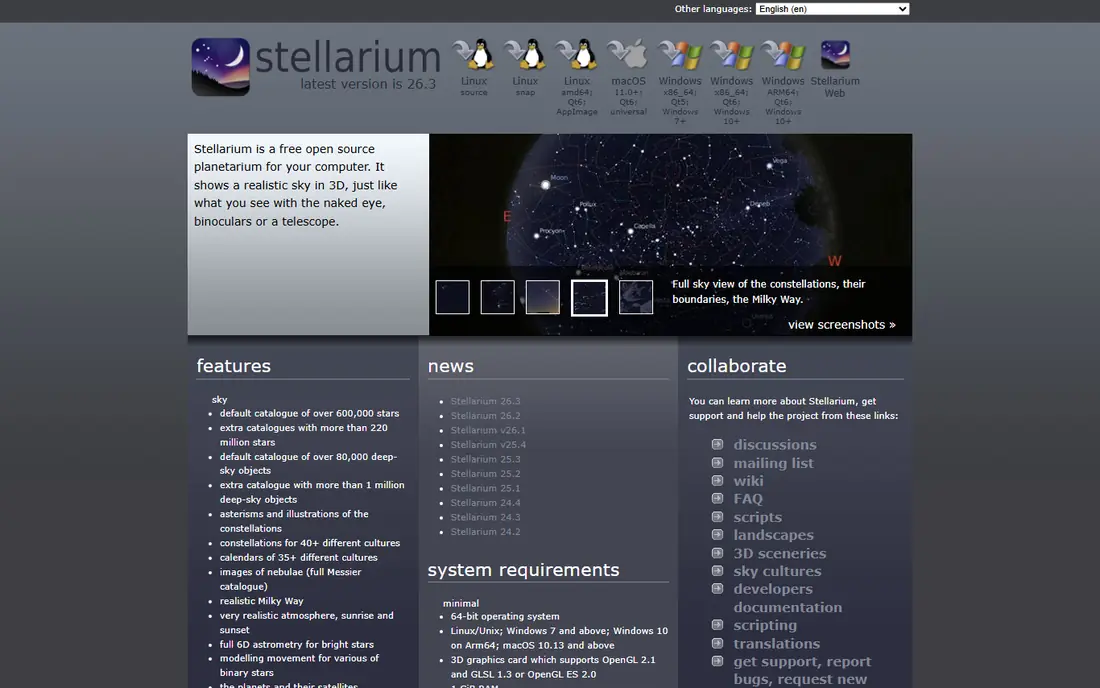
Stellarium simulates the night sky with impressive accuracy, showing stars, planets, constellations and deep-sky objects as they appear from your location and time. The desktop version is free and deep, which makes it a favourite with astronomy clubs. The interface is technical, and the mobile app is a paid product, but for serious accuracy it remains the benchmark.
For most readers, the deciding question with Stellarium is fit rather than raw feature count. Check the plan limits that matter to you, such as seats, usage caps and what happens when a trial ends, before you commit to a paid tier. If the free tier or trial covers your core task, use it for a full week of real work before paying, and keep an eye on renewal terms and cancellation steps. That short test usually tells you more than any feature list, and it keeps the choice grounded in how you actually work day to day.
- Highly accurate sky simulation
- Huge object catalogue
- Free desktop version
- Mobile version is paid
- Interface is technical
Star Walk 2
Ideal for: Guided stargazing for beginners

Star Walk 2 turns your phone into a sky guide. Point it upward and it labels stars, planets and constellations, while guided tours explain what you are seeing. The design is beautiful and beginner-friendly. Full features need a paid plan, and the free tier carries ads, but the core identification experience is strong.
For most readers, the deciding question with Star Walk 2 is fit rather than raw feature count. Check the plan limits that matter to you, such as seats, usage caps and what happens when a trial ends, before you commit to a paid tier. If the free tier or trial covers your core task, use it for a full week of real work before paying, and keep an eye on renewal terms and cancellation steps. That short test usually tells you more than any feature list, and it keeps the choice grounded in how you actually work day to day.
- Beautiful sky map
- Guided tours
- Augmented reality view
- Full features need a paid plan
- Ads on free tier
SkySafari
Ideal for: Deep object database for enthusiasts

SkySafari is the enthusiast pick, with a deep database of stars, planets, comets and deep-sky objects, plus telescope control and observation planning. That depth suits observers who plan sessions and log objects. The full catalogue sits in paid versions, and beginners may find the interface busy at first.
For most readers, the deciding question with SkySafari is fit rather than raw feature count. Check the plan limits that matter to you, such as seats, usage caps and what happens when a trial ends, before you commit to a paid tier. If the free tier or trial covers your core task, use it for a full week of real work before paying, and keep an eye on renewal terms and cancellation steps. That short test usually tells you more than any feature list, and it keeps the choice grounded in how you actually work day to day.
- Very deep object database
- Telescope control
- Observation planning
- Paid versions for full catalogue
- Learning curve
Night Sky
Ideal for: Beautiful Apple stargazing
Night Sky is known for elegant design on Apple devices, with augmented reality labels, sky tours and notifications for events such as meteor showers. It makes casual stargazing feel special, which encourages more nights outside. It is Apple focused, and the full experience needs a subscription, so Android users should look elsewhere.
For most readers, the deciding question with Night Sky is fit rather than raw feature count. Check the plan limits that matter to you, such as seats, usage caps and what happens when a trial ends, before you commit to a paid tier. If the free tier or trial covers your core task, use it for a full week of real work before paying, and keep an eye on renewal terms and cancellation steps. That short test usually tells you more than any feature list, and it keeps the choice grounded in how you actually work day to day.
- Elegant design
- Augmented reality
- Sky tours and notifications
- Apple focused
- Full features need a subscription
SkyView
Ideal for: Simple point-and-identify
SkyView keeps stargazing simple. Point your phone at the sky and it identifies stars and constellations with clear overlays, and a time-travel view shows the sky at other dates. That simplicity suits families and casual observers. The object database is shallower than enthusiast apps, so serious observers will outgrow it.
For most readers, the deciding question with SkyView is fit rather than raw feature count. Check the plan limits that matter to you, such as seats, usage caps and what happens when a trial ends, before you commit to a paid tier. If the free tier or trial covers your core task, use it for a full week of real work before paying, and keep an eye on renewal terms and cancellation steps. That short test usually tells you more than any feature list, and it keeps the choice grounded in how you actually work day to day.
- Simple point-and-identify
- Constellation overlays
- Time travel view
- Object database is shallower than SkySafari
- Paid features
NASA App
Ideal for: Space news and sky events
The NASA App is not a star map, but it belongs here for space fans who want mission news, images and event coverage alongside stargazing. It explains what is happening in space and when to look up. For identifying stars in real time, pair it with Stellarium or Star Walk 2, since its sky tools are limited.
For most readers, the deciding question with NASA App is fit rather than raw feature count. Check the plan limits that matter to you, such as seats, usage caps and what happens when a trial ends, before you commit to a paid tier. If the free tier or trial covers your core task, use it for a full week of real work before paying, and keep an eye on renewal terms and cancellation steps. That short test usually tells you more than any feature list, and it keeps the choice grounded in how you actually work day to day.
- Official NASA news and images
- Mission coverage
- Event information
- Not a dedicated star map
- Identification features are limited
Heavens-Above
Ideal for: Satellite and ISS passes
Heavens-Above specialises in satellite passes, including the International Space Station, with predictions tuned to your location. That focus makes it the best companion for catching bright passes and Iridium-style events. The interface is utilitarian, and the app experience varies by platform, but the predictions are reliable.
For most readers, the deciding question with Heavens-Above is fit rather than raw feature count. Check the plan limits that matter to you, such as seats, usage caps and what happens when a trial ends, before you commit to a paid tier. If the free tier or trial covers your core task, use it for a full week of real work before paying, and keep an eye on renewal terms and cancellation steps. That short test usually tells you more than any feature list, and it keeps the choice grounded in how you actually work day to day.
- Satellite and ISS pass predictions
- Star charts
- Free to use
- Interface is utilitarian
- App experience varies
Star Chart
Ideal for: Family-friendly sky guide
Star Chart offers a simple, family-friendly sky guide that works well for kids and first-time stargazers. Point, identify and explore, with offline support for parts of the catalogue. The catalogue is modest next to SkySafari, and the full version is paid, but the low friction makes it a good first app for families.
For most readers, the deciding question with Star Chart is fit rather than raw feature count. Check the plan limits that matter to you, such as seats, usage caps and what happens when a trial ends, before you commit to a paid tier. If the free tier or trial covers your core task, use it for a full week of real work before paying, and keep an eye on renewal terms and cancellation steps. That short test usually tells you more than any feature list, and it keeps the choice grounded in how you actually work day to day.
- Simple sky guide
- Works offline in parts
- Good for kids
- Catalogue is modest
- Full version is paid
How we picked these
We compared official feature pages, pricing pages, app store listings, privacy policies and public reviews for each option below. We kept only products that exist and work now, that fit the topic directly, and whose official homepage we could confirm. Where a price was not published clearly, we wrote See website rather than guessing, and we favoured options with a free tier or trial where one exists.
Getting more from a night under the stars
Let your eyes adapt before judging the sky. Give yourself twenty minutes in darkness without bright screens, and use a red-light mode if the app offers one. That single habit reveals far more stars than any app upgrade.
Start with the bright objects. Learn the Moon, the bright planets and a few constellations first, then move to deep-sky targets. Early wins keep beginners outside, while hunting faint galaxies on night one usually ends in frustration.
Check the weather and the Moon phase before you go out. Clouds ruin a session, and a full Moon washes out faint objects. Apps that show event notifications help, but a quick weather check remains the most useful preparation of all.
Frequently asked questions
What is the best stargazing app?
Stellarium leads for accuracy and depth, especially on desktop. Star Walk 2 suits beginners with guided tours, while SkySafari suits enthusiasts who want a deep object database.
Are stargazing apps free?
Stellarium desktop is free, and most apps here offer a free tier or trial for basic sky identification. Deep catalogues, telescope control and full tours usually need a paid version.
Do stargazing apps work without internet?
Many offer offline sky maps once data is downloaded, though live features such as event news need a connection. Download your area data before heading to a dark site with no signal.
What is the best free stargazing app?
Stellarium desktop is the best free option for depth and accuracy. On mobile, the free tiers of Star Walk 2 and SkyView cover basic identification well.
Can stargazing apps control a telescope?
Yes, SkySafari offers telescope control on supported models, which helps aim at objects from the app. Check compatibility with your telescope mount before buying a paid version.