Best Streaming Service in 2026: 8 Services Compared

- Netflix remains the largest service for originals and variety, while Disney+ suits families with Marvel, Star Wars, and Pixar content.
- Hulu suits viewers who want next-day TV and a live TV option, while Max suits prestige drama and HBO originals.
- Live TV services like YouTube TV and Hulu with Live TV replace cable for many households, but they cost far more than on-demand services.
- Compare the total cost of the services you actually watch, and rotate subscriptions rather than paying for all of them at once.
Quick comparison
| Product | Ideal for | Price from | Free version | |
|---|---|---|---|---|
 Netflix | Largest library of originals | See website | No | Visit |
 Disney+ | Best for families and franchise fans | See website | No | Visit |
 Hulu | Best for next-day TV and general entertainment | See website | No | Visit |
 Max | Best for prestige drama and HBO originals | See website | No | Visit |
 Amazon Prime Video | Best value inside a Prime membership | See website | No | Visit |
 Apple TV+ | High-quality originals at a lower price | See website | No | Visit |
 Peacock | Affordable service with NBC and sports | See website | No | Visit |
 YouTube TV | Best live TV replacement for cord-cutters | See website | No | Visit |
The best streaming services
We compared official feature pages, pricing pages, app store listings, privacy policies and public reviews to build this list, focusing on products that fit the topic closely and are still available in October 2026.
Netflix
Ideal for: Largest library of originals
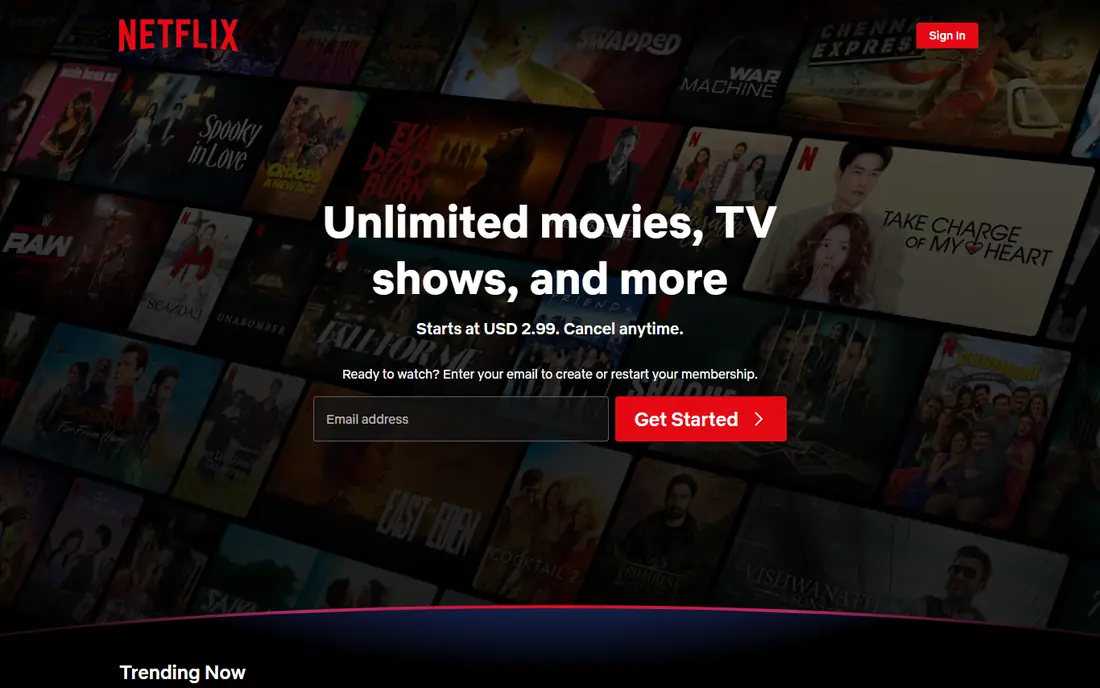
Netflix remains the default streaming service for many households because of its originals and variety. It offers drama, comedy, documentaries, international series, and films, with strong recommendations and profiles for family members. The ad-supported plan lowers the entry price, while higher plans add 4K and more screens.
The price is the main drawback, especially for the ad-free and 4K plans, and account sharing outside a household is now restricted. Netflix suits viewers who want the broadest original catalogue and watch several hours a week. Light viewers may prefer a cheaper service or rotating Netflix for a month at a time.
- Largest original catalogue
- Strong global content
- Good recommendations and 4K options
- Most expensive on-demand service for many plans
- Password sharing is restricted
- Ads on cheaper plan
Disney+
Ideal for: Best for families and franchise fans

Disney+ is the best family streaming service in this list. It brings together Disney, Pixar, Marvel, Star Wars, and National Geographic, with parental controls and profiles for children. Bundles with Hulu and ESPN+ can make it better value for households that want sports and general entertainment too.
Adult drama and comedy originals are thinner than Netflix, so adults without children may find the catalogue narrower. Prices have risen since launch, and the ad-supported plan is the cheapest entry. Disney+ suits families and franchise fans, and it pairs well with a general service like Netflix or Hulu.
- Marvel, Star Wars, Pixar, and National Geographic
- Strong family content
- Bundle with Hulu and ESPN+
- Adult originals are thinner than Netflix
- Price has risen
- Some content varies by region
Hulu
Ideal for: Best for next-day TV and general entertainment

Hulu suits viewers who want current TV without cable. Many network shows appear the next day, and Hulu originals have grown stronger, covering drama, comedy, and documentaries. The basic plan is affordable with ads, while the no-ads plan and live TV bundle cover different needs.
Ads on the basic plan interrupt viewing, and 4K support is more limited than Netflix or Disney+. Hulu with Live TV is a separate, much pricier product that replaces cable rather than complementing it. Hulu suits TV lovers who want current episodes and a broad general catalogue.
- Next-day episodes from many networks
- Strong originals
- Live TV option available
- Ads on the basic plan
- 4K content is limited
- Live TV plan is expensive
Max
Ideal for: Best for prestige drama and HBO originals
Max, formerly HBO Max, is the pick for prestige television. HBO originals, Warner Bros films, and a strong back catalogue of acclaimed drama make it the service many viewers cite for quality over quantity. Documentaries and a kids section add breadth, and the ad-supported plan lowers the entry cost.
The ad-free price is high, and the catalogue has changed as licensing deals shift, so some titles leave without warning. Max suits viewers who prioritise acclaimed drama and films over sheer volume. If you mainly watch reality or light comedy, a cheaper general service may satisfy you.
- HBO originals, Warner Bros films, and prestige drama
- Strong documentary and kids sections
- Price is high for ad-free plans
- Catalogue changes as licensing shifts
- App experience varies
Amazon Prime Video
Ideal for: Best value inside a Prime membership
Amazon Prime Video is best judged as part of Prime, not as a standalone service. Prime members get a large included catalogue plus originals, along with Prime delivery, music, and other benefits for one membership price. Add-on channels let you subscribe to other services inside the same app.
The interface mixes included titles with rentals and purchases, which can confuse viewers about what is free with Prime. Originals are growing but still trail Netflix in volume. Prime Video suits Prime members who want extra entertainment value, and it is a strong second service alongside Netflix or Disney+.
- Included with Prime
- Growing originals
- Add-on channels for extra services
- Interface can feel cluttered
- Some popular titles cost extra to rent or buy
Apple TV+
Ideal for: High-quality originals at a lower price
Apple TV+ takes a quality-over-quantity approach. Its originals include acclaimed dramas, comedies, and documentaries, all in 4K HDR, at a price below Netflix ad-free plans. Family sharing and Apple device bundles can make it even cheaper, and new subscribers often get a trial.
The catalogue is far smaller than Netflix, Disney+, or Hulu, with few licensed older shows to binge. Apple TV+ suits viewers who watch a few excellent series at a time and do not need a huge library. It works best as an add-on service, not as your only subscription.
- Critically praised originals
- Lower price than Netflix
- 4K HDR included
- Family sharing
- Catalogue is much smaller than rivals
- Few licensed back-catalogue titles
Peacock
Ideal for: Affordable service with NBC and sports
Peacock is a good budget-friendly service, especially for NBC fans and sports viewers. It offers current NBC shows, Universal films, reality TV, and live sports, including Premier League football in the US, at a price below Netflix and Max. The Premium plan adds more content and reduces ads.
Originals are thinner than the leaders, and the cheapest plans include ads. Some sports and premium content require a higher plan. Peacock suits viewers who want NBC content and sports without paying for a full live TV service, and it works well as a rotating add-on.
- NBC shows, Universal films, and live sports including Premier League
- Lower price than many rivals
- Ads on cheaper plans
- Originals are thinner than Netflix
- Some sports need a higher plan
YouTube TV
Ideal for: Best live TV replacement for cord-cutters
YouTube TV is the best live TV replacement for many cord-cutters. It offers a broad channel line-up, including sports, news, and local stations in many areas, plus unlimited cloud DVR storage. The interface is familiar to YouTube users, and family sharing covers several household members.
The price is far higher than on-demand services, so it only makes sense if you actually watch live TV regularly. Prices have risen over time, and local channel availability varies by zip code. YouTube TV suits households that want to replace cable without losing live sports and news.
- Live channels including sports, news, and local stations
- Unlimited cloud DVR
- Easy to use
- Much more expensive than on-demand services
- Price has risen
- Channel line-up varies by area
How we picked these
We compared official feature pages, pricing pages, app store listings, privacy policies and public reviews for each option in this guide. We checked that each product is still offered in October 2026, that its homepage loads, and that its price or free tier could be confirmed or marked as See website when it could not. We did not claim hands-on testing. We favoured products that fit the topic closely, explain their limits clearly, and give readers a practical way to try them before paying. Where prices change often, we say so and point readers to the vendor page for the current figure.
How to choose a streaming service
List the shows and sports you actually watch, then match them to services rather than subscribing to everything. Check whether a bundle, such as Disney+ with Hulu, saves money, and whether an ad-supported plan is tolerable for your household. Rotate services: subscribe for a month, watch what you want, cancel, and switch to the next service.
Before you pay,try the free tier or trial first and check the exact limits that matter to you, such as device support, export options, or cancellation terms. Read the privacy policy for any app that handles personal, financial, or health data, and check whether your data can be exported or deleted. The cheapest option is not always the best value if it lacks a feature you will use every week, and the most expensive option is rarely worth it if you only need the basics.
Frequently asked questions
What is the best streaming service overall?
Netflix is the best overall on-demand service for variety and originals, while Disney+ is best for families and YouTube TV is best for live TV. The right choice depends on what you watch and how much live TV you need.
What is the cheapest streaming service?
Ad-supported plans from Netflix, Disney+, Hulu, Peacock, and others are the cheapest entry points, while Apple TV+ is relatively low priced for an ad-free service. Compare the plan you need, not just the headline price, since 4K and extra screens cost more.
Can I replace cable with streaming?
Yes, if you combine an on-demand service with a live TV service like YouTube TV or Hulu with Live TV for sports and news. Check local channel availability in your area and the total monthly cost before cancelling cable.
Do streaming services offer free trials?
Some offer trials or bundled offers, but trials have become rarer and shorter. Check the current offer on each service site before signing up, and set a reminder to cancel if you only want a trial.
How many streaming services should I pay for?
Most households need two or three at most: one general service, one family or niche service, and possibly a live TV service. Rotating subscriptions is often cheaper than paying for six services all year.