Best Stud Finder App in 2026: 8 Options Compared

- 1
 Walabot DIYSerious DIYers who want wall imagingVisit
- 2
 RYOBI Electronic Stud FinderBudget hardware stud findingVisit
- 3
 Franklin Sensors ProSensorReliable hardware stud findingVisit
- 4
 Zircon StudSensorHomeowners who want a trusted brandVisit
- 5
 DeWalt Stud FinderHardware stud finding from a pro brandVisit
- Walabot and dedicated hardware sensors are more reliable than phone only apps for finding studs.
- Phone magnetometer apps can help in a pinch but depend heavily on your phone sensors.
- For hanging heavy items, confirm with a physical stud finder or a small pilot hole before drilling.
- Free apps are fine for light jobs; paid tools suit frequent DIY work.
Quick comparison
| Product | Ideal for | Price from | Free version | |
|---|---|---|---|---|
| Walabot DIY | Serious DIYers who want wall imaging | See website | No | Visit |
| RYOBI Electronic Stud Finder | Budget hardware stud finding | See website | No | Visit |
| Franklin Sensors ProSensor | Reliable hardware stud finding | See website | No | Visit |
| Zircon StudSensor | Homeowners who want a trusted brand | See website | No | Visit |
| DeWalt Stud Finder | Hardware stud finding from a pro brand | See website | No | Visit |
 Bosch Wall Scanner | DIYers who want Bosch detection tools | See website | No | Visit |
 Tavool Stud Finder | Budget hardware with app style simplicity | See website | No | Visit |
 Magnetic Stud Finder | A no battery backup method | See website | No | Visit |
The best best stud finder app
Stud finder apps promise to turn your phone into a wall scanner, but results vary a lot by phone and wall type. We cover phone apps and hardware sensors together, because the right choice depends on how much you trust the result.
Walabot DIY
Ideal for: Serious DIYers who want wall imaging
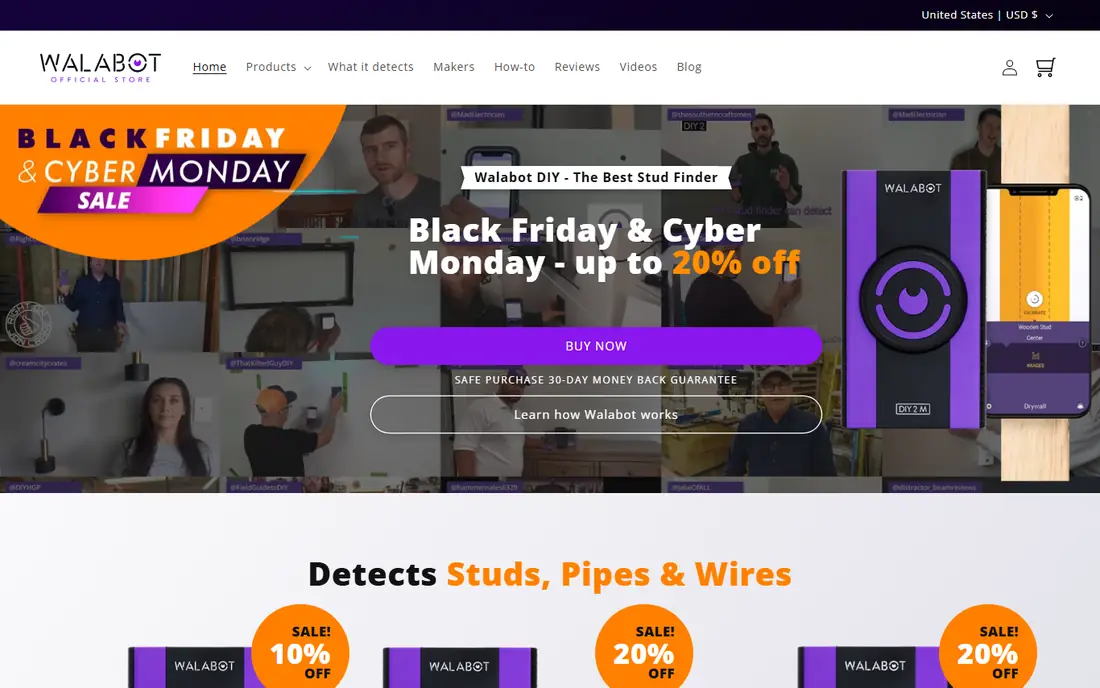
Walabot DIY is a sensor that plugs into a compatible Android phone and shows an image of what sits behind drywall. It can show studs, pipes, and wires, which gives far more confidence than a magnetometer guess. For TV mounting and shelving, that view is worth the price.
It only works with certain Android phones, so iPhone users are out of luck, and the hardware costs more than any app. Check the compatibility list before ordering. If your phone qualifies, it is our pick for reliability.
- Visual wall imaging
- Detects studs, pipes, and wires
- Pairs with a phone app
- Requires compatible Android phone
- Hardware purchase needed
- Higher cost
RYOBI Electronic Stud Finder
Ideal for: Budget hardware stud finding
RYOBI electronic stud finders offer affordable hardware detection for homeowners, with a clear display that shows stud edges as you sweep. They suit occasional jobs such as hanging shelves and pictures without paying for professional features. Operation is straightforward and battery powered.
There is no phone app, and features are basic compared with imaging sensors. For a budget hardware finder from a major tool brand, RYOBI is a practical choice.
- Affordable hardware
- Clear display
- Easy to use
- No phone app
- Basic feature set
Franklin Sensors ProSensor
Ideal for: Reliable hardware stud finding

Franklin Sensors takes a different approach, with a row of LEDs that light up across the full width of a stud. There is no calibration step and no sweeping back and forth to find edges, which makes it fast and steady. It is a favorite among professionals for drywall work.
It is a hardware tool, not an app, so it does not pair with your phone. It also costs more than a free app. If you want reliable readings without phone quirks, it is a strong buy.
- Full width LED display
- No calibration needed
- Detects stud edges clearly
- Hardware purchase
- No phone app integration
Zircon StudSensor
Ideal for: Homeowners who want a trusted brand
Zircon has sold stud finders for decades, and its StudSensor line covers basic stud finding through models that also sense metal and live AC wiring. You can find them in most hardware stores, and the instructions are clear for first time users.
Most Zircon tools work standalone rather than through a phone app, so app fans may miss integration. Advanced models cost more than basic ones. For a dependable hardware choice, Zircon is a safe bet.
- Wide availability
- Models for studs and metal
- Long track record
- App support is limited
- Higher end models cost more
DeWalt Stud Finder
Ideal for: Hardware stud finding from a pro brand
DeWalt stud finders bring jobsite build quality to home use, with clear audio and visual alerts as you sweep across drywall. They suit homeowners who already own DeWalt tools and want a finder that lasts. Operation is simple and the display is easy to read.
There is no phone app, and prices run higher than budget models. For a durable hardware finder, DeWalt is a reliable choice.
- Pro brand build
- Clear alerts
- Easy sweep operation
- No phone app
- Higher price than budget models
Bosch Wall Scanner
Ideal for: DIYers who want Bosch detection tools
Bosch wall scanners cover wood studs, metal, and live wiring depending on the model, with clear displays that show what was found. Bosch build quality is a plus for people who already own its tools. Some models connect to apps for extra guidance.
These are hardware purchases, and the most capable models are not cheap. App integration varies, so check the specific model. For a tool you will use for years, Bosch is a solid option.
- Detects wood, metal, and live wires on some models
- Clear display
- Hardware purchase
- App features vary by model
Tavool Stud Finder
Ideal for: Budget hardware with app style simplicity
Tavool offers budget friendly hardware stud finders with audio alerts and simple operation. They suit homeowners who want a physical tool without paying for professional features. Operation is straightforward: place, sweep, and mark.
There is no phone app, and features are basic compared with imaging sensors. For occasional use, that simplicity is a plus rather than a drawback. If you want cheap and reliable, Tavool is worth considering.
- Affordable hardware
- Clear audio alerts
- Easy to use
- No phone app
- Basic feature set
Magnetic Stud Finder
Ideal for: A no battery backup method
A magnetic stud finder is a small strong magnet that sticks to screws in the stud. It needs no batteries, no calibration, and no phone, and it costs very little. It is a useful backup when apps disagree or batteries die.
It only finds fasteners, so it is slower across a large wall and useless where fasteners are not magnetic. Pair it with an app or electronic finder for bigger jobs. As a backup, it earns its place in any toolbox.
- No batteries or calibration
- Very cheap
- Always ready
- Finds screws only
- Slower on large walls
How we picked these
We compared official feature pages, app store listings, and product documentation for each option, checking which sensors each uses, which wall types it claims to support, and what it costs. We favored options with clear limits stated honestly, since a false reading can mean a fallen shelf. We did not claim hands-on testing; our comparison rests on published specs and public reviews.
We also checked whether each option is still offered and supported, and we left out products with unclear pricing, broken pages, or a poor fit for the topic. Where a price or free tier could not be confirmed from the vendor site, we wrote See website rather than guessing. Readers should still check the vendor page before buying, since prices and plans change.
How to use a stud finder app without mistakes
Understand the limits first. Phone only apps usually rely on the magnetometer, which senses metal screws and nails rather than wood itself. That works best on drywall with metal fasteners and poorly on plaster, thick walls, or walls with metal mesh. Treat any phone reading as a hint, not proof.
Mark and verify before you drill. Scan slowly, mark the edges of the signal, and check the spot from both directions. For heavy items, confirm with a dedicated stud finder or drill a small pilot hole to feel for solid wood. A few extra minutes beats repairing a wall or replacing a fallen cabinet.
Calibrate the app away from metal objects and follow its instructions for your phone model. Cases with magnets, nearby appliances, and electrical wiring can all confuse readings. If the app gives inconsistent results, switch to a hardware sensor rather than trusting the loudest signal.
Decide how often you will use it. Occasional picture hanging may only need a free app plus common sense. Frequent DIY work, shelving, and TV mounting justify a hardware sensor, which reads wood density and gives steadier results across wall types.
Before you pay, confirm the total cost for the first year, including any add ons, renewal prices, and fees that only appear at checkout. A low starting price can hide a higher renewal rate, and a free tier can limit the feature you need most. Write down the features you will use weekly, and pay only for those.
After you choose, give the option a fair trial with your real workload, not just a quick tour. Set a reminder to review it after two to four weeks, and note what worked, what annoyed you, and what you never used. That review tells you whether to keep, upgrade, or switch before a renewal locks you in.
If the option disappoints, switch sooner rather than later. Export your data first, check whether you can keep your account history or settings, and confirm any cancellation terms. A good provider makes leaving straightforward, and a difficult exit is itself useful information about the service.
Talk to people who already use the option before you commit, especially for a business purchase. A short conversation with a current user reveals support quality, setup effort, and daily friction that marketing pages omit. Ask what surprised them after the first month, since early impressions often differ from longer use.
Keep a simple record of why you chose the option, including the price you were quoted and the features that mattered. That note makes renewal talks easier and helps a colleague or future you understand the decision. If the price rises or a key feature changes, the note shows whether the original reasons still hold.
Finally, plan the first week of use before you pay. List the setup steps, the data you need to move, and the people who need access. A clear first week plan turns a promising choice into a working routine, and it exposes missing features while you can still change your mind.
Save the vendor support page and the cancellation instructions in the same place as your receipt. When something goes wrong, you will want support details at hand rather than searching for them under pressure. A tidy record saves time and keeps a small problem from becoming a long one.
Keep notes on the first month of use, including any issues and how support handled them. Those notes give you clear evidence if you need a refund, an upgrade, or a switch, and they help you advise a friend or colleague who asks about the same choice later.
Frequently asked questions
What is the best stud finder app?
For phone only use, magnetometer apps are popular free options, but their accuracy depends on your phone sensors and wall type. For reliable results, a hardware sensor such as the Walabot DIY or a Franklin sensor is a better choice, paired with its app where available.
Are free stud finder apps accurate?
They can be useful on standard drywall with metal screws, but accuracy varies by phone and wall. They detect metal fasteners rather than wood, so they struggle with plaster, lath, and walls with metal mesh. Verify important finds before drilling.
Do stud finder apps work on iPhone and Android?
Most phone stud finder apps work on both, but performance depends on the magnetometer in your specific model. Some hardware sensors only support certain phones, so check compatibility on the maker site before buying.
Can a stud finder app find pipes and wires?
Phone apps generally cannot reliably detect pipes and live wires. Dedicated hardware sensors may claim metal and AC detection, but you should still treat any wall as if it could hide wiring. Turn off power to the area when in doubt and call a professional for risky jobs.
What is better, an app or a physical stud finder?
A physical stud finder is usually more reliable, since it measures density or uses radar rather than relying on phone sensors. An app is fine for light jobs and quick checks. For heavy mounting, use hardware and verify with a pilot hole.
How often should I review my choice?
Review it at least once a year, and sooner if your needs, budget, or team size change. Prices, features, and policies shift over time, and a better fit may appear. A short yearly check, comparing your current option with two alternatives, keeps you from paying for features you no longer use.