Best Study Apps in 2026: 8 Apps Compared

- Anki is the best flashcard app for long-term retention, with spaced repetition that adapts to what you forget.
- Quizlet suits quick flashcard sets and classroom sharing, while Notion suits notes, planners, and revision dashboards.
- Forest and Focus To-Do help with timed study sessions, while Khan Academy offers free lessons across many subjects.
- Start with one flashcard app and one notes app, and test yourself regularly rather than only rereading notes.
Quick comparison
| Product | Ideal for | Price from | Free version | |
|---|---|---|---|---|
 Anki | Best flashcards with spaced repetition | Free | Yes | Visit |
 Quizlet | Easy flashcards and classroom sets | See website | Yes | Visit |
 Notion | Notes, planners, and revision dashboards | $10 per month | Yes | Visit |
 Khan Academy | Free lessons across many subjects | Free | Yes | Visit |
 Forest | Focus timer for study sessions | See website | Yes | Visit |
 Focus To-Do | Pomodoro timer with tasks | See website | Yes | Visit |
 Google Docs and Drive | Free notes and collaboration | Free | Yes | Visit |
 Evernote | Notes and research organisation | See website | Yes | Visit |
The best study apps
We compared official feature pages, pricing pages, app store listings, privacy policies and public reviews to build this list, focusing on products that fit the topic closely and are still available in October 2026.
Anki
Ideal for: Best flashcards with spaced repetition

Anki is the best flashcard app for long-term learning because its spaced repetition algorithm shows you cards just before you would forget them. That method is especially effective for medicine, law, languages, and other fact-heavy subjects. Custom decks, shared decks, and sync across devices make it flexible for serious students.
The interface is dated, and the iPhone app is paid, though desktop and Android are free. Creating good decks also takes time, since cards should test one fact at a time. Anki suits students who study regularly and want the most effective retention method, not the prettiest app.
- Powerful spaced repetition
- Custom decks
- Sync across devices
- Free on desktop and Android
- IPhone app is paid
- Interface is dated
- Deck creation takes time
Quizlet
Ideal for: Easy flashcards and classroom sets
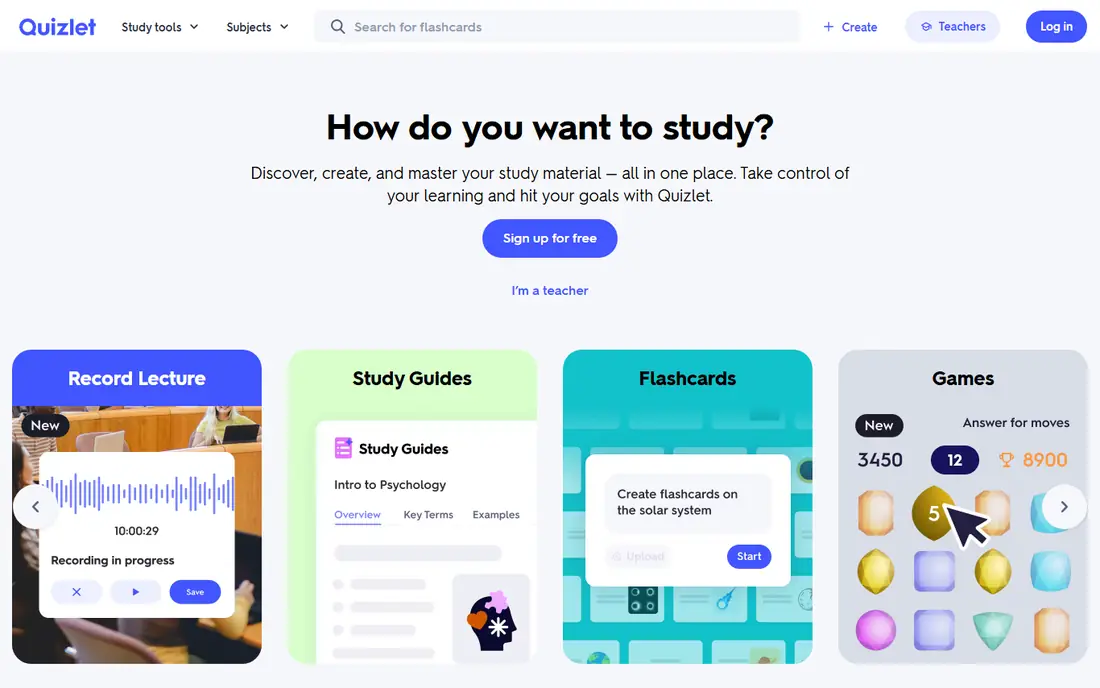
Quizlet suits students who want quick flashcards without setup. You can create a set in minutes, find shared sets for many textbooks and classes, and use Learn, Match, and Test modes to practise. Teachers also use Quizlet for classroom sets, which makes it familiar for school and college students.
Full features, including offline access and advanced modes, need a Plus subscription, and spaced repetition is less powerful than Anki. Ads appear in the free tier. Quizlet suits quick revision and classroom use, while Anki suits long-term retention for high-stakes exams.
- Easy flashcard creation
- Large shared set library
- Learn and Test modes
- Classroom friendly
- Full features need Plus
- Spaced repetition is less powerful than Anki
- Ads in free tier
Notion
Ideal for: Notes, planners, and revision dashboards

Notion suits students who want notes, planners, and revision dashboards in one workspace. You can organise lecture notes by subject, build a revision tracker, and plan assignments with databases and calendars. Student templates help you start, and the free plan covers many student needs.
Setup takes time, and flashcard features require a workaround or an integration, since Notion is not built as a flashcard app. Offline use is also limited. Notion suits organised students who want a central study workspace, paired with Anki or Quizlet for flashcards.
- Pages and databases for notes, planners, and revision trackers
- Many student templates
- Setup takes time
- Offline use is limited
- Flashcard features need a workaround
Khan Academy
Ideal for: Free lessons across many subjects
Khan Academy is the best free learning app for school and early college subjects, with lessons, videos, and practice exercises in maths, science, computing, arts, and test prep. Progress tracking shows mastery by topic, which helps students find gaps. It is completely free, with no subscription for core content.
Depth at university level varies by subject, and Khan Academy is not a flashcard system, so pair it with Anki for memorisation. Khan Academy suits school students, adult learners, and anyone revising core subjects for free, especially maths and science.
- Completely free lessons in maths, science, and more
- Practice exercises
- Progress tracking
- No university-level depth in all subjects
- No flashcard system like Anki
Forest
Ideal for: Focus timer for study sessions
Forest helps students stay focused during study sessions by turning a timer into a growing tree. Plant a tree, study without touching your phone until the timer ends, and build a forest over days and weeks. Friends can plant together, which adds accountability for group study.
Forest does not offer notes or flashcards, so pair it with Anki, Quizlet, or Notion. Paid features vary by platform. Forest suits students who get distracted by their phone and need a simple, visual reason to focus for 25 or 50 minutes at a time.
- Focus timer with a growing tree reward
- Friends can study together
- Simple to use
- No notes or flashcards
- Paid features on some platforms
Focus To-Do
Ideal for: Pomodoro timer with tasks
Focus To-Do combines a Pomodoro timer with task lists, which suits students who plan study tasks and timed sessions in one app. You can set a task, run focus intervals with breaks, and review reports on how much focused time you completed each day. That combination helps with revision planning.
Full reports need Premium, and the interface can feel busy compared with Forest. Task features are also simpler than Todoist. Focus To-Do suits students who want tasks and Pomodoro timing together, rather than a separate timer and list app.
- Pomodoro timer combined with tasks
- Reports on focus time
- Sync across devices
- Full reports need Premium
- Interface can feel busy
- Task features are simpler than Todoist
Google Docs and Drive
Ideal for: Free notes and collaboration
Google Docs and Drive suit students who need free, collaborative notes and storage. Docs work on any device, comments and sharing make group work easy, and Drive stores lecture slides, PDFs, and assignments in one place. That simplicity and free access make it a default for many students.
There are no built-in spaced repetition, flashcard, or revision planning tools, so you need Anki or Quizlet alongside. Organisation also depends on manual folders. Google Docs suits collaborative notes and assignments, paired with a flashcard app for revision and Forest for focus.
- Free docs, notes, and storage
- Easy collaboration
- Works on any device
- No spaced repetition or study-specific tools
- Organisation needs manual folders
Evernote
Ideal for: Notes and research organisation
Evernote suits students who collect research, lecture notes, and web articles in one searchable place. Notebooks, tags, and a web clipper help you save and find material, and search inside PDFs and images is useful for research-heavy subjects. That organisation helps for essays and projects.
The free tier is limited, with device and feature restrictions, and the paid price is higher than Notion for many students. Evernote suits research-heavy students who value search and clipping over a flexible dashboard. For a free student workspace, Notion or Google Docs may be better value.
- Strong note organisation with notebooks and tags
- Web clipper
- Search inside PDFs and images
- Free tier is limited
- Price is higher than Notion for students
- Sync limits on free
How we picked these
We compared official feature pages, pricing pages, app store listings, privacy policies and public reviews for each option in this guide. We checked that each product is still offered in October 2026, that its homepage loads, and that its price or free tier could be confirmed or marked as See website when it could not. We did not claim hands-on testing. We favoured products that fit the topic closely, explain their limits clearly, and give readers a practical way to try them before paying. Where prices change often, we say so and point readers to the vendor page for the current figure.
How to study with apps
Use active recall, not just rereading. Create flashcards in Anki or Quizlet, test yourself daily, and review mistakes the next day. Organise notes in Notion or Google Docs by topic, plan revision in a calendar, and study in focused intervals with Forest or Focus To-Do. Short, regular sessions beat cramming, and sleep and breaks improve retention.
Before you pay,try the free tier or trial first and check the exact limits that matter to you, such as device support, export options, or cancellation terms. Read the privacy policy for any app that handles personal, financial, or health data, and check whether your data can be exported or deleted. The cheapest option is not always the best value if it lacks a feature you will use every week, and the most expensive option is rarely worth it if you only need the basics.
Frequently asked questions
What is the best study app overall?
Anki is best for flashcards and long-term retention, Quizlet is best for quick sets and classroom use, and Notion is best for notes and planners. Khan Academy is best for free lessons in core subjects.
Are study apps free?
Anki is free on desktop and Android, Khan Academy is completely free, and Quizlet, Notion, and Google Docs offer useful free tiers. Paid plans add offline access, advanced features, and sync, so try free first.
What is spaced repetition?
Spaced repetition shows you a flashcard at increasing intervals, just before you would forget it, which improves long-term retention. Anki uses a powerful spaced repetition algorithm, while Quizlet offers a simpler version.
How can I focus while studying?
Use a Pomodoro timer like Forest or Focus To-Do, put your phone in another room during focus intervals, and study in a consistent place and time. Short breaks between intervals help sustain attention.
Should I use one study app or several?
Use two: one flashcard app for recall and one notes app for organisation, plus a focus timer if needed. Using many overlapping apps creates duplicate notes and wastes time that could be spent studying.