Best Subscription Apps in 2026: 7 Apps Compared

- 1
 Stripe BillingBusinesses that want flexible billing infrastructureVisit
- 2
 ChargebeeGrowing SaaS and subscription businessesVisit
- 3
 PaddleSoftware sellers who want tax handledVisit
- 4
 RecurlySubscription businesses focused on churnVisit
- 5
 MemberPressWordPress sites selling membershipsVisit
- Our pick for most people is Stripe Billing, which stands out for businesses that want flexible billing infrastructure.
- Chargebee is the strongest alternative if you want growing saas and subscription businesses, and it is worth comparing side by side with our top pick.
- 2 of the 7 options here offer a free plan, so you can test the core features before paying anything.
- Prices vary widely, and several options use quote based pricing, so check the official pricing page for your team size before you decide.
- The right choice depends on your budget, your must have features, and how much setup time you can spare, so use the buying guide below to narrow the list to two or three finalists.
Quick comparison
| Product | Ideal for | Price from | Free version | |
|---|---|---|---|---|
| Stripe Billing | Businesses that want flexible billing infrastructure | See website | No | Visit |
| Chargebee | Growing SaaS and subscription businesses | See website | Free trial | Visit |
| Paddle | Software sellers who want tax handled | See website | No | Visit |
| Recurly | Subscription businesses focused on churn | See website | No | Visit |
| MemberPress | WordPress sites selling memberships | See website | No | Visit |
 Patreon | Creators selling memberships to fans | See website | Yes | Visit |
 Substack | Writers selling paid newsletters | See website | Yes | Visit |
The best subscription apps
We compared 7 options for best subscription app, looking at features, pricing, free plans, and honest weaknesses, so you can choose with confidence. The list below mixes well known leaders with smaller options that punch above their weight, and every product block sets out who it fits best and where it falls short.
Stripe Billing
Ideal for: Businesses that want flexible billing infrastructure
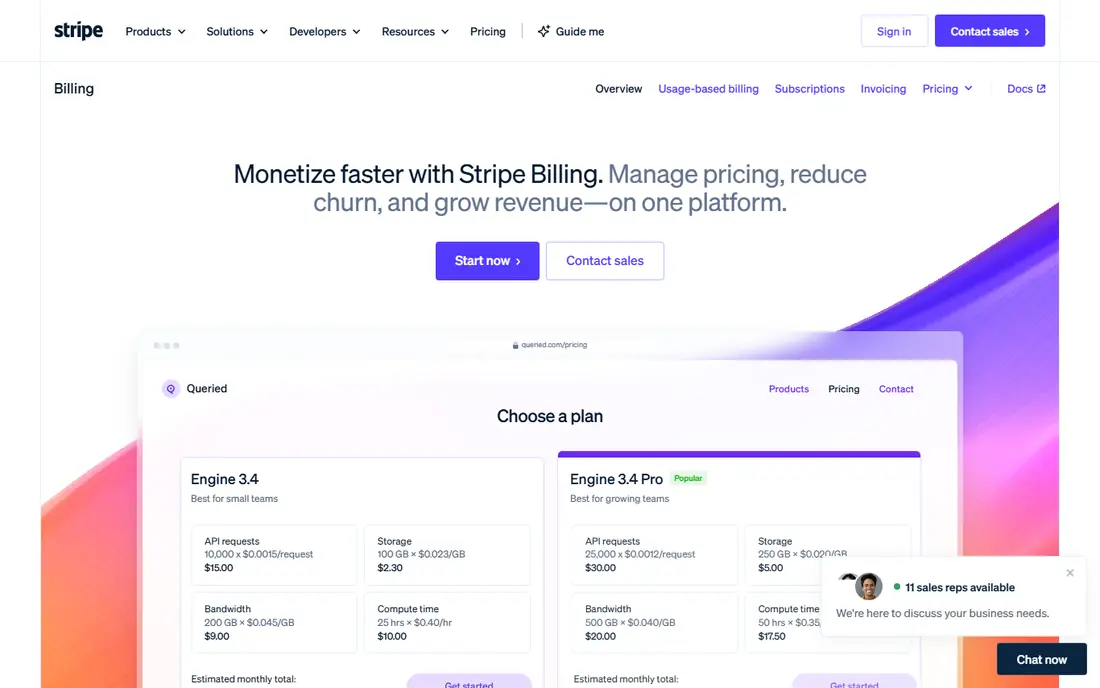
Stripe Billing handles subscriptions, invoicing, trials, and usage based pricing with flexible controls. Developers can build almost any billing model, and global payment support covers many currencies and methods. It powers subscriptions for companies of all sizes.
It is infrastructure, not a ready made membership site, so non technical teams will need help or a front end tool on top. For businesses with developers, the flexibility is unmatched.
Before you commit to Stripe Billing, weigh the trade offs in the pros and cons above against your own priorities, and ask for a demo or a clear quote for your size. With no free plan, the sales conversation matters more, so pin down the total cost, the setup help included, and the contract terms before you sign.
- Flexible billing and pricing models
- Strong developer tools
- Global payments
- Needs developer setup
- Dashboard alone is not a full membership tool
Chargebee
Ideal for: Growing SaaS and subscription businesses

Chargebee manages subscriptions, billing, dunning, and revenue analytics for growing companies. It supports complex pricing, trials, and upgrades, with integrations to accounting and CRM tools that keep finance and sales in sync.
Pricing scales with revenue, and setup needs planning for complex models. For SaaS companies past the early stage, Chargebee is a proven choice.
Before you commit to Chargebee, weigh the trade offs in the pros and cons above against your own priorities, and use the free trial to test it with a real task. A trial is the best way to learn whether the strengths outweigh the drawbacks noted above, so run it with your actual workload rather than a sample project.
- Subscription management and dunning
- Revenue analytics
- Many integrations
- Pricing rises with revenue
- Setup takes planning
Paddle
Ideal for: Software sellers who want tax handled
Paddle acts as merchant of record for software sellers, handling global sales tax, compliance, and payments alongside subscription billing. That removes a major headache for small software teams selling worldwide.
Fees are percentage based, and you give up some control compared with running your own Stripe setup. For indie software sellers, the tax handling alone often justifies it.
Before you commit to Paddle, weigh the trade offs in the pros and cons above against your own priorities, and ask for a demo or a clear quote for your size. With no free plan, the sales conversation matters more, so pin down the total cost, the setup help included, and the contract terms before you sign.
- Merchant of record service
- Handles global sales tax
- Subscription billing included
- Percentage based fees
- Less control than Stripe
Recurly
Ideal for: Subscription businesses focused on churn
Recurly focuses on subscription billing with strong tools for failed payment recovery and churn reduction. It supports many pricing models and gives finance teams clear analytics on retention and revenue.
Pricing is quoted, and complex setups take effort. Businesses where churn is the main problem will value Recurly's recovery features most.
Before you commit to Recurly, weigh the trade offs in the pros and cons above against your own priorities, and ask for a demo or a clear quote for your size. With no free plan, the sales conversation matters more, so pin down the total cost, the setup help included, and the contract terms before you sign.
- Strong dunning and churn tools
- Flexible billing
- Good analytics
- Quote based pricing
- Setup effort for complex use
MemberPress
Ideal for: WordPress sites selling memberships
MemberPress turns a WordPress site into a membership business, with content protection, pricing pages, and payment integrations. It suits creators and course sellers who already run WordPress and want control over their site.
It only works on WordPress, so it is not an option for other platforms. For WordPress users, it is one of the most complete membership plugins available.
Before you commit to MemberPress, weigh the trade offs in the pros and cons above against your own priorities, and ask for a demo or a clear quote for your size. With no free plan, the sales conversation matters more, so pin down the total cost, the setup help included, and the contract terms before you sign.
- WordPress membership plugin
- Content protection
- Many payment options
- WordPress only
- Needs a WordPress site to run
Patreon
Ideal for: Creators selling memberships to fans
Patreon lets creators offer membership tiers with exclusive content, community access, and perks. Setup is fast, fans already know the platform, and creators can start earning without building a site.
Platform fees apply to earnings, and creators control less of the experience than on their own site. For creators building a fan funded business, the built in audience tools still make it compelling.
Before you commit to Patreon, weigh the trade offs in the pros and cons above against your own priorities, and use the free plan to test it with a real task. Free access makes it easy to check the core experience, but watch for the limits that matter to you, such as the drawbacks noted above, before you build a routine around it.
- Creator memberships with tiers
- Built in audience tools
- Easy setup
- Platform fees on earnings
- Limited control over the experience
Substack
Ideal for: Writers selling paid newsletters
Substack makes paid newsletters simple: write, publish, and charge subscribers without building a site or billing system. Discovery features help new readers find your publication, and a free tier builds an audience before you charge.
Substack takes a share of paid revenue, and customization is limited. Writers who value simplicity and discovery over full control will find it a good home.
Before you commit to Substack, weigh the trade offs in the pros and cons above against your own priorities, and use the free plan to test it with a real task. Free access makes it easy to check the core experience, but watch for the limits that matter to you, such as the drawbacks noted above, before you build a routine around it.
- Simple paid newsletter setup
- Built in discovery
- Free tier option
- 10 percent fee on paid subscriptions
- Limited customization
How we picked these
We compared official feature pages, pricing pages, app store listings, privacy policies, and public reviews for each option, and we checked that every product website listed here loads and belongs to that product. We did not claim hands-on testing we did not do, and we favored products that are clearly available now, with pricing or free plan details we could verify or honestly mark as quote based.
We also weighed fit for the topic over raw popularity. A famous product that only partly covers the need lost ground to a smaller option built for the job, and we kept an eye on pricing at realistic team or household sizes rather than headline discounts that few buyers actually get.
How to choose a subscription platform for your business
Start with your must have features
Write down the three features you cannot do without, then score each finalist against that short list. A long feature list looks impressive, but most buyers use a small set of features daily, and the product that nails those three will serve you better than a broader tool with a weak core. Check the free plan or trial limits against your real workload, not a demo, so you learn about caps before you commit.
Compare total cost, not just the headline price
Look at the price at your actual size, including per user fees, add ons, and payment or transaction charges. A free plan can be the cheapest start, but it can also cost time if it lacks a feature you need every week. Ask what happens when you grow: does the next tier jump sharply, and does the product still fit at that size?
Test before you commit
Run a short trial with a real task from your daily work, not a sample project. Invite the people who will use the product every day, and watch where they get stuck. A tool that feels easy in a sales demo but confusing in daily use will cost you adoption, so trust the trial more than the brochure.
Check support and the exit route
Look at how you get help when something breaks: live chat, email, phone, or community forums, and whether support hours match your working hours. Also check how you export your data if you leave, since a tool that locks your work inside is a long term risk. A clear export path and responsive support are worth more than a small price difference.
Frequently asked questions
What is a subscription app?
A subscription app manages recurring billing, member access, and subscriber accounts for a business. It handles signups, renewals, failed payments, and cancellations, so you do not have to track them by hand. Some focus on memberships, others on software or physical products.
How do subscription platforms charge?
Most charge a monthly fee plus a payment processing fee on each transaction, often through Stripe or a similar processor. Some take a percentage of revenue instead. Compare the total cost at your expected volume, not just the monthly fee.
Can I manage failed payments automatically?
Yes, good platforms retry failed cards, send dunning emails, and let customers update payment details themselves. Failed payment recovery can save a meaningful share of revenue, so check how each platform handles it.
What is the difference between a subscription platform and a payment processor?
A payment processor moves money. A subscription platform manages the whole subscriber relationship: plans, trials, upgrades, billing cycles, and churn. Many platforms use a processor underneath, so you often need both, bundled or separate.
Which subscription app is best for creators?
Creators suit platforms with simple setup, member only content, and low fees on small volumes. Tools built for enterprises may be overkill. Start with the platform your audience already trusts, and check payout timing and fees.