Best Sudoku Apps in 2026: 8 Apps Compared

- 1
 Sudoku.commainstream players and daily challengesVisit
- 2
 Good SudokuiPhone users who want to learn techniquesVisit
- 3
 Brainium Sudokubeginners wanting a clean endless puzzle appVisit
- 4
 Sudoku Questplayers who like story and puzzle varietyVisit
- 5
 Microsoft SudokuWindows players and Xbox-linked playVisit
- Sudoku.com is the best mainstream starting point, with a large catalog, daily challenges, and a free tier.
- Good Sudoku is the premium pick for iPhone users who want to learn techniques while they play.
- Sudoku a Day is the best free no-ads option, with printable puzzles for paper practice.
- Brainium Sudoku is a clean, calm choice for beginners who want endless puzzles without fuss.
Quick comparison
| Product | Ideal for | Price from | Free version | |
|---|---|---|---|---|
| Sudoku.com | mainstream players and daily challenges | Free | Yes | Visit |
| Good Sudoku | iPhone users who want to learn techniques | See website | Yes | Visit |
| Brainium Sudoku | beginners wanting a clean endless puzzle app | Free | Yes | Visit |
| Sudoku Quest | players who like story and puzzle variety | Free | Yes | Visit |
| Microsoft Sudoku | Windows players and Xbox-linked play | Free | Yes | Visit |
 Sudoku.coach | learners wanting technique coaching on the web | Free | Yes | Visit |
 Web Sudoku | players who want no download at all | Free | Yes | Visit |
 Andoku Sudoku 3 | Android players wanting variants and stats | Free | Yes | Visit |
The best sudoku apps
Sudoku apps differ more than the grid suggests. Some teach techniques, some offer endless puzzles, and some stay free with no ads. We compared the leading apps on puzzle quality, difficulty range, hints, offline play, and price.
Sudoku.com
Ideal for: mainstream players and daily challenges
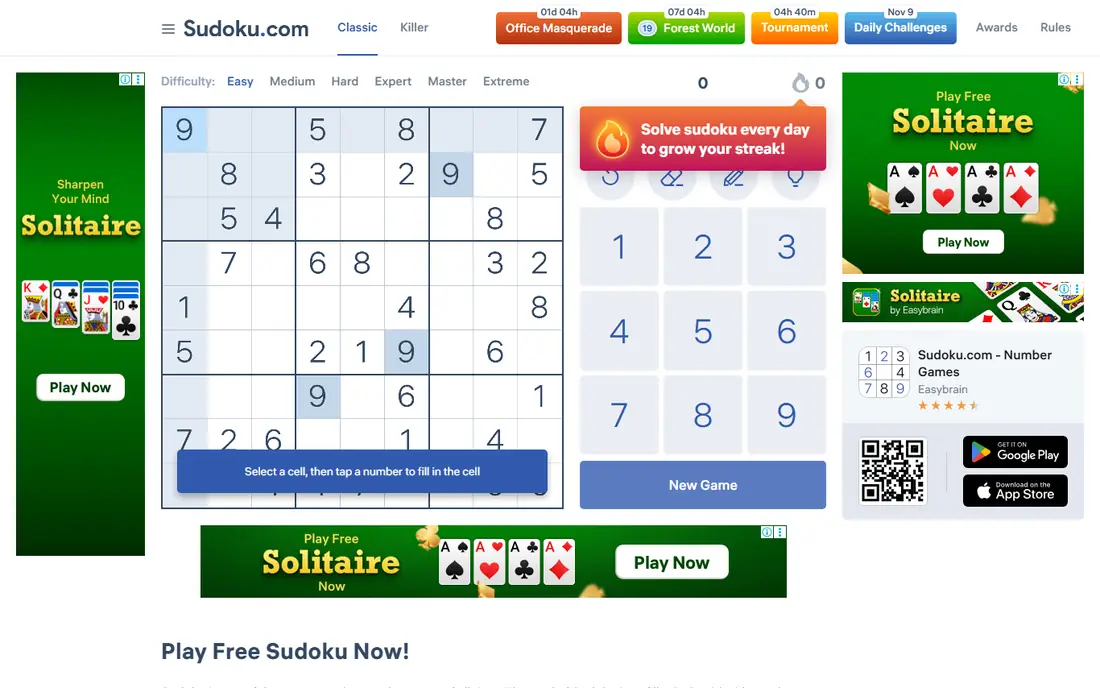
Sudoku.com works best for mainstream players and daily challenges. Sudoku.com is the most widely used sudoku app, with a clear difficulty curve from easy to expert and daily challenges that keep play fresh. Pricing starts at Free, and a free plan is available. This is the option to look at first if that description matches your situation.
The free version shows ads between puzzles, and removing them needs a subscription or one-time purchase, so budget players should factor that in. That trade-off matters most if you were hoping for a single tool that covers every situation without compromise. Compared with the other options here, Sudoku.com stands out for mainstream players and daily challenges, while asking you to accept that Ads in the free tier. Weigh that honestly against your budget and your patience for setup before you commit.
- Large puzzle catalog
- Daily challenges
- Offline play
- Ads in the free tier
- Ad-free costs extra
Good Sudoku
Ideal for: iPhone users who want to learn techniques
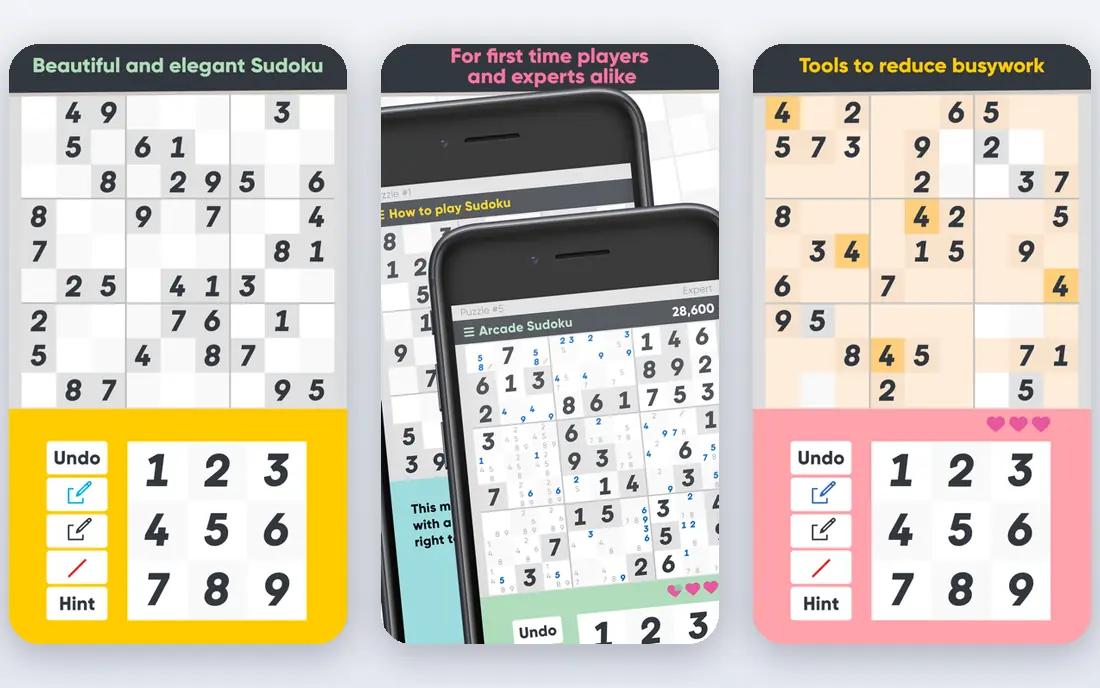
Good Sudoku works best for iPhone users who want to learn techniques. Good Sudoku treats solving as a craft, highlighting candidates and flagging mistakes without spoiling the puzzle. Pricing starts at See website, and a free plan is available. Put this one near the top of your shortlist when the fit sounds right.
It is a paid app with an iOS focus, so Android users and free-only players should look at Brainium or Sudoku.com instead. That trade-off matters most if you were hoping for a single tool that covers every situation without compromise. Compared with the other options here, Good Sudoku stands out for iPhone users who want to learn techniques, while asking you to accept that iOS focus. Weigh that honestly against your budget and your patience for setup before you commit.
- Highlights valid candidates
- Teaches technique naturally
- Polished design
- IOS focus
- Not free
- Smaller catalog feel than mass apps
Brainium Sudoku
Ideal for: beginners wanting a clean endless puzzle app
Brainium Sudoku works best for beginners wanting a clean endless puzzle app. Brainium Sudoku is a calm, clean app with endless puzzles and a friendly difficulty curve for new players. Pricing starts at Free, and a free plan is available. This choice makes the most sense for readers who match the description above.
The free version carries ads, and the ad-free upgrade is a separate purchase, so the true cost depends on how much ads bother you. That trade-off matters most if you were hoping for a single tool that covers every situation without compromise. Compared with the other options here, Brainium Sudoku stands out for beginners wanting a clean endless puzzle app, while asking you to accept that Ads in free version. Weigh that honestly against your budget and your patience for setup before you commit.
- Endless puzzles
- Clean interface
- Offline play
- Ads in free version
- Ad-free upgrade costs extra
Sudoku Quest
Ideal for: players who like story and puzzle variety
Sudoku Quest works best for players who like story and puzzle variety. Sudoku Quest wraps sudoku in a story with variants and thousands of levels, which suits players who like goals beyond the grid. Pricing starts at Free, and a free plan is available. Consider this option closely if you want the balance it offers.
The game layer can distract purists, and ads and purchases appear along the way, so classic players may prefer a plainer app. That trade-off matters most if you were hoping for a single tool that covers every situation without compromise. Compared with the other options here, Sudoku Quest stands out for players who like story and puzzle variety, while asking you to accept that Ads and purchases. Weigh that honestly against your budget and your patience for setup before you commit.
- Story mode
- Puzzle variants
- Thousands of levels
- Ads and purchases
- Progression can distract from pure sudoku
Microsoft Sudoku
Ideal for: Windows players and Xbox-linked play
Microsoft Sudoku works best for Windows players and Xbox-linked play. Microsoft Sudoku offers several modes and daily challenges on Windows, with a polished presentation and account-linked progress. Pricing starts at Free, and a free plan is available. This is a strong candidate when your priorities line up with its strengths.
It is Windows-first, so mobile players get a thinner experience than with Sudoku.com or Brainium. That trade-off matters most if you were hoping for a single tool that covers every situation without compromise. Compared with the other options here, Microsoft Sudoku stands out for Windows players and Xbox-linked play, while asking you to accept that Windows focus. Weigh that honestly against your budget and your patience for setup before you commit.
- Multiple modes
- Daily challenges
- Microsoft account sync
- Windows focus
- Fewer mobile features than rivals
Sudoku.coach
Ideal for: learners wanting technique coaching on the web
Sudoku.coach works best for learners wanting technique coaching on the web. Sudoku.coach teaches solving techniques on the web, explaining the patterns behind hard puzzles instead of just giving answers. Pricing starts at Free, and a free plan is available. Keep this one in mind if the trade-offs below are acceptable to you.
It is web-first rather than a full mobile app, and some coaching features sit behind a premium tier. That trade-off matters most if you were hoping for a single tool that covers every situation without compromise. Compared with the other options here, Sudoku.coach stands out for learners wanting technique coaching on the web, while asking you to accept that Web-first. Weigh that honestly against your budget and your patience for setup before you commit.
- Technique lessons
- Web play
- Solver guidance
- Web-first
- Premium features cost extra
Web Sudoku
Ideal for: players who want no download at all
Web Sudoku works best for players who want no download at all. Web Sudoku runs in any browser with no download, offering a huge archive and printable puzzles for paper play. Pricing starts at Free, and a free plan is available. This option earns its place for the specific audience named above.
The design is old-fashioned, and it lacks the streaks, stats, and polish of modern apps. That trade-off matters most if you were hoping for a single tool that covers every situation without compromise. Compared with the other options here, Web Sudoku stands out for players who want no download at all, while asking you to accept that Older design. Weigh that honestly against your budget and your patience for setup before you commit.
- No install needed
- Huge puzzle archive
- Printable puzzles
- Older design
- No app features like streaks
Andoku Sudoku 3
Ideal for: Android players wanting variants and stats
Andoku Sudoku 3 works best for Android players wanting variants and stats. Andoku Sudoku 3 is a long-running Android favorite with variants, detailed statistics, and solid offline play. Pricing starts at Free, and a free plan is available. Round out your shortlist with this option if its approach appeals to you.
It is Android only, so iPhone users need another app, and the free version includes ads. That trade-off matters most if you were hoping for a single tool that covers every situation without compromise. Compared with the other options here, Andoku Sudoku 3 stands out for Android players wanting variants and stats, while asking you to accept that Android only. Weigh that honestly against your budget and your patience for setup before you commit.
- Many variants
- Detailed statistics
- Offline play
- Android only
- Ads in the free version
How we picked these
We compared official feature pages, pricing pages, app store listings, privacy policies, and public reviews for each option, and we kept only products that exist and work today and that truly fit the topic. We gave weight to clear pricing, a usable free or trial option where one is offered, and honest limits stated on the vendor site. We did not claim hands-on testing we did not do, and where a price could not be verified on the vendor site we wrote See website instead of guessing. Our pick for most people is usually the option that covers the core job well at a fair price, not the one with the longest feature list. That said, the right answer depends on your situation, so use the comparison table to narrow the list to two or three options, then check the current pricing page before you pay.
How to choose a sudoku app
Start with your device. iPhone users have Good Sudoku as a premium option, Android users have Andoku, and web players can start with Web Sudoku or Sudoku.coach without installing anything.
Next, decide whether you want to learn or just play. Coaching apps explain techniques, while endless-puzzle apps suit players who already know the patterns and want volume.
Finally, check ads and offline play. Free apps often show ads, and offline support matters for travel and commutes, so download a few puzzles before a trip and see which interface feels best.
Frequently asked questions
What is the best sudoku app?
Sudoku.com is the best mainstream pick, Good Sudoku is the best premium iPhone app, and Sudoku a Day is the best free no-ads option. The right app depends on your device and whether you want coaching.
Are sudoku apps free?
Many are free with ads, including Sudoku.com, Brainium, and Web Sudoku. Premium apps like Good Sudoku charge once or by subscription for an ad-free experience.
Which sudoku app is best for beginners?
Brainium Sudoku and Sudoku.com are both friendly for beginners, with easy puzzles and clear interfaces. Sudoku.coach adds technique lessons for players who want to improve.
Can I play sudoku offline?
Yes. Sudoku.com, Brainium, Andoku, and Microsoft Sudoku all support offline play once puzzles are downloaded, which suits travel and commutes.
Do sudoku apps teach techniques?
Good Sudoku and Sudoku.coach both teach techniques as you play, highlighting candidates and explaining patterns. Most other apps focus on puzzle volume rather than coaching.