8 Best System Backup Software Tools

- 1
 Acronis Cyber Protect Home OfficeComplete home protection with antivirusVisit
- 2
 Macrium ReflectFast, reliable disk imagingVisit
- 3
 EaseUS Todo BackupFriendly all-round home backupVisit
- 4
 AOMEI BackupperFree imaging plus low-cost cloningVisit
- 5
 Veeam Agent for Microsoft WindowsFree whole-PC imagingVisit
- Full system imaging matters more than file copy alone, because an image restores the operating system, apps and settings in one pass.
- Free editions from Veeam Agent and Paragon cover whole-PC imaging, while Acronis and Macrium lead the subscription imaging tools at $49.99 per year.
- Cloud-first tools such as Backblaze and IDrive suit off-site protection, while local imaging tools suit fast restores from an external drive.
- Check the renewal price, the number of computers covered, and whether cloning and dissimilar hardware restore sit in the edition you buy.
Quick comparison
| Product | Ideal for | Price from | Free version | |
|---|---|---|---|---|
| Acronis Cyber Protect Home Office | Complete home protection with antivirus | $49.99 per year | Free trial (30 days) | Visit |
| Macrium Reflect | Fast, reliable disk imaging | $49.99 per year | Free trial (30 days) | Visit |
| EaseUS Todo Backup | Friendly all-round home backup | $39.95 per year | Yes | Visit |
| AOMEI Backupper | Free imaging plus low-cost cloning | $39.95 per year | Yes | Visit |
| Veeam Agent for Microsoft Windows | Free whole-PC imaging | $0 (Free edition) | Yes | Visit |
 Paragon Backup and Recovery | Free imaging for personal use | $0 (Community Edition) | Yes | Visit |
 Backblaze Computer Backup | Unlimited cloud backup for one computer | $99 per year | Free trial (15 days) | Visit |
 IDrive | Multi-computer cloud backup with 5 TB | $83.88 first year, then $119.88 per year | Yes (10 GB) | Visit |
The best system backup software
Acronis Cyber Protect Home Office
Ideal for: Complete home protection with antivirus
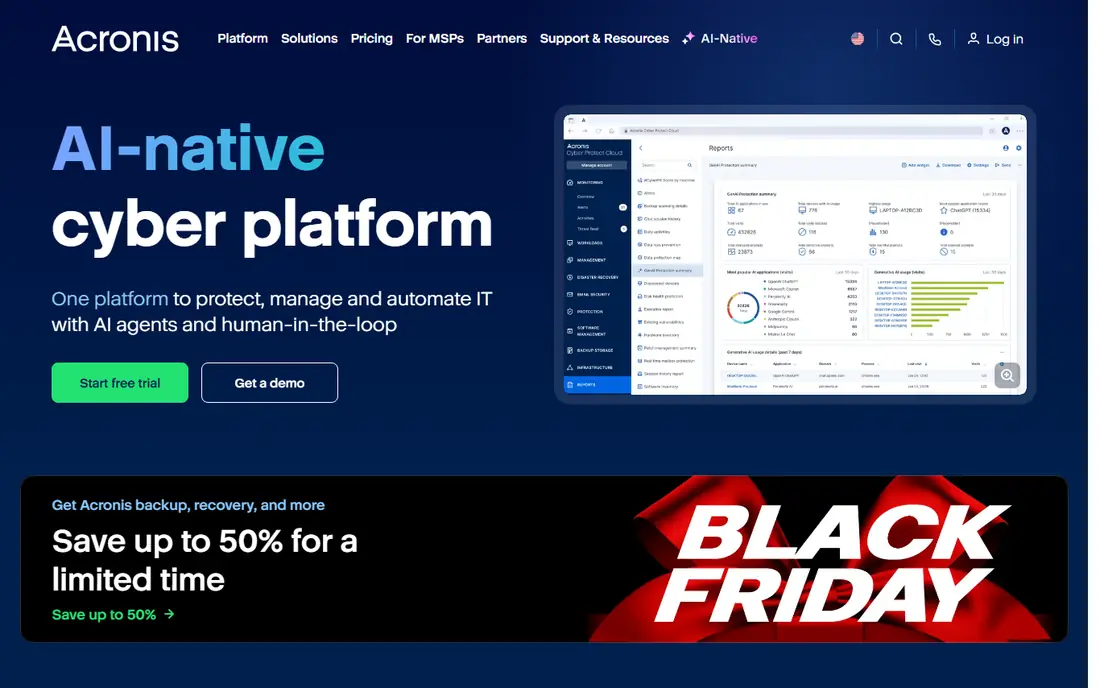
Acronis Cyber Protect Home Office, now sold as Acronis True Image, covers the whole machine rather than a folder of files. It creates full image backups, clones disks, and restores to similar or dissimilar hardware through universal restore. Scheduled backups run in the background, and the Acronis Survival Kit builds an all-in-one recovery drive for a machine that will not boot. That combination makes it a strong pick for a household that wants one tool for several computers.
The Essentials plan starts at $49.99 per year and covers local backup and cloning for up to 5 PCs and Macs, with a first-year price of $39.99 shown on the vendor comparison page. Advanced adds cloud backup and malware protection from $57.99 per year, while Premium adds 1 TB of cloud storage from $124.99 per year. Buyers who only need local imaging can stay on Essentials, but anyone who wants an off-site copy should budget for Advanced or Premium, and should confirm the renewal price before checkout.
- Full image backup, cloning and universal restore in one suite
- Essentials covers up to 5 PCs and Macs
- Essentials has no cloud storage included
- Anti-malware extras sit in higher tiers, and the first-year discount ends at renewal
Macrium Reflect
Ideal for: Fast, reliable disk imaging
Macrium Reflect has built its name on disk imaging that restores when it matters. Reflect X Home creates full, incremental and differential images of whole disks and partitions, plus file and folder backup on a schedule. Rapid Delta Restore rebuilds only the blocks that changed, which shortens recovery time, and rescue media built on Windows PE or RE boots a machine that cannot start on its own. Image Guardian blocks ransomware and accidental deletion from changing backup files.
Reflect X Home costs $49.99 per year for one PC, with a 30-day trial that needs no credit card. A 4-pack costs the same as two licences, and a 3-year term lowers the yearly equivalent. The old free edition is gone, so there is no no-cost route into the current version, and a lapsed subscription drops the software to restore-only mode, which still opens existing images but cannot create new ones. That licence model suits owners who value restore reliability above a free tier.
- Rapid Delta Restore and a fast imaging engine
- Image Guardian guards backup files against ransomware
- No free edition, only a 30-day trial
- Each Home licence covers one PC
EaseUS Todo Backup
Ideal for: Friendly all-round home backup

EaseUS Todo Backup suits home users who want imaging without a steep learning curve. The free edition handles file, disk, partition and system backup with full, incremental and differential modes, scheduling, encryption and a bootable WinPE disk. The Home edition adds disk and system cloning, universal restore for a move to different hardware, Outlook email backup and system transfer to a new PC. A 30-day money-back guarantee applies to the Home edition.
Home costs $39.95 for a one-year licence for one computer, with a perpetual licence at $59.95 and a lifetime-upgrades licence at $79.95 shown on the vendor buy page. A bundle with 1 TB of EaseUS cloud storage is also offered. The yearly licence includes one year of free upgrades and standard support. Read the licence term at checkout, because the yearly, perpetual and lifetime options differ on upgrades and cloud storage, and the wrong choice is easy to make in a hurry.
- Free edition covers system, disk and file backup with scheduling
- Home adds cloning and universal restore
- Cloning and system transfer need the Home edition
- Checkout shows several licence terms that need a close read
AOMEI Backupper
Ideal for: Free imaging plus low-cost cloning
AOMEI Backupper covers system, disk, partition and file backup on Windows, with scheduling, incremental and differential backup, and bootable rescue media. The free Standard edition already includes WinPE media and data-disk cloning, which makes it one of the most generous free imaging tools. Professional adds system cloning for SSD upgrades, differential backup, encryption, real-time sync, automatic cleanup of old images, and a ransomware protection tool added in version 8.5.
Professional costs $39.95 per year for one PC, with a lifetime licence at $69.95 and a family lifetime licence covering 5 PCs at $89.95. Workstation and Server editions sit above it for business machines. The yearly price is low for what it includes, but buyers should note that cloud storage is a separate add-on on some terms, and that commercial use needs a business edition rather than the free Standard edition.
- Standard edition is free for personal use
- Professional adds system clone and universal restore at $39.95 per year
- System clone needs the Professional edition
- Cloud storage costs extra on some licence terms
Veeam Agent for Microsoft Windows
Ideal for: Free whole-PC imaging
Veeam Agent for Microsoft Windows brings enterprise backup engineering to a single PC at no cost. The free standalone agent creates image-level backups of the entire machine, volume-level backups and file-level backups, and it can restore a whole system to bare metal from bootable recovery media. Backups can target an external drive, a NAS, or a Veeam repository, and later backups run faster because only changed data is copied after the first full image.
The interface speaks the language of IT rather than home users, and the free edition keeps scheduling and retention simpler than the licensed Workstation and Server editions. Those editions add backup encryption, tape support and central management. There is no consumer cloud storage built in, so buyers need their own drive or network target. For a technically confident user who wants a free, full-strength imaging tool, it is hard to beat.
- Free edition includes full image backup and bare-metal restore
- Same engine family used in Veeam business products
- No built-in cloud storage, you supply the destination
- Free edition needs a Veeam account and licence key
Paragon Backup and Recovery
Ideal for: Free imaging for personal use
Paragon Backup and Recovery Community Edition is a free Windows tool for personal, non-commercial use, and it covers the core jobs: whole-system backup, disk and partition backup, file and folder backup, scheduled automation, WinPE-based recovery, and archive mounting. It stores images in common formats such as ZIP compression and Microsoft virtual hard disks, so data can be browsed without the program in some cases. No account or personal details are needed to download and use it.
The free edition draws a clear line at partition management, disk copying, email notifications and server operating systems. Those features live in Hard Disk Manager Advanced, listed from $79.95 as a one-off licence. Paragon also notes that the Community Edition runs on 64-bit Windows 10 version 1809 and newer, plus Windows 11, including ARM64 editions. Home users who want free imaging with a commercial-grade engine will find it a solid choice.
- Community Edition is free for personal use with no time limit
- Supports system, disk and file backup with WinPE recovery
- No partition management or disk copy in the free edition
- No server OS support, commercial use needs Hard Disk Manager
Backblaze Computer Backup
Ideal for: Unlimited cloud backup for one computer
Backblaze Computer Backup takes the simplest approach in this list: install it once, and it backs up user data from one Mac or Windows computer continuously, with no storage cap and no file size limit. Attached USB and Thunderbolt drives are included, and the default backup set covers user-generated data so files are rarely missed. Version history runs 30 days by default, with a free setting that stretches it to one year, and a longer history option costs $0.006 per GB per month for versions older than a year.
Pricing is flat at $9 per month, $99 per year, or $189 for a two-year term, per computer, as shown on the vendor page. A 15-day trial needs no credit card. Restore options include download through a browser, a restore app for large recoveries, and a mailed hard drive up to 8 TB. The per-computer model adds up fast for a household with three machines, so count devices before committing.
- Unlimited backup data for one computer with no storage cap
- One-year version history included
- One licence covers one computer only
- No Linux client for Computer Backup, and NAS volumes are excluded
IDrive
Ideal for: Multi-computer cloud backup with 5 TB
IDrive suits households and small teams with several devices, because one Personal account covers multiple computers, phones, external drives and NAS devices under a single storage allowance. Continuous backup picks up file changes in near real time, and the service keeps 30 versions of each file. Files are protected with 256-bit AES encryption, and a Cloud Drive folder syncs files across linked devices. IDrive Express ships a temporary storage device for large backups or restores, free once a year on Personal plans.
Personal 5 TB costs $6.99 per month billed yearly for the first year, which totals $83.88, then $9.99 per month billed yearly, or $119.88 per year, from the second year onward. The vendor pricing page states that the discounted price applies to the first year and standard pricing applies after that. A free 10 GB Basic account is available for a small backup set, and Mini plans start lower for light users. Budget on the renewal price, not the first-year figure.
- One Personal account covers multiple computers, phones and NAS under a 5 TB allowance
- IDrive Express ships a drive for large restores
- The $6.99 monthly figure is a first-year rate, standard is $9.99
- Going over 5 TB adds $0.25 per GB per month
How we chose
We compared vendor pricing pages, edition comparison pages and product documentation on 2026-11-12, and we opened the official homepage of every tool in this list to confirm it loads and shows that product. We scored each tool on whole-system imaging, cloning, restore options, scheduling, version history, licence scope, and the clarity of its pricing. Prices are list prices in US dollars before tax, as shown on the vendor pages on the check date, and promotions can change them. We did not install or run any of these tools, and we make no claims about measured speed or restore times.
What to check before you buy
Start with the 3-2-1 rule: keep 3 copies of important data, on 2 different types of media, with 1 copy off-site. A local image restores a dead drive fast, while a cloud copy survives fire, flood and theft, so many buyers need one of each. Count the computers a licence covers, because a $49.99 licence for one PC costs $149.97 for three, while a multi-computer cloud plan may cover the same three for less. Confirm that cloning and dissimilar hardware restore sit in the edition you buy, since both are often held back from free editions. Check version history length, storage caps, and the renewal price against the first-year price, and confirm the rescue media boots on your machine before you need it. Test a restore of a single file first, then a full image to a spare drive, and keep the recovery media somewhere you can reach it.
| Situation | Pick | Yearly cost | | One home PC, no budget | Veeam Agent or Paragon Community Edition | $0 | | One home PC, friendly imaging | EaseUS Todo Backup Home or AOMEI Backupper Professional | $39.95 | | One PC, imaging plus security | Acronis Essentials or Macrium Reflect Home | $49.99 | | One PC, unlimited cloud backup | Backblaze Computer Backup | $99 | | Several computers, one cloud account | IDrive Personal 5 TB | $83.88 first year, $119.88 after | | Servers and virtual machines | Veeam licensed editions or Paragon Hard Disk Manager | Quote only |
Frequently asked questions
What is system backup software?
System backup software copies a whole computer, including the operating system, installed apps, settings and files, into an image that can restore the machine in one pass. File backup only copies selected folders, so a rebuild after a dead drive takes far longer. Imaging tools also create bootable rescue media, which starts a computer that cannot boot on its own and restores the image to a new drive.
Is free system backup software enough for a home PC?
Free imaging from Veeam Agent or Paragon Community Edition is enough for many home PCs, because both cover whole-system backup, scheduling and bare-metal restore at no cost. The limits show up in cloning, dissimilar hardware restore, encryption and support, which sit in licensed editions. If you move to a new PC often, or you want help when a restore fails, a low-cost licence is worth the money.
How much does system backup software cost?
Entry imaging licences in this list start at $39.95 per year for EaseUS Todo Backup Home and AOMEI Backupper Professional, while Acronis Essentials and Macrium Reflect Home start at $49.99 per year. Cloud backup starts at $99 per year for Backblaze on one computer, and IDrive Personal 5 TB costs $83.88 in year one and $119.88 per year after. Free editions from Veeam and Paragon cost nothing for personal use.
Do I need cloud backup as well as local imaging?
Local imaging gives the fastest restore after a drive failure, because the image sits on a drive next to you and restores at local speed. Cloud backup protects against events that destroy both the computer and the local drive, such as fire, flood or theft. Many buyers run both: a scheduled image to an external drive for fast recovery, plus a cloud service for an off-site copy of the files that matter most.
How often should I back up my whole system?
A full image once a month, with incremental images weekly or after major changes, suits most home PCs. Daily file backup covers documents that change often, while a fresh image before a system update, a hardware change or a trip protects against the moments when failure is most likely. Keep at least two recent images, and check that the newest one restores before you delete the older one.
Sources
- https://www.acronis.com/en/products/true-image/comparison/
- https://www.macrium.com/products/home
- https://www.easeus.com/backup-software/tb-home-buy.html?linkid=e_tbh
- https://www.aomeitech.com/
- https://www.veeam.com/
- https://www.paragon-software.com/
- https://www.backblaze.com/cloud-backup/business/landing/ad/use-cases/business-computer-backup
- https://www.idrive.com/pricing